Introduction
The Atomi Power Cube is a versatile and compact charging solution designed to power and charge multiple devices simultaneously. This 2-pack provides two individual Power Cubes, each featuring 3 AC outlets, 2 USB-A ports, and 1 USB-C port, along with a detachable 5-foot cable for flexible placement.
It is ideal for use in various settings, including homes, offices, and during travel, offering a convenient way to manage your charging needs efficiently.
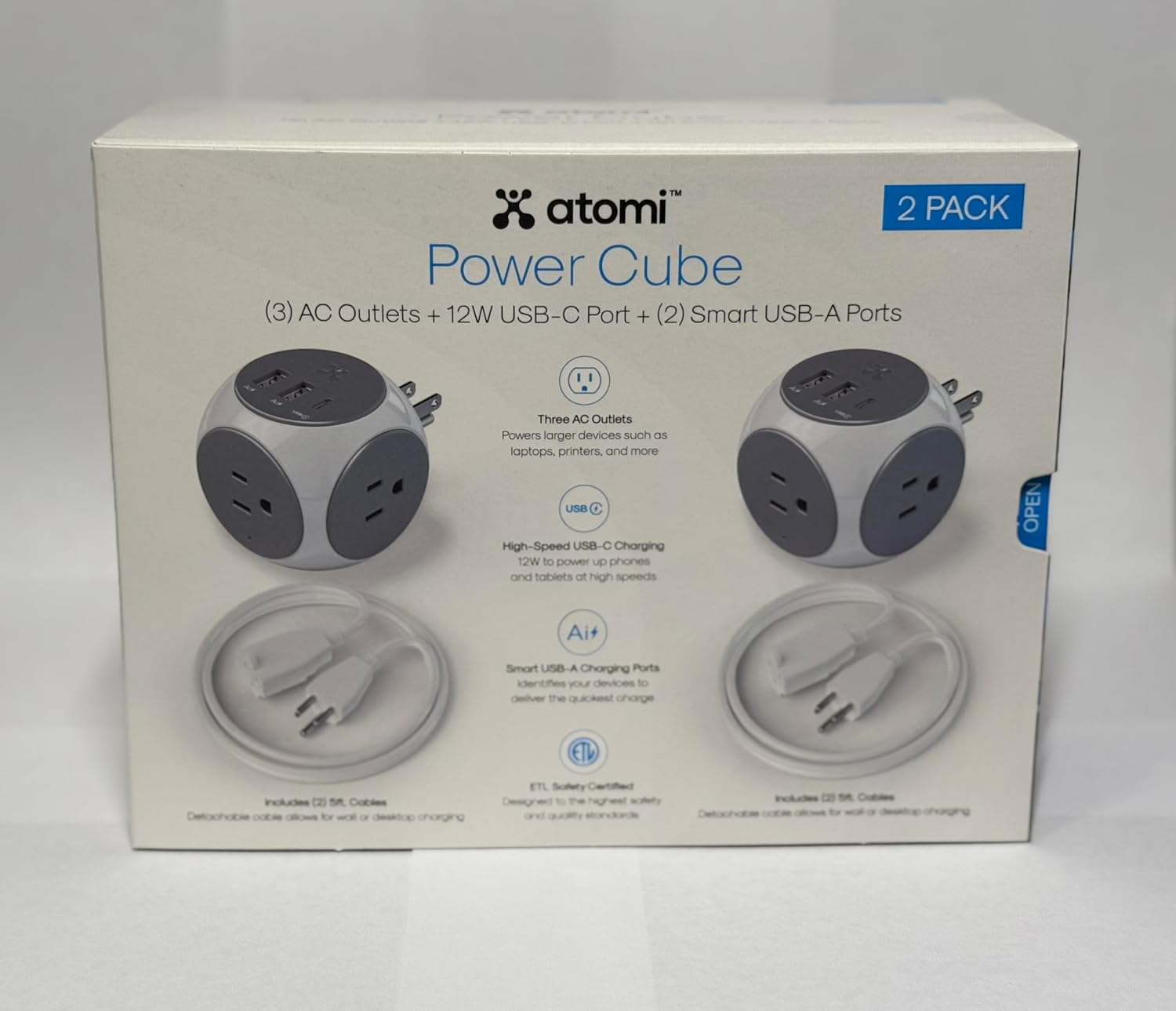
Figure 1: Atomi Power Cube 2-Pack retail packaging, showing two cubes and their features.
Key Features
- Multi-Charge Capability: Each Power Cube allows you to charge and power up to six devices simultaneously, utilizing 3 AC outlets and 3 USB ports (2 USB-A & 1 USB-C).
- Smart USB Charging Ports: Equipped with Ai Smart Charging technology, the USB ports automatically identify your connected devices to deliver the quickest and most efficient charge, up to 50% faster than standard 1-Amp wall chargers.
- 5-Foot Detachable Cable: The included 5-foot cable provides flexibility for placement, allowing the Power Cube to function as either a wall charger or a desktop charger, reaching hard-to-access outlets.
- Universal Design: The Atomi Power Cube is designed to be fully compatible with all USB-charged devices, making it a versatile accessory for your electronic gadgets.

Figure 2: Two Atomi Power Cubes shown with their respective detachable 5-foot power cables, highlighting the complete package contents.
Setup Instructions
- Unpack the Power Cube: Carefully remove the Atomi Power Cube and its detachable 5-foot cable from the packaging.
- Connect the Cable: Insert the male end of the 5-foot power cable into the designated port on the Atomi Power Cube. Ensure it is securely connected.
- Choose Placement:
- Wall Charger Configuration: Plug the Power Cube directly into a standard AC wall outlet. The compact design allows it to sit flush against the wall.
- Desktop Charger Configuration: If the wall outlet is hard to reach or you prefer the cube on a surface, plug the 5-foot cable into the wall outlet and place the Power Cube on your desk, nightstand, or any convenient surface.
- Verify Power: Once plugged in, the Power Cube is ready for use. There are no indicator lights on the unit itself; power is confirmed by the functionality of connected devices.

Figure 3: Illustration demonstrating the two primary setup configurations: direct wall plug-in and desktop placement using the extension cable.
Operating Instructions
The Atomi Power Cube is designed for simple plug-and-play operation. Follow these steps to charge your devices:
- Connect AC Devices: For devices requiring standard AC power, plug their power cords directly into any of the three AC outlets on the Power Cube.
- Connect USB Devices: For devices that charge via USB, connect their USB charging cables to the appropriate ports:
- USB-A Ports (x2): Use these for standard USB-A cables. The Ai Smart Charging technology will optimize the charging speed for your device.
- USB-C Port (x1): Use this for USB-C cables. This port provides high-speed charging for compatible devices.
- Charging Confirmation: Your devices should begin charging automatically. Refer to your device's charging indicator to confirm.
- Optimal Use: For best performance, ensure that the total power draw of all connected devices does not exceed the Power Cube's maximum rated output (refer to specifications).

Figure 4: An Atomi Power Cube demonstrating simultaneous charging of multiple devices via its AC outlets and USB ports.
Maintenance and Care
- Cleaning: Disconnect the Power Cube from the power source before cleaning. Use a soft, dry cloth to wipe the exterior. Do not use liquid cleaners or aerosols.
- Storage: When not in use, store the Power Cube in a cool, dry place away from direct sunlight and extreme temperatures.
- Handling: Avoid dropping the Power Cube or subjecting it to strong impacts. Do not attempt to disassemble or modify the unit.
- Environment: Keep the Power Cube away from water, moisture, and highly humid environments.
Troubleshooting
| Problem | Possible Cause | Solution |
|---|---|---|
| Devices are not charging. |
|
|
| Slow charging via USB ports. |
|
|
| Power Cube feels warm. |
|
|
Specifications
| Brand | Atomi |
| Model | Power Cube 2-Pack |
| Total Power Outlets | 6 (3 AC Outlets, 2 USB-A, 1 USB-C) per cube |
| Voltage | 120V |
| Cable Length | 5 feet (detachable) |
| Special Features | USB-A & USB-C, Ai Smart Charging |
| Color | White |
| Item Weight | 2.5 pounds (for the 2-pack) |
| Package Dimensions | 9.5 x 7.5 x 4.5 inches |
| Manufacturer | atomi smart |
Warranty Information
Specific warranty details for Atomi products are typically provided with the product packaging or available on the manufacturer's official website. Please refer to the documentation included with your Atomi Power Cube 2-Pack for precise warranty terms and conditions. Generally, Atomi products come with a limited warranty covering defects in materials and workmanship under normal use.
For warranty claims or inquiries, retain your proof of purchase.
Customer Support
For technical assistance, troubleshooting beyond this manual, or general inquiries about your Atomi Power Cube, please contact Atomi customer support.
Visit the official Atomi website for the most up-to-date contact information, FAQs, and additional product resources. You can typically find support contact details such as email addresses, phone numbers, or online contact forms on their "Support" or "Contact Us" pages.
Website: www.atomismart.com


