
RadioShack 4001973
Contents
RadioShack Bluetooth Retro Speaker with Microphone Input User Manual
Model: 4001973
Introduction
Thank you for purchasing the RadioShack Bluetooth Retro Speaker. This device combines classic aesthetics with modern audio technology, offering powerful sound output, wireless connectivity, and versatile playback options. This manual provides essential information for safe and effective use of your speaker.

Image: The RadioShack Bluetooth Retro Speaker, showcasing its vintage design with a black leather finish, gold accents, and a top handle.
Safety Information
- Read all instructions before operating the device.
- Keep the speaker away from water, moisture, and extreme temperatures.
- Do not attempt to disassemble or repair the unit yourself. Refer all servicing to qualified personnel.
- Use only the specified charging cable and power adapter.
- Avoid prolonged exposure to high volume levels to prevent hearing damage.
Package Contents
Please check that all items are present:
- RadioShack Bluetooth Retro Speaker
- Power Adapter/Charging Cable
- Remote Control
- User Manual
Product Overview
The speaker features a robust design with intuitive controls for various audio sources.

Image: An illustration highlighting the key features of the speaker, including Bluetooth 5.0 compatibility, AUX input, 80W output, USB for MP3 playback, microphone input, and remote control functionality.
Control Panel and Ports
Familiarize yourself with the speaker's controls and connection points:
- Power Button: Turns the speaker on or off.
- Volume Knobs: Adjust master volume.
- Mode Button: Switches between Bluetooth, USB, and AUX modes.
- Play/Pause Button: Controls media playback.
- Track Skip Buttons: Navigate through tracks.
- USB Port: For MP3 playback from a USB drive.
- AUX Input: 3.5mm jack for wired audio connection.
- Microphone Input: For connecting an external microphone.
- DC Input: For charging the speaker.
Setup
1. Charging the Speaker
- Connect the provided charging cable to the DC Input port on the speaker.
- Plug the other end of the cable into a suitable power outlet.
- The charging indicator light will illuminate. Allow approximately 3-4 hours for a full charge. The indicator will change or turn off when fully charged.
2. Attaching the Carry Handle (if detached)
If the carry handle is not already attached, align the handle's ends with the designated slots on the sides of the speaker and secure them firmly. Ensure it clicks into place for safe carrying.
Operating Instructions
1. Power On/Off
Press and hold the Power button on the speaker's control panel for a few seconds to turn the unit on or off.
2. Bluetooth Pairing
- Turn on the speaker. It will automatically enter Bluetooth pairing mode, indicated by a flashing LED light.
- On your Bluetooth-enabled device (smartphone, tablet, etc.), go to the Bluetooth settings and search for available devices.
- Select 'RadioShack Speaker' (or similar name) from the list.
- Once connected, the LED indicator will stop flashing and remain solid. You can now stream audio wirelessly.
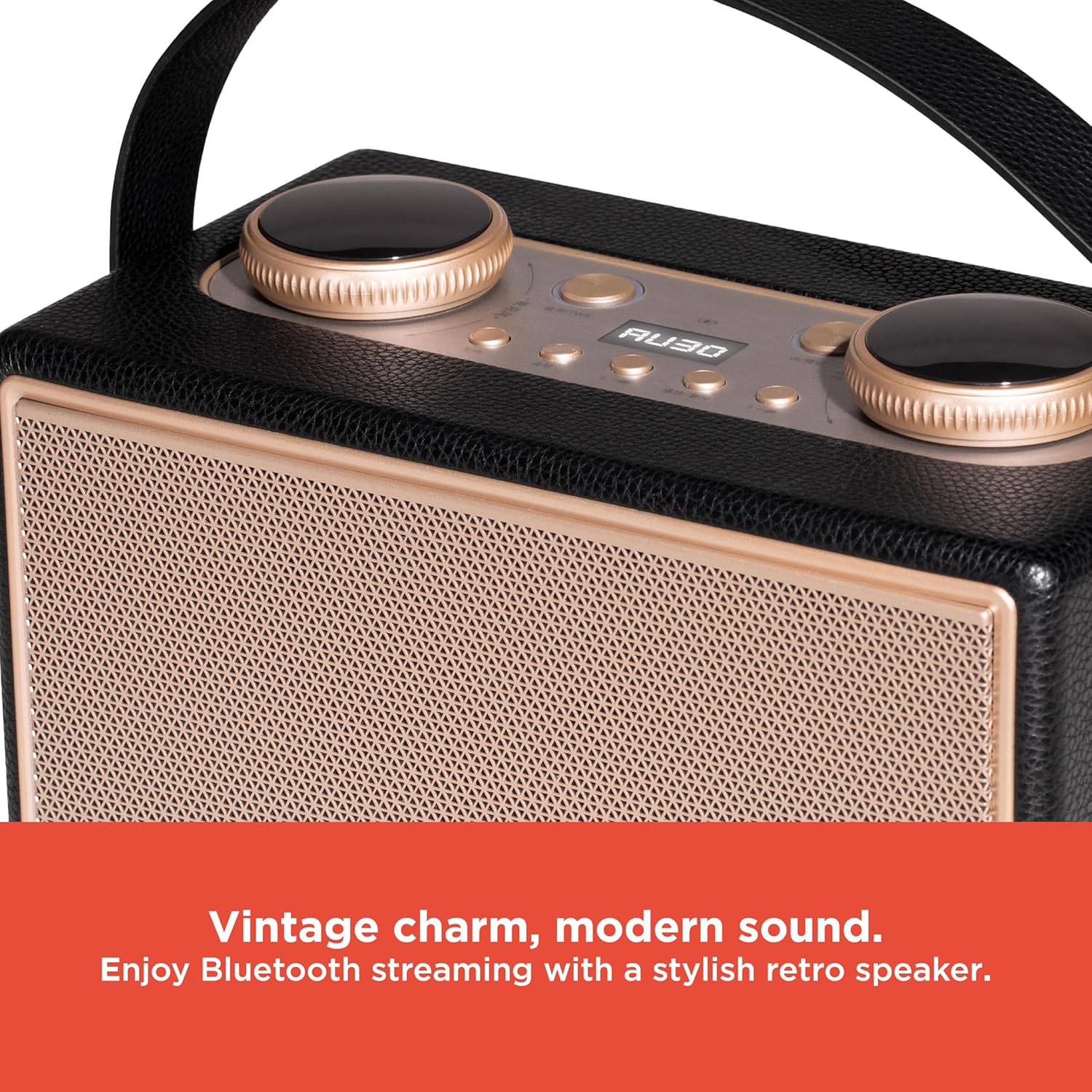
Image: A close-up view of the speaker's control panel and grille, emphasizing its retro design and modern Bluetooth capabilities.
3. USB Playback
- Insert a USB flash drive containing MP3 audio files into the USB port.
- Press the Mode button until 'USB' mode is selected.
- The speaker will automatically begin playing MP3 files from the USB drive. Use the Play/Pause and Track Skip buttons to control playback.

Image: A detailed shot of the speaker's control area, highlighting the USB port for direct MP3 music playback.
4. AUX Input
- Connect one end of a 3.5mm audio cable (not included) to the AUX Input port on the speaker.
- Connect the other end of the cable to the audio output jack of your external device (e.g., MP3 player, laptop).
- Press the Mode button until 'AUX' mode is selected.
- Control playback and volume from your connected device.
5. Microphone Input
- Connect a microphone (not included) to the Microphone Input port on the speaker.
- Adjust the microphone volume using the dedicated control, if available, or the main volume knob.
- The microphone input can be used simultaneously with other audio sources (Bluetooth, USB, AUX) for karaoke or announcements.
6. Remote Control Operation
The included remote control allows for convenient operation from a distance. Functions typically include:
- Power On/Off
- Mode Selection
- Volume Up/Down
- Play/Pause
- Previous/Next Track
Ensure the remote control has working batteries and is pointed towards the speaker's sensor for optimal performance.
Maintenance
- Cleaning: Wipe the speaker's exterior with a soft, dry cloth. Do not use abrasive cleaners or solvents.
- Storage: When not in use for extended periods, store the speaker in a cool, dry place, away from direct sunlight.
- Battery Care: To prolong battery life, avoid fully discharging the battery frequently. Charge the speaker regularly, even if not in use.
Troubleshooting
| Problem | Solution |
|---|---|
| Speaker does not power on. | Ensure the speaker is charged. Connect it to a power source and try again. |
| Cannot pair via Bluetooth. | Make sure the speaker is in Bluetooth mode and within range. Forget the device on your phone and try pairing again. Ensure no other device is currently connected. |
| No sound from USB/AUX. | Verify the correct mode is selected (USB or AUX). Check cable connections for AUX. Ensure USB drive contains compatible MP3 files. Adjust volume on both speaker and source device. |
| Microphone not working. | Ensure the microphone is properly connected. Check microphone's power (if applicable). Adjust microphone volume. |
| Remote control not responding. | Check remote control batteries. Ensure there are no obstructions between the remote and the speaker's sensor. |
Specifications
| Feature | Detail |
|---|---|
| Model Name | RadioShack Bluetooth Retro Speaker with Microphone Input |
| Model Number | 4001973 |
| Speaker Type | Portable Speaker |
| Connectivity Technology | Bluetooth |
| Wireless Communication Technology | Bluetooth |
| Speaker Maximum Output Power | 80 Watts |
| Material | Leather, Metal |
| Product Dimensions | 10.98"D x 6"W x 6.93"H |
| Item Weight | 7.24 pounds (3.29 Kilograms) |
| Power Source | Battery Powered |
| Batteries | 1 Nonstandard Battery (included) |
| Control Method | Remote |
| Is Waterproof | False |
Warranty and Support
This product is sold with no explicit warranty type specified. For any technical assistance or inquiries, please refer to the RadioShack customer support channels available on their official website or through your retailer.
For further information, visit the RadioShack Store on Amazon.
Ask a question about this manual
Ask about setup, troubleshooting, compatibility, parts, safety, or missing instructions. Manuals+ will review the question and use this page’s manual context to help answer it.