Introduction
This manual provides detailed instructions for the SKMEI Men's Quartz Analog Chronograph Watch, Model 9348. This timepiece features a quartz movement, chronograph stopwatch, date display, and moon phase indicator, all housed within a durable zinc alloy case and stainless steel band. Please read these instructions carefully to ensure proper use and maintenance of your watch.

Image: The SKMEI Men's Quartz Analog Chronograph Watch, Model 9348, showcasing its design.
Key Features
- Analog Display: Classic timekeeping with hour, minute, and second hands.
- Chronograph Movement: Integrated stopwatch function for precise timing.
- Date Display: Convenient calendar function.
- Moon Phase Indicator: Displays the current phase of the moon.
- Durable Construction: Zinc alloy case, stainless steel band, and scratch-resistant glass.
- Water Resistance: Rated for 30 meters (3ATM), suitable for splashes and brief water exposure.
- Luminous Hands: For improved visibility in low-light conditions.
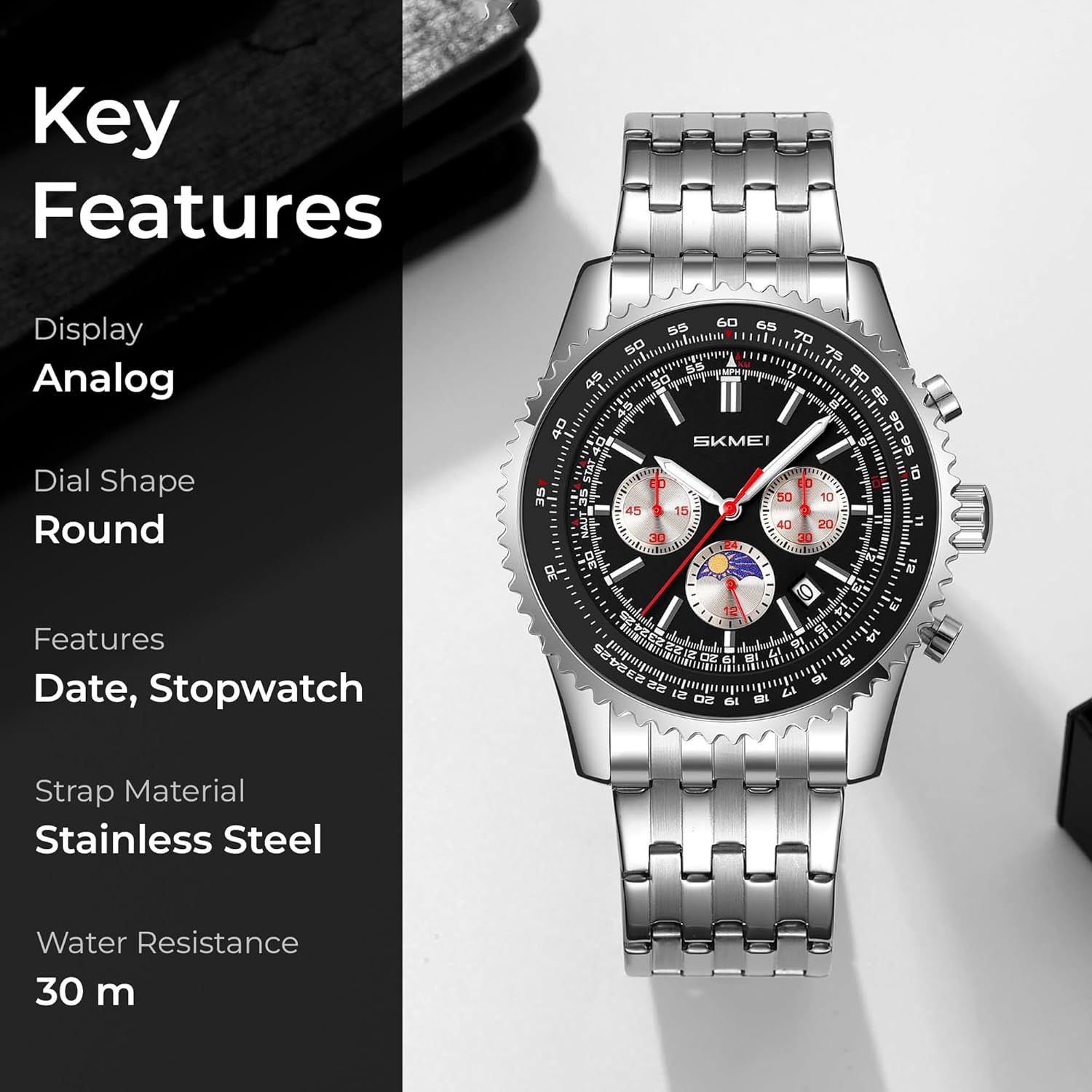
Image: An overview of the watch highlighting its key features including analog display, date, stopwatch, stainless steel strap, and 30m water resistance.

Image: A visual emphasizing the watch's scratch-resistant glass and durable zinc alloy case construction.
Setup
1. Adjusting the Time
The watch typically features a crown (center knob) and two pushers (buttons) on the side. For time adjustment:
- Pull the crown out to the second click position.
- Rotate the crown to set the hour and minute hands to the correct time.
- Push the crown back to the normal position.
2. Adjusting the Date
For date adjustment:
- Pull the crown out to the first click position.
- Rotate the crown clockwise or counter-clockwise (depending on the movement) to set the correct date.
- Push the crown back to the normal position.
3. Adjusting the Band
The stainless steel band can be adjusted by removing or adding links to achieve a comfortable fit. This procedure typically requires specialized tools and is best performed by a professional watchmaker or jeweler to avoid damage. Ensure the band fits comfortably but securely on your wrist.

Image: Diagram showing watch dimensions including case height, strap/lug width, case width, and case thickness, useful for band adjustment.
Operating Instructions
Using the Chronograph (Stopwatch)
The chronograph function is typically operated using the two pushers located on either side of the crown.
- Start/Stop: Press the upper pusher to start the chronograph. Press the upper pusher again to stop it.
- Reset: While the chronograph is stopped, press the lower pusher to reset all chronograph hands to the zero position.
Moon Phase Indicator
The moon phase indicator automatically advances with the date. It displays the current phase of the moon (new moon, first quarter, full moon, last quarter). No manual adjustment is typically required for this function once the date is set correctly.

Image: A detailed view of the watch face, illustrating the chronograph sub-dials and the moon phase display.
Maintenance
- Cleaning: Wipe the watch regularly with a soft, dry cloth to remove dust and dirt. For the stainless steel band, a slightly damp cloth can be used, followed by immediate drying.
- Water Resistance: This watch is 30M (3ATM) water-resistant. It is suitable for daily use, splashes, and brief immersion. Do not press any buttons or operate the crown while the watch is wet or submerged. Avoid hot water, steam, and prolonged exposure to water.
- Temperature: Avoid exposing the watch to extreme temperatures (hot or cold) or sudden temperature changes, as this can affect the movement and battery life.
- Chemicals: Keep the watch away from solvents, detergents, perfumes, and cosmetics, which can damage the case, band, or seals.
- Battery Replacement: The watch uses a C battery (included). When the watch stops or runs erratically, the battery may need replacement. This should be done by a qualified watch technician to ensure proper sealing and function.

Image: Visual representation of the watch's water resistance feature, indicating its ability to withstand water splashes.
Troubleshooting
| Problem | Possible Cause | Solution |
|---|---|---|
| Watch stops or runs slowly. | Low battery. | Replace the battery. Consult a professional watch technician. |
| Chronograph hands do not reset to zero. | Misalignment or internal issue. | Consult a professional watch technician for adjustment or repair. |
| Date does not change correctly. | Incorrect date setting or internal mechanism issue. | Re-adjust the date. If the problem persists, seek professional service. |
| Condensation inside the watch. | Water ingress due to damaged seal or exposure to extreme temperature changes. | Immediately take the watch to a professional watch technician to prevent further damage. |
Specifications
| Feature | Detail |
|---|---|
| Model Number | 9348BK |
| Movement Type | Quartz |
| Display Type | Analog |
| Case Material | Zinc Alloy |
| Band Material | Stainless Steel |
| Crystal Material | Glass |
| Case Diameter | 47 Millimetres |
| Case Thickness | 13.7 Millimetres |
| Band Width | 23.8 Millimetres |
| Band Length | 230 Millimetres |
| Item Weight | 154.9 Grams |
| Water Resistance Depth | 30 Metres (3ATM) |
| Special Features | Chronograph, Date Display, Moon Phase Indicator, Luminous Hands |
| Battery | 1 C battery (included) |
Warranty and Support
Warranty Information
Your SKMEI watch comes with a 9-month Manufacturer Warranty from the date of purchase. This warranty covers manufacturing defects under normal use. It does not cover damage resulting from improper use, accidents, unauthorized repairs, or normal wear and tear.
Customer Support
For any service-related inquiries, feedback, or warranty claims, please contact the SKMEI India Helpline:
- Helpline Number: 1800-889-6251
- Operating Hours: Monday to Saturday, 9:00 AM to 6:00 PM (IST)
Please have your purchase details and watch model number (9348) ready when contacting support.


