
Introduction
This manual provides essential instructions for the installation, maintenance, and care of your PAISEEC Electric Wheelchair W3 Left Rear Wheel. Please read this guide thoroughly before attempting any installation or maintenance to ensure safe and correct usage. This specific wheel is designed for the left rear position of the PAISEEC W3 3-in-1 Power Wheelchair.
Product Overview
The PAISEEC Electric Wheelchair W3 Left Rear Wheel is a high-quality replacement component designed to restore optimal mobility to your PAISEEC W3 electric wheelchair. It is engineered for durability and smooth operation, ensuring a comfortable and reliable user experience. This wheel is specifically for the left side of the wheelchair.
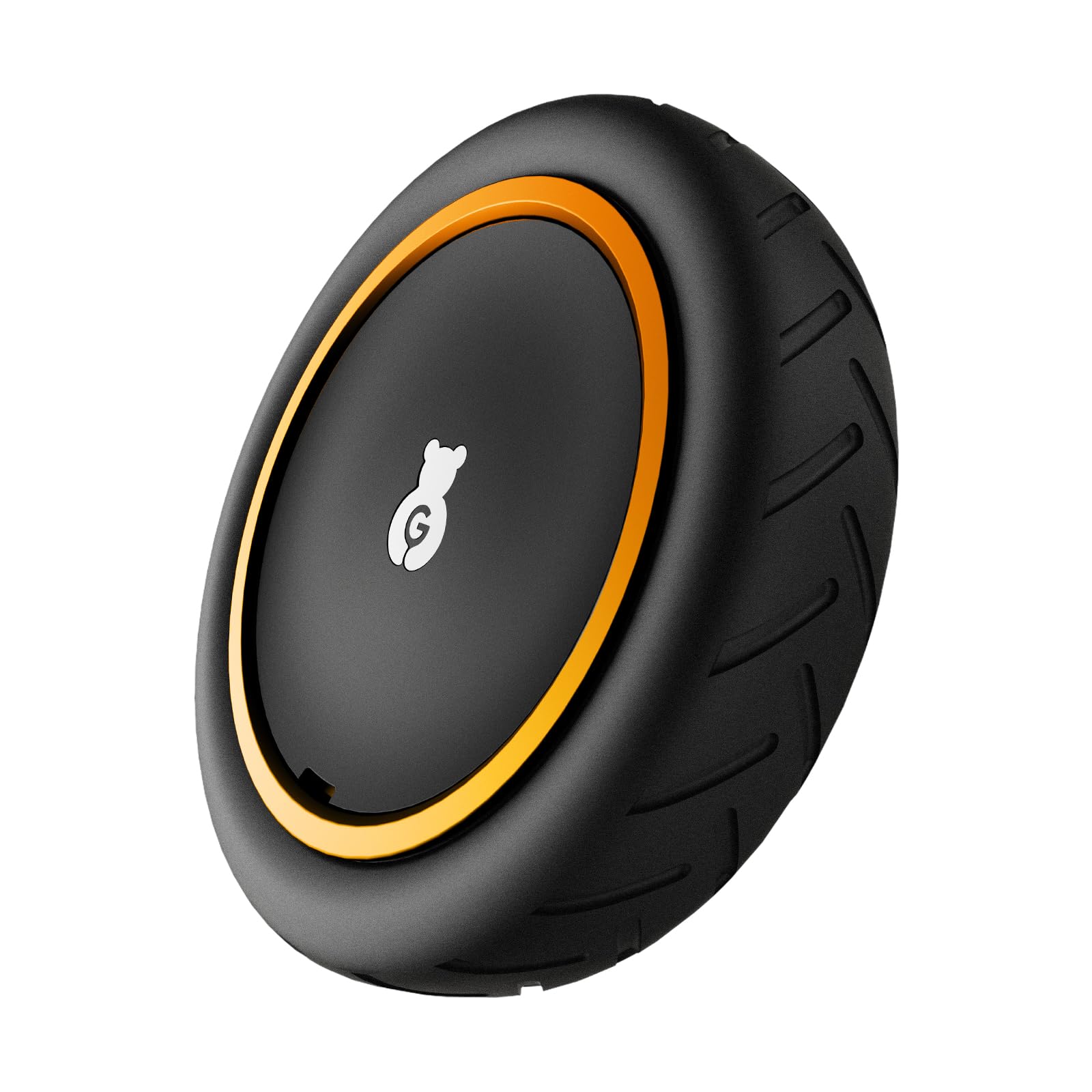
Image: The PAISEEC Electric Wheelchair W3 Left Rear Wheel, designed for durability and smooth operation.

Image: A PAISEEC W3 Electric Wheelchair, demonstrating the context for the replacement wheel.
Safety Information
Always prioritize safety when handling or replacing wheelchair components. Failure to follow safety guidelines may result in injury or damage to the wheelchair.
- Ensure the wheelchair is powered off and the battery is disconnected before beginning any work.
- Engage the brakes to prevent the wheelchair from moving unexpectedly.
- Use appropriate tools and wear protective gear, such as gloves, if necessary.
- If you are unsure about any step, consult a qualified technician or contact PAISEEC customer support.
- Keep small parts away from children.
Installation Instructions
Follow these steps carefully to replace the left rear wheel on your PAISEEC W3 Electric Wheelchair.
- Prepare the Wheelchair: Ensure the wheelchair is on a stable, flat surface. Turn off the power and disconnect the battery for safety. Engage the manual brakes.
- Access the Wheel: Carefully tilt the wheelchair or use a suitable lift to elevate the rear section, providing clear access to the left rear wheel. Ensure the wheelchair is securely supported to prevent tipping.
- Remove the Old Wheel: Locate the axle nut or quick-release mechanism securing the existing left rear wheel. Use an appropriate wrench or tool to loosen and remove it. Carefully slide the old wheel off the axle. Note the orientation of any washers or spacers.
- Inspect the Axle: Clean the axle and inspect it for any damage or debris. Ensure it is free from obstructions before installing the new wheel.
- Install the New Left Rear Wheel: Align the new PAISEEC Left Rear Wheel with the axle. Slide the wheel onto the axle, ensuring it is fully seated. Reinstall any washers or spacers in their original orientation.
- Secure the Wheel: Reattach and tighten the axle nut or engage the quick-release mechanism. Ensure the wheel is firmly secured but can still rotate freely without excessive play. Do not overtighten.
- Test the Installation: Carefully lower the wheelchair back to the ground. Reconnect the battery and power on the wheelchair. Perform a slow test drive in a safe, open area to ensure the new wheel operates smoothly and quietly. Check for any wobbling or unusual sounds.
Maintenance
Regular maintenance ensures the longevity and optimal performance of your PAISEEC Left Rear Wheel.
- Cleaning: Periodically clean the wheel and tire with a damp cloth to remove dirt and debris. Avoid using harsh chemicals that could damage the material.
- Inspection: Regularly inspect the wheel for signs of wear, cracks, or damage. Check the tire tread for excessive wear. Ensure all fasteners are tight.
- Tire Pressure (if applicable): If your wheel has pneumatic tires, check and maintain the recommended tire pressure as specified in your main wheelchair manual.
- Storage: When not in use for extended periods, store the wheelchair in a clean, dry environment away from direct sunlight and extreme temperatures.
Troubleshooting
| Problem | Possible Cause | Solution |
|---|---|---|
| Wheel wobbles or feels loose | Axle nut is loose; incorrect installation of spacers. | Tighten the axle nut. Re-install the wheel, ensuring spacers are correctly positioned. |
| Unusual noise from the wheel | Debris caught in the wheel mechanism; worn bearings; loose components. | Inspect and clean the wheel. Check for loose parts. If noise persists, contact support. |
| Wheel does not rotate freely | Axle nut overtightened; debris obstructing rotation; damaged bearing. | Loosen axle nut slightly. Remove any obstructions. If bearing is damaged, seek professional replacement. |
Specifications
- Product: PAISEEC Electric Wheelchair Left Rear Wheel
- Compatibility: PAISEEC Electric Wheelchair W3
- Position: Left Rear
- Color: Black
- ASIN: B0F2N5TSCQ
- Manufacturer: Mobility scooter replacement key (Note: This appears to be a generic manufacturer name from the product data, actual manufacturer is PAISEEC)
Warranty and Support
PAISEEC is committed to providing high-quality products and excellent customer service. For warranty information or technical assistance, please refer to your main PAISEEC W3 Electric Wheelchair manual or contact our support team.

Image: PAISEEC customer service contact details.
Contact Information:
- Telephone: 1(833)612-2678 (Mon-Fri 9:00-17:00)
- Email: support@paiseec.com
- Warranty: 5-Year warranty for chassis and 1-year for battery (refer to main wheelchair manual for full details).


