
WOPET CA10-Black
Contents
WOPET Automatic Pet Feeder Instruction Manual
Model: CA10-Black
Introduction
This manual provides detailed instructions for the setup, operation, and maintenance of your WOPET Automatic Pet Feeder. Designed for both cats and and dogs, this feeder offers convenient and precise meal scheduling through its WiFi-enabled app control, ensuring your pet is fed consistently even when you're away.
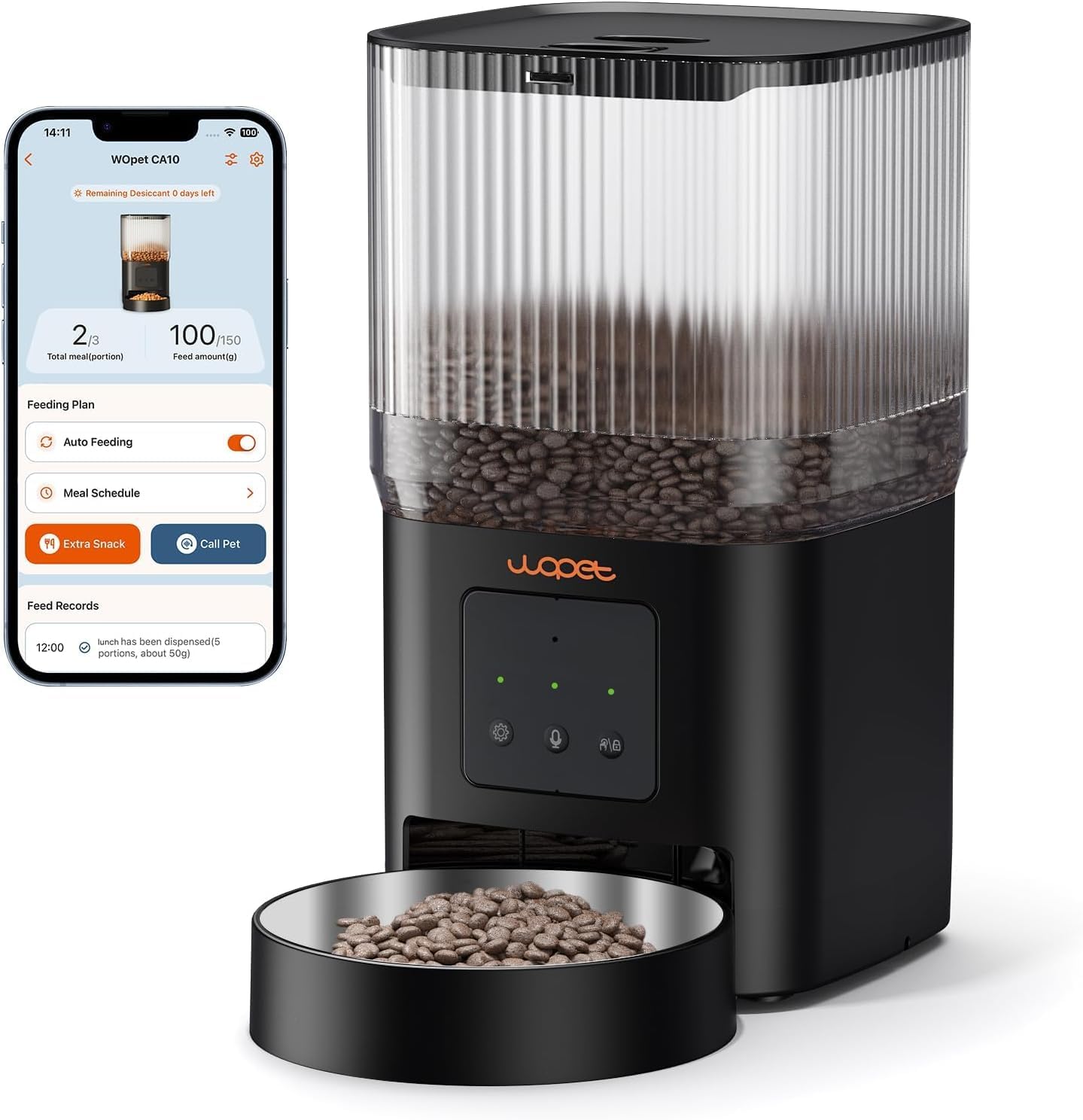
Image: The WOPET Automatic Pet Feeder, showcasing its sleek black design, transparent food reservoir, and a smartphone displaying the companion app for remote control.
Product Features
- Smart APP Control: Remotely set feeding schedules, 1-10 meals per day, and up to 8 portions per meal via the WOPET Life App (iOS/Android). Compatible with 2.4G WiFi.
- 4L Food Storage Capacity: Reliably supplies food for several days, suitable for cats and small dogs.
- Reliable Twist-Lock Storage: Secures dry kibble (2-12mm diameter) and preserves freshness.
- 10-Second Voice Meal Call: Record a personalized message to call your pet to eat.
- Dual Power Supply: Operates with power adapter and backup batteries for continuous feeding during outages.
- Easy Assembly and Maintenance: Detachable and dishwasher-safe hopper and bowl for hygienic cleaning.
Setup Guide
1. Unpacking and Assembly
- Carefully remove all components from the packaging.
- Attach the food bowl to the main unit. Ensure it clicks securely into place.
- Insert the desiccant bag into its designated compartment in the lid to maintain food freshness.
- Fill the transparent food reservoir with dry pet food. Ensure kibble size is between 2mm and 12mm to prevent clogging.
- Secure the twist-lock lid firmly to prevent pets from accessing the food.

Image: An exploded view illustrating the twist-lock lid, transparent food barrel, and the location for the desiccant bag, highlighting features that keep food fresh and secure.
2. Powering the Feeder
- Connect the power adapter to the feeder and plug it into a wall outlet.
- For backup power, install 3 D-cell batteries (not included) in the battery compartment at the bottom of the feeder. This ensures continuous operation during power outages.

Image: The WOPET feeder demonstrating its dual power supply capability, showing both the power adapter connection and the battery icon for backup power.
3. App Download and Connection
Download the "WOPET Life" app from the Apple App Store or Google Play Store. Follow the in-app instructions to connect your feeder to your 2.4G WiFi network.

Image: Screenshot of the WOPET Life App download page, featuring QR codes for direct download from the Apple App Store and Google Play Store. You can also download the app via this link.
Operating Instructions
1. Setting Feeding Schedules
Use the WOPET Life App to customize your pet's feeding plan. You can set:
- Number of Meals: Up to 10 meals per day.
- Portion Size: Up to 8 portions of dry food per meal. Each portion is approximately 10g or 1/12 cup.

Image: The WOPET feeder next to a cat, illustrating the key features of feeding schedule control: 1-10 meals per day, 0-8 portions per meal, 4L capacity, and 2.4G WiFi app control.
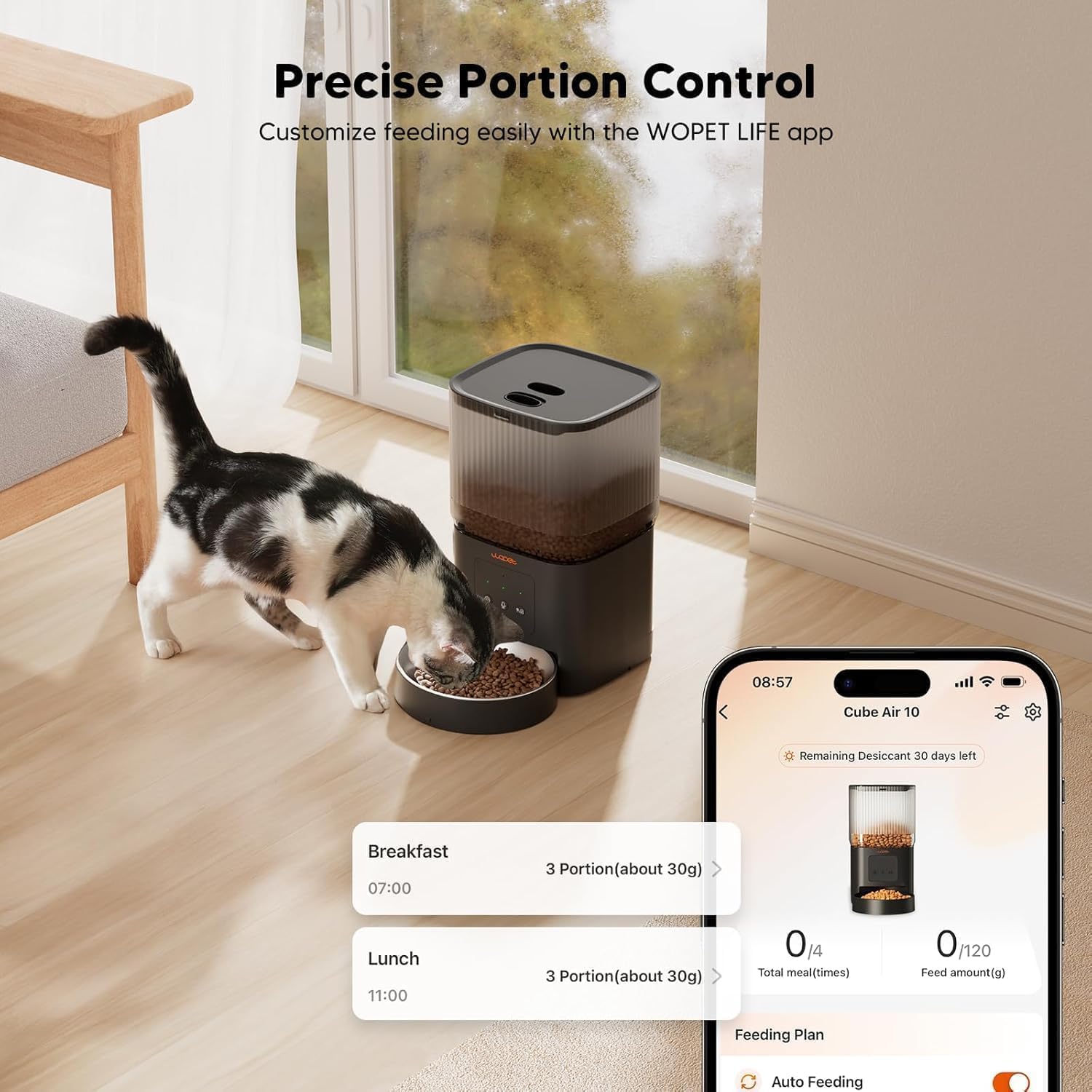
Image: A smartphone displaying the WOPET LIFE app interface, showing options for precise portion control and meal scheduling, with examples of breakfast and lunch settings.
2. Manual Feeding (Extra Snack)
You can manually dispense food at any time using the "Extra Snack" function within the WOPET Life App. This allows for immediate feeding outside of the scheduled times.

Image: A hand holding a smartphone displaying the WOPET app, highlighting the "Extra Snack" feature for manual, remote feeding.
3. Voice Recording
Record a 10-second voice message through the app. This message will play at feeding times to call your pet, providing comfort and familiarity.

Image: The WOPET feeder with a speech bubble indicating a 10-second voice recording feature, showing a cat near the feeder, suggesting the pet hears the owner's voice at mealtime.
4. Smart Notifications
The WOPET Life App provides real-time notifications for important events, including:
- Feeding completion.
- Food tank low or empty.
- Food jamming.
- Low battery.

Image: A smartphone displaying smart notifications from the WOPET app, including alerts for low food levels and other operational issues.
Maintenance
Regular cleaning ensures hygienic feeding and extends the life of your feeder.
- Disassembly: The hopper and food bowl are designed for easy detachment.
- Cleaning: Both the hopper and food bowl are dishwasher-safe. For the main unit, wipe with a damp cloth. Do not immerse the main unit in water.
- Reassembly: Ensure all parts are completely dry before reassembling.

Image: An illustration showing the detachable components of the WOPET feeder (hopper and bowl) being cleaned under running water, emphasizing ease of thorough cleaning.
Troubleshooting
| Problem | Possible Cause | Solution |
|---|---|---|
| Feeder not dispensing food. | Food hopper empty; food jammed; incorrect kibble size. | Refill hopper; check for blockages and clear them; ensure kibble is between 2-12mm. |
| App not connecting to feeder. | Incorrect WiFi password; 5G WiFi network; feeder too far from router. | Verify WiFi password; ensure connection to a 2.4G WiFi network; move feeder closer to router. |
| Voice recording not playing. | Recording not saved; volume too low. | Re-record and save the voice message in the app; check app volume settings. |
| Feeder not working during power outage. | Backup batteries not installed or low. | Install fresh D-cell batteries or replace existing ones. |
Specifications
| Feature | Detail |
|---|---|
| Model Number | CA10-Black |
| Brand | WOPET |
| Capacity | 4 Liters (approx. 17 cups) |
| Kibble Size | 2-12 mm (0.07-0.47 inches) |
| Power Supply | Power Adapter, 3 x D-cell batteries (backup) |
| Connectivity | 2.4G WiFi |
| Voice Recording | 10 seconds |
| Dimensions (LxWxH) | 8 x 6 x 6 inches (Product); 8.07 x 7.13 x 7.09 inches (Package) |
| Weight | 3.08 pounds / 1.4 Kilograms |
| Material | BPA Free |
| Target Species | Cats, Dogs |
Warranty and Support
Information regarding product warranty and customer support was not available in the provided data. Please refer to the product packaging or the official WOPET website for the most up-to-date warranty details and support contact information.
Documents and downloads
Ask a question about this manual
Ask about setup, troubleshooting, compatibility, parts, safety, or missing instructions. Manuals+ will review the question and use this page’s manual context to help answer it.