
Introduction
This manual provides comprehensive instructions for the Generic Multi-Function Bluetooth Remote Control, Model B0F2JC8T89. This device is designed to enhance your mobile experience by offering remote control capabilities for photography, call management, music playback, and emergency functions, compatible with iOS and Android devices.
Product Overview
The Multi-Function Bluetooth Remote Control is a compact, one-button device that connects wirelessly to your smartphone. Its primary functions include:
- Call Management: Answer, hang up, or reject incoming calls.
- Photography: Remotely trigger your phone's camera shutter.
- Music Control: Play, pause, and adjust the volume of music playback.
- Find Phone Function: Activate a sound on your phone to locate it.
- Emergency SOS: Trigger an emergency help function on your phone.
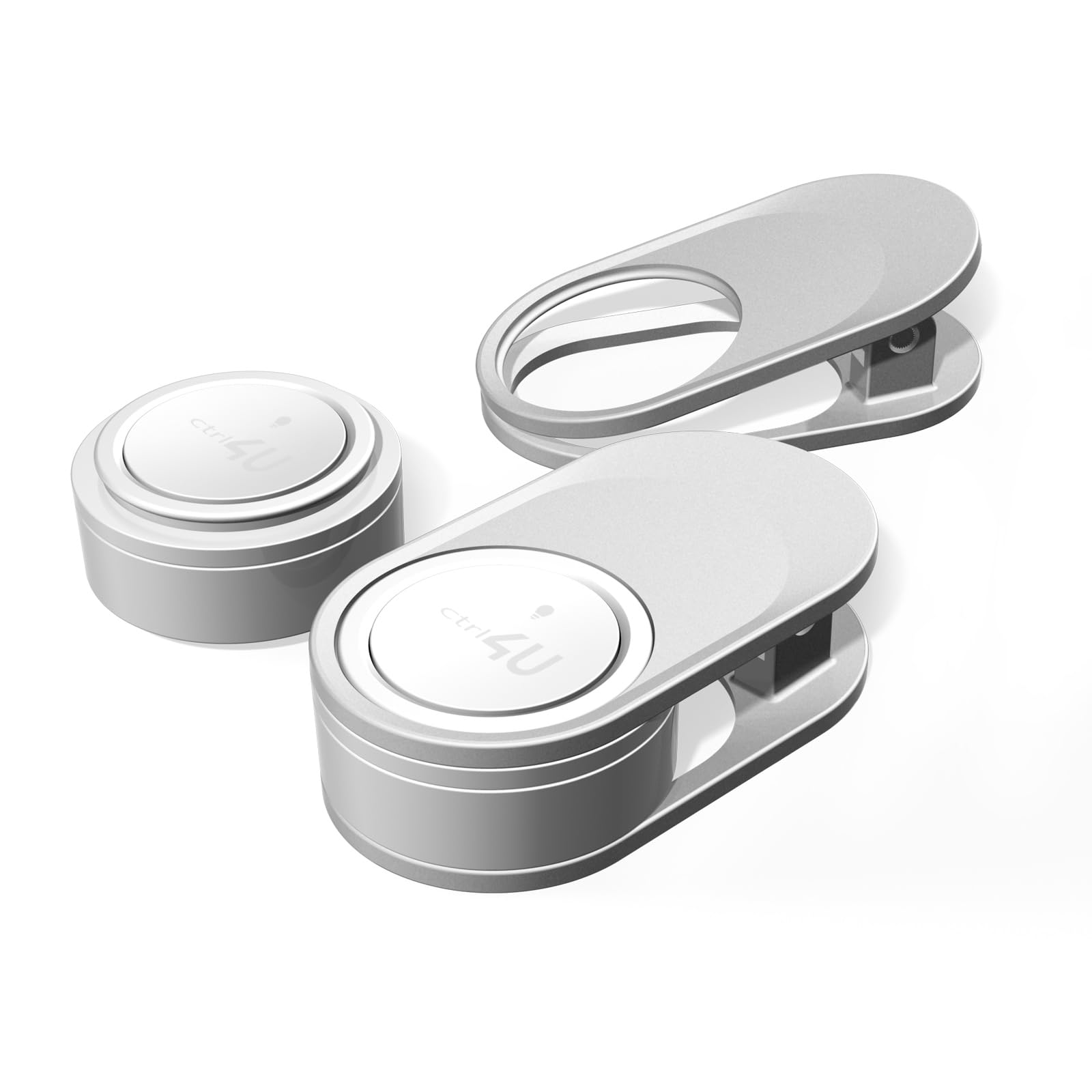
Figure 1: Overview of the Multi-Function Bluetooth Remote Control. The image displays two silver remote control units, one with a finger loop and another with a clip, alongside a detached circular button. This illustrates the compact design and various attachment options of the device.
Setup
1. Charging the Device
The remote control features magnetic suction charging. Connect the device to a 5V charging power supply. A red light will illuminate to indicate that charging is in progress. The red light will automatically turn off once the device is fully charged. The rechargeable battery has a capacity of 15mAh. Battery level information can be displayed on your phone after pairing.
Charging Time: When completely discharged, it takes approximately 1.5 hours to fully charge the device.
2. Bluetooth Pairing
- Ensure the remote control is sufficiently charged.
- Press the button on the remote control. A green light will flash once, indicating the device is awake and ready for pairing.
- On your phone, navigate to the Bluetooth settings.
- Search for available Bluetooth devices. You should see "Button Control" in the list.
- Select "Button Control" to initiate pairing. A green light will flash to indicate a successful connection.
Bluetooth Wake-Up Indicator: When Bluetooth is woken up, a green light flashes to indicate normal operation.
Operating Instructions
Once paired, the remote control can perform various functions with a single button press.
Call Management
- Answer Call: Press the button once during an incoming call.
- Hang Up/Reject Call: Press and hold the button during a call or an incoming call to hang up or reject.
Photography Control
Open your phone's camera app. Press the button once to remotely trigger the shutter and take a photo.
Music Playback Control
- Play/Pause: Press the button once to play or pause music.
- Volume Control: Specific button presses or holds may adjust volume depending on phone settings. Refer to your phone's Bluetooth accessory settings for advanced controls.
Find Phone Function
To locate your phone, activate the "Find Phone" mode. The green light will flash once, indicating that a search signal has been sent, causing your phone to play a sound.
Emergency Help Function
To activate the emergency help function:
- First, ensure you have added at least one emergency contact in your phone's settings under "Security > Emergency SOS".
- Enable the automatic sending of emergency messages and emergency call buttons within your phone's settings.
- Once configured, quickly press the remote control button 5 times in an emergency to activate the emergency help function.

Figure 2: Visual representation of the remote control's functions. This diagram illustrates how the device can be used for answering/ending calls, rejecting calls, controlling music playback (play/pause, volume), camera control, activating mobile emergency calls, and playing a sound to locate the phone.
Maintenance
The device is designed for durability and ease of use. Keep the charging contacts clean to ensure efficient charging. The remote control is rated IP67, meaning it is dustproof and waterproof, offering protection against dust ingress and immersion in water up to 1 meter for 30 minutes. However, prolonged exposure to water or harsh conditions should be avoided.

Figure 3: The remote control demonstrating its IP67 waterproof and dustproof capabilities. The image shows the device in a wet, outdoor environment, emphasizing its robust design for various conditions.
Troubleshooting (Frequently Asked Questions)
Q1: Why is there no response if I don't use it for a while?
A: The system is set to ultra-low power standby mode. Before the next use, tap the button once to wake it up, then proceed with your operation.
Q2: Can it be used for watching short videos and reading e-books?
A: No, the "Button Control" is designed for situations where directly operating your phone is inconvenient, such as outdoor activities. It allows you to remotely operate your phone for specific functions like calls, music, and camera, but not for general navigation in apps like video players or e-readers.
Q3: Can I use "Button Control" to record my steps, heart rate, and blood pressure?
A: No, this device does not have sensors for health monitoring functions such as recording steps, heart rate, or blood pressure.
Q4: Why can I see "Button Control" in the Bluetooth list, but I can't pair it?
A: It is possible that this device is already paired with another device. To resolve this, press and hold the button for 10 seconds to clear the existing pairing, then try to pair it again with your desired phone.
Specifications
| Brand | Generic |
| Model Number | B0F2JC8T89 |
| Connectivity Technology | Bluetooth |
| Compatible Devices | iOS / Android / HarmonyOS |
| Maximum Range | 10 meters |
| Battery Type | Lithium-Ion |
| Battery Capacity | 15mAh |
| Charging Voltage | 5V |
| Controller Type | Button Control |
| Button Quantity | 1 |
| Special Feature | Wireless, IP67 Waterproof & Dustproof |
Warranty and Support
This product does not come with a specific manufacturer's warranty as per available information. For any operational issues or technical support, please refer to the troubleshooting section of this manual or contact your retailer for assistance.