
1. Introduction
Thank you for choosing the Mipro MA-101B Portable PA System with ACT-32H Wireless Microphone. This compact, battery-powered system is designed for clear voice and music reproduction in various applications, including demonstrations, speeches, conferences, and outdoor events. This manual provides essential information for safe and effective use of your device.
2. Safety Information
- Power Source: Use only the provided power adapter. Ensure the voltage matches your local power supply.
- Battery Safety: The MA-101B uses a lithium battery. Do not expose to extreme temperatures, puncture, or disassemble. Dispose of batteries according to local regulations.
- Water and Moisture: Do not expose the unit to rain or moisture to prevent electric shock or fire.
- Ventilation: Ensure adequate ventilation around the unit. Do not block ventilation openings.
- Cleaning: Disconnect power before cleaning. Use a dry, soft cloth. Do not use liquid cleaners.
- Servicing: Refer all servicing to qualified service personnel. Do not attempt to repair the unit yourself.
3. Package Contents
Carefully unpack your Mipro MA-101B system and check for the following items:
- Mipro MA-101B Portable PA System
- ACT-32H Wireless Handheld Microphone
- AC Power Adapter
- Shoulder Strap
4. Product Overview
4.1 MA-101B Portable PA System
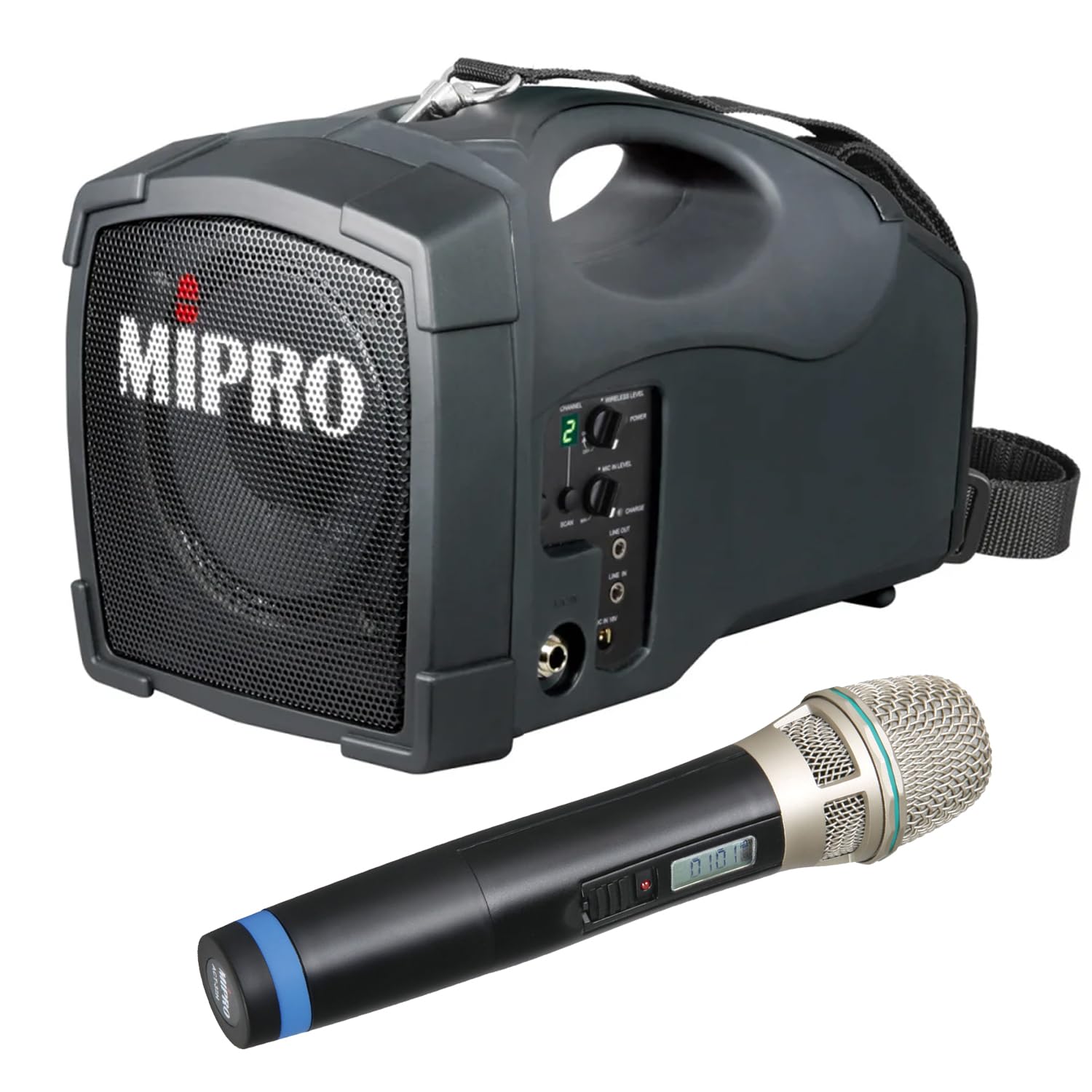
Figure 1: Mipro MA-101B Portable PA System. This image shows the compact, dark grey PA system with a front speaker grille, a carrying handle, and a side control panel.
The MA-101B is a lightweight and robust portable PA system featuring a 5-inch full-range speaker, a built-in single-channel receiver for wireless microphones, and various input/output options. It operates on AC power or its internal lithium battery.
4.2 Control Panel

Figure 2: MA-101B Control Panel. This close-up image displays the control panel with knobs for Wireless Level and Mic In Level, buttons for ACT and SCAN, a digital channel display, and input/output jacks for Line Out, Line In, and DC In 18V.
- CHANNEL Display: Shows the selected wireless channel.
- WIRELESS LEVEL: Adjusts the volume of the wireless microphone.
- POWER LED: Indicates power status (Red: Charging, Green: Operational).
- MIC IN LEVEL: Adjusts the volume of the wired microphone input.
- CHARGE LED: Indicates battery charging status.
- ACT Button: Initiates Automatic Channel Targeting for wireless microphone synchronization.
- SCAN Button: Scans for available interference-free wireless channels.
- LINE OUT: 3.5mm output for connecting to an external amplifier or additional speakers.
- LINE IN: 3.5mm input for connecting external audio sources (e.g., iPod, laptop, CD player).
- DC IN 18V: Power adapter input for charging and operation.
- 6.3mm Mic-In: Input for a wired microphone.
4.3 ACT-32H Wireless Handheld Microphone

Figure 3: Mipro ACT-32H Wireless Handheld Microphone. This image shows the black and silver handheld microphone with an LCD display and an on/off switch.
The ACT-32H is a robust handheld wireless microphone designed for clear vocal performance. It features an LCD display for battery status and channel information, and uses two AA batteries.
5. Setup
5.1 Charging the MA-101B Unit
- Connect the supplied AC power adapter to the DC IN 18V port on the MA-101B.
- Plug the power adapter into a suitable wall outlet.
- The CHARGE LED will illuminate, indicating the unit is charging. A full charge takes approximately 4 hours and provides up to 10 hours of operation.
- The POWER LED will indicate battery status (Green: Operational, Red: Charge Needed).
5.2 Installing Batteries in the ACT-32H Microphone
- Unscrew the lower part of the ACT-32H microphone housing to access the battery compartment.
- Insert two AA alkaline batteries, observing the correct polarity (+/-).
- Screw the housing back on securely. The microphone's LCD display will show battery status.
5.3 Pairing the ACT-32H Wireless Microphone (ACT Sync)
- Ensure the MA-101B unit is powered on.
- Press the SCAN button on the MA-101B control panel to find an interference-free channel. The CHANNEL display will show the selected channel.
- Turn on the ACT-32H microphone.
- Align the ACT-32H microphone's IR port (usually near the LCD) with the ACT sensor on the MA-101B control panel (indicated by a small window or sensor).
- Press and hold the ACT button on the MA-101B. The channel information will be transmitted to the microphone.
- The microphone's display should show the same channel number as the MA-101B, indicating successful synchronization.
5.4 Connecting Wired Microphones or Audio Sources
- Wired Microphone: Connect a wired microphone to the 6.3mm Mic-In jack.
- External Audio Source: Connect devices like smartphones, laptops, or CD players to the LINE IN (3.5mm) jack using an appropriate audio cable.
6. Operating Instructions
6.1 Powering On/Off
To power on the MA-101B, turn the WIRELESS LEVEL knob clockwise from the "OFF" position. To power off, turn it counter-clockwise until it clicks into the "OFF" position.
6.2 Adjusting Volume Levels
- Wireless Microphone: Use the WIRELESS LEVEL knob to adjust the volume of the ACT-32H microphone.
- Wired Microphone: Use the MIC IN LEVEL knob to adjust the volume of the wired microphone.
- Line-In Audio: Adjust the volume directly on your external audio source (e.g., smartphone, laptop).
6.3 Using the Wireless Microphone
After successful pairing (Section 5.3), ensure the ACT-32H microphone is powered on. Speak into the microphone and adjust the WIRELESS LEVEL knob on the MA-101B for desired output volume.
6.4 Using External Audio Sources
Connect your external audio device to the LINE IN jack. Play audio from your device and adjust its volume. The MA-101B will output the sound through its speaker.
6.5 Using the Line Out
The LINE OUT (3.5mm) jack allows you to send the mixed audio signal (wireless mic, wired mic, line-in) to another PA system, mixer, or recording device. Connect an appropriate cable from the LINE OUT to the input of the external device.
7. Maintenance
7.1 Cleaning
Wipe the unit and microphone with a soft, dry cloth. Do not use abrasive cleaners, solvents, or harsh chemicals. Ensure no liquids enter the unit.
7.2 Battery Care
- MA-101B: For optimal battery life, fully charge the unit before first use and after each use. If storing for extended periods, charge the battery every 3-6 months to prevent deep discharge.
- ACT-32H: Remove AA batteries from the microphone if it will not be used for an extended period to prevent leakage.
7.3 Storage
Store the MA-101B and ACT-32H in a cool, dry place, away from direct sunlight and extreme temperatures. Use the original packaging or a suitable case for protection during transport.
8. Troubleshooting
| Problem | Possible Cause | Solution |
|---|---|---|
| No power to MA-101B | Battery depleted; Power adapter not connected or faulty. | Connect power adapter and charge. Check power outlet and adapter connection. |
| No sound from wireless microphone | Microphone off; Batteries depleted; Not paired; Volume too low; Interference. | Turn on microphone. Replace batteries. Perform ACT Sync (Section 5.3). Increase WIRELESS LEVEL. Press SCAN to find a new channel. |
| No sound from wired microphone/Line In | Cable faulty; Volume too low; Device not playing audio. | Check cable connection. Increase MIC IN LEVEL or external device volume. Ensure external device is playing audio. |
| Distorted sound | Volume too high; Microphone too close to speaker; Interference. | Reduce volume levels. Move microphone further from the speaker. Press SCAN to find a new channel. |
9. Specifications
9.1 MA-101B Portable PA System
- Output Power: 45 W (max.), 27 W (RMS)
- Amplifier: Class AB
- Speaker: 5-inch full-range
- Sensitivity: Normal Load: 95 dB / Max Load: 107 dB
- THD: <1%
- Frequency Response: 60 Hz ~ 15 kHz
- Audio Inputs: 6.3 mm Mic-In, 3.5 mm Line-In
- Audio Output: 3.5 mm Line-Out
- Power Supply: External AC adapter (100-240 V AC), 14.8 V/2.6 Ah rechargeable lithium battery (MB-25)
- Battery Life: Up to 10 hours (4 hours charging time)
- Wireless System Bandwidth: 24 MHz (center range 10 MHz)
- Frequency Setting: Up to 16 programmed channels
- Frequency Range: 823-832 MHz
- Dimensions (WxHxD): 160 × 178 × 285 mm (6.3 × 7 × 11.2 ")
- Weight: Approx. 2.2 kg
9.2 ACT-32H Wireless Handheld Microphone
- Bandwidth: 24 MHz
- Frequency Range: 823-832 MHz
- Tuner Method: PLL Synthesized
- Synchronization: ACT Sync (Automatic Channel Targeting)
- Transmission Power: 30 mW
- Nominal Deviation: <± 40 kHz
- Max. Input Sensitivity: 140 dB SPL
- Batteries: 2 x AA alkaline
- Operating Time: Up to 12 hours
- Display: LCD (Liquid Crystal Display)
- Housing: Plastic
- Dimensions: 50 x 233 mm
- Weight: Approx. 246 g (without batteries)
10. Warranty and Support
Mipro products are manufactured to high-quality standards. For warranty information, please refer to the warranty card included with your purchase or contact your local Mipro dealer. For technical support or service inquiries, please contact your authorized Mipro service center or visit the official Mipro website.
Please retain your proof of purchase for any warranty claims.