
1. Introduction
The OOQE FIT PRO earbuds are designed to provide high-quality audio and comfort. Featuring ergonomic ear hooks for a secure fit, these earbuds are suitable for various activities, including sports and outdoor use. They offer extended battery life, an integrated power bank function, HD microphones for clear calls, sensitive touch controls, and comprehensive water and dust resistance.
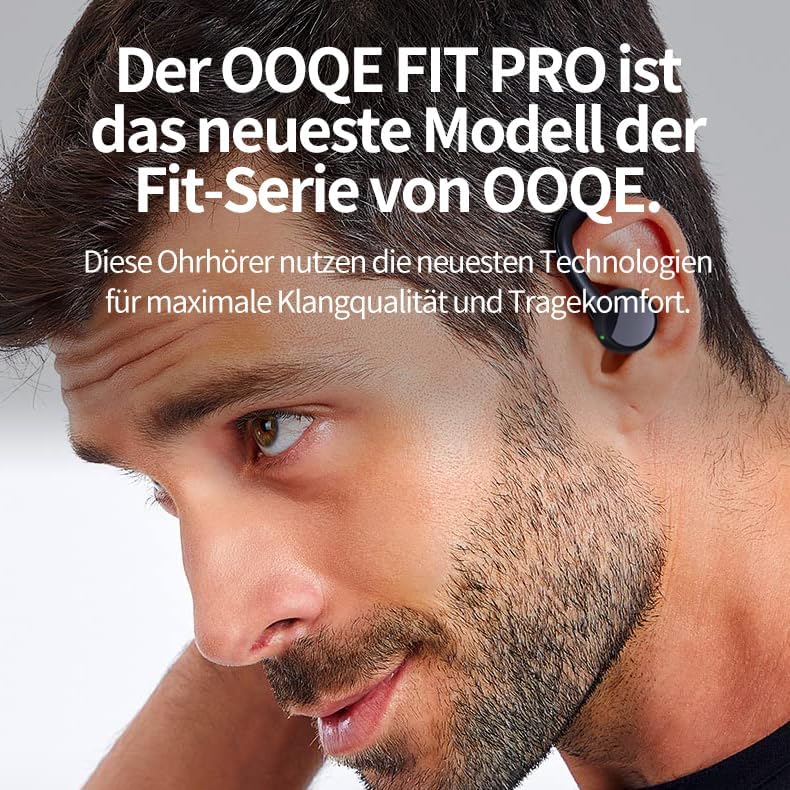
Image 1.1: A man wearing the OOQE FIT PRO earbuds, illustrating their comfortable and secure fit. The OOQE FIT PRO is the latest model in the OOQE Fit series, utilizing advanced technologies for maximum sound quality and wearing comfort.
2. Package Contents
Please check the package for the following items:
- OOQE FIT PRO Wireless Earbuds (Left and Right)
- Charging Case with Integrated Power Bank
- USB Charging Cable
- Silicone Ear Tips (Small, Medium, Large)
- User Manual

Image 2.1: The OOQE FIT PRO earbuds securely placed within their charging case. The case features an LED indicator displaying battery status for the case and each earbud.
3. Product Overview
3.1 Ergonomic Ear Hooks
The OOQE FIT PRO features ergonomic ear hooks designed for a secure and comfortable fit. This design ensures the earbuds remain stable during intense activities, making them suitable for outdoor use, sports, and for users who require extra stability.

Image 3.1: A person engaged in physical activity, wearing the OOQE FIT PRO earbuds. The ergonomic hooks provide a firm and comfortable fit, preventing them from falling out during movement.
3.2 Extended Battery Life and Quick Charge
Equipped with a powerful battery and Smart Energy Reduction technology, the OOQE FIT PRO offers up to 80 hours of total usage time with the charging case. The earbuds themselves provide several hours of playback on a single charge. A quick charge feature allows for approximately 1 hour of listening time from a 10-minute charge.
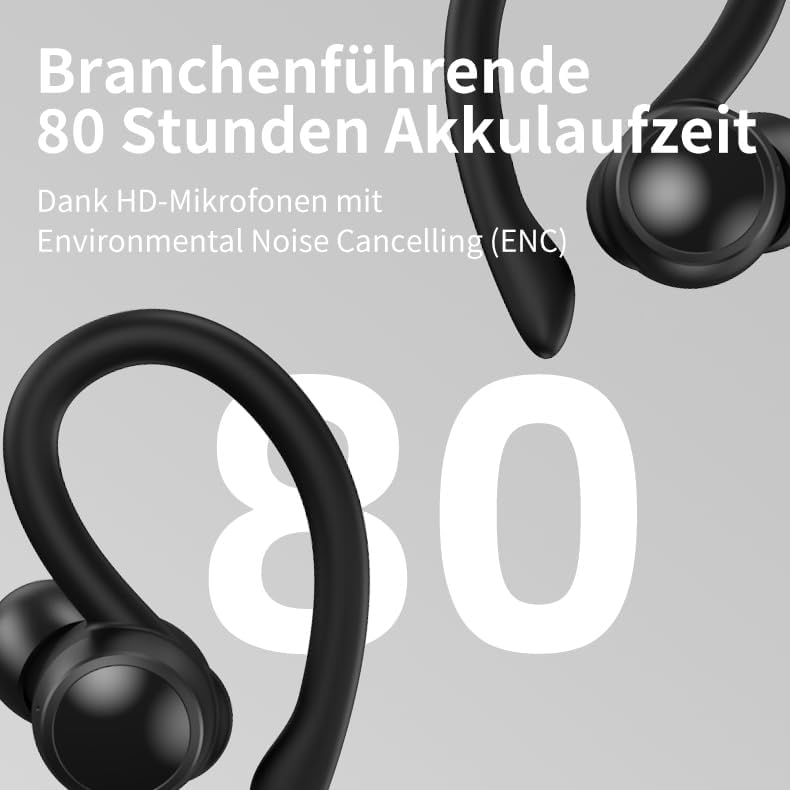
Image 3.2: The OOQE FIT PRO earbuds with a prominent '80' indicating their industry-leading 80-hour battery life, supported by HD microphones with Environmental Noise Cancelling (ENC).
3.3 Integrated Power Bank
The charging case includes an integrated power bank, allowing you to charge your phone or other mobile devices in emergencies. This feature is particularly useful for travel or when away from a power source.

Image 3.3: The OOQE FIT PRO charging case connected via a cable to a smartphone, demonstrating its built-in power bank functionality for emergency charging.
3.4 High-Definition Microphones with ENC
The earbuds feature integrated HD microphones with Environmental Noise Cancelling (ENC) technology. This ensures clear and understandable phone and video calls by filtering out unwanted ambient noise, making them suitable for both personal and professional use.
3.5 OOQE XXL Titanium Speakers and Passive Noise Cancellation (PNC)
The OOQE FIT PRO incorporates specially designed 13mm XXL Titanium speakers. These large speakers deliver a higher volume range, purer sound, and a deeper audio experience without distortion. The earbuds also utilize Passive Noise Cancellation (PNC) through their ergonomic design, which fits snugly in the ears to block out moderate ambient noise.
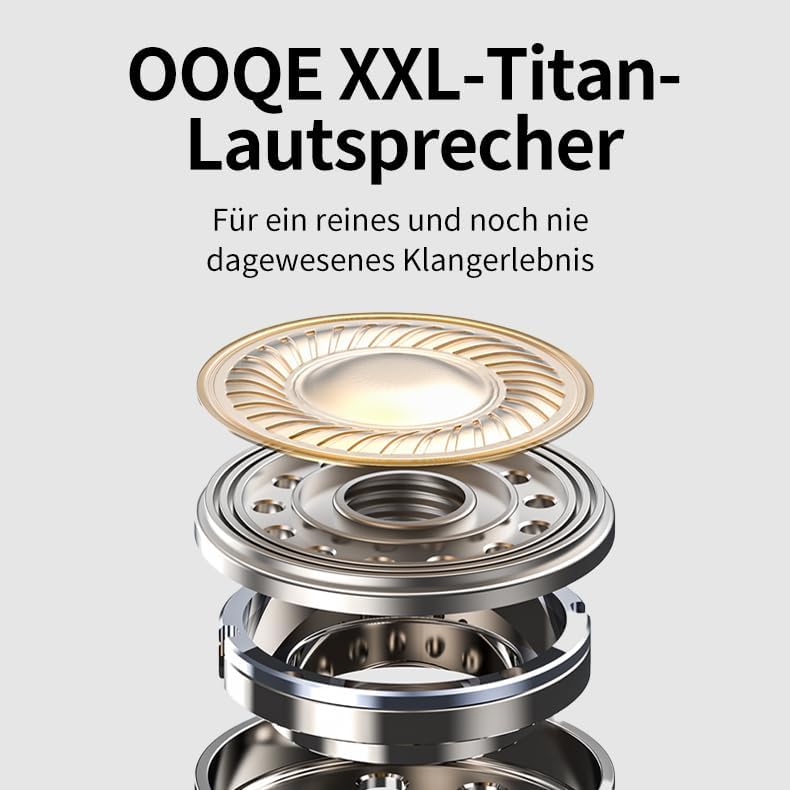
Image 3.4: An exploded diagram illustrating the components of the OOQE XXL Titanium speaker, designed for pure and immersive sound quality.
3.6 Water and Dust Resistance
The earbuds are fully resistant to water, sweat, splashes, and dust, making them durable for various environments and activities.
4. Setup
4.1 Initial Charging
Before first use, fully charge the earbuds and the charging case. Connect the charging case to a USB power source using the provided USB cable. The LED indicator on the charging case will show the charging status.
- Charging time for earbuds: 1-2 hours
- Charging time for case: Approximately 1 hour
4.2 Bluetooth Pairing
- Ensure the earbuds are charged.
- Open the charging case. The earbuds will automatically power on and enter pairing mode.
- On your device (phone, tablet, laptop), enable Bluetooth and search for available devices.
- Select "OOQE FIT PRO" from the list of devices.
- Once connected, you will hear a confirmation tone, and the earbuds will be ready for use.
The earbuds feature Smart Connect and Bluetooth 5.3 for fast and automatic connection. Once paired, they will automatically connect to your device within seconds when removed from the charging case.
5. Operating Instructions
5.1 Touch Controls
The OOQE FIT PRO earbuds feature sensitive touch controls for easy operation. The Sensitive Touch Control filters and ignores accidental touches for improved usability.

Image 5.1: A visual guide to the touch controls on the OOQE FIT PRO earbud, indicating functions such as Play/Pause, Answer/Hang Up, Reject Call, Music Switch, and Next Song.
- Play/Pause: Single tap on either earbud.
- Next Song: Double tap on the right earbud.
- Previous Song: Double tap on the left earbud.
- Volume Up: Triple tap on the right earbud.
- Volume Down: Triple tap on the left earbud.
- Answer/End Call: Single tap on either earbud during an incoming call.
- Reject Call: Press and hold either earbud for 2 seconds during an incoming call.
- Activate Voice Assistant: Press and hold either earbud for 3 seconds.
5.2 Video and Music Mode
The innovative Video and Music Mode optimizes audio for different content types. This feature ensures no delay between image and sound when watching videos and provides an enhanced listening experience for music.

Image 5.2: The OOQE FIT PRO earbuds alongside a smartphone, illustrating the innovative video and music mode. These earbuds are suitable for both listening to music and watching TV, movies, and videos.
- Switch Mode: Press and hold the right earbud for 2 seconds to switch between Video Mode and Music Mode.
- Video Mode: Reduces audio latency for synchronized video playback.
- Music Mode: Enhances audio quality for music listening.
5.3 Making and Receiving Calls
The HD microphones with Environmental Noise Cancelling (ENC) ensure clear communication during calls.

Image 5.3: The OOQE FIT PRO earbuds with speech bubbles, symbolizing clear and understandable phone conversations thanks to HD microphones with Environmental Noise Cancelling (ENC).
- Answer/End Call: Single tap on either earbud.
- Reject Call: Press and hold either earbud for 2 seconds.
6. Maintenance
6.1 Cleaning
Regularly clean your earbuds and charging case to maintain optimal performance and hygiene.
- Use a soft, dry, lint-free cloth to wipe the earbuds and charging case.
- For stubborn dirt, slightly dampen the cloth with water or a mild, non-abrasive cleaner.
- Remove ear tips and clean them separately with water and mild soap, then dry thoroughly before reattaching.
- Ensure charging contacts on both earbuds and case are clean and free of debris.
6.2 Water and Dust Resistance
The OOQE FIT PRO earbuds are resistant to water, sweat, splashes, and dust. However, they are not designed for submersion in water. Avoid using them while swimming or showering. If they get wet, wipe them dry immediately before placing them back in the charging case.
7. Troubleshooting
- Earbuds not pairing:
- Ensure both earbuds are charged.
- Place earbuds back in the case, close it, then open it again to re-enter pairing mode.
- Turn off and on Bluetooth on your device.
- Forget "OOQE FIT PRO" from your device's Bluetooth settings and try pairing again.
- Only one earbud working:
- Ensure both earbuds are charged.
- Place both earbuds back in the charging case, close the lid for 5 seconds, then open it again.
- Check if both earbuds are connected in your device's Bluetooth settings.
- No sound:
- Check the volume level on both your device and the earbuds.
- Ensure the earbuds are properly connected to your device.
- Try playing audio from a different application or source.
- Charging issues:
- Ensure the charging cable is securely connected to both the case and the power source.
- Check if the charging contacts on the earbuds and inside the case are clean.
- Try a different USB cable or power adapter.
8. Specifications
| Feature | Detail |
|---|---|
| Model Name | FIT PRO |
| Brand | OOQE |
| Connectivity Technology | Bluetooth 5.3 |
| Wireless Communication Technology | Bluetooth |
| Ear Placement | In-Ear |
| Form Factor | In-Ear |
| Control Type | Touch Control |
| Noise Control | Passive Noise Cancellation |
| Impedance | 32 Ohm |
| Frequency Response | 20 Hz |
| Sensitivity | 98 dB |
| Battery Life (with charging case) | Up to 80 hours |
| Charging Time | Approx. 1 hour (case), 1-2 hours (earbuds) |
| Material | Plastic |
| Weight | 65 grams |
| Water Resistance Level | Water Resistant |
| Compatible Devices | Mobile Phones, Desktops, Laptops, Tablets, Televisions |
9. Warranty and Support
The OOQE FIT PRO comes with a standard warranty. For specific warranty details and terms, please refer to the warranty card included in your package or visit the official OOQE website.
EU Spare Parts Availability: 2 Years
For technical support, troubleshooting assistance, or any other inquiries, please contact OOQE customer service through their official website or the contact information provided in your product documentation.
Official Website: www.ooqe.com (Example link, replace with actual if available)
