
Vozascly W12 Pro
Vozascly W12 Pro 4-in-1 Smart Cordless Floor Cleaner Vacuum User Manual
Model: W12 Pro
1. Introduction
Thank you for choosing the Vozascly W12 Pro 4-in-1 Smart Cordless Floor Cleaner Vacuum. This versatile appliance is designed to simplify your cleaning routine by combining vacuuming, mopping, and specialized cleaning functions for various surfaces. With its powerful suction, self-cleaning capabilities, and cordless design, the W12 Pro offers an efficient and convenient cleaning experience for your home.
2. Important Safety Information
Please read all safety instructions carefully before using the appliance. Failure to follow these instructions may result in electric shock, fire, or serious injury.
- Do not immerse the main unit in water or other liquids.
- Use only the provided power adapter for charging.
- Keep hair, loose clothing, fingers, and all parts of the body away from openings and moving parts.
- Do not pick up flammable or combustible liquids, such as gasoline, or use in areas where they may be present.
- Do not pick up anything that is burning or smoking, such as cigarettes, matches, or hot ashes.
- Do not use without the dirty water tank and filter in place.
- Store the appliance indoors in a dry place.
- This appliance is for household use only.
3. Package Contents
Ensure all items are present in the package:
- Vozascly W12 Pro Main Unit
- Handle Assembly
- Charging Base
- Power Adapter
- Cleaning Brush
- Crevice Tool
- Fabric Cleaning Tool
- Glass Cleaning Tool
- User Manual

Image: The Vozascly W12 Pro main unit, showing its upright configuration, the handheld unit with hose and crevice tool, and the charging base. This illustrates the modular design and included accessories.
4. Product Overview
Familiarize yourself with the components of your W12 Pro:
- Main Body: Contains the motor, clean water tank (500ml), and dirty water tank (380ml).
- Handle: Ergonomic handle with control buttons and LED display.
- Floor Brush Head: Equipped with a roller brush for wet and dry cleaning of floors, featuring enhanced edge cleaning.
- Handheld Unit: Detachable part for specialized cleaning with various attachments.
- LED Display: Provides real-time monitoring of battery life, cleaning modes, and status.
- Voice Prompts: Offers audible guidance during operation.

Image: A comparison table highlighting the capabilities of the Vozascly W12 Pro, including vacuuming, floor washing, fabric cleaning, glass cleaning, and crevice cleaning, demonstrating its versatility compared to a general washing machine.
5. Setup
5.1 Assembly
- Insert the handle into the main body until it clicks into place.
- Place the assembled unit onto the charging base.
5.2 Charging
- Connect the power adapter to the charging base and plug it into a wall outlet.
- The LED display will indicate charging status. A full charge provides up to 40 minutes of runtime.
5.3 Filling the Clean Water Tank
- Remove the clean water tank from the main unit.
- Fill the tank with clean water. You may add a small amount of non-foaming cleaning solution suitable for floor cleaners. Do not exceed the MAX fill line.
- Securely reattach the clean water tank to the main unit.
6. Operating Instructions
6.1 Floor Cleaning (Wet & Dry)
The W12 Pro is designed for effective wet and dry cleaning of hard floors and low-pile carpets.
- Press the power button to turn on the appliance.
- Select the desired cleaning mode (e.g., standard, max). The device will automatically adjust suction and water flow.
- Move the cleaner slowly over the floor, allowing the roller brush to clean and the suction to pick up dirty water and debris.
- For stubborn stains, hold the cleaner over the area for a few seconds.
- The enhanced edge cleaning feature allows for thorough cleaning along baseboards and into corners.
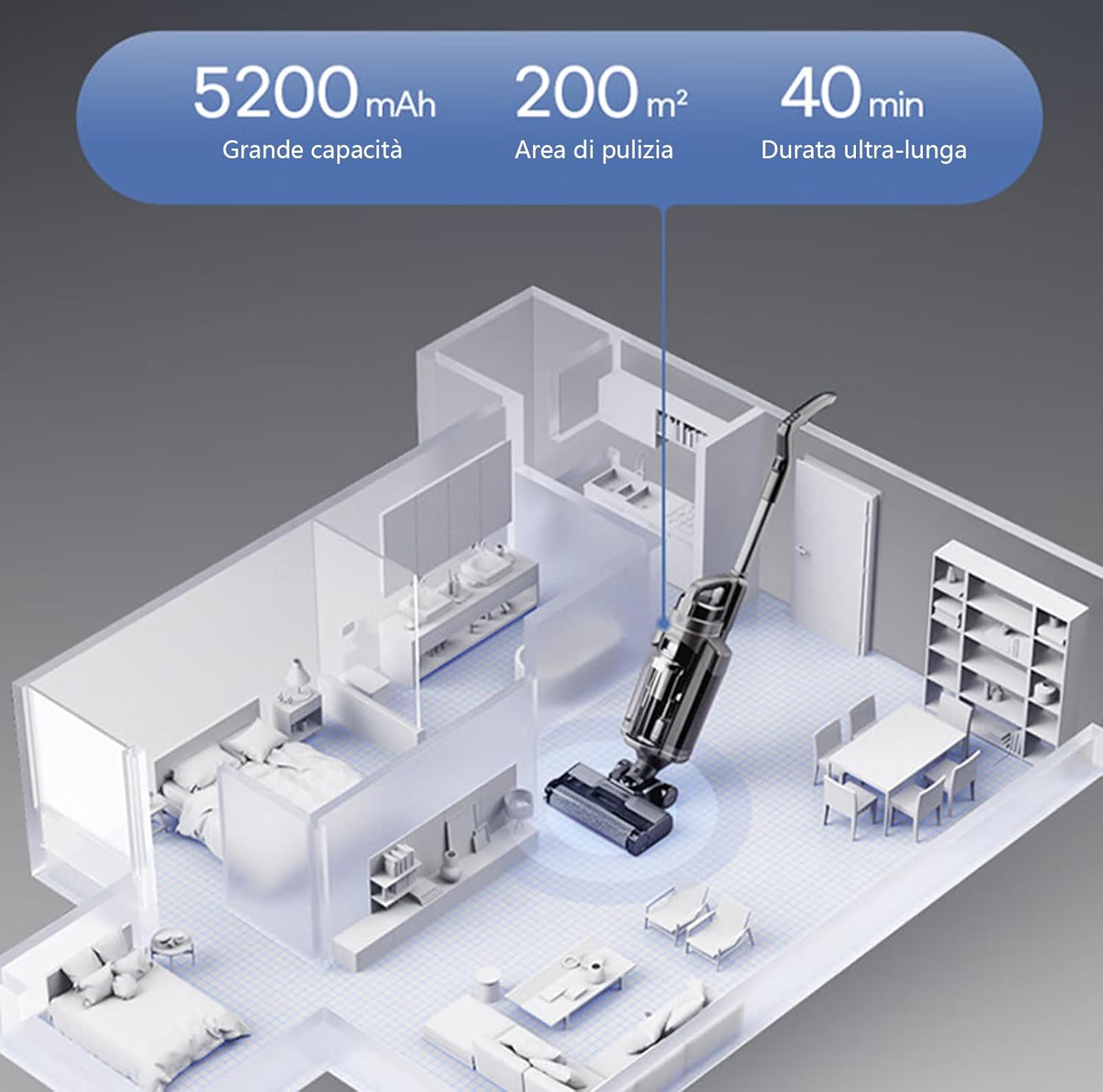
Image: An overhead diagram illustrating the Vozascly W12 Pro cleaning a house, with callouts for its 5200mAh battery capacity, ability to clean up to 200m², and an ultra-long runtime of 40 minutes.
6.2 Handheld Cleaning (4-in-1 Versatility)
Detach the handheld unit for specialized cleaning tasks:
- Press the release button to detach the handheld unit from the main body.
- Attach the appropriate accessory for your cleaning need:
- Crevice Tool: For narrow gaps, corners, and hard-to-reach areas.
- Fabric Cleaning Tool: Ideal for upholstery, curtains, and car interiors.
- Glass Cleaning Tool: For streak-free cleaning of windows, mirrors, and other glass surfaces.
- Turn on the handheld unit and proceed with cleaning.

Image: Four different usage scenarios for the Vozascly W12 Pro, demonstrating its versatility as a universal wet and dry vacuum. It shows the device being used for floor cleaning, upholstery cleaning, and glass cleaning.

Image: A man demonstrating the use of the Vozascly W12 Pro with its glass cleaning attachment, showing how it sprays, washes, scrapes, and vacuums for efficient mirror and window cleaning.
7. Maintenance
7.1 Self-Cleaning Function
After each use, place the W12 Pro on its charging base and activate the self-cleaning function. This will automatically clean the roller brush, keeping your hands clean and maintaining hygiene.
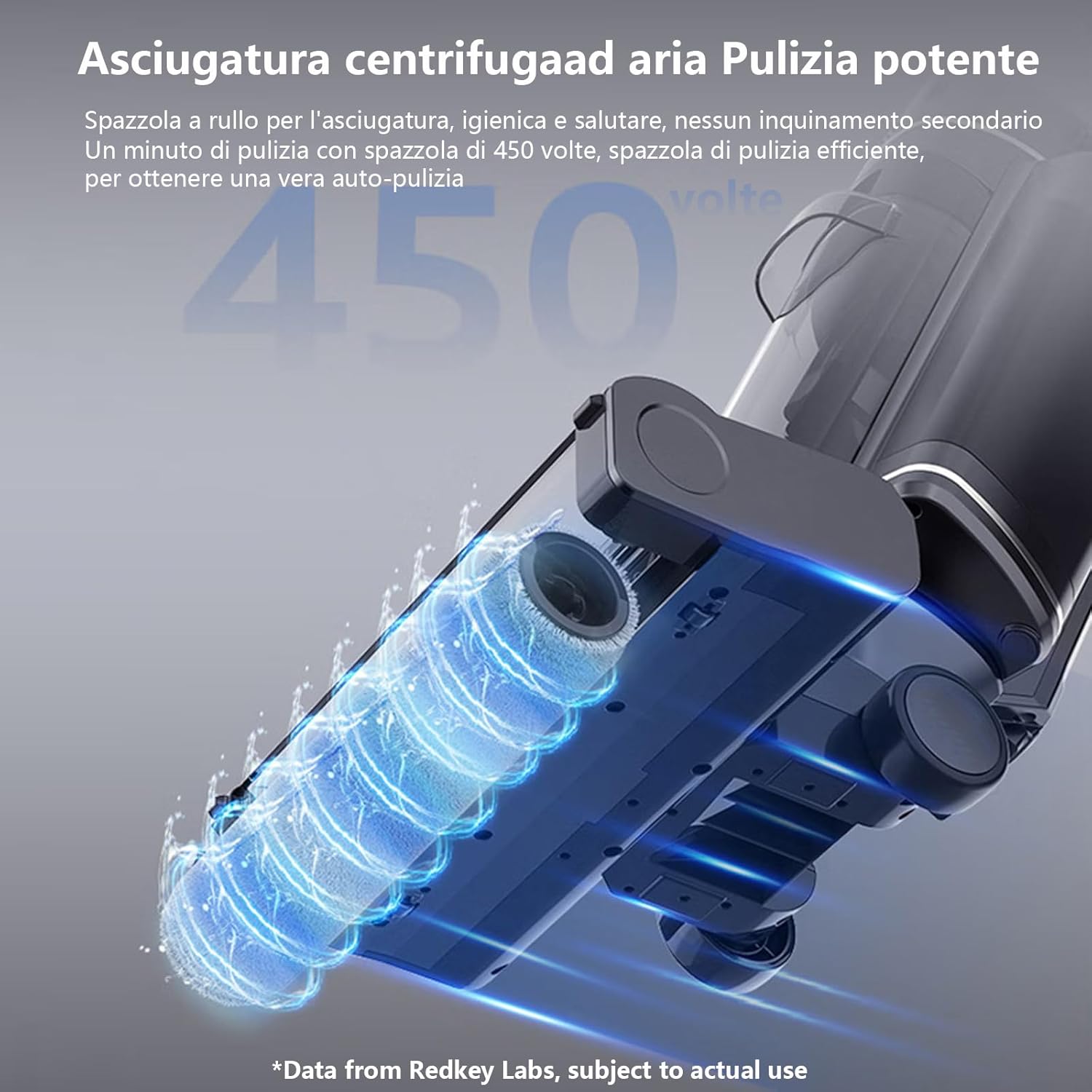
Image: A detailed view of the W12 Pro's spin-dry air powerful cleaning mechanism, illustrating how the roller brush is hygienically cleaned at 450 rotations per minute to prevent secondary pollution and ensure self-cleaning.
7.2 Emptying the Dirty Water Tank
Empty the dirty water tank after each use to prevent odors and maintain suction power.
- Press the release button and remove the dirty water tank.
- Open the tank and dispose of the dirty water.
- Rinse the tank and filter thoroughly with clean water.
- Allow all parts to air dry completely before reassembling.
7.3 Cleaning the Roller Brush
While the self-cleaning function is effective, occasional manual cleaning of the roller brush may be necessary to remove tangled hair or debris.
- Turn off and unplug the appliance.
- Remove the roller brush cover and then the roller brush.
- Use the provided cleaning brush to remove any hair or debris.
- Rinse the roller brush under running water.
- Allow it to air dry completely before reinserting.
7.4 Filter Maintenance
The HEPA filter should be cleaned regularly and replaced periodically to ensure optimal performance.
- Remove the filter from the dirty water tank.
- Tap it gently to remove loose dust.
- Rinse under cool running water if necessary, ensuring it is completely dry before reinstallation.
8. Troubleshooting
If you encounter any issues, please refer to the following table before contacting customer support:
| Problem | Possible Cause | Solution |
|---|---|---|
| No power/Doesn't turn on | Battery is low or depleted. | Charge the appliance fully. |
| Weak suction | Dirty water tank is full. Roller brush is clogged. Filter is dirty. | Empty and clean the dirty water tank. Clean the roller brush. Clean or replace the filter. |
| Water leakage | Clean/dirty water tank not properly installed. Tank cap not sealed. | Ensure tanks are securely clicked into place. Check tank caps for proper sealing. |
| Abnormal noise | Debris caught in roller brush. Motor obstruction. | Inspect and remove any debris from the roller brush. If noise persists, contact support. |
9. Specifications
| Feature | Detail |
|---|---|
| Brand | Vozascly |
| Model Name | W12 Pro |
| Color | Grey |
| Product Dimensions | 15L x 20W x 10H centimeters (Note: This seems to be a generic dimension, actual package dimensions are 72.59 x 41.7 x 27 cm) |
| Item Weight | 10.3 Kilograms |
| Runtime | 40 minutes |
| Special Feature | Wet/Dry Cleaning |
| Filter Type | HEPA Filter |
| Cordless | Yes |
| Recommended Uses | Floor, carpet, curtains, car, pet hair removal, liquid spills |
| Clean Water Tank Capacity | 500 ml |
| Dirty Water Tank Capacity | 380 ml |
10. Warranty and Support
The Vozascly W12 Pro comes with a two-year warranty from the date of purchase. This warranty covers manufacturing defects and malfunctions under normal use.
For warranty claims, spare parts, or any after-sales issues, please contact Vozascly customer support. Our team aims to respond to all inquiries within 24 hours.
Please retain your proof of purchase for warranty validation.
Ask a question about this manual
Ask about setup, troubleshooting, compatibility, parts, safety, or missing instructions. Manuals+ will review the question and use this page’s manual context to help answer it.