1. Introduction
This user manual provides essential information for the safe and efficient operation, setup, and maintenance of your Mammotion Sweeper Kit for YUKA 2000. Please read this manual thoroughly before using the product to ensure proper functionality and to prevent damage or injury.
The Mammotion Sweeper Kit is designed to be compatible with the YUKA 2000 (and 2025) robotic lawn mowers. It efficiently clears various types of lawn debris, including mulched leaves, small twigs, grass clippings, weeds, and acorns, helping to maintain a clean and tidy lawn.
2. Safety Information
Always observe the following safety precautions to reduce the risk of injury or damage:
- Read all instructions carefully before use.
- Ensure the Sweeper Kit is securely attached to the YUKA 2000 before operation.
- Keep hands, feet, and loose clothing away from moving parts during operation.
- Do not operate the sweeper on excessively steep slopes or uneven terrain that could cause instability.
- Regularly inspect the sweeper for any signs of damage or wear. Do not use if damaged.
- Keep children and pets away from the operating area.
- Disconnect the sweeper from the YUKA 2000 before performing any maintenance or cleaning.
3. Product Overview and Components
The Mammotion Sweeper Kit consists of the main sweeper unit and its associated power module, designed for seamless integration with your YUKA 2000 robotic mower.

Figure 3.1: Mammotion Sweeper Kit showing the main collection unit and the power module.
This image displays the primary components of the Sweeper Kit: the large black collection bin with an integrated handle and sweeping mechanism, and a separate, smaller black power module. The collection bin features a mesh side for debris containment and a robust plastic housing.
- Sweeper Unit: The main body responsible for collecting and storing debris.
- Power Module: Provides power to the sweeping mechanism.
- Attachment Mechanism: For secure connection to the YUKA 2000.
4. Setup and Installation
The Sweeper Kit is designed for quick and easy setup, offering plug-and-play convenience.
- Ensure your YUKA 2000 robotic mower is powered off and in a stable position.
- Align the Sweeper Kit with the designated attachment points on the YUKA 2000.
- Securely connect the Sweeper Kit to the YUKA 2000, ensuring all latches or connectors are firmly engaged. Refer to your YUKA 2000 manual for specific attachment instructions if needed.
- Connect the power module to the Sweeper Kit and the YUKA 2000 as per the connection ports.
- Once attached, power on your YUKA 2000. The sweeper kit should be recognized automatically.
Note: The entire setup process is designed to be completed in approximately one minute.
5. Operating Instructions
The Sweeper Kit operates in conjunction with your YUKA 2000 to automatically sweep and self-empty collected debris.
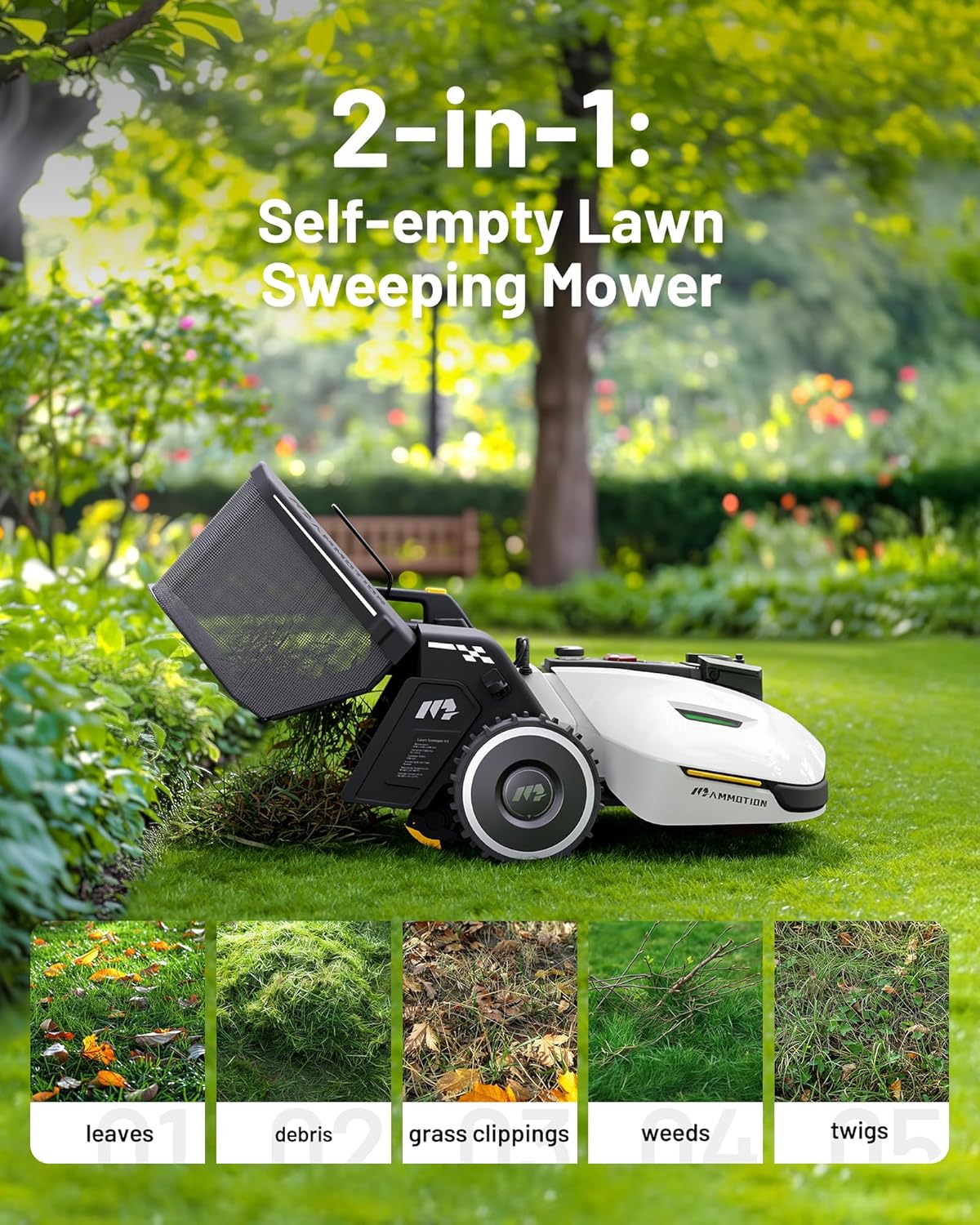
Figure 5.1: Mammotion Sweeper Kit attached to a YUKA mower, actively sweeping a lawn.
This image illustrates the Sweeper Kit in operation, attached to the rear of a white YUKA robotic mower. The sweeper's collection bin is open, demonstrating its ability to gather leaves, grass clippings, and other small debris from the lawn. The surrounding environment is a lush green lawn with trees, indicating outdoor use.
5.1 Sweeping Operation
- Once attached and powered on, the Sweeper Kit will activate automatically when the YUKA 2000 begins its lawn maintenance routine.
- It is designed to effectively collect mulched leaves, small twigs, grass clippings, weeds, and acorns.
- The YUKA 2000's navigation system will guide the sweeper across the designated sweeping zones.
5.2 Self-Emptying Function
- The Sweeper Kit features a self-emptying mechanism. When the collection bin is full or at programmed intervals, the YUKA 2000 will navigate to a designated dumping spot.
- The system can manage up to 150 dumping spots, allowing for flexible debris disposal across your property.
5.3 Sweeping Zones
- For the YUKA 2000, the Sweeper Kit supports operation within up to 100 sweeping zones. This allows for comprehensive coverage of large and complex lawn areas.
- Refer to your YUKA 2000's application or control interface for setting up and managing sweeping zones.
6. Maintenance
Regular maintenance ensures the longevity and optimal performance of your Sweeper Kit.
- Cleaning the Collection Bin: Periodically empty and clean the collection bin. Remove any stuck debris or compacted material.
- Inspecting Brushes/Sweeping Mechanism: Check the sweeping brushes or mechanism for wear, damage, or entanglement with string, hair, or other debris. Clean as necessary.
- Checking Connections: Ensure all connections to the YUKA 2000 and the power module are clean and secure.
- Storage: When not in use for extended periods, store the Sweeper Kit in a clean, dry place, protected from extreme temperatures.
Caution: Always power off and disconnect the Sweeper Kit from the YUKA 2000 before performing any cleaning or maintenance.
7. Troubleshooting
If you encounter issues with your Sweeper Kit, refer to the following common troubleshooting steps:
| Problem | Possible Cause | Solution |
|---|---|---|
| Sweeper not collecting debris effectively. | Collection bin is full; Sweeping mechanism is clogged; Incorrect attachment. | Empty the collection bin; Clean the sweeping brushes/mechanism; Re-attach the sweeper securely to the YUKA 2000. |
| Sweeper not powering on. | Loose power connection; YUKA 2000 not powered on or faulty. | Check all power connections; Ensure YUKA 2000 is powered on and functioning correctly. |
| Self-emptying function not working. | Dumping spot not configured; Obstruction at dumping spot; Software glitch. | Verify dumping spot configuration in YUKA 2000 app; Clear any obstructions; Restart YUKA 2000 and Sweeper Kit. |
If the problem persists after attempting these solutions, please contact Mammotion customer support.
8. Specifications
| Feature | Detail |
|---|---|
| Brand | Mammotion |
| Model Name | Sweeper Kit |
| Compatibility | YUKA 2000 (2025) Robotic Mower |
| Power Source | Battery Powered (via YUKA 2000) |
| Material | Plastic |
| Color | White |
| Item Weight | 11.7 Pounds (5.3 kg) |
| Cutting Width (Sweeping Path) | 12.59 Inches (approx. 32 cm) |
| Operation Mode | Automatic |
| Product Dimensions (L x W x H) | 25.51"D x 20.43"W x 12.99"H (64.8cm D x 51.9cm W x 33cm H) |
| Max. Dumping Spots | 150 |
| Max. Sweeping Zones (YUKA 2000) | 100 |
9. Warranty and Support
Mammotion products are manufactured to high-quality standards. For information regarding the product warranty, please refer to the warranty card included with your purchase or visit the official Mammotion website.
For technical support, troubleshooting assistance beyond this manual, or spare parts inquiries, please contact Mammotion customer service. Contact details can typically be found on the official Mammotion website or on your purchase documentation.
Note: Extended protection plans may be available for purchase separately. These plans offer additional coverage beyond the standard manufacturer's warranty.