
1. Introduction
Thank you for choosing the HiOazo Smart Sprinklers Controller WiFi. This device is designed to provide an intelligent and efficient solution for managing your garden's irrigation system. With its easy-to-use app control and smart weather functionality, you can optimize water usage, promote healthier plant growth, and save time.
This manual provides detailed instructions for the installation, operation, and maintenance of your HiOazo Smart Sprinklers Controller. Please read it thoroughly before using the product to ensure proper setup and functionality.
2. Product Overview and Features
The HiOazo Smart Sprinklers Controller offers advanced features to automate and optimize your watering schedule:
- Easy Use App Control: Manage your sprinkler system from anywhere using the intuitive HiOazo app. Access watering schedules and monitor in real-time.
- Weather-Smart Functionality: Automatically skips watering sessions during unfavorable conditions such as rain, frost, or high winds, conserving water and preventing plant stress.
- Tailored Watering Solutions: Customize up to 16 watering plans across 6 zones, allowing precise control over watering frequencies to meet specific plant needs.
- Two Irrigation Modes: Choose between Standard Irrigation for continuous watering and Soak Irrigation to allow soil ample time to absorb water, promoting deeper root growth.
- Effortless Setup: Designed for DIY-friendly installation, typically taking only 10 minutes to complete. Compatible with most existing sprinkler controllers.

Figure 2.1: HiOazo Smart Sprinklers Controller with its mobile application interface, showing real-time watering status and controls.
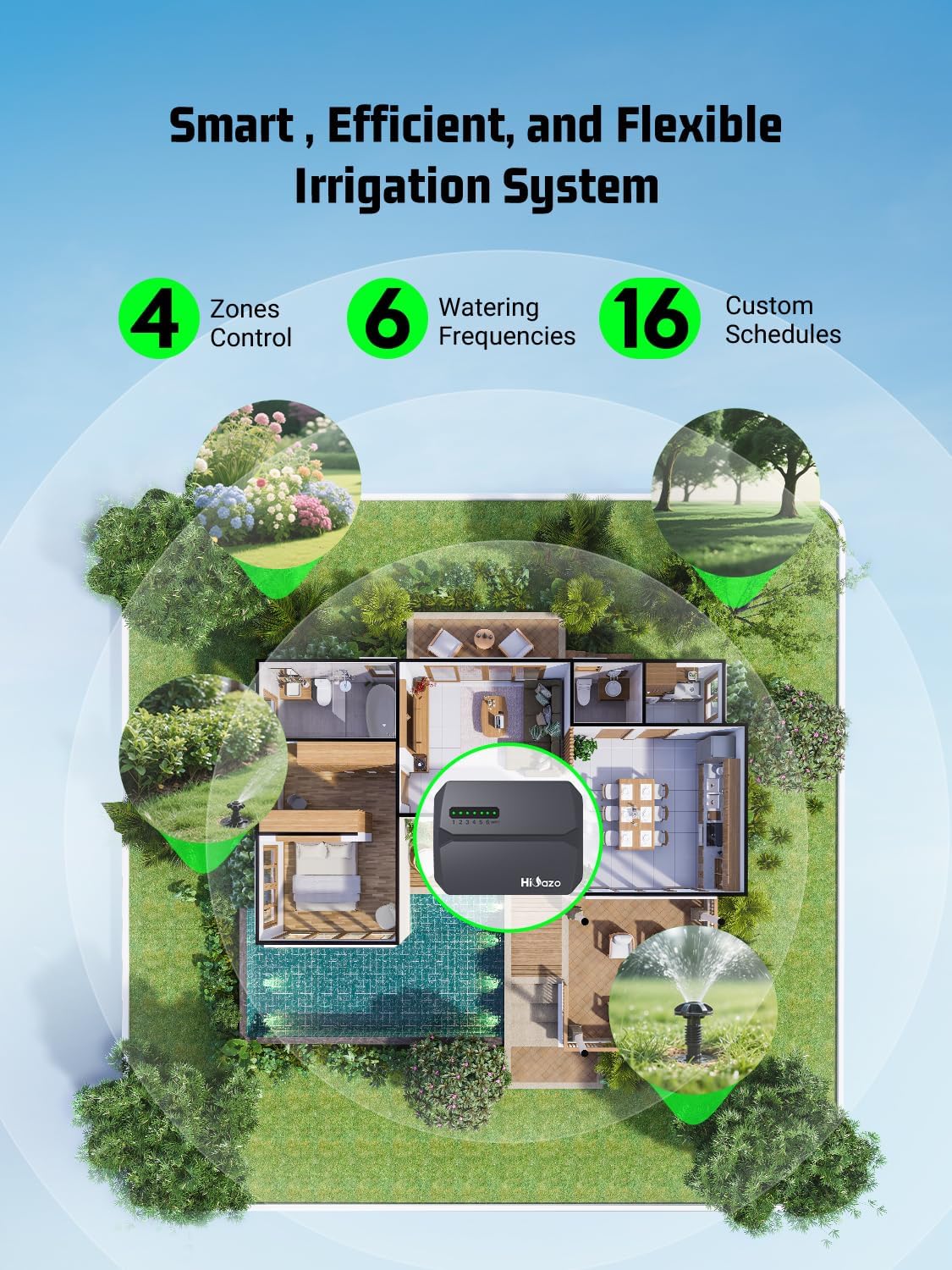
Figure 2.2: Illustration of a smart, efficient, and flexible irrigation system with 6 zones, demonstrating customized watering across different areas of a property.
3. Setup
3.1 Package Contents
Before beginning installation, ensure all components are present:
- HiOazo Smart Irrigation Controller
- Power Adapter
- 3 Screws
- 4 Wire Connectors
- Labels
- User Manual (this document)
3.2 Physical Installation
- Power Off: Disconnect power to your existing sprinkler controller at the circuit breaker.
- Remove Old Controller: Carefully disconnect all wires from your old controller, noting which zone each wire belongs to. Use the provided labels for clear identification.
- Mount New Controller: Using the included screws, mount the HiOazo Smart Irrigation Controller in a suitable location, typically where your old controller was. Ensure it is protected from direct weather exposure if installed outdoors.
- Connect Wires: Connect the zone wires from your irrigation system to the corresponding terminals on the HiOazo controller. Connect the common wire to the designated common terminal. Use the provided wire connectors for secure connections.
- Connect Power: Plug the power adapter into the controller and then into a standard electrical outlet.
- Restore Power: Turn the power back on at the circuit breaker.
3.3 App Download and WiFi Connection
- Download App: Search for the "HiOazo" app in your mobile device's app store (iOS or Android) and download it.
- Create Account: Open the app and follow the on-screen instructions to create a new user account.
- Add Device: In the app, select the option to add a new device. Follow the prompts to put your HiOazo controller into pairing mode.
- Connect to WiFi: Select your home WiFi network (2.4GHz only) and enter the password when prompted. The controller will connect to your network.
- Name Zones: Once connected, you can name your irrigation zones within the app for easier management (e.g., "Front Lawn," "Flower Bed," "Backyard").

Figure 3.1: The HiOazo app is designed for easy use, simplifying the setup and management of your watering plans.
4. Operating Instructions
4.1 Creating Watering Plans and Schedules
The HiOazo app allows you to create up to 16 customized watering plans for your 6 zones:
- Access Schedules: Open the HiOazo app and navigate to the 'Schedules' or 'Plans' section.
- Add New Plan: Select the option to add a new watering plan.
- Select Zones: Choose which of your 6 zones will be included in this plan.
- Set Duration: Specify the watering duration for each selected zone.
- Set Frequency: Define how often the plan should run (e.g., daily, specific days of the week, every X days).
- Set Start Time: Choose the desired start time for the watering cycle.
- Save Plan: Review your settings and save the new watering plan.
4.2 Irrigation Modes
The controller supports two primary irrigation modes:
- Standard Irrigation: Waters continuously for the set duration.
- Soak Irrigation: Waters in cycles with pause intervals to allow water to penetrate the soil, reducing runoff and promoting deeper root growth. This mode is ideal for sloped areas or dense soil.
You can select the preferred irrigation mode when setting up or editing a watering plan within the app.
4.3 Weather-Smart Functionality
The HiOazo controller integrates with local weather data to automatically adjust or skip watering schedules, ensuring optimal water usage and plant health:
- Rain Skip: Automatically pauses watering if significant rainfall is detected or predicted.
- Freeze Skip: Prevents watering when temperatures drop below freezing to protect pipes and plants.
- Wind Skip: Skips watering during high wind conditions to prevent water waste due to drift.
- Seasonal Adjust: Automatically adjusts watering durations based on seasonal changes in weather, reducing water use in cooler months and increasing it during hotter periods.
These features can be enabled or disabled within the HiOazo app settings.

Figure 4.1: The app interface demonstrating the 'Rain skip' notification and options to enable or disable smart skip features for rain, freeze, and wind.

Figure 4.2: Efficient water delivery through drip irrigation, highlighting how smart controllers can significantly reduce water consumption.
4.4 Water Usage Tracking
The HiOazo app provides detailed insights into your water consumption, helping you monitor and manage your water bill:
- View total time used in the past 7 days, 30 days, or 6 months.
- Track total scheduled time versus actual water used.
- Monitor water saved due to smart skip features.

Figure 4.3: The HiOazo app's water usage tracking feature, showing historical data on water consumption and potential savings.
5. Maintenance
The HiOazo Smart Sprinklers Controller is designed for durability and minimal maintenance. To ensure optimal performance and longevity:
- Keep Clean: Periodically wipe the exterior of the controller with a soft, dry cloth to remove dust and debris. Avoid using harsh chemicals or abrasive cleaners.
- Check Connections: Annually inspect all wire connections to ensure they are secure and free from corrosion.
- Software Updates: Ensure your HiOazo app is always updated to the latest version to benefit from new features and performance improvements. The controller's firmware may also receive updates via the app.
- Environmental Protection: If installed outdoors, ensure the controller is adequately protected from direct exposure to extreme weather conditions, as specified in the installation guidelines.
6. Troubleshooting
If you encounter issues with your HiOazo Smart Sprinklers Controller, please refer to the following common troubleshooting steps:
| Problem | Possible Cause | Solution |
|---|---|---|
| Controller not powering on | No power from outlet; faulty power adapter; loose connection. | Check the power outlet with another device. Ensure the power adapter is securely plugged into both the controller and the outlet. Check the circuit breaker. |
| Cannot connect to WiFi | Incorrect WiFi password; controller too far from router; 5GHz network selected; network interference. | Verify WiFi password. Move controller closer to router or use a WiFi extender. Ensure your router is broadcasting a 2.4GHz network. Try restarting your router. |
| Zones not watering | Wires loose; solenoid issue; water supply off; schedule not active; rain/freeze/wind skip active. | Check wire connections for the affected zone and common wire. Ensure main water supply to irrigation system is on. Verify watering schedule in the app. Check if any smart skip features are active. |
| App not responding | App crash; internet connectivity issue on phone. | Close and restart the app. Check your phone's internet connection. Ensure the app is updated to the latest version. |
If the problem persists after attempting these solutions, please contact HiOazo customer support for further assistance.
7. Specifications
| Feature | Specification |
|---|---|
| Model | HSC-600W |
| Brand | HiOazo |
| Number of Zones | 6 |
| Max Watering Plans | 16 |
| Connectivity | WiFi (2.4GHz only) |
| Material | Acrylonitrile Butadiene Styrene (ABS) |
| Color | Green (Controller body is dark grey/black with green accents) |
| Display Type | LCD or LED indicators |
| Package Dimensions | 7.6 x 6.06 x 4.84 inches |
| Item Weight | 2.01 pounds |
| Batteries Required | No |
8. Warranty and Support
HiOazo stands behind the quality of its products. The Smart Sprinklers Controller comes with a 5-Year Care commitment, ensuring great quality build and support.
For technical support, warranty claims, or any questions regarding your HiOazo Smart Sprinklers Controller, please visit the official HiOazo website or contact their customer service team through the contact information provided on the product packaging or within the HiOazo app.


