
1. Product Overview
The Yonvim DC339C Dash Cam is a high-performance vehicle recording device designed to capture crucial road details. It features 2.5K QHD resolution for the front camera and includes a rear camera for comprehensive coverage. Equipped with advanced features like G-Sensor, Night Vision, and 24-hour Parking Mode, this dash cam provides enhanced safety and security for your vehicle.
The main unit boasts a 3.39-inch IPS display for clear real-time viewing and easy menu navigation. Its user-friendly design allows for simple stick-on installation and flexible disassembly after fixing, making it convenient for reviewing footage or transferring data.
2. What's in the Box
Please ensure all the following components are included in your package:
- 1x Yonvim DC339C Dash Camera
- 1x Rear Camera
- 1x 64GB Memory Card (pre-installed)
- 1x Car Charger (Cigarette Lighter Power Cord)
- 1x Product Manual
- 1x Windshield Sticker
- 4x Adhesive Pads
- 1x Rear Adhesive Pad
- 2x Rear Setting Screws
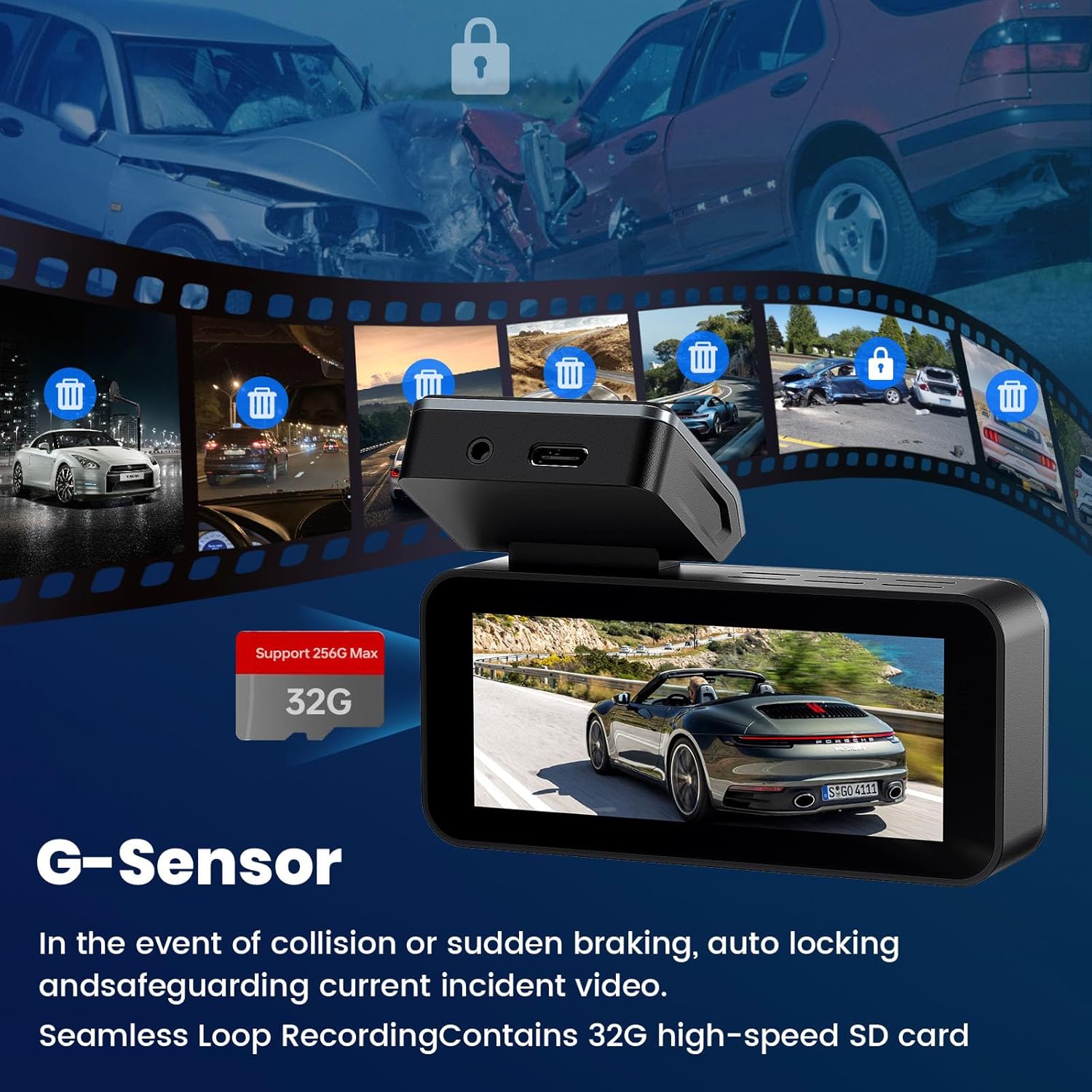
Image: All components included in the Yonvim DC339C Dash Cam package.
3. Setup and Installation
3.1 Mounting the Dash Cam
- Clean the area on your windshield where you intend to mount the dash cam.
- Apply the provided windshield sticker to the cleaned area.
- Attach the dash cam to its mount. The mount features a flexible design for easy adjustment.
- Securely attach the dash cam with its mount to the windshield sticker. The dash cam is designed for flexible disassembly after initial fixing.
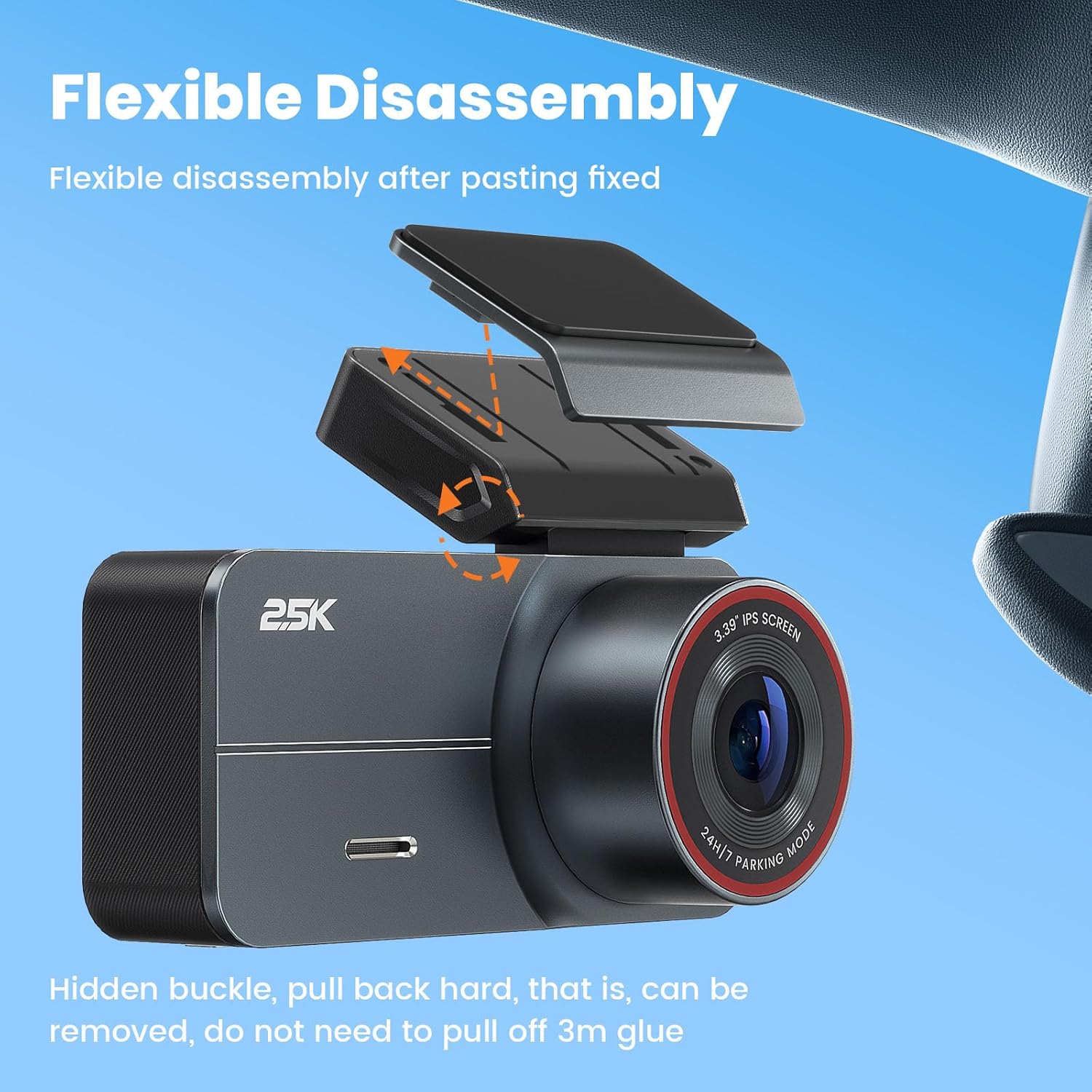
Image: The Yonvim DC339C Dash Cam mounted on a car windshield, showing its compact size and front lens.
3.2 Connecting Power and Rear Camera
- Connect the car charger (cigarette lighter power cord) to the dash cam's power input.
- Carefully route the power cable along the windshield and tuck it under the interior trim for a neat installation.
- Connect the rear camera cable to the main dash cam unit. Route the cable to the rear of your vehicle and mount the rear camera using the provided adhesive pad and screws.
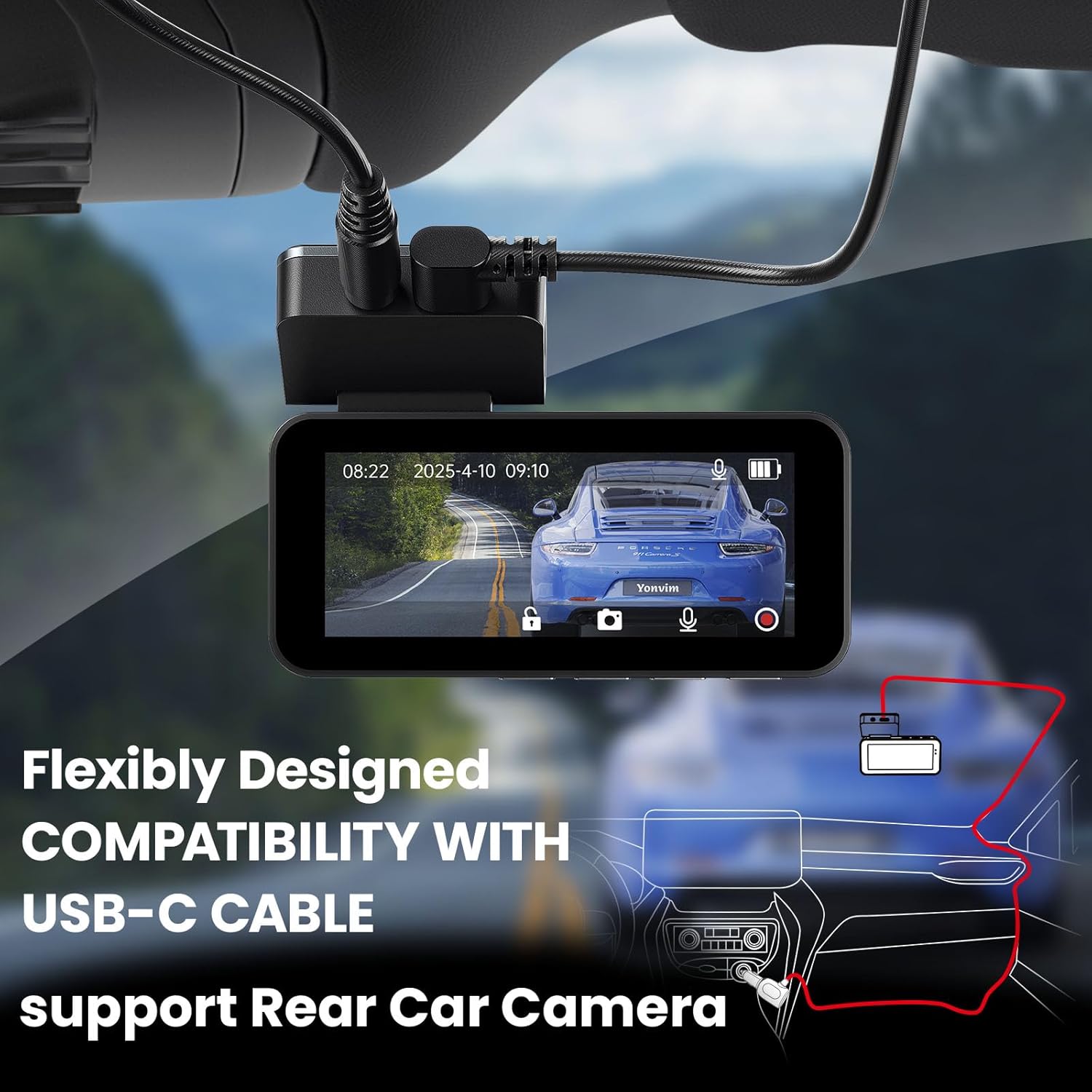
Image: A diagram illustrating the connection of the rear camera to the main dash cam unit, with cables routed along the vehicle's interior.
3.3 Memory Card
The 64GB memory card is pre-installed in the dash cam for immediate use. For optimal performance, it is recommended to format the SD card upon first use via the dash cam's menu settings.

Image: The dash cam's 3.39-inch IPS display showing various icons for features like HD resolution, 2.5K QHD, Night Vision, G-Sensor, Loop Recording, and 64GB Card.
4. Operating Instructions
4.1 Power On/Off and Recording
- The dash cam automatically powers on and begins recording when your vehicle's engine starts.
- Recording is indicated by a red dot on the screen.
- To manually power off, long-press the power button.
4.2 Menu Navigation and Settings
- Use the 'M' (Menu) button to access system settings.
- Use the arrow buttons to navigate through options like Resolution, Loop Recording duration, G-Sensor sensitivity, Parking Monitor settings, and more.
- Press the Power button (often labeled 'OK' or similar) to confirm selections.
4.3 App Control (Wi-Fi)
The Yonvim DC339C supports Wi-Fi connectivity for convenient control via a mobile app. Download the dedicated app (refer to the product manual for app name and QR code) to:
- View real-time footage from both front and rear cameras.
- Start/stop recordings and take photos remotely.
- Access and manage recorded files directly on your smartphone.
- Adjust camera settings without interacting with the physical unit.
Video: Official Yonvim video demonstrating the dash cam's features, including its 3.39" IPS 2.5K QHD display and Wi-Fi connectivity for app control.
5. Key Features
- 2.5K QHD Resolution: Captures clear and detailed footage from the front camera.
- 160° Ultra-Wide Angle Lens: Provides extensive road coverage, capturing up to three lanes.
- F1.8 Aperture + 8-Layer Optical Lens: Ensures exceptional low-light performance and sharp footage 24/7.
- Advanced Night Vision: Utilizes a sensitive sensor and large aperture to capture license plates and road signs with clarity even in weak street lighting.
- 3.39" IPS Display: Offers crisp viewing angles for instant footage review and user-friendly interface navigation.
- Removable Design: Allows for easy disassembly of the dash cam from its mount after installation.
- G-Sensor Collision Detection: Automatically locks emergency footage in the event of a collision or sudden braking, preventing overwriting.
- Seamless Loop Recording: Continuously records, automatically overwriting the oldest files when the memory card is full, ensuring constant recording without manual intervention.
- 24H Parking Mode: Provides surveillance when the vehicle is parked. Requires an optional hardwiring kit (ASIN: B0FLPT6F86) for continuous power.
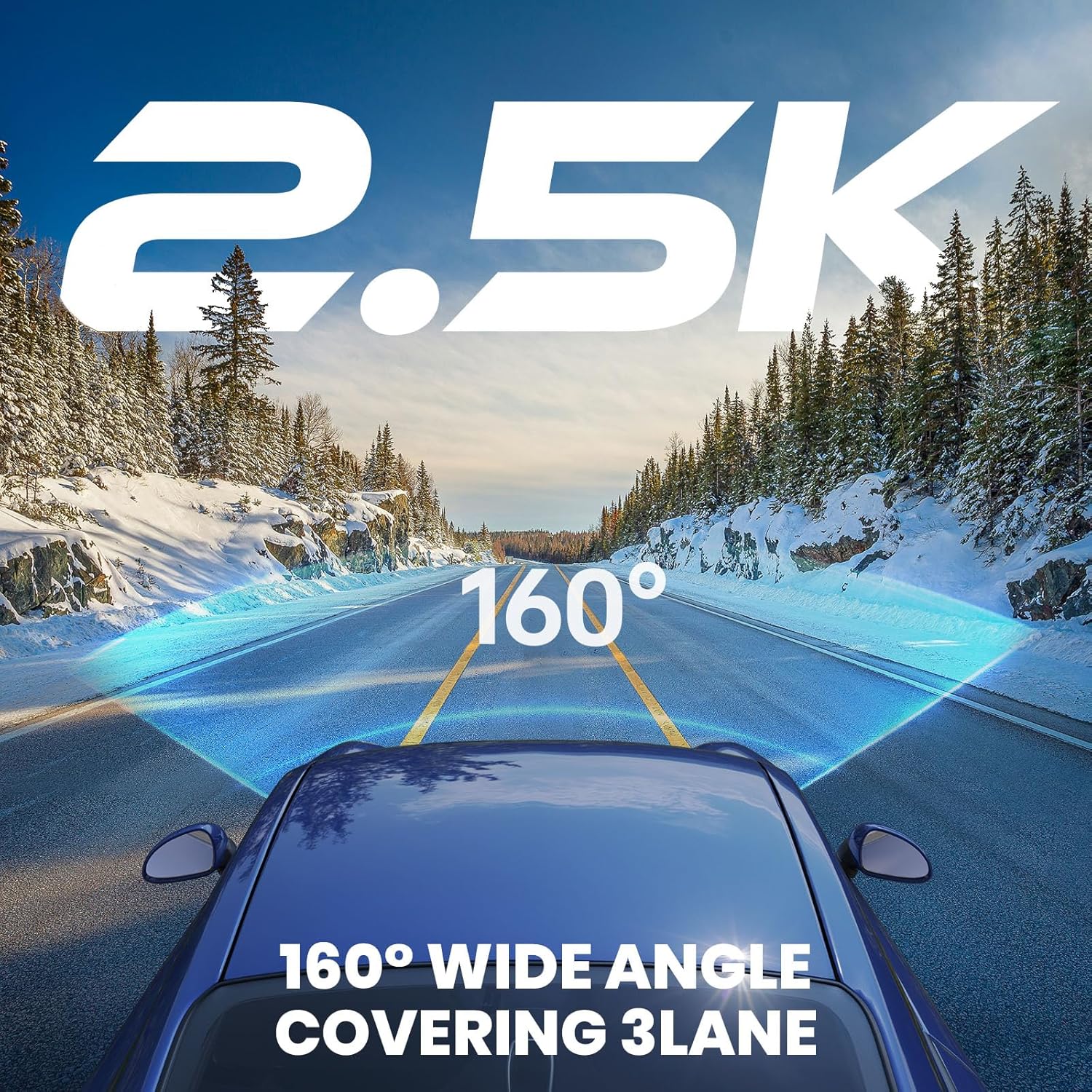
Image: The dash cam's wide-angle view from the perspective of a car on a snowy road, highlighting its 2.5K resolution and 160-degree coverage.

Image: The dash cam's display showing a clear night vision recording of a car on a snowy road, emphasizing its advanced night vision technology with 6-layer glasses, 2.5K QHD, F1.8 aperture, and Novatek Processor.
Video: Official Yonvim video titled "Truth Recorder: Crisp Night Vision, Always on Duty", showcasing the dash cam's night vision and continuous recording features.
6. Specifications
| Feature | Detail |
|---|---|
| Model Number | DC339C |
| Front Camera Resolution | 2.5K QHD |
| Rear Camera Resolution | 1080P (implied from product title context) |
| Front Camera Field of View | 160 Degrees |
| Display Size | 3.39" IPS |
| Aperture | F1.8 |
| Lens Layers | 8-layer optical lens |
| Special Features | G-Sensor, Loop Recording, Night Vision, 24H Parking Mode |
| Connectivity | USB, Wi-Fi (implied from feature bullets) |
| Included Memory Card | 64GB |
| Max Memory Card Support | Up to 256GB (implied from A+ content image) |
| Product Dimensions | 0.78 x 3.62 x 1.67 inches |
| Item Weight | 15.5 ounces |
7. Troubleshooting
- Camera not recording: Ensure the memory card is inserted correctly and formatted. Check if loop recording is enabled.
- Footage not clear: Clean the camera lens. Ensure the resolution settings are optimal (2.5K QHD).
- Parking Mode not working: Verify that a hardwiring kit (ASIN: B0FLPT6F86) is correctly installed and providing continuous power.
- App connectivity issues: Ensure Wi-Fi is enabled on the dash cam and your smartphone. Follow app instructions for pairing.
8. Warranty and Customer Support
The Yonvim DC339C Dash Cam comes with a 10-year free warranty and lifetime professional technical support. For any questions or assistance, please contact Yonvim customer support.
- 24/7 Technical Assistance: Available to ensure a smooth user experience.
- Contact Information: Refer to your product manual or the official Yonvim website for the most up-to-date customer support details.
Video: Official Yonvim video titled "Crash Clarity. Night Shield. Your Legal Co-Pilot", highlighting the dash cam's reliability and support for users.