
1. Introduction
This manual provides essential information for the safe and effective use of your Palowextra SR01 Lithium-ion Replacement Battery. This high-capacity battery is designed to provide extended runtime for compatible iRobot Roomba robot vacuum cleaners. Please read this manual thoroughly before installation and use.
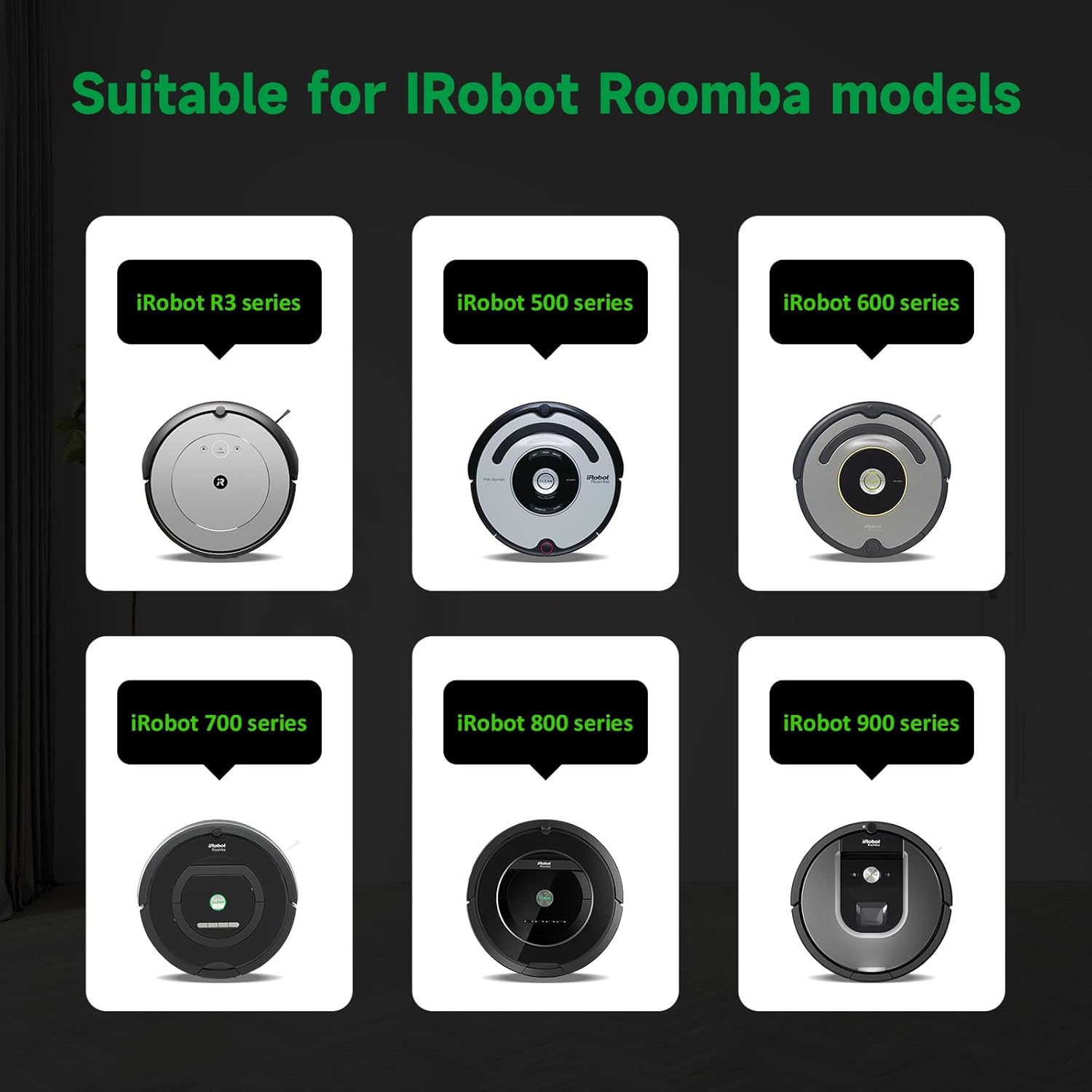
Image 1.1: Palowextra SR01 Lithium-ion Replacement Battery
2. Safety Information
To prevent injury or damage to your battery and robot vacuum, observe the following safety precautions:
- Do not disassemble, open, or shred the battery pack.
- Do not expose the battery to heat or fire. Avoid storage in direct sunlight.
- Do not short-circuit the battery pack.
- Do not immerse the battery in water or other liquids.
- Keep the battery out of reach of children.
- Use only the specified charger for iRobot Roomba devices.
- If the battery leaks, avoid contact with skin and eyes. If contact occurs, wash with plenty of water and seek medical advice.
- Dispose of used batteries according to local regulations. Do not dispose of with household waste.

Image 2.1: The Palowextra battery features multiple protections including over-charging, short-circuit, high-temperature, and surge protection.
3. Package Contents
Verify that all items are present in the package:
- 1 x Palowextra SR01 Lithium-ion Replacement Battery
- 1 x Cleaning Brush
- 1 x Screwdriver
4. Compatibility
The Palowextra SR01 battery is compatible with a wide range of iRobot Roomba models. Ensure the connector type matches your original battery before installation.
Compatible iRobot Roomba Series:
- 500 Series: 500, 530, 550, 552, 580
- 600 Series: 600, 614, 615, 640, 650, 652, 660, 665, 670, 671, 675, 677, 680, 685, 690, 695
- 700 Series: 700, 760, 770, 780, 790
- 800 Series: 800, 801, 805, 850, 860, 870, 877, 880, 890, 891, 895
- 900 Series: 900, 960, 965, 970, 980, 981, 985

Image 4.1: Visual representation of compatible iRobot Roomba series.
5. Installation Instructions
Follow these steps to replace the battery in your iRobot Roomba:
- Turn your Roomba robot vacuum upside down on a clean, flat surface.
- Use the provided screwdriver to remove the screws securing the bottom cover.
- Carefully lift off the bottom cover.
- Locate the existing battery pack. It is usually secured by a few screws or a retaining clip.
- Remove the old battery, noting its orientation and connector.
- Insert the new Palowextra SR01 battery, ensuring the connector aligns correctly and it sits snugly in the battery compartment.
- Replace any screws that secured the battery.
- Reattach the bottom cover and secure it with the screws.
- Place your Roomba back on its charging base.

Image 5.1: The Palowextra battery is designed for easy installation into compatible iRobot Roomba models.
6. Operating Instructions
After installation, follow these guidelines for optimal performance:
- Initial Charge: For the first use, fully charge the battery on the Roomba's charging base for at least 3 hours, or until the Roomba indicates a full charge.
- Regular Use: Allow the Roomba to complete its cleaning cycle and return to its charging base. It is recommended to keep the Roomba on its charging base when not in use to maintain battery health.
- Extended Runtime: This 6700mAh battery provides an extended operating time, allowing your Roomba to clean larger areas or for longer durations.

Image 6.1: The Palowextra battery offers an extended operating time, capable of cleaning up to 1500 sq ft.
7. Maintenance and Storage
Proper care ensures the longevity of your battery:
- Charging: Always use the original iRobot Roomba charging base or adapter. Avoid using third-party chargers not specifically designed for Roomba.
- Cleaning: Periodically clean the battery contacts on both the battery and the Roomba with a dry cloth to ensure good connection.
- Long-Term Storage: If the battery will not be used for an extended period (more than a month), charge it to approximately 50-60% and store it in a cool, dry place. Recharge it every 3-6 months to prevent deep discharge.
- Recharge Cycles: The battery is designed for 1500+ recharge cycles, indicating a long lifespan under normal use.

Image 7.1: Lithium-ion batteries maintain capacity better over time compared to Ni-MH batteries.
8. Troubleshooting
If you encounter issues with your battery, consider the following:
- Roomba Not Charging: Ensure the battery is correctly installed and the Roomba is properly seated on its charging base. Clean the charging contacts on both the Roomba and the base.
- Reduced Runtime: If the battery runtime is significantly shorter than expected, ensure the battery has been fully charged. Over time, all batteries experience degradation. If the issue persists, contact customer support.
- Error Messages: Refer to your iRobot Roomba's user manual for specific error codes related to battery issues.
- Battery Not Recognized: Double-check that the battery connector is securely attached and that the battery is fully seated in its compartment.
9. Product Specifications
| Feature | Specification |
|---|---|
| Model Number | SR01 |
| Battery Type | Lithium-ion (Li-ion) |
| Capacity | 6700 mAh (6.7 Ah) |
| Rated Voltage | 14.8 V |
| Energy | 99 Wh |
| Recharge Cycles | 1500+ |
| Working Temperature | -10°C to 50°C (14°F to 122°F) |
| Product Dimensions (L*W*H) | 5.47 x 2.08 x 1.77 inches (13.9 x 5.3 x 4.5 cm) |
| Item Weight | 1.06 pounds (481 g) |
| Shell Cover Material | ABS Plastic |
| Protections | Over-charging, Short-circuit, High-temperature, Surge |

Image 9.1: Detailed product parameters for the Palowextra SR01 battery.
10. Warranty and Customer Support
Palowextra stands behind the quality of its products:
- Refund Policy: 60 days refund period from the date of purchase.
- Replacement Policy: 180 days replacement for defective products.
- Warranty: 1-year warranty against manufacturing defects.
- Customer Service: 24/7 customer service is available for any product-related inquiries or issues. Please feel free to contact us for assistance.