YoYoFit F19

YoYoFit Smart Watch User Manual

Model: F19

1. Introduction

Welcome to the user manual for your new YoYoFit F19 Smart Watch. This guide will help you understand the features, setup, and operation of your device to ensure you get the most out of its capabilities. The YoYoFit F19 is designed to enhance your daily life with advanced health monitoring, comprehensive activity tracking, and seamless connectivity.

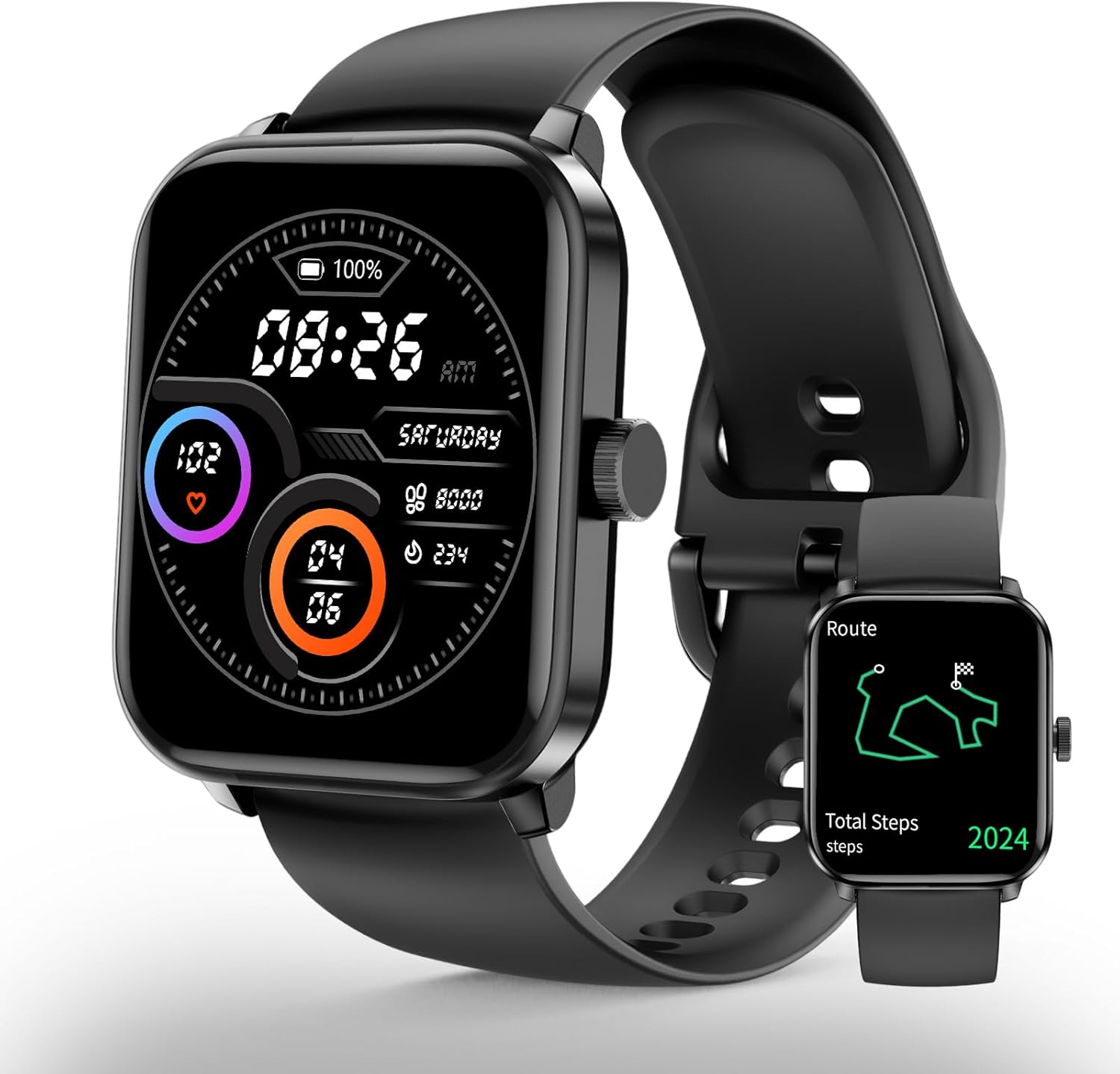
YoYoFit F19 Smart Watch, front view showing the display and black strap.

Figure 1: YoYoFit F19 Smart Watch

The YoYoFit F19 Smart Watch features a sleek black design with a vibrant display, showing time, date, battery level, and health metrics. A smaller inset image shows the watch displaying a route map, highlighting its GPS capabilities.

2. What's in the Box

  • YoYoFit F19 Smart Watch
  • Charging Cable (2PIN thimble magnetic charging)
  • Watch Band (pre-attached or separate)
  • User Manual (this document)

3. Setup Guide

3.1 Initial Charging

Before first use, fully charge your YoYoFit F19 Smart Watch. Connect the magnetic charging cable to the charging points on the back of the watch and plug the USB end into a compatible power adapter (not included) or a computer USB port. A full charge typically takes approximately 2 hours.

YoYoFit F19 Smart Watch being charged with a magnetic cable.

Figure 2: Magnetic Charging Method

The image shows the YoYoFit F19 Smart Watch being charged via its magnetic charging cable. The watch display shows a charging icon and battery percentage, indicating the ease of the 2PIN thimble magnetic charging method.

3.2 App Download and Pairing

To unlock the full potential of your smartwatch, download the companion application on your smartphone. The app is compatible with Android 4.4 & iOS 8.0 or above. Search for the official YoYoFit app in your device's app store (Google Play Store for Android, Apple App Store for iOS).

  1. Download and install the YoYoFit app.
  2. Ensure Bluetooth is enabled on your smartphone.
  3. Open the YoYoFit app and follow the on-screen instructions to create an account or log in.
  4. Navigate to the 'Device' or 'Add Device' section within the app.
  5. Select your YoYoFit F19 from the list of available devices.
  6. Confirm the pairing request on both your phone and the watch.

Once paired, your watch will synchronize data with the app, and you can customize settings, view detailed health reports, and manage notifications.

4. Operating Your Smart Watch

4.1 Navigating the Interface

The YoYoFit F19 features a large 1.83-inch HD touch screen for easy navigation. Swipe left/right, up/down, and tap to access various functions and menus. The side button typically serves as a home button or a back button, depending on the context.

YoYoFit F19 Smart Watch displaying various customizable watch faces.

Figure 3: Large 1.83-inch Screen and Custom Watch Faces

This image showcases the large 1.83-inch display of the YoYoFit F19 Smart Watch, surrounded by multiple examples of customizable watch faces, demonstrating the personalization options available to users.

4.2 Health Monitoring

The YoYoFit F19 provides comprehensive health monitoring features to help you stay informed about your well-being.

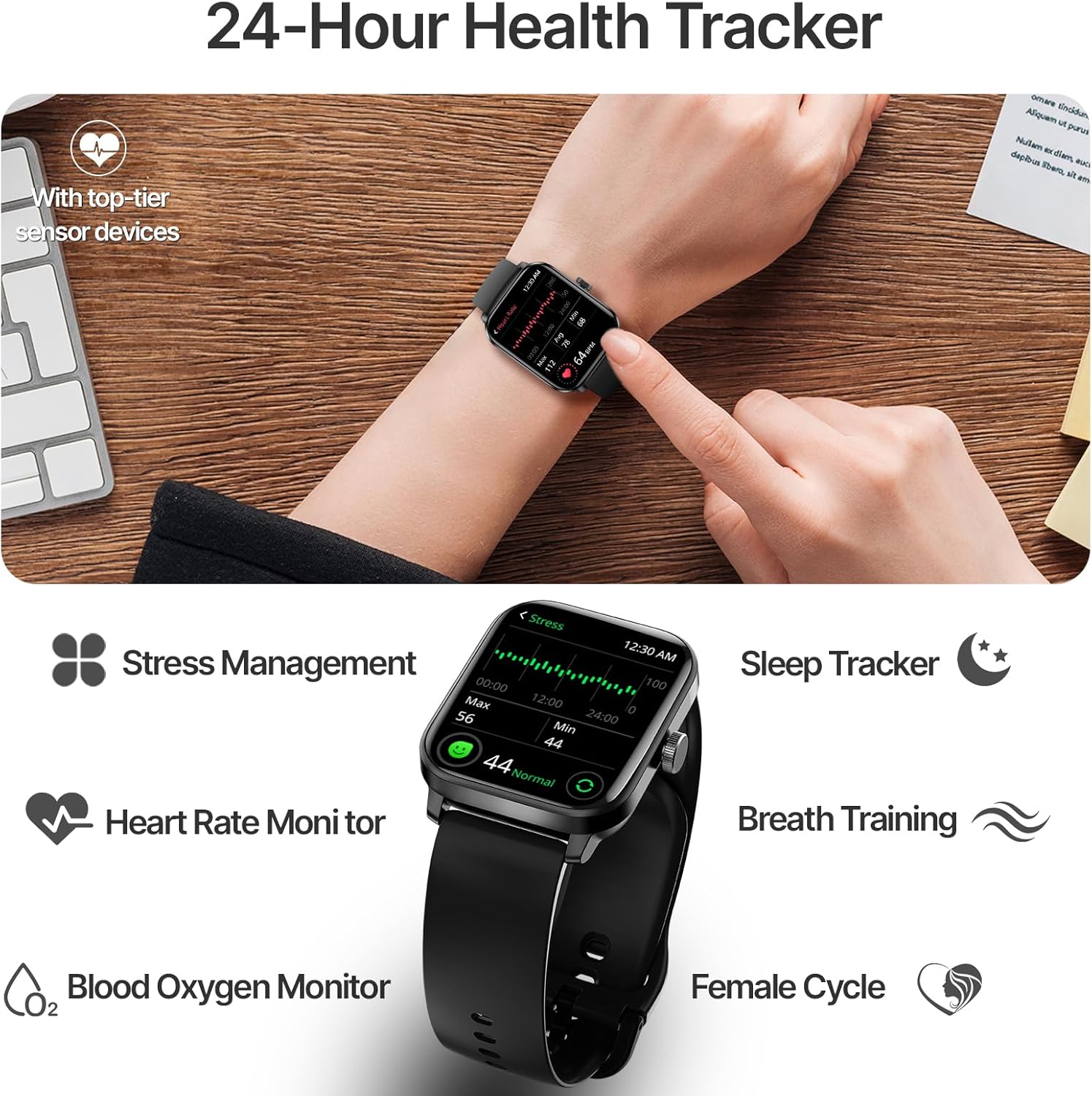
  • Heart Rate Monitoring: Continuously tracks your heart rate throughout the day. You can also perform on-demand measurements. The watch can provide smart alerts for abnormal heart rate readings.
  • Blood Oxygen (SpO2) Monitoring: Measures your blood oxygen saturation levels.
  • Stress Management: Monitors your stress levels and offers breathing training exercises to help you relax.
  • Sleep Tracking: Analyzes your sleep quality, including deep sleep, light sleep, and awake times.
  • Women Cycle Tracking: Records and predicts menstrual and fertile periods.
YoYoFit F19 Smart Watch displaying various health metrics on its screen.

Figure 4: 24-Hour Health Tracker Overview

This image illustrates the YoYoFit F19 Smart Watch's comprehensive 24-hour health tracking capabilities, showing the watch on a wrist with icons representing stress management, sleep tracking, heart rate monitoring, blood oxygen monitoring, breath training, and female cycle tracking.

4.3 Activity Tracking

Track your fitness journey with precision using the built-in features of your smartwatch.

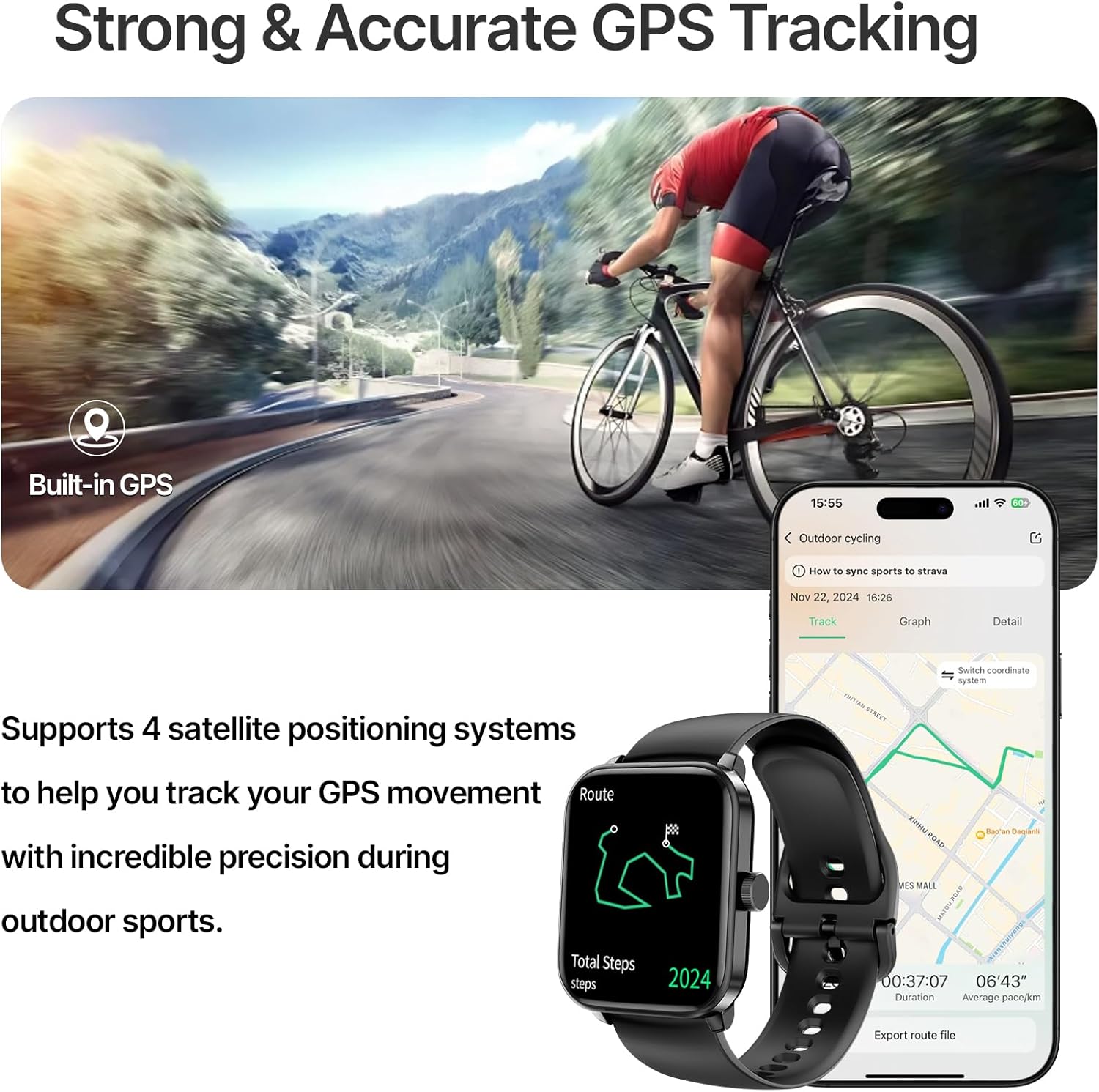
  • Built-in GPS: Records your running routes directly on the watch without needing your phone. View detailed city route maps in the app after synchronization.
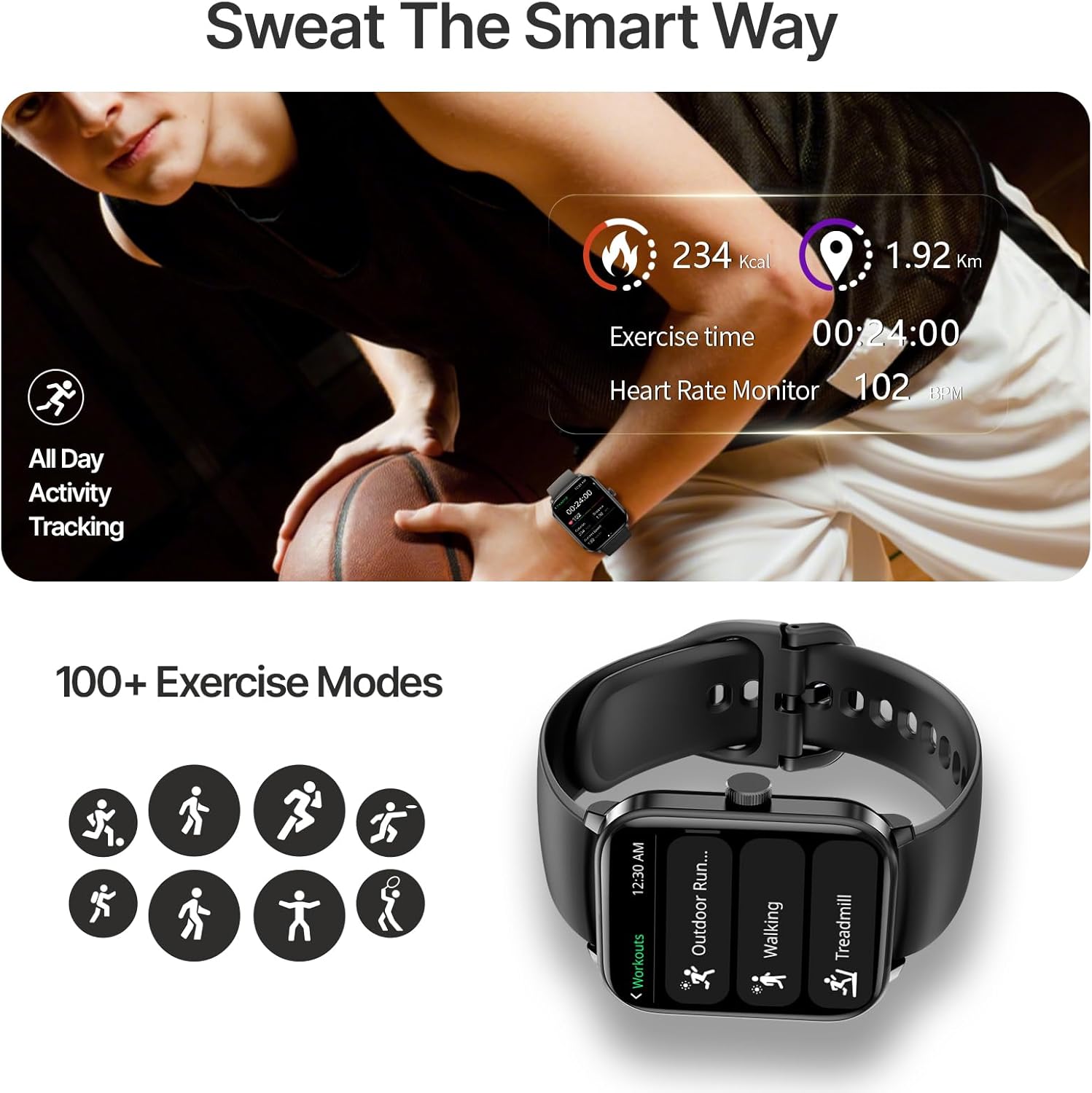
  • 100+ Sports Modes: Choose from a wide variety of sports modes for accurate tracking of distance, pace, speed, heart rate, and calories burned.
  • IP68 Waterproof: Designed to withstand daily activities and outdoor adventures, including swimming.
  • Step, Distance, and Calorie Tracking: Automatically monitors your daily steps, distance covered, and calories burned.
YoYoFit F19 Smart Watch tracking GPS during outdoor cycling.

Figure 5: Strong & Accurate GPS Tracking

The image depicts a person cycling outdoors, with the YoYoFit F19 Smart Watch on their wrist, emphasizing its built-in GPS for accurate tracking. An accompanying phone screen shows a detailed map of a cycling route, illustrating the watch's ability to record and display GPS movement with precision.

YoYoFit F19 Smart Watch displaying exercise metrics during a workout.

Figure 6: 100+ Exercise Modes

This image shows a person engaged in a workout, with the YoYoFit F19 Smart Watch on their wrist displaying exercise time, heart rate, and calories burned. Below, icons represent various sports modes, highlighting the watch's capability to track over 100 different activities.

4.4 Connectivity and Smart Features

Stay connected and manage your daily tasks directly from your wrist.

  • Bluetooth Calling: Dial numbers or answer incoming calls directly from your watch when connected to your phone via Bluetooth.
  • Notifications: Receive SMS, social media, and app notifications on your wrist with vibration alerts.
  • Weather Forecasts: Get the last 4-days weather forecasts.
  • Music and Camera Control: Control music playback and remotely trigger your phone's camera.
  • Additional Utilities: Includes stopwatch, timer, alarm, phone finder, world clock, calculator, calendar, and reminders.
YoYoFit F19 Smart Watch receiving a message notification.

Figure 7: Convenient On-wrist Connection

The image shows a person's hand with the YoYoFit F19 Smart Watch on the wrist, displaying an incoming message notification. Surrounding the watch are various social media and communication app icons, illustrating the watch's ability to receive notifications from multiple platforms.

5. Maintenance

5.1 Cleaning and Care

To maintain the performance and appearance of your YoYoFit F19 Smart Watch, follow these cleaning guidelines:

  • Wipe the watch screen and strap regularly with a soft, damp, lint-free cloth.
  • Avoid using harsh chemicals, abrasive cleaners, or solvents, as they may damage the watch's finish.
  • Ensure the charging contacts are clean and dry before charging to prevent corrosion.

5.2 Water Resistance (IP68)

The YoYoFit F19 Smart Watch is IP68 waterproof, meaning it is resistant to dust and can withstand immersion in water up to 1.5 meters for 30 minutes. It is suitable for daily use, including hand washing, rain, and swimming. However, it is not recommended for hot showers, saunas, or diving, as steam and high water pressure may compromise the seals.

YoYoFit F19 Smart Watch being worn in a swimming pool.

Figure 8: IP68 Waterproof Feature

This image shows a person's arm submerged in a swimming pool, with the YoYoFit F19 Smart Watch clearly visible on the wrist, demonstrating its IP68 waterproof capability for worry-free water activities.

5.3 Battery Care

The watch is equipped with a 280 Milliamp Hours Lithium Polymer battery. A single charge provides up to 7 days of usage and 15 days of standby time. To prolong battery life:

  • Avoid extreme temperatures.
  • Charge the watch fully before storing it for extended periods.
  • Use the provided magnetic charging cable.

6. Troubleshooting

6.1 Common Issues and Solutions

  • Watch not turning on: Ensure the watch is fully charged. Connect it to the charger for at least 10 minutes.
  • Unable to pair with phone:
    • Ensure Bluetooth is enabled on your phone and the watch.
    • Make sure the watch is within the Bluetooth range of your phone.
    • Restart both your phone and the watch.
    • Forget the device in your phone's Bluetooth settings and try pairing again.
  • Inaccurate health data:
    • Ensure the watch is worn snugly on your wrist, not too tight or too loose.
    • Clean the sensor on the back of the watch.
    • Avoid excessive movement during measurements.
  • Notifications not appearing:
    • Check app notification permissions on your phone.
    • Ensure the watch is connected via Bluetooth.
    • Verify notification settings within the YoYoFit app.
  • Short battery life:
    • Reduce screen brightness.
    • Disable continuous heart rate monitoring if not needed.
    • Limit the number of apps sending notifications to the watch.

7. Specifications

FeatureSpecification
Model NumberF19
Screen Size1.83 Inches (4.65 cm)
Display Resolution240*284
Battery Capacity280 Milliamp Hours (Lithium Polymer)
Daily Use Battery LifeUp to 7 days
Standby TimeUp to 15 days
Charging TimeApprox. 2 hours
Connectivity TechnologyBluetooth
GPSBuilt-in GPS (supports GPS, BigDipper, GLONASS, Galileo)
Waterproof RatingIP68
Operating System CompatibilityAndroid 4.4 & iOS 8.0 or above
Memory Storage Capacity128 MB
Item Weight4.2 ounces
ManufacturerShenzhen Weimei intelligent Technology Co., Ltd.

8. Warranty and Support

Your YoYoFit F19 Smart Watch is manufactured by Shenzhen Weimei intelligent Technology Co., Ltd. For any product-related inquiries, technical support, or warranty information, please refer to the official YoYoFit website or contact their customer service directly.

You can also visit the YoYoFit Store on Amazon for more information and support resources.

Related Documents - F19

Preview FW101 Fitness Tracker User Manual
Comprehensive user manual for the FW101 Fitness Tracker by YoYoFit, covering setup, features, notifications, activity tracking, sleep monitoring, exercise analysis, troubleshooting, and technical specifications.
Preview YOYOFIT Grace Smartwatch User Manual
User manual for the YOYOFIT Grace smartwatch, detailing setup, app integration, features like notifications, health tracking, training modes, troubleshooting, and specifications.
Preview User Manual: YoYoFit FW101 Fitness Tracker
Comprehensive user manual for the YoYoFit FW101 Fitness Tracker, covering setup, charging, app pairing, activity tracking, health monitoring, sleep tracking, sport modes, notifications, and basic parameters.
Preview Y27 (HT17) Smart Watch User Manual & Guide
Comprehensive user manual for the Y27 (HT17) Smart Watch by YoYoFit. Learn about setup, features like activity tracking, heart rate monitoring, SpO2, sleep tracking, Bluetooth calls, and app integration with FitCloudPro.
Preview Fitonus Smartwatch Operating Guide: Features, Functions, and Cautions
Comprehensive operating guide for the Fitonus smartwatch, detailing its features, functions, setup, and important cautions. Learn about heart rate monitoring, blood oxygen, sleep tracking, calls, sports modes, and more.