
Introduction
Thank you for choosing the Mefine 132cm Reversible Ceiling Fan with LED Light. This product is designed to provide efficient air circulation and versatile lighting for your indoor spaces. Featuring a quiet DC motor, reversible blades for all-season use, an integrated dimmable LED light with adjustable color temperature, and convenient remote control operation, this ceiling fan enhances comfort and ambiance in your home. Please read this manual thoroughly before installation and use to ensure proper function and safety.
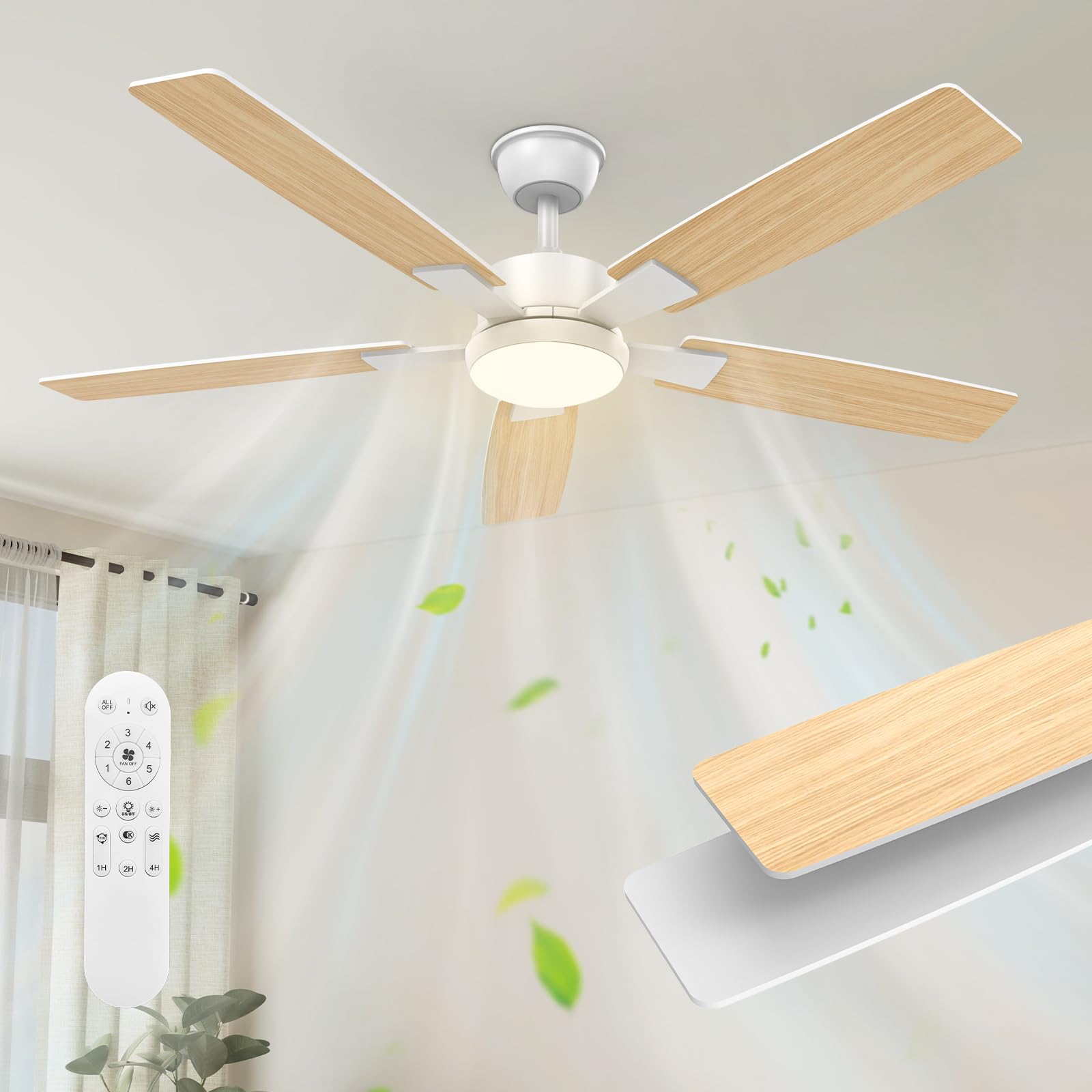
Image: The Mefine 132cm Reversible Ceiling Fan with LED Light and Remote Control, featuring light wood blades and a white motor housing.
Setup and Installation
This section provides step-by-step instructions for installing your Mefine ceiling fan. Ensure all components are present and undamaged before beginning. Installation is designed to be straightforward, typically taking around 30 minutes.
1. Unpacking and Component Check
- Carefully remove all parts from the packaging.
- Verify that all components listed in the parts diagram are included and free from damage.
- Keep packaging materials until installation is complete.
2. Mounting the Ceiling Bracket
- Turn off power at the main circuit breaker.
- Securely attach the mounting bracket to a ceiling joist or a suitable electrical junction box capable of supporting the fan's weight (approximately 6.3 kg). Use appropriate screws and anchors for your ceiling type.
- For sloped ceilings, use the included 15° adapter if necessary.
3. Wiring the Fan
- Connect the fan's electrical wires to your household wiring according to local electrical codes. Typically, this involves connecting live, neutral, and ground wires.
- Ensure all connections are secure and insulated.
- The control box for the remote receiver needs to be carefully placed within the canopy.
4. Assembling and Attaching the Fan Body
- Attach the downrod to the motor housing.
- Carefully lift the fan assembly and hang it onto the mounting bracket.
- Secure the canopy to cover the wiring and mounting bracket.
5. Installing the Fan Blades
The fan features reversible blades, allowing you to choose between a light wood finish or a white finish to match your decor.
- Select your desired blade finish.
- Attach each blade to the blade arms using the provided screws.
- Secure the blade assemblies to the motor housing. Ensure all screws are tightened evenly to prevent wobbling.

Image: Close-up of the fan blades, showing the reversible design with a white side and a light wood side.
6. Installing the LED Light Panel
- Connect the LED light panel wires to the fan's light kit wires.
- Secure the LED light panel to the bottom of the fan motor housing.
- Attach the light cover.
7. Final Checks
- Ensure all connections are secure and all screws are tightened.
- Restore power at the circuit breaker.
- Test the fan and light functions using the remote control.

Image: A technical diagram illustrating the dimensions of the ceiling fan, including blade span (132cm) and drop from ceiling.
Operating Instructions
Your Mefine ceiling fan is operated via the included remote control, offering convenient access to all functions.
Remote Control Functions
- Power On/Off: Press the power button to turn the fan and light on or off.
- Fan Speed Control: Use the speed buttons to cycle through 6 fan speeds.
- Light On/Off: Separate button to control the LED light independently.
- Light Color Temperature Adjustment: Cycle through three color temperatures: 3000K (warm amber), 4500K (natural light), and 6500K (cool white). The fan remembers your last setting.
- Light Dimming: Adjust the brightness of the LED light continuously from 20% to 100%.
- Timer Function: Set the fan to automatically turn off after 1, 2, or 4 hours.
- Summer/Winter Mode (Reversible Motor): Switch between downward airflow for cooling in summer and upward airflow for heat distribution in winter.

Image: The remote control displaying options for adjusting light color temperature (3000K, 4000K, 6500K) and dimming levels.
Fan Speed Settings
The fan offers 6 precise speeds to suit your comfort needs:
- Speeds 1-2: Gentle breeze, ideal for quiet environments or light air circulation.
- Speeds 3-4: Natural wind, suitable for moderate cooling.
- Speeds 5-6: Powerful cooling, for maximum airflow in warmer conditions.

Image: A Mefine ceiling fan installed in a modern living room, illustrating the wide-angle airflow distribution.
Reversible Motor Function (Summer/Winter)
The fan's DC motor allows for reversible blade rotation, optimizing comfort year-round:
- Summer Mode: Blades rotate counter-clockwise, pushing air downwards to create a cooling breeze.
- Winter Mode: Blades rotate clockwise, drawing air upwards to circulate warm air trapped near the ceiling, helping to distribute heat evenly.

Image: A split image demonstrating the fan's reversible function, with blue arrows indicating downward airflow for summer cooling and orange arrows indicating upward airflow for winter heat distribution.
Quiet Operation and Timer
The fan operates at an ultra-low noise level of 25 dB, ensuring a peaceful environment. The integrated timer allows you to set the fan to turn off automatically after 1, 2, or 4 hours, ideal for use during sleep.

Image: A couple sleeping soundly, illustrating the fan's quiet operation (25 dB) and timer function for undisturbed rest.
Maintenance
Regular maintenance ensures optimal performance and longevity of your Mefine ceiling fan.
Cleaning
- Before Cleaning: Always turn off the power to the fan at the main circuit breaker to prevent electric shock.
- Fan Blades: Wipe the blades with a soft, damp cloth. Do not use abrasive cleaners or solvents, as these can damage the finish.
- Motor Housing: Clean the motor housing with a soft, dry cloth.
- Light Cover: Remove the light cover and wash it with mild soap and water if necessary. Ensure it is completely dry before reattaching.
General Care
- Periodically check all screws and connections to ensure they are tight.
- Do not bend the blade holders when cleaning or performing maintenance.
- No lubrication is needed for the motor.
Troubleshooting
If you encounter any issues with your Mefine ceiling fan, refer to the following troubleshooting guide:
| Problem | Possible Cause | Solution |
|---|---|---|
| Fan does not start | No power to the fan; Loose wire connections; Remote control battery low or faulty. | Check circuit breaker and wall switch; Verify all wire connections are secure; Replace remote control batteries (AAA). |
| Light does not work | No power to the light; Loose wire connections; Faulty LED panel. | Check light switch and circuit breaker; Verify light kit wire connections; Contact support if LED panel is suspected faulty. |
| Fan wobbles | Loose blade screws; Unbalanced blades; Loose mounting bracket. | Tighten all blade screws; Ensure blades are balanced (use a balancing kit if necessary); Verify mounting bracket is securely fastened to the ceiling. |
| Remote control not responding | Low or dead batteries; Remote not paired; Obstruction between remote and receiver. | Replace batteries (2x AAA); Refer to pairing instructions in the full manual (if applicable); Ensure clear line of sight to the fan's receiver. |
| Fan is noisy | Loose screws; Motor issues; Blades hitting an obstruction. | Check and tighten all screws; Ensure no obstructions are in the fan's path; If motor noise persists, contact support. |
Specifications
Detailed technical specifications for the Mefine 132cm Reversible Ceiling Fan (Model 60005).
| Feature | Specification |
|---|---|
| Brand | Mefine |
| Model Number | 60005 |
| Product Dimensions (L x W x H) | 45L x 34W x 60H cm (Note: This seems to be package dimensions, actual fan span is 132cm) |
| Fan Size | 132 cm (52 inches) |
| Item Weight | 6.3 Kilograms |
| Material | Metal (body), Plastic (shade) |
| Blade Material | Wood (reversible light wood/white finish) |
| Motor Type | DC Motor (Reversible) |
| Fan Speeds | 6 speeds |
| Light Type | Integrated LED |
| Light Output | 1600 Lumens (Max) |
| Wattage | 16 Watts (LED) |
| Color Temperature | 3000K (Warm), 4500K (Natural), 6500K (Cool) |
| Dimming | Continuous (20% to 100%) |
| Control Method | Remote Control (Infrared) |
| Timer Function | 1H, 2H, 4H |
| Power Source | Corded Electric (220-240V) |
| Energy Efficiency Class | D |
| Connectivity Protocol | Infrared |
| Room Type | Indoor (e.g., Bedroom, Living Room, Library) |
| Mounting Type | Ceiling Mount |

Image: EU Energy Label for Model 60005, indicating an energy efficiency class D and 24 kWh/1000h consumption. For more details, visit EPREL Database.
Warranty and Support
Mefine is committed to providing quality products and reliable customer service.
Warranty Information
- 1-Year General Warranty: Covers general product defects and malfunctions.
- 3-Year Warranty: Specifically covers the fan blades against manufacturing defects.
- 5-Year Warranty: Covers the DC motor for long-term reliability.
These warranties cover defects in materials and workmanship under normal use. Please retain your proof of purchase for warranty claims.

Image: An illustration detailing Mefine's service and support, including 1-year general, 3-year fan blade, and 5-year DC motor warranties, along with 24/7 support.
Customer Support
For any questions, technical assistance, or warranty claims, please contact Mefine customer support through the retailer's platform or the contact information provided with your purchase. Our support team is available to assist you.