
1. Product Overview
The Eightwood Active Digital DAB+ GPS Car Antenna is a multi-functional antenna designed to enhance your in-car entertainment and navigation experience. It combines DAB+, AM/FM radio, and GPS signal reception into a single unit, featuring an integrated amplifier for improved signal strength. This antenna is compatible with various digital radio tuners and navigation systems that utilize SMB (DAB), DIN (AM/FM), and SMA (GPS) connectors.

Figure 1: Eightwood DAB+ GPS AM/FM Car Antenna with Amplifier and SMB/SMA Connectors. This image displays the complete Eightwood car antenna system, including the main antenna mast, the base with integrated amplifier, and the various connection cables for GPS, DAB, AM/FM, and power (12V). The connectors are clearly visible, indicating SMB for DAB, DIN for AM/FM, and SMA for GPS.
2. Setup and Installation
Proper installation is crucial for optimal performance of your Eightwood antenna. Please follow these steps carefully.
2.1 Mounting the Antenna
- Choose a Location: Select a suitable mounting location on your vehicle's roof, typically towards the rear, ensuring a flat surface for secure attachment. The antenna base is designed for external mounting.
- Prepare the Surface: Clean the mounting surface thoroughly to remove any dirt, dust, or wax. Ensure it is dry before proceeding.
- Secure the Antenna: The antenna typically mounts using a threaded bolt and nut system through a pre-drilled hole in the vehicle's roof. Ensure a watertight seal using any provided gaskets or sealants.
2.2 Connecting the Cables
The antenna features multiple cables for different functions. Identify each cable and connect it to the corresponding port on your car's head unit or tuner.
- GPS Cable (SMA Connector): Connect the cable with the SMA connector to your vehicle's GPS navigation system input.
- DAB Cable (SMB Connector): Connect the cable with the SMB connector to your DAB+ digital radio tuner input.
- AM/FM Cable (DIN Connector): Connect the cable with the DIN connector to your AM/FM radio input.
- Power Cable (12V): The antenna requires a 12V power supply for its integrated amplifier. Connect the red wire to a switched 12V power source (e.g., accessory power) and the black wire to a ground point. Ensure proper polarity.
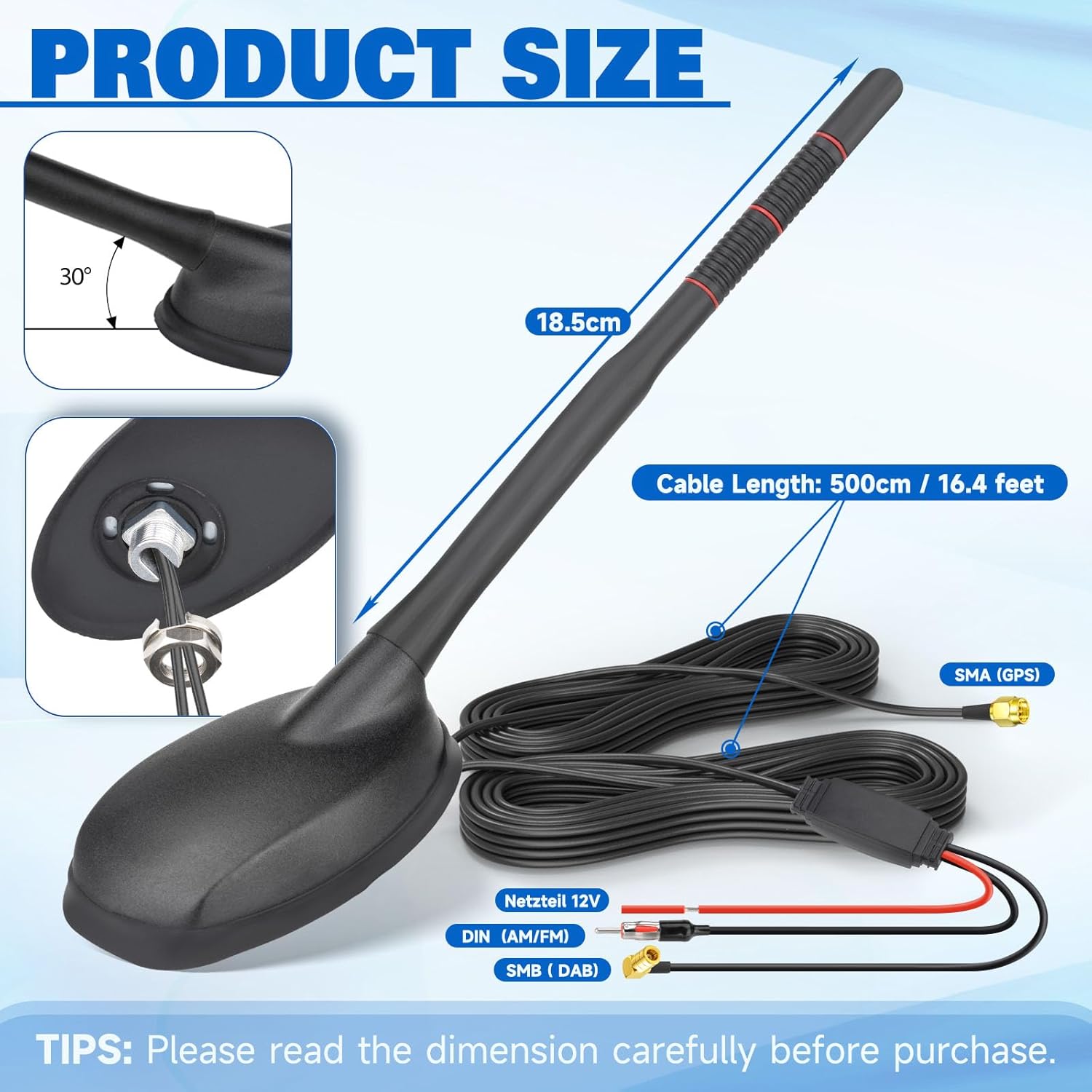
Figure 2: Dimensions and cable lengths of the Eightwood DAB+ GPS AM/FM Car Antenna. This image illustrates the physical dimensions of the antenna, showing an antenna length of 18.5cm and a cable length of 500cm (16.4 feet). It also labels the SMA (GPS), DIN (AM/FM), SMB (DAB) connectors and the 12V power input.
Important: Ensure all connections are secure and properly insulated to prevent short circuits or signal loss. Route cables carefully to avoid pinching or damage.
3. Operating Instructions
Once the Eightwood antenna is correctly installed and connected, its operation is integrated with your vehicle's head unit or compatible tuners.
- DAB+ Radio: Select the DAB+ source on your compatible head unit. The antenna will receive digital radio broadcasts, providing access to a wider range of stations and improved audio quality.
- AM/FM Radio: Select the AM or FM source on your head unit. The antenna will receive analog radio broadcasts.
- GPS Navigation: The antenna provides GPS signal reception to your connected navigation system, enabling accurate positioning and route guidance. Ensure your navigation system is configured to use the external GPS antenna.
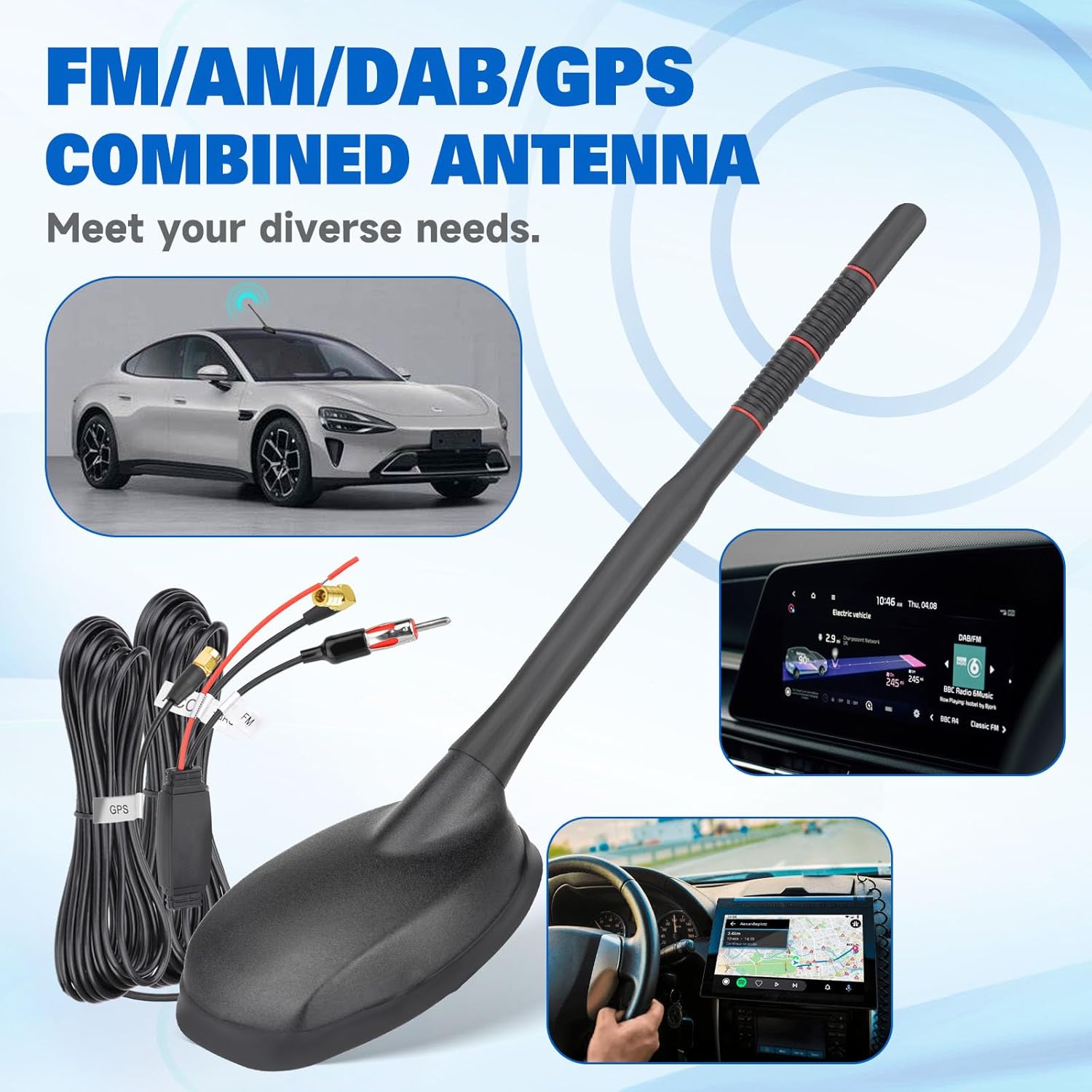
Figure 3: Eightwood DAB+ GPS AM/FM Combined Antenna in a vehicle application. This image shows the antenna installed on a car roof, with insets demonstrating its use for GPS navigation and DAB radio display within a car's infotainment system. It highlights the antenna's multi-functionality for FM/AM/DAB/GPS.
4. Maintenance
To ensure the longevity and optimal performance of your Eightwood antenna, follow these simple maintenance guidelines:
- Regular Cleaning: Periodically clean the antenna mast and base with a soft, damp cloth. Avoid abrasive cleaners or solvents that could damage the finish or materials.
- Inspect Connections: Occasionally check the cable connections at the antenna base and your head unit to ensure they remain secure and free from corrosion.
- Check for Damage: Inspect the antenna for any physical damage, such as cracks in the mast or base, especially after car washes or exposure to harsh weather conditions. Replace if significantly damaged.
- Environmental Considerations: While designed for outdoor use, extreme weather conditions (e.g., heavy ice, strong winds) can potentially affect the antenna. Ensure it is clear of obstructions.
5. Troubleshooting
If you experience issues with your Eightwood antenna, consider the following troubleshooting steps:
- No Signal or Poor Reception (DAB+/AM/FM):
- Verify all antenna cables (SMB, DIN) are securely connected to the head unit.
- Check the 12V power connection to the antenna's amplifier. Ensure it is receiving power and the ground connection is solid.
- Confirm that your head unit is correctly configured to use the external antenna.
- Ensure the antenna is not obstructed by roof racks, cargo, or other vehicle accessories.
- In some areas, signal strength for DAB+ or AM/FM may be inherently weak. Try testing in a different location.
- GPS Not Working or Inaccurate:
- Check the SMA connector for the GPS cable to ensure it is firmly attached to your navigation system.
- Ensure the antenna has a clear, unobstructed view of the sky. Metallic window tints or other roof-mounted equipment can interfere with GPS signals.
- Allow sufficient time for the GPS receiver to acquire satellites, especially after initial installation or moving to a new area.
- Intermittent Signal:
- Inspect all cables for signs of damage, kinks, or loose connections.
- Check for any potential electromagnetic interference from other electronic devices in the vehicle.
If problems persist after attempting these steps, consult a professional installer or contact Eightwood customer support.
6. Specifications
Detailed technical specifications for the Eightwood Active Digital DAB+ GPS Car Antenna:
| Feature | Specification |
|---|---|
| Antenna Type | DAB, DAB+, AM, FM, GPS |
| Brand | Eightwood |
| Model | B0F2HHMSPC |
| Color | Black |
| Number of Channels | 4 (referring to signal types) |
| Impedance | 150 Ohms |
| Manufacturer | Eightwood |
| Antenna Length | 18.5 cm |
| Cable Length | 500 cm (16.4 feet) |
| AM/FM Frequency Range | AM: 520KHz-1710KHz, FM: 80MHz-108MHz |
| DAB Frequency Range | Band III: 170MHz-240MHz, L-Band: 1452MHz-1492MHz |
| GPS Frequency | 1575.42MHz ± 3MHz |
| Power Supply | 12V DC (for amplifier) |

Figure 4: Frequency ranges supported by the Eightwood DAB+ GPS AM/FM Car Antenna. This image details the operating frequency ranges for the antenna: AM/FM (520KHz-1710KHz, 80MHz-108MHz), DAB (170MHz-240MHz Band III, 1452MHz-1492MHz L-Band), and GPS (1575.42MHz ± 3MHz).
7. Warranty and Support
For information regarding product warranty, returns, or technical support, please refer to the documentation provided at the time of purchase or contact the seller directly. Specific warranty terms may vary depending on your region and retailer.