
1. Product Overview
The Lanteso V9I True Wireless Bluetooth 5.3 Earbuds are designed for high-quality audio and comfortable wear. They feature advanced Bluetooth 5.3 connectivity, extended battery life, and environmental noise cancellation for clear calls.
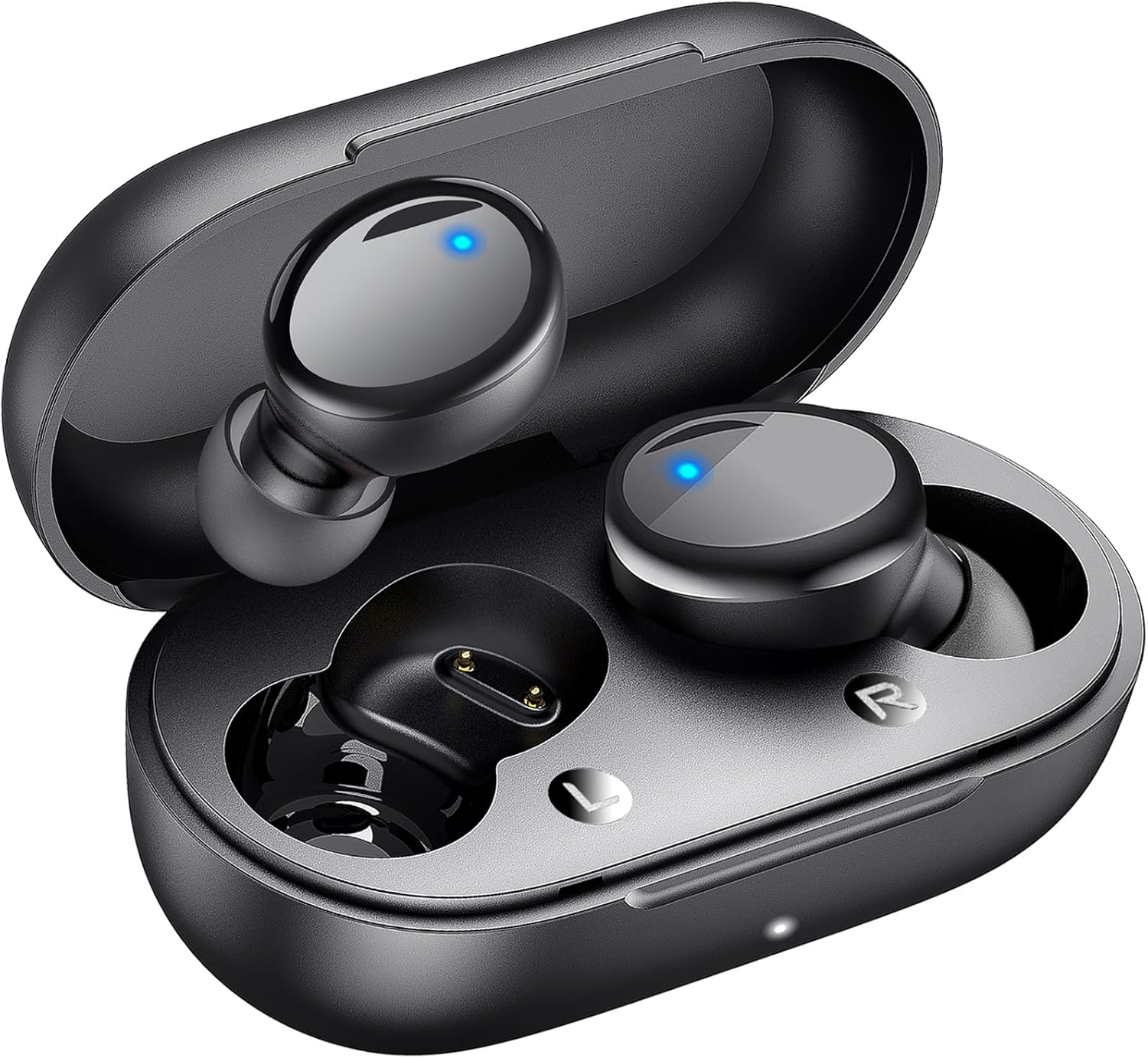
Image 1.1: Lanteso V9I True Wireless Earbuds and Charging Case.
2. What's in the Box
Please check the package contents to ensure all items are present:
- 2 x Lanteso V9I Wireless Earbuds
- 1 x Charging Case
- 3 x Pairs of Earplugs (Sizes S, M, L)
- 1 x Fast Charging Case Cable (USB-C)
- 1 x Instruction Manual
3. Setup Guide
3.1. Initial Charging
Before first use, fully charge the earbuds and the charging case.
- Place both earbuds into the charging case.
- Connect the provided USB-C charging cable to the charging port on the case and a power source.
- The indicator lights on the case will show charging status. Once fully charged, the lights will indicate completion.

Image 3.1: Earbuds in use, demonstrating wireless range.
3.2. Pairing with Your Device
The Lanteso V9I earbuds feature one-step auto-pairing for convenience.
- Ensure Bluetooth is enabled on your smartphone, tablet, or other compatible device.
- Open the charging case. The earbuds will automatically enter pairing mode.
- On your device, search for Bluetooth devices and select "S8" (or similar, as per product image) from the list.
- Once connected, your device will confirm the pairing.

Image 3.2: One-step auto-pairing process shown with a smartphone.
3.3. Optimal Fit
Selecting the correct earplug size is crucial for comfort and sound quality.
- Experiment with the three provided earplug sizes (S, M, L).
- Choose the size that creates a secure seal in your ear canal without causing discomfort. A good seal enhances bass response and noise isolation.
- Gently insert the earbuds into your ears and twist slightly to ensure a snug and stable fit.

Image 3.3: Various earplug sizes for a customized fit.
4. Operating Instructions
4.1. Power On/Off
- Power On: Open the charging case, and the earbuds will automatically power on. Alternatively, press and hold the touch control area on both earbuds for 3 seconds.
- Power Off: Place the earbuds back into the charging case and close the lid. Alternatively, press and hold the touch control area on both earbuds for 5 seconds.
4.2. Touch Controls
The Lanteso V9I earbuds feature intuitive touch controls on each earbud.
- Play/Pause: Single tap on either earbud.
- Next Song: Double tap the right earbud.
- Previous Song: Double tap the left earbud.
- Volume Up: Triple tap the right earbud.
- Volume Down: Triple tap the left earbud.
- Answer/End Call: Single tap on either earbud during an incoming call or active call.
- Reject Call: Press and hold on either earbud for 2 seconds during an incoming call.
- Activate Voice Assistant (Siri/Google Assistant): Press and hold on either earbud for 2 seconds (when not on a call).

Image 4.1: Overview of touch control functions.
4.3. Call Quality and Environmental Noise Cancellation (ENC)
The earbuds are equipped with environmental noise-canceling technology and AI algorithms, utilizing 4 microphones to reduce ambient noise and enhance voice clarity during calls.

Image 4.2: Environmental Noise Cancellation for clear calls.
4.4. Battery Life
The earbuds provide up to 6 hours of listening time on a single charge, with the charging case extending total playtime to 48 hours.

Image 4.3: Battery life details for earbuds and charging case.
5. Maintenance
5.1. Cleaning
- Regularly clean the earbuds and charging case with a soft, dry, lint-free cloth.
- Remove earplugs and clean them with mild soap and water, then dry thoroughly before reattaching.
- Ensure charging contacts on both earbuds and case are free of debris.
5.2. Storage
When not in use, store the earbuds in their charging case to protect them and keep them charged.
5.3. Water Resistance
The earbuds are water resistant, meaning they can withstand splashes and sweat. They are not designed for submersion in water. Avoid using them during swimming or showering.
6. Troubleshooting
If you encounter any issues, please refer to the following common solutions:
- Earbuds not pairing: Ensure both earbuds are charged and out of the case. Turn off and on your device's Bluetooth, then try pairing again.
- Only one earbud working: Place both earbuds back into the charging case, close the lid, wait a few seconds, then open the lid and try reconnecting.
- No sound: Check the volume level on your connected device and ensure the earbuds are properly paired.
- Charging issues: Verify the charging cable is securely connected and the charging contacts are clean.
If problems persist, please contact customer service for further assistance.
7. Specifications
| Feature | Specification |
|---|---|
| Model Name | V9I |
| Connectivity Technology | Wireless |
| Wireless Communication Technology | Bluetooth |
| Bluetooth Version | 5.3 |
| Bluetooth Range | 10 Meters |
| Audio Driver Size | 8 Millimeters (Note: Product description mentions 10mm, using 8mm from specifications table) |
| Audio Driver Type | Dynamic Driver |
| Frequency Response | 20 KHz |
| Sensitivity | 102 dB |
| Impedance | 32 Ohm |
| Noise Control | Environmental Noise Cancellation |
| Control Type | Touch Control |
| Water Resistance Level | Water Resistant |
| Battery Life (Earbuds) | Up to 6 Hours |
| Battery Life (with Charging Case) | Up to 48 Hours |
| Compatible Devices | iOS/Android mobile phones, tablets, laptops, and other Bluetooth devices |
| Item Weight | 1.76 ounces |
| Material | Plastic |
8. Official Product Video
Watch this video for a visual overview of the Lanteso V9I True Wireless Bluetooth 5.3 Earbuds, demonstrating key features and design.
Video 8.1: Lanteso V9I True Wireless Bluetooth 5.3 Earbuds Overview.
9. Warranty and Support
Lanteso offers reliable customer service to ensure your purchase is protected. For any questions or assistance, please contact our 24-hour customer service team.
For more information or to contact support, please visit the Lanteso Store on Amazon.