Introduction
This manual provides comprehensive instructions for the assembly, operation, and care of your Mould King 10187 Cyberpunk Engine Clock Building Kit. This kit allows you to construct a detailed engine-inspired clock model featuring a dynamic mechanism powered by an included battery and motor. The finished model serves as a functional timepiece and a unique decorative item.
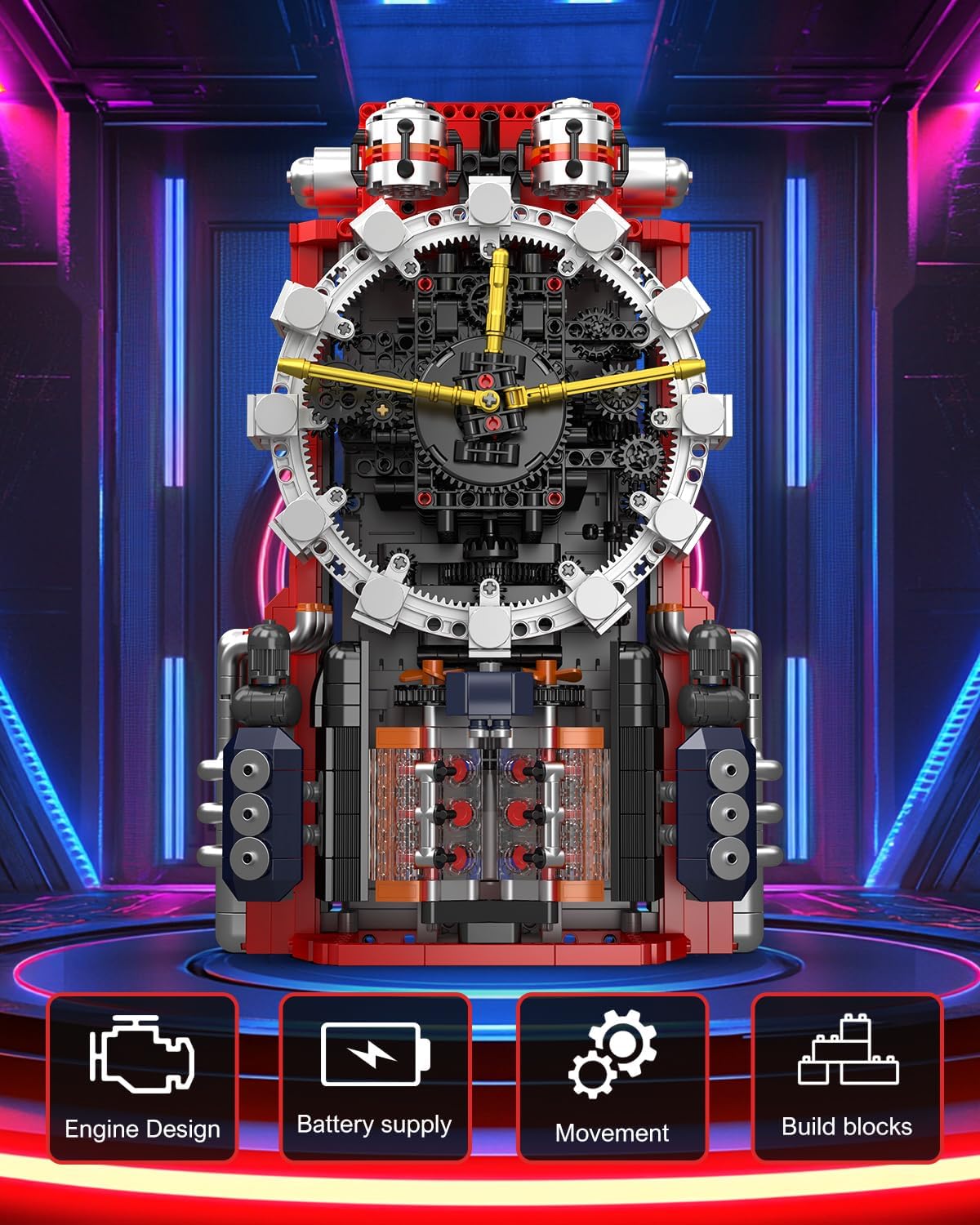
Image: The fully assembled Cyberpunk Engine Clock, showcasing its intricate design and key features.
Package Contents
Verify that all components are present before beginning assembly. Your kit should include:
- 1601 pieces of building blocks
- 1 XL motor
- 1 battery (Lithium Ion, included)
- 1 Instruction Manual with step-by-step illustrated guides

Image: Overview of the product, including the assembled clock, its dimensions, and the main components provided in the kit.
Setup and Assembly
Follow the included step-by-step illustrated guides for assembly. The building process is estimated to take 5-8 hours. Organize your pieces before starting to ensure a smooth building experience.
- Unpack Components: Carefully remove all building blocks, the motor, battery, and instruction manual from the packaging.
- Sort Pieces: For easier assembly, sort the building blocks by color, size, or type as suggested in the instruction manual.
- Follow Instructions: Refer to the detailed, illustrated instruction manual provided. Each step is designed to guide you through the construction of the Cyberpunk Engine Clock.
- Integrate Motor and Battery: During the assembly process, the manual will direct you to install the XL motor and the Lithium Ion battery. Ensure connections are secure.
- Final Checks: Once assembly is complete, review the model to ensure all parts are correctly placed and secured according to the instructions.

Image: An array of building blocks and a partially constructed clock base, demonstrating the initial stages of the assembly process.
Operating the Clock
The Cyberpunk Engine Clock is designed to function once fully assembled and powered. The clock's dynamic engine mechanism will move when activated.
- Power On: Ensure the battery is correctly installed and charged. Activate the power switch on the battery module or motor, if present.
- App Control: The clock functions can be controlled via a mobile phone application. Download the official Mould King app from your device's app store.
- Pairing: Follow the app's instructions to pair your mobile device with the clock's battery module.
- Setting Time: Use the app interface to set the correct time on the clock.
- Functionality: The app allows control over various clock functions and the dynamic movement of the engine mechanism.
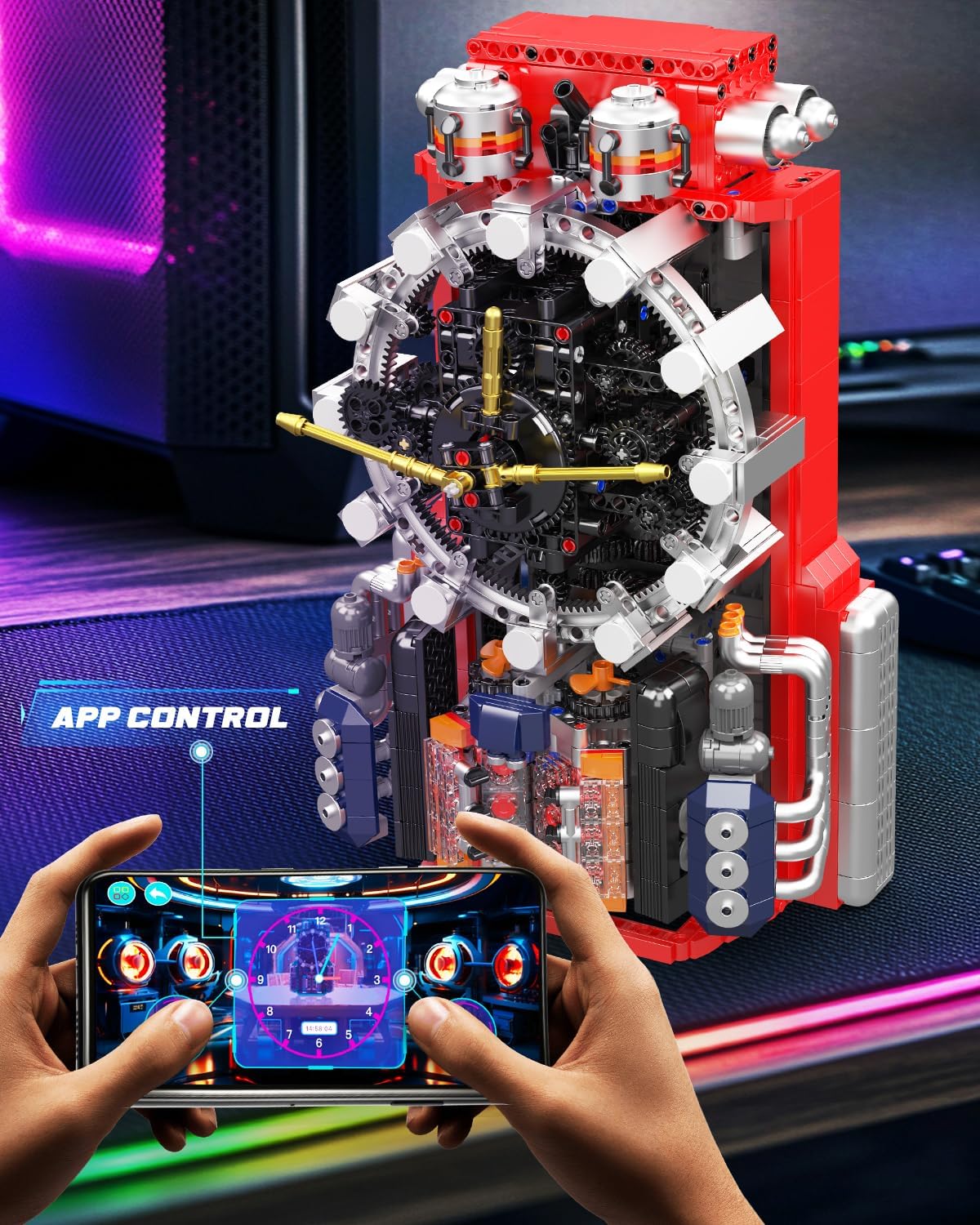
Image: A smartphone screen showing the dedicated application used to control the clock's features and settings.
Maintenance
Proper maintenance ensures the longevity and optimal performance of your Cyberpunk Engine Clock.
- Cleaning: Dust the model regularly with a soft, dry cloth. Avoid using harsh chemicals or abrasive materials.
- Battery Care: If the clock will not be used for an extended period, remove the battery to prevent leakage. Recharge the battery as needed according to its specifications.
- Environmental Conditions: Keep the model in a dry environment, away from direct sunlight, extreme temperatures, and high humidity to prevent material degradation.
- Component Integrity: Periodically check for any loose connections or blocks. Gently re-secure any components that may have come loose.
Troubleshooting
If you encounter issues with your Cyberpunk Engine Clock, refer to the following troubleshooting steps:
- Clock Not Functioning / App Connectivity Issues:
- Ensure the battery is fully charged and correctly installed.
- Verify that the motor and battery module connections are secure within the model.
- Check your mobile device's Bluetooth settings and ensure it is enabled and properly paired with the clock.
- Restart the mobile application and your device.
- Ensure the app is updated to the latest version.
- If the app connection times out, try re-pairing the device.
- Missing or Damaged Pieces:
- Carefully review the package contents list and the instruction manual to confirm any missing parts.
- Contact Mould King customer support for assistance with replacement parts.
- Mechanical Jams:
- If the gears or engine mechanism are not moving smoothly, inspect for any misaligned blocks or foreign objects obstructing the movement.
- Gently adjust or remove any obstructions.
Specifications
| Feature | Detail |
|---|---|
| Product Dimensions (L x W x H) | 8.6 x 5.9 x 13.2 inches (21.9 x 15.2 x 33.6 cm) |
| Item Weight | 4.5 pounds |
| Model Number | WX10187SZUS |
| Manufacturer Recommended Age | 14 - 20 years |
| Batteries | 1 Lithium Ion battery required (included) |
| Number of Pieces | 1601 |

Image: Close-up views detailing the clock's intricate gear system, Roman numeral display, and internal engine structure.
Warranty and Support
For information regarding product warranty, please refer to the documentation included with your purchase or contact Mould King customer service directly. If you require technical support, assistance with assembly, or have questions about missing parts, please reach out to Mould King customer support through their official channels.
Mould King Official Store: Visit the Mould King Store on Amazon


