
Shark HZ4001AMZ
Shark POWERDETECT Ultra-Light Corded Stick Vacuum
Model: HZ4001AMZ
User Manual
Introduction
This manual provides essential information for the safe and effective operation, maintenance, and troubleshooting of your Shark POWERDETECT Ultra-Light Corded Stick Vacuum, Model HZ4001AMZ. This vacuum is designed for powerful and intelligent cleaning across various floor types, featuring DuoClean Detect technology, a self-cleaning brushroll, and an Anti-Allergen Complete Seal system with HEPA filtration.
Please read this manual thoroughly before first use and retain it for future reference.
What's Included
Your Shark POWERDETECT Ultra-Light Corded Stick Vacuum package includes the following components:
- Shark PowerDetect Corded Stick Vacuum Unit
- Precision Duster
- Upholstery Tool
- Crevice Tool
- Odor Neutralizer Technology Cartridge
- Onboard Storage Clip

Setup and Assembly
Follow these steps to assemble your Shark POWERDETECT vacuum:
- Insert the wand into the floor nozzle until it clicks securely into place.
- Insert the handheld vacuum into the wand until it clicks securely into place.
- Attach the onboard storage clip to the wand if desired, for convenient storage of accessories.
- Insert the Odor Neutralizer Technology Cartridge into its designated slot on the floor nozzle. Adjust the intensity dial as desired.
- Ensure all connections are firm before plugging the vacuum into a power outlet.

Operating Instructions
The Shark POWERDETECT vacuum is designed for intuitive and efficient cleaning.
Powering On and Off
Plug the power cord into a wall outlet. Press the power button located on the handheld vacuum to turn the unit on or off.
DuoClean Detect Technology
The DuoClean Detect nozzle features Intelli-Sense smart sensors that automatically adjust brushroll speed based on the floor type and cleaning needs. This system includes two brushrolls: a PowerFins Detect brushroll for nonstop contact on carpets and floors, and a Soft Roller to pull in small particles and give a polished look to floors.

Floor Detect
The Intelli-Sense ultrasonic sensor detects the type of floor you are cleaning (e.g., hard floor, carpet) and automatically adapts the brushroll speed for optimal performance. This ensures effective cleaning on all surfaces without manual adjustment.

Direction Detect
The Intelli-Sense directional sensor recognizes the direction you are vacuuming. The POWERDETECT system then directs its powerful suction either forward or in reverse, providing maximum cleaning efficiency in both directions and saving time.

Versatile Cleaning Modes
The Shark POWERDETECT vacuum offers multiple configurations for comprehensive cleaning:
- Upright Mode: For general floor cleaning on carpets and hard floors.
- Handheld Mode: Detach the handheld vacuum from the wand for quick clean-ups, upholstery, and car interiors.
- Extended Reach Mode: Detach the handheld vacuum and attach an accessory tool directly to the wand for cleaning high areas, ceilings, or tight spaces.


Self-Standing Feature
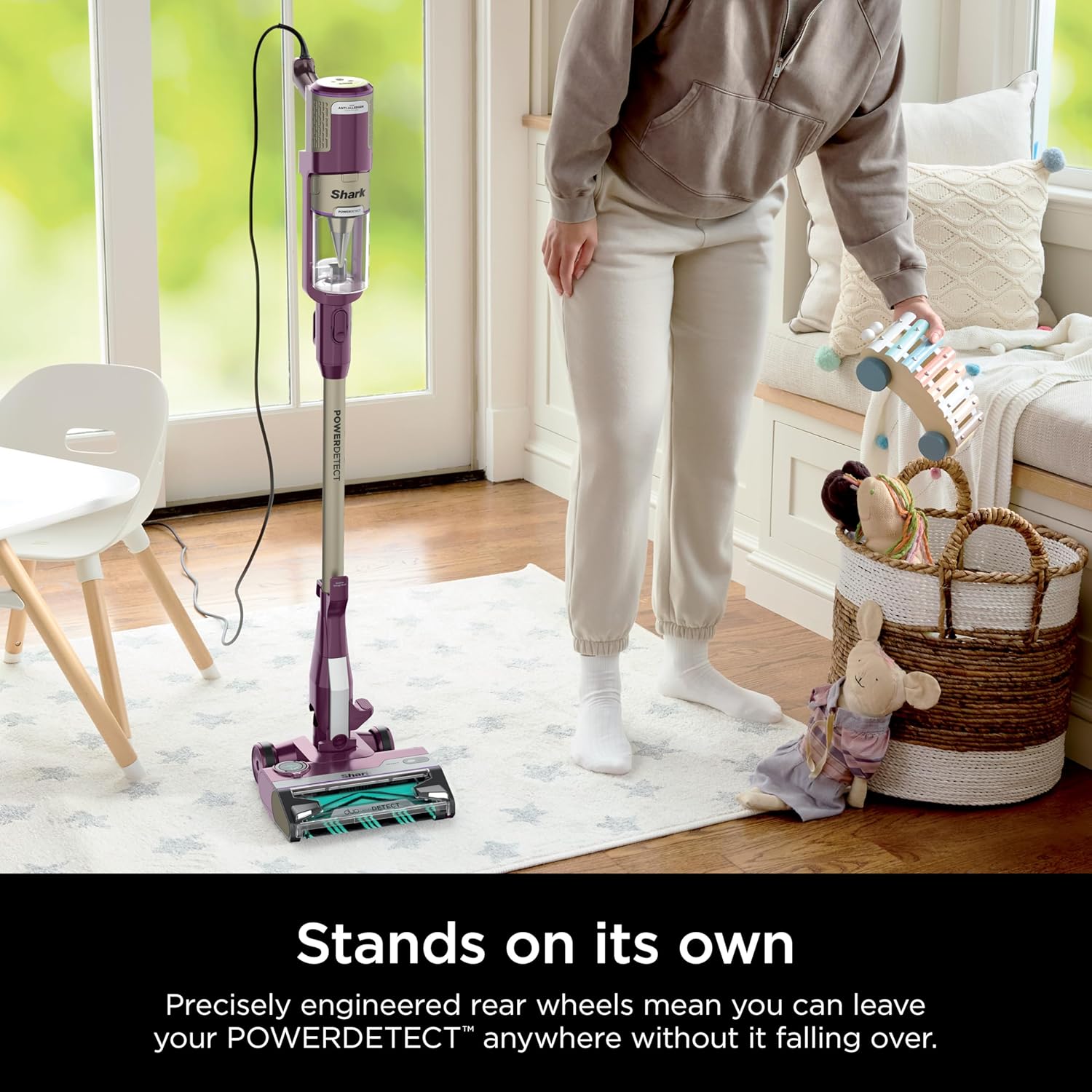
The vacuum is designed to stand on its own for convenient storage and pauses during cleaning. Simply place the vacuum in an upright position, and its precisely engineered rear wheels will keep it stable without falling over.
Maintenance
Regular maintenance ensures optimal performance and longevity of your vacuum.
Emptying the Dust Cup
Empty the dust cup after each use or when debris reaches the MAX FILL line. To empty, press the dust cup release button and hold the dust cup over a trash bin. Press the empty button to open the bottom of the dust cup and release debris.

Cleaning Filters
The vacuum features an Anti-Allergen Complete Seal with HEPA filtration, trapping 99.99% of dust and allergens. Regularly clean the pre-motor and post-motor filters to maintain suction power. Refer to the filter compartment for specific cleaning instructions, typically involving rinsing with water and air-drying completely before reinstallation.

Self-Cleaning Brushroll
The self-cleaning brushroll is designed to prevent hair wrap. Periodically check the brushroll for any remaining debris or blockages. If necessary, remove any entangled material carefully.
Odor Neutralizer Technology
The Odor Neutralizer Technology cartridge guards against bad odors inside your vacuum. The cartridge has an adjustable dial to control the scent intensity. Replace the cartridge as needed to maintain freshness.

Troubleshooting
If you encounter issues with your vacuum, refer to the following common problems and solutions:
| Problem | Possible Cause | Solution |
|---|---|---|
| Vacuum not picking up debris or low suction. | Dust cup is full. Filters are dirty. Blockage in nozzle, wand, or hose. | Empty the dust cup. Clean pre-motor and post-motor filters. Check for and clear any blockages in the air pathways. |
| Brushroll not spinning. | Brushroll is jammed. Vacuum is not in upright mode. | Remove any obstructions from the brushroll. Ensure the vacuum is tilted back to engage the brushroll. |
| Vacuum turns off on its own. | Overheating due to blockage or dirty filters. | Turn off and unplug the vacuum. Clear any blockages and clean filters. Allow the vacuum to cool for at least 60 minutes before restarting. |
| Odor from vacuum. | Odor Neutralizer Cartridge needs replacement or adjustment. | Adjust the intensity dial on the Odor Neutralizer Cartridge. Replace the cartridge if it is depleted. |
If the problem persists after attempting these solutions, please contact Shark Customer Support.
Specifications
| Feature | Detail |
|---|---|
| Brand | Shark |
| Model Name | POWERDETECT Ultra-Light Corded Stick Vacuum |
| Model Number | HZ4001AMZ |
| Color | Purple |
| Form Factor | Stick |
| Power Source | Corded Electric |
| Wattage | 600 watts |
| Amperage | 5 Amps |
| Capacity | 0.87 Quarts |
| Filter Type | HEPA Filter |
| Item Weight | 9.3 pounds |
| Product Dimensions | 9.8"L x 10.23"W x 46.15"H |
| Special Features | Compact, HEPA, Headlight, Lightweight, Portable |
Warranty and Support
Product Warranty
Your Shark POWERDETECT Ultra-Light Corded Stick Vacuum is covered by a manufacturer's warranty. Please refer to the warranty card included in your product packaging for specific terms, conditions, and registration information. Extended protection plans may also be available for purchase.
Customer Support
For technical assistance, replacement parts, or any questions not covered in this manual, please contact Shark Customer Support. You can find contact information on the official Shark website or on your product packaging.
Please have your model number (HZ4001AMZ) and purchase date ready when contacting support.
Ask a question about this manual
Ask about setup, troubleshooting, compatibility, parts, safety, or missing instructions. Manuals+ will review the question and use this page’s manual context to help answer it.