
DOOGEE U10
DOOGEE U10 Android 15 Tablet User Manual
Model: U10 | Brand: DOOGEE
Introduction
Welcome to the user manual for your new DOOGEE U10 Android 15 Tablet. This guide provides essential information to help you set up, operate, maintain, and troubleshoot your device. The DOOGEE U10 is a versatile 10-inch tablet designed for both productivity and entertainment, featuring the latest Android 15 operating system, a powerful quad-core processor, and ample storage.
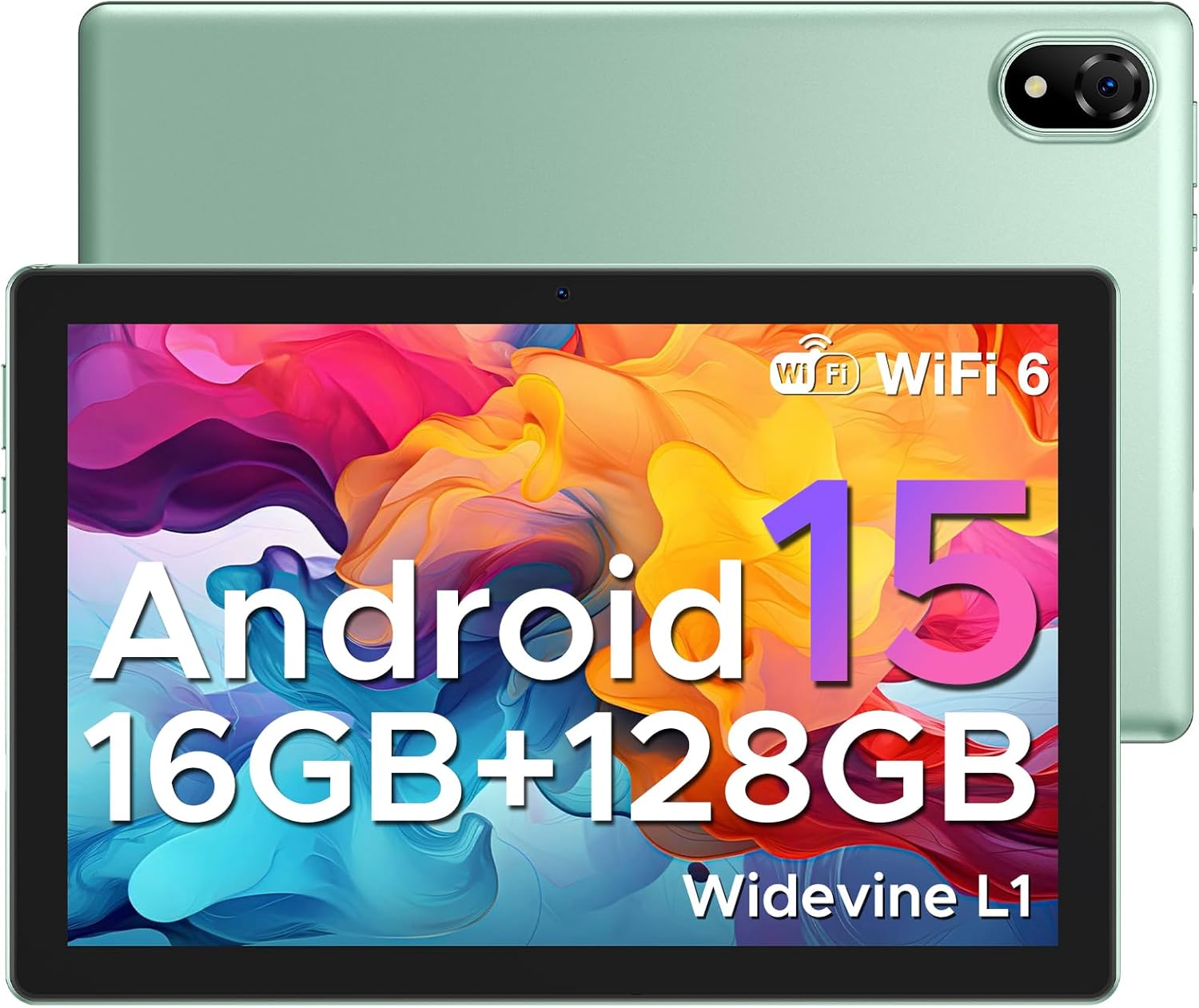
Figure 1: DOOGEE U10 Android 15 Tablet. This image displays the tablet's front with its vibrant display and the sleek green back panel, highlighting its modern design.
1. Setup
1.1 What's in the Box
- 1x DOOGEE U10 Android 15 Tablet
- 1x Type-C USB Cable and Charger
- 1x Packing box
- 1x Manual and Warranty Card
1.2 Initial Charge
Before first use, fully charge your DOOGEE U10 tablet. Connect the provided Type-C USB cable to the tablet's charging port and the charger to a power outlet. The battery indicator on the screen will show charging progress.
1.3 Power On/Off
- To Power On: Press and hold the Power button located on the side of the tablet until the DOOGEE logo appears.
- To Power Off: Press and hold the Power button until the power options menu appears, then select 'Power off'.
1.4 Wi-Fi Connection
To connect to a Wi-Fi network:
- Go to Settings > Network & internet > Internet.
- Turn on Wi-Fi.
- Select your desired Wi-Fi network from the list.
- Enter the password if prompted, then tap Connect.

Figure 2: Blazing Speed of WiFi 6. This image highlights the advantages of WiFi 6 connectivity, including wider coverage, better signal penetration, and improved battery life for the tablet.
1.5 Google Account Setup
During the initial setup, you will be prompted to sign in with your Google account. This is essential for accessing the Google Play Store, Gmail, and other Google services. If you don't have one, you can create a new account during this process.
2. Operating Your Tablet
2.1 Android 15 System
The DOOGEE U10 runs on the latest Android 15, offering a smarter, smoother, and safer user experience. Enjoy faster app launches, enhanced privacy controls, and intuitive navigation.

Figure 3: The Latest Android 15 System. This image illustrates the new Android 15 system, highlighting its benefits for a smarter, smoother, and safer user experience with various applications.
2.2 Display Features
Your tablet features a 10.1-inch IPS HD display with a resolution of 1280x800 pixels, providing rich colors and sharp details. It also includes a built-in eye protection mode for comfortable viewing during extended use.
- Widevine L1 Support: Enjoy high-definition streaming content from platforms like Hulu, Prime Video, HBO Max, and YouTube.
- Split Screen: Enhance your productivity by running two applications side-by-side. To activate, open a recent app, tap its icon at the top of the window, and select 'Split screen'.
- Low Blue Light Setting: Protect your eyes by enabling the low blue light mode in display settings.

Figure 4: Widevine L1 Support. This image demonstrates the tablet's Widevine L1 certification, allowing for high-definition streaming from popular services.
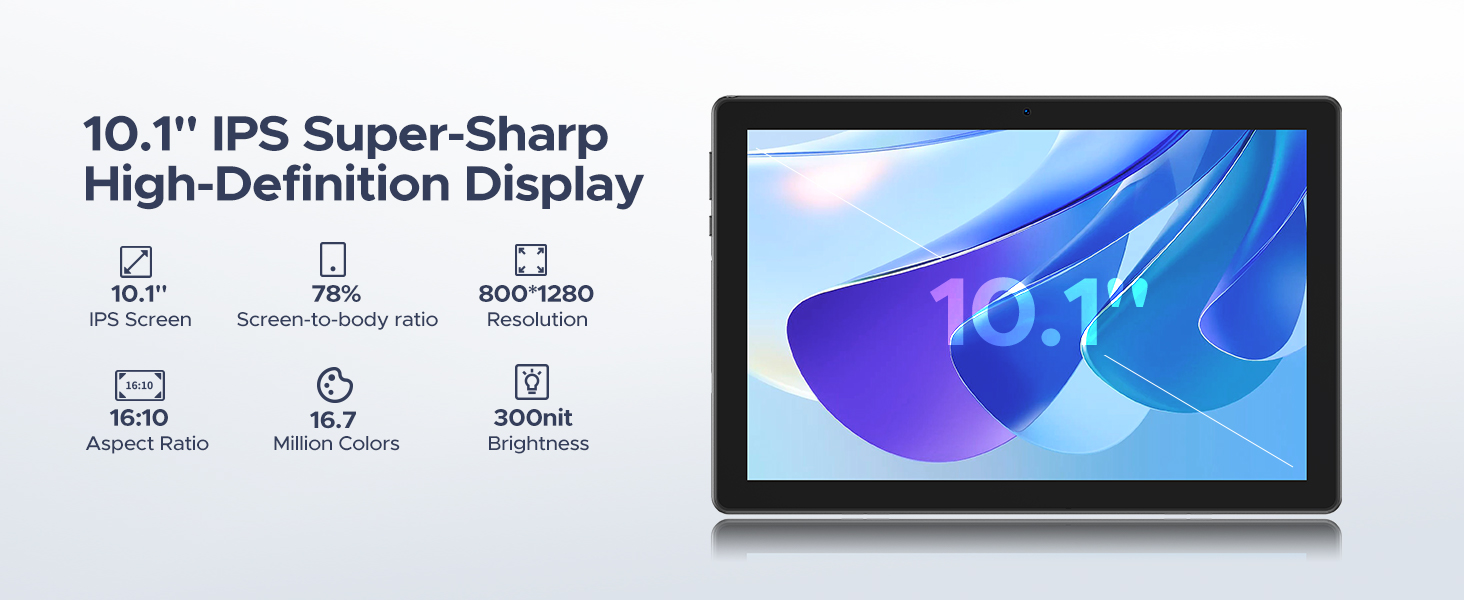
Figure 5: Split Screen Functionality. This image illustrates the tablet's split-screen feature, allowing users to multitask by viewing two applications simultaneously, such as a video call and a map.
2.3 Performance and Storage
The DOOGEE U10 is powered by a 2.0GHz Quad-core RK3562 processor, ensuring smooth performance for various tasks. It comes with 16GB of RAM (4GB physical + 12GB expandable) and 128GB of internal storage. Storage can be expanded up to 2TB using a MicroSD card (sold separately).

Figure 6: 16GB RAM with Memory Extension. This image visually represents the tablet's memory configuration, combining 4GB of basic RAM with an additional 12GB of extended RAM for enhanced performance.

Figure 7: 128GB ROM + Up to 2TB Expandable Storage. This image highlights the tablet's generous internal storage and the capability to expand it significantly using a MicroSD card.
2.4 Camera Usage
The DOOGEE U10 is equipped with an 8MP rear camera and a 5MP front camera, suitable for video calls, online classes, and capturing everyday moments.

Figure 8: Capture Every Detail with Clarity. This image showcases the tablet's dual cameras (8MP main and 5MP front) and their ability to capture clear photos.
2.5 Audio
Experience immersive audio with the tablet's 1217 BOX speaker. Bluetooth 5.0 ensures fast and stable connections for wireless headphones and other audio devices.
2.6 Productivity Features
The tablet comes pre-installed with WPS Office (Word, Excel, PowerPoint), allowing you to stay productive on the go.

Figure 9: Incorporated PC-level WPS Office. This image demonstrates the tablet's pre-installed WPS Office suite, enabling effortless mobile productivity with Word, Excel, and PowerPoint.
2.7 Face Unlock
For swift and secure tablet entry, utilize the Face Unlock feature. Set it up in the security settings of your device.

Figure 10: Support Face Unlock. This image illustrates the tablet's face unlock feature, providing effortless and swift entry to the device.
2.8 Navigation System
The tablet supports GPS, Beidou, GLONASS, Galileo, and AGPS for accurate route navigation and destination tracking.

Figure 11: Exact Route Navigation System. This image depicts the tablet being used for navigation in a car, showcasing its seamless destination tracking capabilities.
2.9 Official Product Video
Video 1: U10 WiFi 6 Kid Tablets with 5060mAh. This official product video provides an overview of the DOOGEE U10 tablet's key features, including its WiFi 6 connectivity and large 5060mAh battery, demonstrating its suitability for children and general use.
3. Maintenance
3.1 Battery Care
The tablet is equipped with a 5060mAh battery. To maximize battery life:
- Avoid extreme temperatures.
- Do not let the battery drain completely before recharging.
- Unplug the charger once the battery is full.
- Utilize the smart power-saving mode in settings.

Figure 12: 5060mAh Large Battery. This image highlights the tablet's substantial battery capacity and provides estimated usage durations for various activities.
3.2 Cleaning
Use a soft, lint-free cloth to clean the screen and body of the tablet. Avoid using harsh chemicals or abrasive materials.
3.3 Software Updates
Regularly check for and install system updates to ensure optimal performance, security, and access to new features. Go to Settings > System > System update.
3.4 Storage Management
To maintain optimal performance, regularly manage your tablet's storage. Delete unnecessary files, uninstall unused apps, and consider moving large media files to an external MicroSD card.
4. Troubleshooting
| Problem | Possible Cause | Solution |
|---|---|---|
| Tablet is slow or lagging | Too many apps running in background, low storage, outdated software. | Close unused apps, clear cache, free up storage, check for system updates. A factory reset may be considered as a last resort. |
| Cannot connect to Wi-Fi | Incorrect password, router issue, Wi-Fi disabled. | Double-check password, restart router, ensure Wi-Fi is enabled on tablet. |
| Battery drains quickly | High screen brightness, many apps running, poor signal. | Reduce screen brightness, close background apps, enable power-saving mode. |
| Apps crashing | App specific bug, insufficient RAM, outdated app. | Clear app cache/data, update the app, reinstall the app. |
If you encounter issues not listed here, please refer to the official DOOGEE support channels for further assistance.
5. Specifications
| Feature | Detail |
|---|---|
| Model | DOOGEE U10 Android 15 Tablet |
| Operating System | Android 15 |
| Processor | RK3562 Quad-core, 2.0 GHz |
| RAM | 16GB (4GB physical + 12GB expandable) |
| Internal Storage | 128GB |
| Expandable Storage | Up to 2TB (MicroSD card) |
| Screen Size | 10.1 Inches |
| Screen Resolution | 1280 x 800 pixels (800*1280 Pixels Max) |
| Battery Capacity | 5060mAh (Lithium Ion) |
| Average Battery Life | 24 Hours |
| Main Camera | 8MP |
| Front Camera | 5MP |
| Connectivity | Wi-Fi 6, Bluetooth 5.0 |
| Dimensions (LxWxH) | 9.65 x 0.38 x 6.41 inches |
| Item Weight | 1.13 pounds (514g) |
| Color | Green (also available in Graphite Gray, Lavender Purple, Dynamic Blue) |
6. Warranty and Support
DOOGEE is committed to providing excellent customer service and product reliability.
- Money Back Guarantee: Enjoy a 30-day money-back guarantee and free returns.
- Limited Warranty: Your DOOGEE U10 tablet comes with a 2-year limited warranty.
- Online Support: For any inquiries or technical assistance, 24/7 one-on-one online support is available.
- Protection Plans: Additional protection plans are available for purchase, including a 2-Year Protection Plan and Complete Protect.
For more information or to contact support, please visit the official DOOGEE Store on Amazon.

Figure 13: Worry-free Customer Service. This image highlights the customer support features, including a money-back guarantee, limited warranty, and online support.
Related documentsU10


Ask a question about this manual
Ask about setup, troubleshooting, compatibility, parts, safety, or missing instructions. Manuals+ will review the question and use this page’s manual context to help answer it.