
DOOGEE U10
DOOGEE U10 Android 15 Tablet User Manual
Brand: DOOGEE | Model: U10
1. Product Overview
The DOOGEE U10 Android 15 Tablet is designed for versatile use, offering enhanced performance and features for both work and entertainment. It boasts a 10.1-inch IPS HD display, a powerful 2.0GHz Quad-Core processor, and runs on the latest Android 15 operating system for faster app launches and smoother multitasking. With 16GB of RAM (4GB physical + 12GB expandable) and 128GB of internal storage, expandable up to 2TB, it provides ample space for all your files and applications. The tablet also features Wi-Fi 6, Bluetooth 5.0, dual cameras, and a long-lasting 5060mAh battery.

Front and back view of the DOOGEE U10 Android 15 Tablet, highlighting its sleek design and key specifications.
2. What's in the Box
- 1 x DOOGEE U10 Android 15 Tablet
- 1 x Type-C USB Cable and Charger
- 1 x Manual and Warranty Card
- 1 x Packing Box
3. Setup
3.1 Unpacking and Initial Charge
Carefully remove all components from the packaging. Before first use, fully charge your DOOGEE U10 tablet using the provided Type-C USB cable and charger. The charging port is located on the side of the device.
3.2 Powering On and Initial Setup
Press and hold the power button located on the side of the tablet until the DOOGEE logo appears. Follow the on-screen prompts to complete the initial setup, which includes selecting your language, connecting to a Wi-Fi network, and signing in with your Google account. This process ensures your tablet is ready for use and can access the Google Play Store.

The DOOGEE U10 Tablet shown with its included accessories, ready for setup.
4. Operating Your DOOGEE U10 Tablet
4.1 Display and Visuals
The DOOGEE U10 features a 10.1-inch IPS HD display with a resolution of 1280x800 pixels, providing clear and vibrant visuals. It supports Widevine L1 certification, enabling high-resolution streaming from popular platforms. The built-in eye protection mode helps reduce eye strain during extended use.

The tablet's display is ideal for video calls and content consumption, especially with an optional keyboard.
This video demonstrates the vibrant 10.1-inch IPS HD display and Widevine L1 certification of the DOOGEE U10 tablet, showcasing its suitability for streaming and visual content.
4.2 Performance and Storage
Powered by a 2.0GHz Quad-Core RK3562 processor and 16GB of RAM (4GB physical + 12GB expandable), the U10 ensures smooth performance for daily tasks, gaming, and multimedia. It comes with 128GB of internal storage, which can be expanded up to 2TB using a microSD card (sold separately), offering extensive space for apps, photos, and videos.

The tablet's performance supports creative applications, such as drawing with a stylus.
4.3 Connectivity and Battery
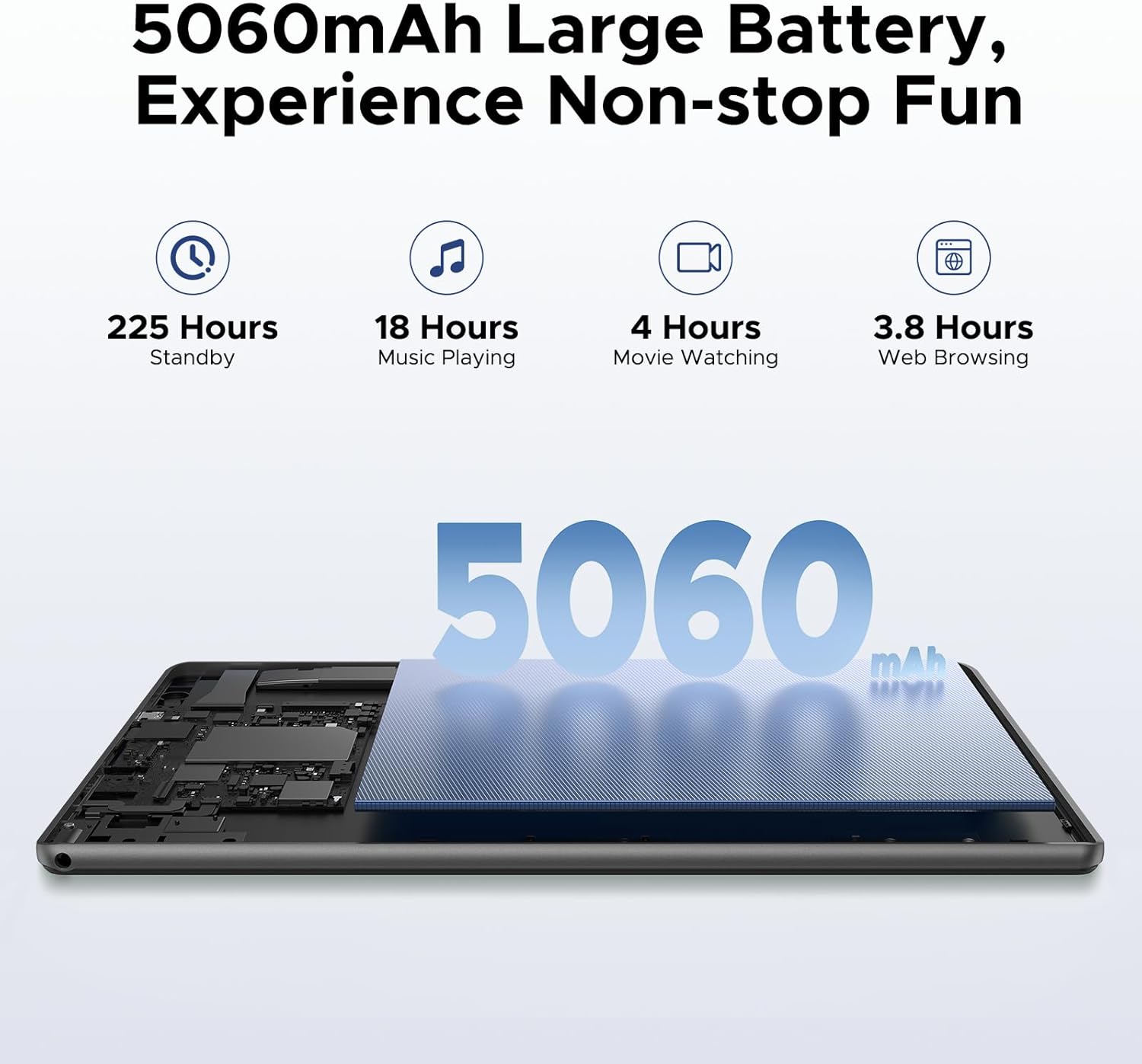
The tablet supports Wi-Fi 6 for fast and stable internet connections, and Bluetooth 5.0 for seamless pairing with wireless accessories. Its 5060mAh battery provides extended usage times, making it suitable for travel and long periods away from a power source. The OTG (On-The-Go) feature allows you to connect USB devices and even charge other devices.
This video highlights the U10 tablet's Wi-Fi 6 capabilities and its 5060mAh large battery, emphasizing its reliability for extended use.
4.4 Cameras
Equipped with an 8MP rear camera and a 5MP front camera, the DOOGEE U10 is suitable for video calls, online classes, and capturing everyday moments. Smart lens technology assists with real-time scanning and translation.
The tablet's camera interface is user-friendly for capturing photos and videos.
4.5 Audio
Experience immersive audio with the tablet's 1217 BOX speaker, enhancing your multimedia consumption.
4.6 Software Features
The Android 15 system supports split-screen multitasking, allowing you to run two applications simultaneously for increased productivity. It comes pre-installed with WPS Office (Word, Excel, PowerPoint). Google GMS certification ensures full access to the Google Play Store and its vast array of applications. The tablet also supports Face Unlock for convenient and secure access.

Split-screen functionality allows for efficient multitasking on the DOOGEE U10.

The tablet supports face unlock for quick and secure access.
4.7 Navigation
The DOOGEE U10 integrates a precise navigation system, supporting GPS, Beidou, GLONASS, Galileo, and AGPS for accurate location tracking and route guidance.

The tablet can be used for navigation, providing clear map displays.
5. Maintenance
5.1 Cleaning
To clean your tablet, use a soft, lint-free cloth. For stubborn smudges, slightly dampen the cloth with water or a screen cleaner. Avoid using harsh chemicals or abrasive materials.
5.2 Software Updates
Regularly check for and install software updates to ensure optimal performance, security, and access to new features. You can typically find update options in the tablet's 'Settings' menu under 'System' or 'About tablet'.
5.3 Battery Care
To prolong battery life, avoid extreme temperatures. It is recommended to keep the battery charge between 20% and 80% for daily use. If storing the tablet for an extended period, ensure it has at least a 50% charge.
5.4 Storage Management
Periodically review your installed applications and files. Uninstall unused apps and delete unnecessary files to free up storage space and maintain smooth operation. Utilize cloud storage or external microSD cards for large files.
6. Troubleshooting
6.1 Tablet Not Powering On
- Ensure the tablet is fully charged. Connect it to the charger and wait a few minutes before attempting to power on again.
- Press and hold the power button for at least 10-15 seconds to perform a forced restart.
6.2 Wi-Fi Connection Issues
- Restart your Wi-Fi router and the tablet.
- Forget the Wi-Fi network in your tablet's settings and reconnect.
- Ensure you are within range of the Wi-Fi signal.
6.3 Apps Crashing or Freezing
- Close the problematic app and reopen it.
- Clear the app's cache and data in 'Settings > Apps'.
- Ensure the app is updated to its latest version.
6.4 Slow Performance
- Close unnecessary background applications.
- Free up storage space by deleting old files or uninstalling unused apps.
- Restart the tablet regularly.
7. Technical Specifications
| Feature | Specification |
|---|---|
| Standing Screen Display Size | 10.1 Inches |
| Screen Resolution | 1280 x 800 pixels |
| Max Screen Resolution | 800*1280 Pixels |
| Processor | 2 GHz RK3562 Quad-core |
| Average Battery Life (in hours) | 24 Hours (Standby) |
| Operating System | Android 15 |
| Item Weight | 1.13 pounds (514g) |
| Product Dimensions | 9.65 x 0.38 x 6.41 inches |
| Color | Purple |
| Memory Storage Capacity | 128 GB (Expandable to 2TB) |
8. Warranty and Support
Your DOOGEE U10 Tablet comes with a 30-day money-back guarantee and free returns. Additionally, it is covered by a 2-year limited warranty. For any inquiries or assistance, 24/7 one-on-one online support is available from the seller, yingyuankeji08.
- 30-Day Money Back Guarantee: If you are not satisfied with your purchase, you may return it within 30 days for a full refund.
- 2-Year Limited Warranty: The product is covered against manufacturing defects for two years from the date of purchase.
- 24/7 Online Support: Contact yingyuankeji08 for technical assistance or customer service at any time.
Related documentsU10


Ask a question about this manual
Ask about setup, troubleshooting, compatibility, parts, safety, or missing instructions. Manuals+ will review the question and use this page’s manual context to help answer it.