1. Introduction
The Motorola Razr Ultra 2025 is an advanced foldable smartphone designed for a seamless and intuitive user experience. This device combines an ultra-compact form factor with powerful performance and innovative features, including a highly interactive external display and an advanced camera system. This manual provides essential information for setting up, operating, maintaining, and troubleshooting your new device.
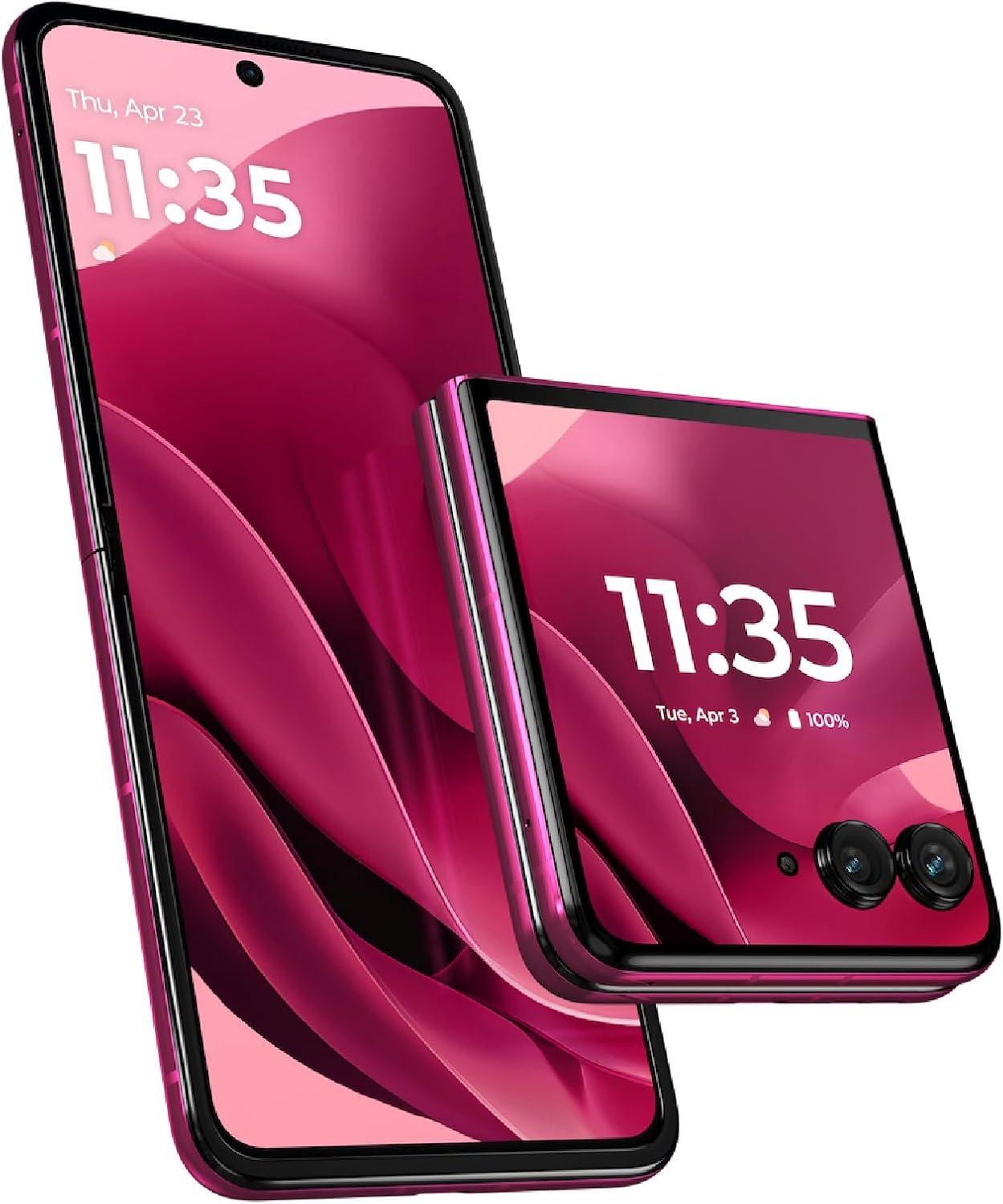
Figure 1.1: The Motorola Razr Ultra 2025, demonstrating its unique foldable design and the Pantone Cabaret finish.
2. What's in the Box
Upon unboxing your Motorola Razr Ultra 2025, please verify that all the following items are included:
- Motorola Razr Ultra 2025 Device
- USB Cable (for charging and data transfer)
- User Guide (this document)
- SIM Tray Ejector Tool
3. Setup Guide
3.1 Inserting the SIM Card
- Locate the SIM card tray on the side of your Motorola Razr Ultra 2025.
- Insert the SIM tray ejector tool into the small hole next to the tray and gently push until the tray pops out.
- Place your Nano-SIM card into the tray with the gold contacts facing down, ensuring it fits securely.
- Carefully reinsert the SIM tray into the phone until it clicks into place.
3.2 Initial Power On and Configuration
- Press and hold the Power button located on the side of the device until the Motorola logo appears.
- Follow the on-screen prompts to complete the initial setup. This includes selecting your language, connecting to a Wi-Fi network, signing in with your Google account, and setting up security features like fingerprint or face unlock.
- Your device is universally unlocked and compatible with all major U.S. carriers, including Verizon, AT&T, T-Mobile, and other prepaid carriers.

Figure 3.1: The Motorola Razr Ultra 2025 in its fully open state, ready for use.
4. Operating Your Device
4.1 External Display Functionality
The Motorola Razr Ultra 2025 features an intelligent and interactive external display, allowing you to access almost all your favorite applications and notifications without needing to open the phone. This display supports various widgets and quick actions for convenience.

Figure 4.1: The interactive external display of the Motorola Razr Ultra 2025 when closed.
4.2 Camera System
The device is equipped with a 50MP camera system, powered by moto ai, enabling professional-level photos and videos from various angles. Utilize the foldable form factor for unique shooting perspectives, such as Flex View for hands-free photography.

Figure 4.2: Close-up of the Motorola Razr Ultra 2025's camera system.
4.3 Moto AI Integration
Experience elevated interactions with moto ai, which provides personalized assistance and enhances photo and video capture. A Motorola Account login and internet/cellular connection are required for full functionality of moto ai features.
4.4 Performance and Charging
The Motorola Razr Ultra 2025 is powered by the industry-leading Snapdragon 8 Elite mobile platform, offering groundbreaking speed and AI-enhanced performance. It supports 68W TurboPower charging, providing significant battery life in a short charging period. The phone can be fully charged in approximately 40 minutes under Charge boost mode. Use only Motorola TurboPower 68W charger or higher (sold separately) for optimal charging.
5. Maintenance and Care
- Cleaning: Use a soft, lint-free cloth to clean the screen and body of your device. Avoid abrasive materials or harsh chemicals.
- Protection: While the device is durable, consider using a protective case and screen protector to prevent scratches and damage from drops.
- Water Resistance: The Motorola Razr Ultra 2025 is water resistant. However, it is not waterproof. Avoid submerging the device in water or exposing it to high-pressure water jets.
- Temperature: Operate the device within recommended temperature ranges. Extreme heat or cold can affect battery life and overall performance.
- Hinge Care: The foldable hinge is designed for durability. Avoid applying excessive force or inserting objects into the hinge mechanism.
6. Troubleshooting Common Issues
| Issue | Possible Cause / Solution |
|---|---|
| Notifications not received when phone is closed | Some applications may not send notifications when the phone is closed unless they are actively running or configured to do so. Check individual app settings for background activity and notification permissions. Ensure the app is not optimized for battery saving in a way that restricts background processes. |
| External display freezes or doesn't turn on | This can sometimes be a software glitch. Try restarting the device. Ensure your phone's software is up to date. If the issue persists, a factory reset might be necessary after backing up your data. |
| Slow charging or battery drain | Ensure you are using the official Motorola TurboPower 68W charger. Check the USB cable for damage. Close unnecessary background applications. Reduce screen brightness or disable features like Always On Display if not needed. |
| Device not connecting to network | Verify the SIM card is correctly inserted. Try toggling Airplane Mode on and off. Restart the device. If issues persist, contact your mobile carrier to ensure your plan is active and compatible. |
7. Technical Specifications
| Feature | Detail |
|---|---|
| Model Name | Motorola razr ultra 2025 |
| Item Model Number | PB770064US |
| Color | Pantone Cabaret |
| Operating System | Android 15 |
| CPU Model | Snapdragon 8 Elite |
| CPU Speed | 3.53 GHz |
| RAM Memory Installed Size | 16 GB |
| Memory Storage Capacity | 512 GB |
| Main Display Size | 7 Inches |
| Main Display Resolution | Super HD 2992 x 1224 |
| External Display Resolution | 1272x1080 |
| Refresh Rate | 165 Hz |
| Battery Capacity | 4700 mAh |
| Phone Talk Time | Up to 36 Hours |
| Product Dimensions | 2.91 x 0.28 x 6.75 inches |
| Item Weight | 11.7 ounces (0.33 Kilograms) |
| Connectivity Technologies | Bluetooth, NFC, USB Type C, Wi-Fi |
| Special Features | Always On Display, Built-In GPS, Fast Charging Support, Mobile Hotspot Capability, Stereo Speakers, Water Resistant, Wireless Charging |
| Audio Jack | No headphone jack |
| Form Factor | Foldable Screen |
8. Warranty and Support
8.1 Product Warranty
Your Motorola Razr Ultra 2025 comes with a standard manufacturer's warranty. For detailed information regarding the warranty period, coverage, and terms and conditions, please refer to the warranty card included with your product or visit the official Motorola support website. Keep your proof of purchase for warranty claims.
8.2 Customer Support
For further assistance, technical support, or service inquiries, please contact Motorola customer support. You can find contact information, FAQs, and additional resources on the official Motorola website: www.motorola.com/us/support.


