
1. Introduction
Thank you for choosing the Podoru KT-D011 10000mAh Magnetic Power Bank. This portable power bank is designed to provide convenient and efficient charging for your mobile devices, featuring strong magnetic attachment, integrated cables, and multi-device charging capabilities. Please read this manual carefully to ensure proper use and optimal performance of your device.
2. Product Features
- Exceptional Compatibility: Designed for iPhone 12, 13, 14, 15, 16, 17 series (including mini, Plus, Pro, Pro Max models) and compatible with other Type-C devices.
- Integrated Cables & Strong Magnetism: Features two built-in USB-C charging cables, eliminating the need for extra cables. Utilizes the latest magnetic technology for stable and fast wireless charging on compatible iPhone series.
- Simultaneous Charging of 5 Devices: Supports up to 15W wireless charging, up to 20W USB-C PD output, and up to 22.5W USB output. It also supports up to 12W Lightning input and up to 20W USB-C input, allowing simultaneous charging of up to 5 devices.
- 10000mAh High Capacity & LED Digital Display: Equipped with a high-density 10000mAh battery for extended use. The LED screen clearly displays the remaining battery level, wireless charging icon, and green PD fast charge icon.
- Pocket-Sized & Portable: Weighing only 186 grams with dimensions of 105*71*19 mm, its mini design allows for easy placement in your pocket or bag, ensuring comfortable phone use during magnetic charging.

This image illustrates the magnetic power bank securely attached to an iPhone, demonstrating its wireless charging capability for iPhone 12 through 17 series. It emphasizes the strong magnetic connection and the 10000mAh high capacity.

This image demonstrates the power bank's compatibility with magnetic cases for iPhone 12 through 17 series. It shows the power bank attached to an iPhone with a clear magnetic case, alongside examples of other magnetic and non-magnetic cases.
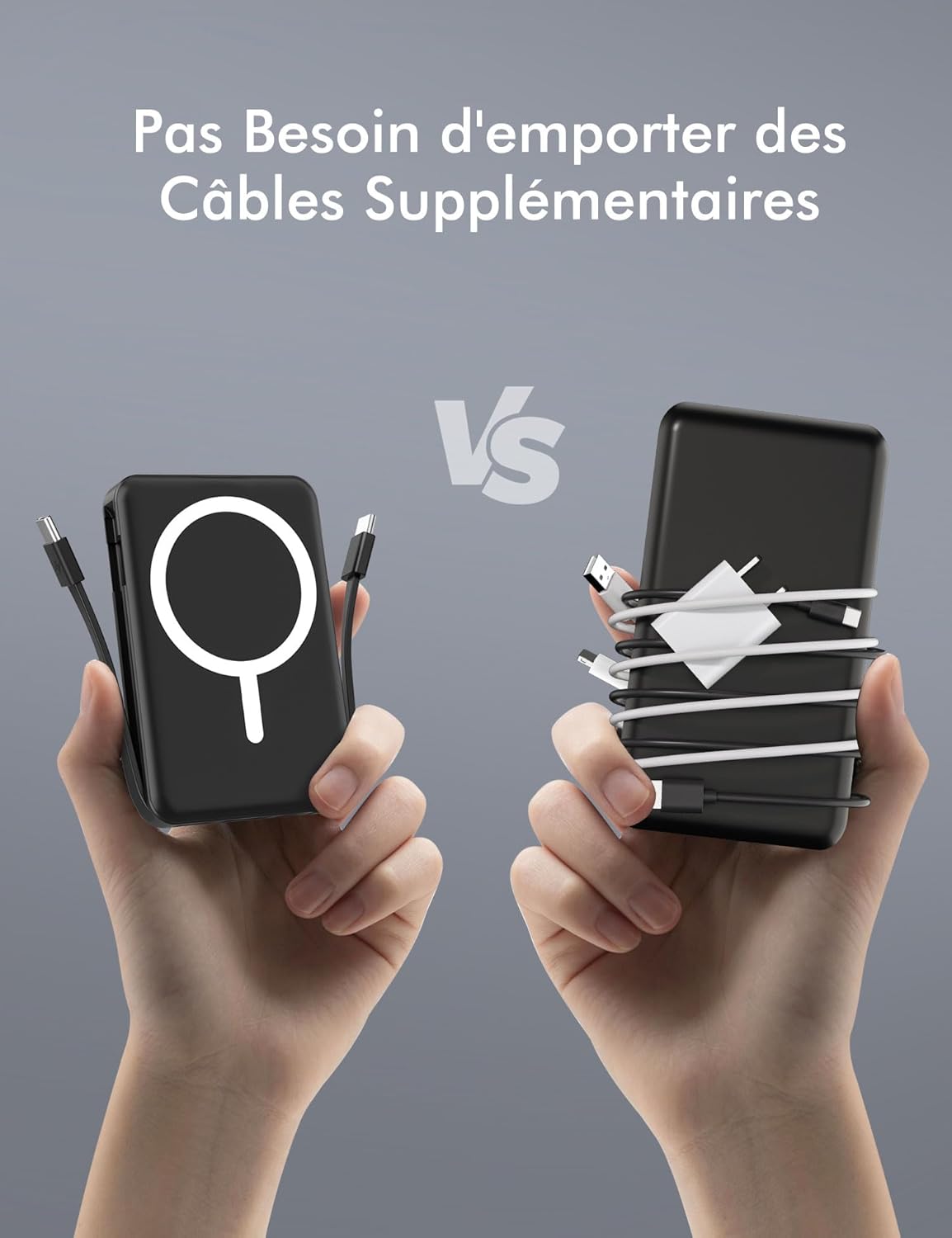
This image highlights the convenience of the power bank's integrated USB-C cables, contrasting it with the clutter of multiple separate cables, emphasizing portability and ease of use.

This image illustrates the power bank's ability to charge up to five devices concurrently, showcasing both magnetic wireless charging and wired charging through its integrated and external ports.

This detailed diagram provides an overview of the power bank's components, including its magnetic wireless charging area, integrated USB-C cables, USB-A output port, Lightning input port, USB-C input/output port, LED power display, and ON/OFF button.

A woman is shown holding her iPhone with the magnetic power bank attached, illustrating the product's compact size and ease of use for on-the-go charging.
3. Setup
3.1 Initial Charging of the Power Bank
- Before first use, fully charge the power bank.
- Connect the power bank to a power source using either the integrated USB-C cable or a Lightning cable (not included) via the respective input ports.
- The LED display will show the charging progress. It is fully charged when the display shows 100%.
3.2 Attaching to Your Device
- For magnetic wireless charging, ensure your iPhone (12-17 series) is compatible with magnetic accessories or has a magnetic case.
- Align the power bank's magnetic charging area with the back of your iPhone. The magnets will snap into place.
4. Operation
4.1 Charging Your Devices
- Magnetic Wireless Charging: Attach the power bank to the back of your compatible iPhone. Wireless charging will begin automatically. The LED display will show a wireless charging icon.
- Wired Charging (Integrated USB-C Cables): Pull out one of the integrated USB-C cables and connect it to your device's USB-C port.
- Wired Charging (External Ports): Use your own USB-A or USB-C cable to connect your device to the corresponding output port on the power bank.
- The power bank can charge up to 5 devices simultaneously (1 wirelessly, 2 via integrated cables, 2 via external ports).

This image emphasizes the power bank's ability to charge up to five devices at once, detailing the various USB ports and charging capacities available.

This image illustrates the power bank's broad compatibility, capable of charging various devices including iPhones, Samsung, Pixel, Huawei phones, and tablets, both wirelessly and via cable.
4.2 Recharging the Power Bank
- Connect the power bank to a wall adapter using either the integrated USB-C cable or a Lightning cable (not included) via the input ports.
- The LED display will show the battery percentage increasing.

This image illustrates the two ways to recharge the power bank itself: through its Lightning input port and its USB-C input port, offering flexibility.
4.3 LED Display Indicators
- Battery Percentage: Shows the remaining charge of the power bank.
- Wireless Charging Icon: Appears when a device is being wirelessly charged.
- Green PD Fast Charge Icon: Indicates that fast charging (Power Delivery) is active.
5. Maintenance
- Cleaning: Use a soft, dry cloth to clean the power bank. Avoid using harsh chemicals or abrasive materials.
- Storage: Store the power bank in a cool, dry place away from direct sunlight and extreme temperatures.
- Battery Care: To prolong battery life, fully charge and discharge the power bank at least once every three months if not in regular use.
- Avoid dropping or subjecting the power bank to strong impacts.
6. Troubleshooting
6.1 Device Not Charging
- Ensure the power bank has sufficient charge. Check the LED display.
- For wired charging, verify that cables are securely connected to both the power bank and the device. Try a different cable if necessary.
- For wireless charging, ensure your device is magnetically aligned correctly and is compatible with magnetic wireless charging. Remove any non-magnetic cases that might interfere.
- Press the ON/OFF button to activate the power bank if it's not automatically charging.
6.2 Slow Charging
- Ensure you are using appropriate cables and adapters for fast charging.
- Charging multiple devices simultaneously may reduce the charging speed for individual devices.
- Check if your device supports the fast charging protocols provided by the power bank.
6.3 Magnetic Attachment Issues
- Ensure your iPhone is a 12-17 series model or has a compatible magnetic case.
- Remove any thick or non-magnetic cases that may prevent proper magnetic connection.
- Clean the magnetic surface of both the power bank and your device/case to ensure no debris interferes with the connection.
7. Specifications
| Feature | Specification |
|---|---|
| Model Name | KT-D011 |
| Brand | Podoru |
| Battery Capacity | 10000 mAh |
| Battery Composition | Lithium-polymer |
| Connector Type | USB Type C |
| Voltage | 3 Volts |
| Product Dimensions (L x W x H) | 10.5 x 7.1 x 1.9 cm |
| Weight | 186 Grams (Power Bank) / 124 Grams (Battery) |
| Number of Ports | 3 (USB-A Output, USB-C Input/Output, Lightning Input) |
| Compatible Devices | iPhone 12-17 Series, Type-C devices (Android phones, tablets) |
| Wireless Charging Output | Up to 15W |
| USB-C PD Output | Up to 20W |
| USB Output | Up to 22.5W |
| Lightning Input | Up to 12W |
| USB-C Input | Up to 20W |
8. Warranty and Support
Podoru products come with a standard manufacturer's warranty. For detailed warranty information, product support, or technical assistance, please refer to the warranty card included with your purchase or visit the official Podoru website. Keep your purchase receipt as proof of purchase.
9. Product Video Demonstration
This video provides a visual demonstration of the Podoru magnetic power bank. It shows how the power bank magnetically attaches to a smartphone, initiates wireless charging, and highlights the various color options available for the product.