
VUOPAX B48A
Contents
VUOPAX Portable Bluetooth Speaker
Model: B48A - User Manual
1. Introduction
Thank you for choosing the VUOPAX Portable Bluetooth Speaker. This manual provides essential information for setting up, operating, and maintaining your speaker to ensure optimal performance and longevity. Designed for powerful sound and outdoor durability, this speaker is your ideal companion for any adventure.
2. Safety Information
- Do not expose the speaker to extreme temperatures or direct sunlight for prolonged periods.
- While IP65 waterproof and dustproof, avoid submerging the speaker in water. Ensure all port covers are securely closed before exposure to water or dust.
- Use only the provided charging cable and a certified power adapter (5V) to prevent damage.
- Do not attempt to disassemble, repair, or modify the speaker. Contact qualified service personnel for any repairs.
- Keep out of reach of children.
3. What's in the Box
- VUOPAX Portable Bluetooth Speaker
- Type-C Fast Charging Cable
- Auxiliary Cable
- Shoulder Strap
- User Manual (this document)
4. Product Overview

Figure 4.1: Front view of the VUOPAX Portable Bluetooth Speaker, showcasing its robust design and integrated handle.

Figure 4.2: Detailed view of the speaker's control panel and rear interface ports, including Type-C, TF, MIC, AUX, and USB inputs.
Controls and Indicators:
- Power Button: Press and hold to power ON/OFF. Short press to play/pause.
- Mode Button (M): Short press to switch between Bluetooth, AUX, TF card, and USB modes.
- Volume Down (-): Short press to decrease volume. Long press for previous track.
- Volume Up (+): Short press to increase volume. Long press for next track.
- Bass Boost Button: Short press to activate/deactivate Bass Boost.
- Light Button: Short press to cycle through 5 lighting modes or turn lights off.
- TWS Button: Press to initiate True Wireless Stereo pairing.
Ports:
- Type-C Port: For charging the speaker.
- TF Card Slot: For playing music directly from a TF (MicroSD) card.
- AUX Input: For wired connection to audio devices using the auxiliary cable.
- USB Port: For playing music directly from a USB drive.
- MIC Input: For connecting an external microphone (not included).
5. Setup
5.1. Charging the Speaker
Before first use, fully charge the speaker. Connect the provided Type-C charging cable to the speaker's Type-C port and the other end to a 5V power adapter (not included). The charging indicator light will show charging status and turn off when fully charged. A full charge provides up to 24 hours of playtime (actual playtime varies with volume and content).

Figure 5.1: The speaker features a 12,000mAh high-capacity battery for extended playtime.
5.2. Bluetooth Pairing
- Power on the speaker by pressing and holding the Power button. The speaker will enter Bluetooth pairing mode automatically, indicated by a flashing light.
- On your device (smartphone, tablet, laptop), enable Bluetooth and search for available devices.
- Select "VUOPAX B48A" from the list.
- Once connected, the speaker will emit a confirmation tone, and the light will stop flashing.

Figure 5.2: Enjoy a stable Bluetooth 5.3 connection with up to 100ft ultra-long range.
5.3. True Wireless Stereo (TWS) Pairing
To achieve immersive stereo sound, you can pair two VUOPAX B48A speakers together:
- Ensure both speakers are powered on and not connected to any Bluetooth device.
- On one speaker, short press the TWS button. It will emit a tone and begin searching for another speaker.
- The two speakers will automatically pair with each other. A confirmation tone will sound once paired.
- Now, connect your device to one of the speakers via Bluetooth as described in section 5.2. Both speakers will play audio in stereo.
6. Operating Instructions
6.1. Playing Music
- Bluetooth Mode: After successful pairing, play music from your connected device.
- AUX Mode: Connect an audio device using the 3.5mm AUX cable. The speaker will automatically switch to AUX mode.
- TF Card/USB Mode: Insert a TF card or USB drive with music files. The speaker will automatically detect and play music from the inserted media.
6.2. Adjusting Volume and Tracks
- Volume Control: Short press the '+' or '-' buttons to adjust the volume.
- Track Control: Long press the '+' button for the next track, and long press the '-' button for the previous track.
6.3. Bass Boost Function
Press the 'Bass Boost' button briefly to instantly enhance low frequencies, providing deeper and richer bass. Press again to deactivate.
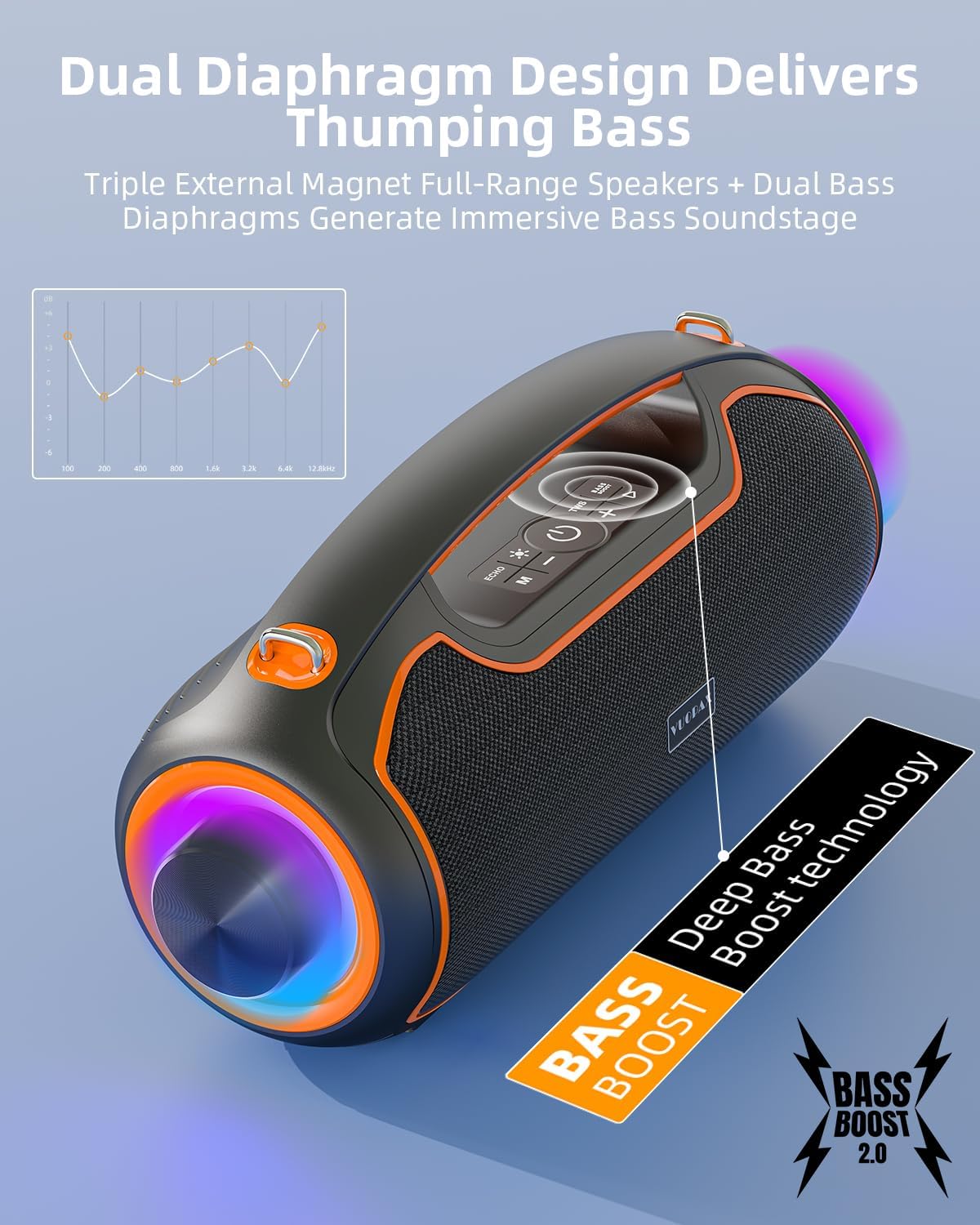
Figure 6.1: Experience thumping bass with the Dual Diaphragm Design and Bass Boost technology.
6.4. Dynamic RGB Lighting
The speaker features dynamic RGB lights that pulse in sync with the music. Short press the 'Light' button to cycle through 5 different lighting modes or turn the lights off.
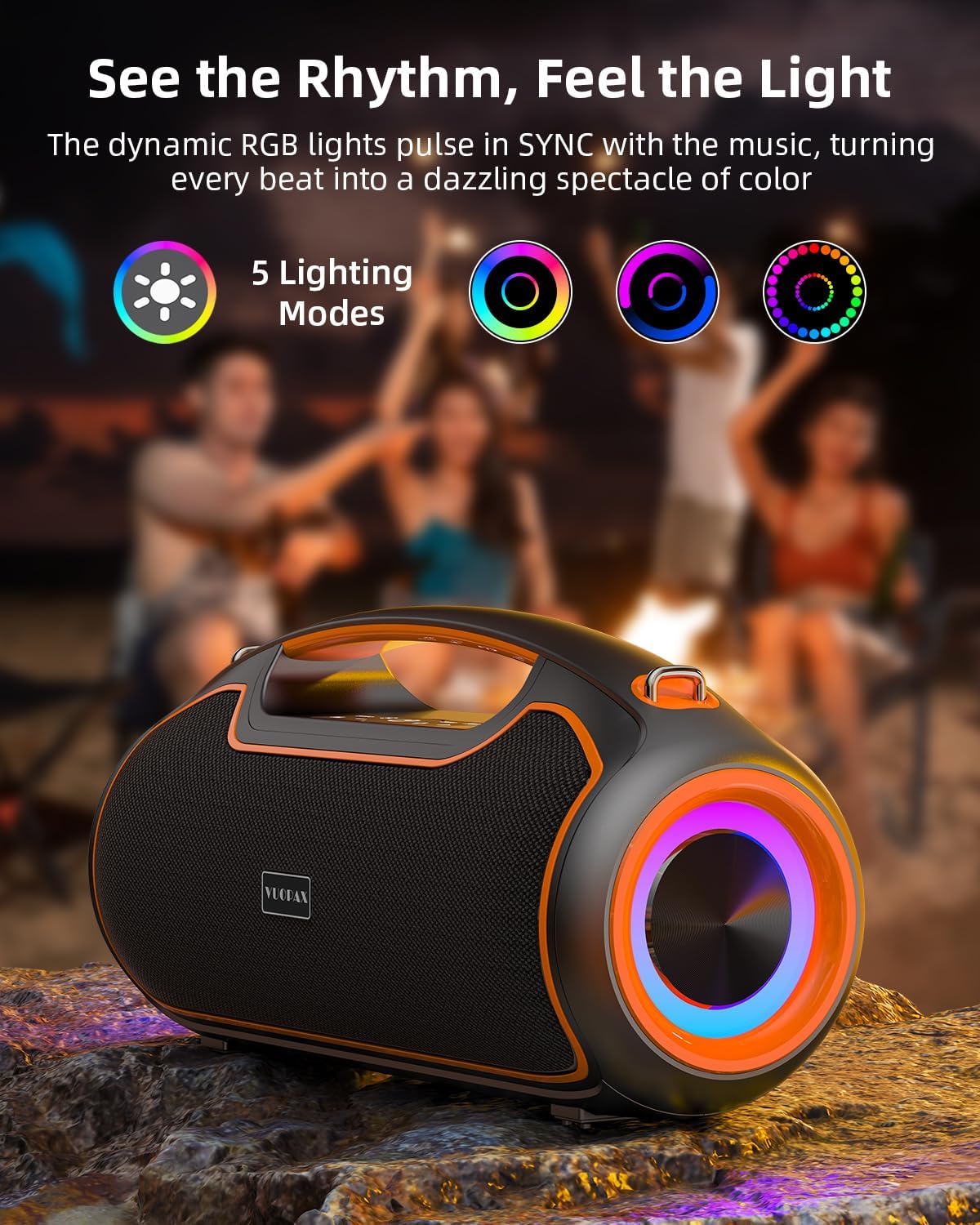
Figure 6.2: See the rhythm, feel the light with 5 customizable lighting modes.
7. Maintenance
- Cleaning: Wipe the speaker with a soft, damp cloth. Do not use abrasive cleaners or solvents.
- Storage: Store the speaker in a cool, dry place away from direct sunlight and extreme temperatures.
- Water/Dust Protection: Always ensure the rubber flap covering the ports is securely closed when using the speaker outdoors or near water to maintain its IP65 rating.

Figure 7.1: The IP65 rating ensures superior protection against water and dust.

Figure 7.2: Built tough for harsh environments, ensuring durability.
8. Troubleshooting
| Problem | Possible Cause | Solution |
|---|---|---|
| Speaker does not turn on. | Low battery. | Charge the speaker fully. |
| Cannot pair via Bluetooth. | Speaker not in pairing mode; device Bluetooth off; too far from speaker. | Ensure speaker is in pairing mode (flashing light). Turn device Bluetooth ON. Move device closer to speaker (within 100ft). |
| No sound. | Volume too low; incorrect mode; device not playing. | Increase speaker and device volume. Press 'M' button to cycle modes. Ensure music is playing on your device. |
| TWS pairing failed. | Speakers already connected to other devices; too far apart. | Disconnect both speakers from any Bluetooth devices. Ensure speakers are within close proximity for TWS pairing. |
| Distorted sound. | Volume too high; low battery. | Decrease volume. Charge the speaker. |
9. Specifications
- Model Name: B48A
- Brand: VUOPAX
- Speaker Type: Portable Bluetooth Speaker for Home Outdoor
- Connectivity Technology: Bluetooth 5.3, AUX, TF Card, USB
- Speaker Maximum Output Power: 200 Watts (Peak) / 120 Watts (RMS)
- Audio Drivers: Dual 40W 3.5-inch Woofers + 40W 2.5-inch Tweeter
- Frequency Response: 60Hz-12KHz
- Signal-to-Noise Ratio: 80 dB
- Battery Capacity: 12,000mAh
- Battery Life: Up to 24 Hours (varies with volume and content)
- Water Resistance Level: IP65 (Waterproof & Dustproof)
- Product Dimensions: 15"D x 6"W x 7.49"H
- Item Weight: 8.6 pounds
- Control Method: Button
- Special Features: Bass Boost, Dynamic RGB Lights, TWS Stereo Pairing

Figure 9.1: Internal acoustic system with dual woofers and tweeter for powerful sound.
10. Warranty and Support
VUOPAX offers a limited warranty for this product. For detailed warranty information, please refer to the warranty card included in your product packaging or visit the official VUOPAX website. If you encounter any issues with your portable system or require technical assistance, please contact our professional support team 24/7. We are committed to providing comprehensive support for our products.
Contact Information: Please refer to the contact details provided on the VUOPAX official website or your product packaging for the most up-to-date support channels.
Ask a question about this manual
Ask about setup, troubleshooting, compatibility, parts, safety, or missing instructions. Manuals+ will review the question and use this page’s manual context to help answer it.