
1. Introduction
Thank you for choosing the NAFYRE N11 PRO GPS Drone. This drone is designed for both beginners and experienced pilots, offering advanced features such as a 4K UHD camera, GPS positioning, and intelligent flight modes. Please read this manual carefully before operating the drone to ensure safe and optimal performance. Keep this manual for future reference.

Image: The NAFYRE N11 PRO drone showcasing its ultra-portable and lightweight design, weighing less than 249g.
2. Safety Guidelines
Operating a drone requires responsibility. Adhere to the following safety guidelines to prevent injury or damage:
- Local Regulations: Always check and comply with local drone regulations and restrictions.
- Pre-Flight Check: Ensure the drone, controller, and batteries are in good condition before each flight.
- Weather Conditions: Do not fly in strong winds, rain, snow, or fog. The drone is sensitive to wind.
- Line of Sight: Maintain visual line of sight with the drone at all times.
- Obstacle Avoidance: Keep a safe distance from people, buildings, trees, power lines, and other obstacles.
- Battery Safety: Use only approved chargers and batteries. Do not overcharge or puncture batteries.
- Respect Privacy: Be mindful of privacy when using the camera.
3. Package Contents
Verify that all items are present in your package:
- NAFYRE N11 PRO Drone
- Remote Controller
- 3 x 2000 mAh Batteries
- 8 x Extra Propeller Blades
- 1 x User Manual
- 2 x USB Charging Cables
- 1 x Propeller Wrench
- 8 x Screws
- 1 x Carrying Case

Image: All components included in the NAFYRE N11 PRO drone package, neatly arranged.
4. Product Overview
4.1 Drone Components
Familiarize yourself with the main parts of your N11 PRO drone:
- Foldable Arms: For compact storage and portability.
- Propellers: Four sets of propellers for flight.
- 4K UHD Camera: Front-mounted camera with adjustable angle.
- Brushless Motors: Provide powerful, quiet, and efficient flight.
- Battery Compartment: Located at the rear of the drone.
- Optical Flow Sensor: For stable indoor positioning.

Image: Top view of the NAFYRE N11 PRO drone with its arms unfolded, ready for flight.

Image: The NAFYRE N11 PRO drone in its folded, compact state, emphasizing its portability.
4.2 Remote Controller Components
The remote controller allows you to operate the drone and access various functions:
- Control Sticks: For flight direction and altitude.
- Phone Holder: To mount your smartphone for FPV viewing and app control.
- One-Key Takeoff/Landing Button: Initiates automatic takeoff or landing.
- Return to Home (RTH) Button: Commands the drone to return to its takeoff point.
- Camera/Video Button: To capture photos or start/stop video recording.
- Camera Angle Adjustment: Controls the tilt of the drone's camera.
5. Setup
5.1 Battery Charging
Ensure all batteries are fully charged before flight.
- Connect the provided USB charging cable to the drone battery and a suitable USB power adapter (not included).
- The battery indicator lights will show charging status. Once fully charged, disconnect the cable.
- Charge the remote controller battery using its dedicated USB cable.
- A full charge provides approximately 30 minutes of flight time per battery, totaling up to 90 minutes with all three included batteries.

Image: The drone's 2000mAh battery, highlighting the extended flight time capability.

Image: A detailed view of the 2000mAh, 3.7V Li-Po battery, emphasizing its efficient discharge.
5.2 Propeller Installation
Attach the propellers according to the markings (A and B) on the propellers and motor arms. Use the provided screws and propeller wrench.
5.3 Unfolding the Drone
Gently unfold the drone arms until they lock into place. Ensure all arms are fully extended before flight.
5.4 Controller Preparation
Insert the charged battery into the controller. Extend the phone holder and securely mount your smartphone.
5.5 App Installation
Download the official NAFYRE drone app from your smartphone's app store. This app is essential for FPV viewing, accessing intelligent flight modes, and advanced settings.

Image: The NAFYRE N11 PRO drone, remote controller, and a smartphone showing the drone's control application.
6. Operating Instructions
6.1 Power On/Off
- Drone: Press and hold the power button on the drone until the indicator lights turn on.
- Controller: Press and hold the power button on the controller until it powers on.
- To power off, repeat the process.
6.2 Pairing
After powering on both the drone and controller, they should automatically pair. If not, follow the pairing instructions in the app or consult the quick start guide.
6.3 GPS Calibration
For stable outdoor flight and accurate Return to Home functionality, GPS calibration is crucial. Perform calibration in an open area away from magnetic interference.
- Follow the on-screen prompts in the app or the controller's indicator lights for horizontal and vertical calibration.
- Wait for sufficient GPS satellites to be acquired (indicated by solid green lights on the drone).
6.4 Takeoff and Landing
- One-Key Takeoff: Press the one-key takeoff button on the controller. The drone will automatically ascend to a safe altitude and hover.
- Manual Takeoff: Push both control sticks down and outwards to start the motors, then slowly push the left stick up to ascend.
- One-Key Landing: Press the one-key landing button. The drone will descend and land automatically.
- Manual Landing: Slowly pull the left stick down to descend. Once landed, push both sticks down and inwards to stop the motors.
6.5 Basic Flight Controls
- Left Stick (Throttle/Yaw): Up/Down for altitude, Left/Right for rotation.
- Right Stick (Pitch/Roll): Up/Down for forward/backward movement, Left/Right for left/right movement.
6.6 Intelligent Flight Modes
The N11 PRO offers several intelligent flight modes via the app:
- Return to Home (RTH): The drone will automatically return to its takeoff point under conditions such as low battery, signal loss, or manual activation.
- Follow Me: The drone will automatically follow the controller or a designated subject.
- Waypoint Flight: Plan a flight path by tapping points on the map in the app.
- Point of Interest: The drone will circle around a designated point, keeping it in the frame.
Image: The NAFYRE N11 PRO drone illustrating its Intelligent Return to Home (RTH) capabilities, including one-key, low power, and out-of-control RTH.

Image: The NAFYRE N11 PRO drone in action, showcasing its intelligent flight modes such as 4K camera, one-key takeoff, RTH, GPS tracking, orbital flight, and waypoint flight.
6.7 Camera Operation
The N11 PRO is equipped with a 4K UHD camera for high-quality aerial photography and videography.
- Photo/Video Capture: Use the dedicated buttons on the controller or the app interface to take photos (4096x3072 pixels) or record videos (2048x1080 pixels).
- Adjustable Camera Angle: The camera's wide-angle lens (100°) can be adjusted up to 90° via the remote control or app.
- 5GHz FPV Transmission: Enjoy stable and smooth real-time video transmission to your smartphone.

Image: Close-up of the NAFYRE N11 PRO's 4K UHD camera, highlighting its 90-degree adjustable angle and Electronic Image Stabilization (EIS).

Image: The drone's 4K UHD camera in use, demonstrating its Electronic Image Stabilization (EIS) and real-time video transmission for capturing outdoor scenes.
6.8 Long Flight Range
The N11 PRO features a strong signal transmission system and aerodynamic body design, allowing for an extensive control range of up to 1014 meters (3328 feet).
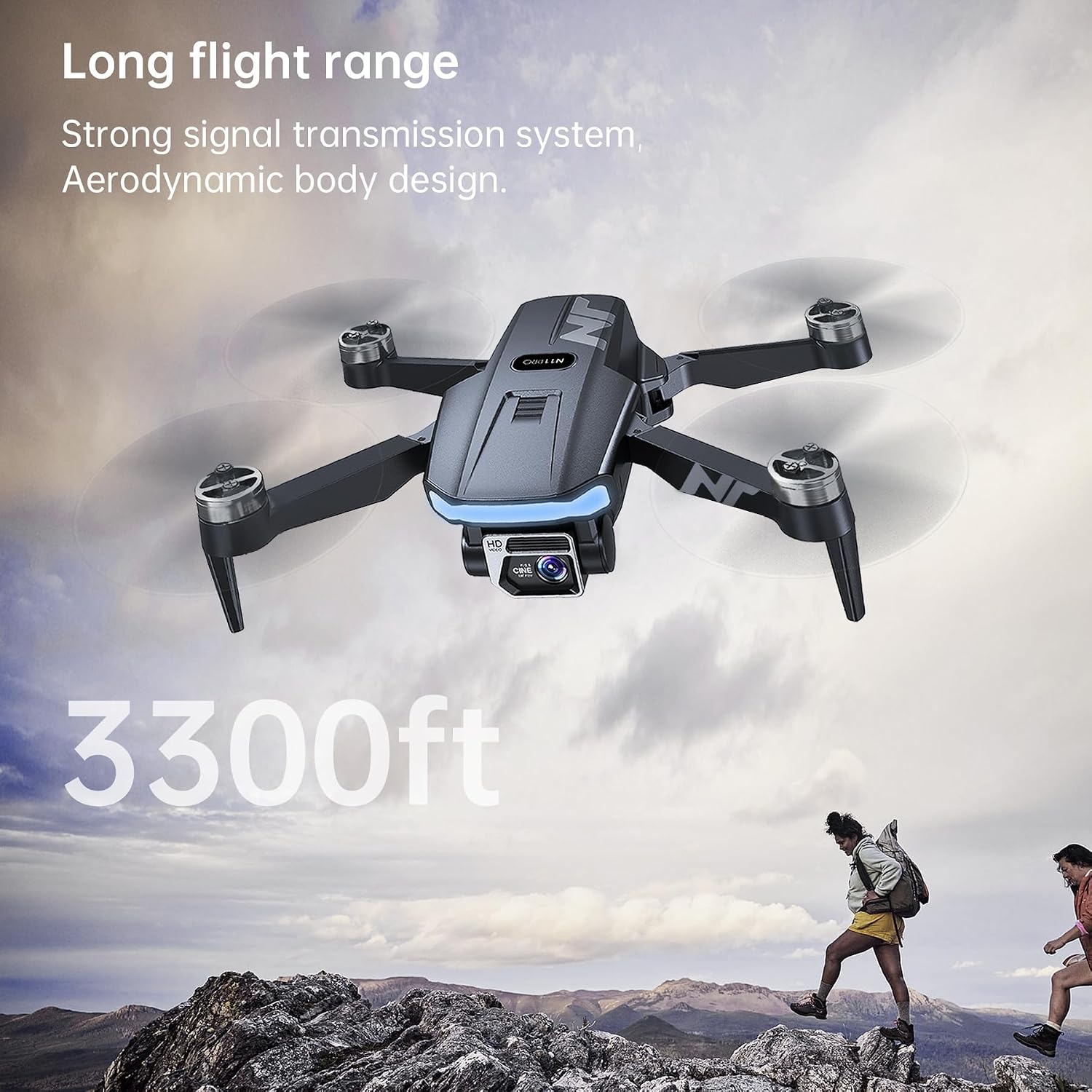
Image: The NAFYRE N11 PRO drone flying, illustrating its impressive flight range of 3300 feet.
7. Maintenance
Regular maintenance ensures the longevity and performance of your drone.
- Cleaning: Use a soft, dry cloth to clean the drone body and camera lens after each flight. Avoid water or harsh chemicals.
- Propeller Inspection: Regularly check propellers for cracks, bends, or damage. Replace any damaged propellers immediately using the provided spares and wrench.
- Battery Care: Store batteries in a cool, dry place. Do not store fully charged or completely depleted batteries for extended periods. Charge them to about 50-60% for long-term storage.
- Motor Inspection: Ensure motors are free from debris. The brushless motors are designed for durability and performance.

Image: A close-up of the drone's brushless motor, highlighting its robust construction for increased durability and performance.
8. Troubleshooting
If you encounter issues, refer to the following common problems and solutions:
| Problem | Possible Cause | Solution |
|---|---|---|
| Drone does not power on. | Battery depleted or not properly inserted. | Ensure battery is fully charged and correctly inserted. |
| Cannot connect to controller/app. | Drone and controller not paired; Wi-Fi issue. | Ensure both are powered on. Re-pair if necessary. Check phone's Wi-Fi connection to the drone. |
| Unstable flight or drifting. | Insufficient GPS signal; strong wind; improper calibration. | Fly in open areas with clear sky. Avoid windy conditions. Perform GPS calibration. |
| Poor camera quality or lagging FPV. | Weak 5GHz signal; environmental interference. | Ensure clear line of sight between drone and controller. Avoid areas with high Wi-Fi interference. |
| Return to Home (RTH) not working as expected. | Insufficient GPS signal; RTH point not properly recorded. | Ensure strong GPS signal before takeoff. Calibrate GPS correctly. |
| Battery not charging properly. | Faulty cable/adapter; battery issue. | Try a different USB cable and power adapter. Contact support if the issue persists. |
9. Specifications
Key technical specifications of the NAFYRE N11 PRO Drone:
| Feature | Detail |
|---|---|
| Brand | NAFYRE |
| Model Name | N11 PRO |
| Weight | 180 Grams (less than 0.25 kg) |
| Dimensions (L x W x H) | 12L x 7.5W x 5H cm (folded) |
| Flight Time | Up to 90 minutes (with 3 x 2000 mAh batteries) |
| Control Range | 1014 meters (3328 feet) |
| Camera Resolution (Video) | 4K UHD (2048x1080 pixels) |
| Camera Resolution (Stills) | 12.6 MP (4096x3072 pixels) |
| FPV Transmission | 5GHz WLAN |
| Motor Type | Brushless |
| Positioning System | Dual (GPS for outdoor, Optical Flow for indoor) |
| Battery Type | Lithium-ion (2000 mAh, 3.7V) |
| Special Features | Long flight time, Dual positioning system, Automatic Return to Home, 4K UHD camera, Intelligent flight modes |
10. Warranty and Support
10.1 Warranty Information
NAFYRE offers a 1-year warranty for the replacement of damaged parts. Additionally, a 30-day money-back guarantee is provided for any reason.
10.2 Customer Support
For any questions, technical assistance, or warranty claims, please contact NAFYRE customer support. Refer to the product packaging or the official NAFYRE website for contact details.


