1. Safety Instructions
Please read and understand all instructions before assembly and use. Retain this manual for future reference.
- Ensure all components are present and undamaged before beginning assembly.
- Assemble the desk on a soft, clean surface to prevent scratches.
- Do not overtighten screws during assembly to avoid damaging the material.
- Keep small parts away from children to prevent choking hazards.
- Do not exceed the weight capacity of the desk or shelves.
- Ensure the desk is placed on a level surface to prevent instability.
- For electrical components (USB ports, LED lights), use only as directed and avoid exposure to liquids.
2. Package Contents
Verify that all parts listed below are included in your package. If any parts are missing or damaged, please contact Casaottima customer support.
- Desk tabletop
- Hutch frame and shelves
- Side storage unit with PC stand
- 3 Fabric drawers
- Metal frame components
- Monitor stand shelf
- LED light strip
- USB charging station with AC outlets
- Headphone hook
- Assembly hardware (screws, bolts, tools)
- Instruction manual
3. Assembly Instructions
Follow these steps carefully for proper assembly. It is recommended to have two people for certain steps.
3.1 Unpack and Identify Parts
Lay out all components on a clean, soft surface. Refer to the parts list to identify each piece.
3.2 Assemble the Main Desk Frame
Attach the desk legs to the tabletop using the provided hardware. Ensure all connections are secure but do not overtighten.

Image: Overview of the assembled Casaottima 55-inch computer desk.
3.3 Install the Side Storage Unit
Attach the side storage unit, which includes the PC stand and space for fabric drawers, to the main desk frame. Ensure it is securely fastened.

Image: Detail of the three fabric drawers, PC stand, and versatile headphone hook.
3.4 Assemble the Hutch and Monitor Stand
Mount the hutch frame onto the desk. Install the monitor stand shelf at the desired height. The hutch shelves are adjustable to accommodate various items.
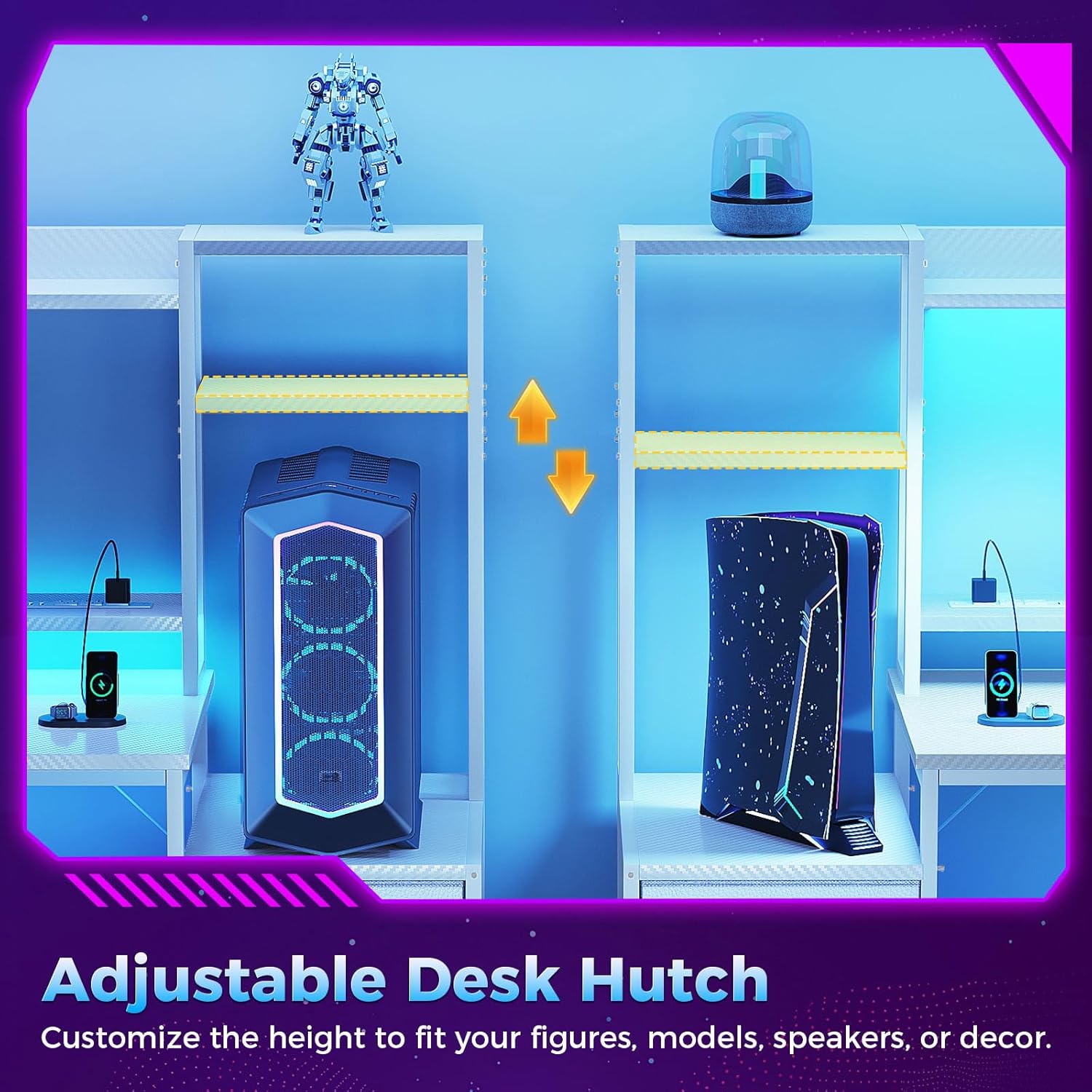
Image: Illustration of the adjustable desk hutch, allowing customization of shelf height.

Image: Visual representation of the ergonomic monitor stand, promoting healthy posture.
3.5 Install Fabric Drawers
Insert the three fabric drawers into their designated slots within the side storage unit.
3.6 Attach USB Ports and LED Lights
Secure the USB charging station and LED light strip to their respective positions as indicated in the detailed assembly diagrams (not provided in this general manual). Connect the power cord.

Image: Detail of the integrated power strip, featuring three AC outlets and two 5V/2A USB ports, with a 4.9-foot power cord.
4. Features Overview
- Spacious 55-Inch Desktop: Provides ample room for multiple monitors, gaming peripherals, or office essentials.
- Integrated Hutch: Offers additional storage and display space above the main desktop.
- Adjustable Monitor Stand: Elevates your screen to an ergonomic height, reducing neck and eye strain.
- 3 Fabric Drawers: Convenient storage for documents, accessories, and personal items, keeping your workspace tidy.
- Built-in USB Ports & AC Outlets: Easily power and charge your devices directly from the desk.
- LED Lights: Enhance your workspace ambiance with customizable lighting.
- Reversible Design: The side storage unit can be configured on either the left or right side during assembly.
- Headphone Hook: Keeps your headphones within reach and off the desk surface.
5. Setup
5.1 Electrical Connection
After fully assembling the desk, plug the main power cord from the integrated USB charging station into a standard wall outlet. Ensure the outlet is easily accessible.
5.2 Device Placement
Place your computer, monitors, and other equipment on the desk and shelves. Utilize the monitor stand for ergonomic viewing and the PC stand for your computer tower.

Image: A fully set up Casaottima 55-inch computer desk with dual monitors, a gaming PC, and various accessories.
6. Operating
6.1 Using USB Ports and AC Outlets
Once the desk is plugged in, the 3 AC outlets and 2 USB ports (5V/2A) on the monitor stand are ready for use. Simply plug in your devices for power or charging.
6.2 Controlling LED Lights
The LED light strip is controlled via a button or remote (if included). This allows you to cycle through various colors and lighting modes to suit your preference.

Image: The desk's LED lights showcasing a range of color options and ambient lighting.
6.3 Product Video: Gaming Desk with LED Lights
Video: An official product video demonstrating the features of the Casaottima Gaming Desk, including its LED lights and overall setup.
7. Maintenance
7.1 Cleaning
Wipe the desk surfaces with a dry, soft cloth. For stubborn marks, a slightly damp cloth with mild soap can be used, followed by immediate drying. Avoid harsh chemicals or abrasive cleaners.
7.2 General Care
Regularly check all screws and connections to ensure they remain tight. Avoid placing extremely hot or cold items directly on the desk surface without protection. Keep the desk away from direct sunlight and excessive moisture.
8. Troubleshooting
| Issue | Possible Cause | Solution |
|---|---|---|
| Desk is wobbly | Uneven floor; loose screws | Adjust leveling feet (if present) or place shims under legs. Tighten all assembly screws. |
| LED lights not working | Power cord unplugged; loose connection; faulty light strip | Ensure power cord is securely plugged in. Check the connection of the LED strip to the power source. If still not working, contact customer support. |
| USB ports/AC outlets not working | Desk power cord unplugged; circuit breaker tripped | Verify the desk's main power cord is plugged into a live outlet. Check your household circuit breaker. |
| Drawers do not slide smoothly | Improper installation; obstruction | Ensure fabric drawers are inserted correctly and nothing is obstructing their path. |
9. Specifications
| Feature | Detail |
|---|---|
| Brand | Casaottima |
| Model | 55-Inch Computer Desk with Hutch |
| Product Dimensions (D x W x H) | 18.89"D x 54.72"W x 59.64"H |
| Color | White |
| Style | Modern |
| Top Material Type | Engineered Wood |
| Base Material | Metal |
| Number of Drawers | 3 |
| Power Outlets | 3 AC Outlets (125V/12A) |
| USB Ports | 2 USB Ports (5V/2A) |
| Power Cord Length | 4.9 Feet |
| Assembly Required | Yes |
| Product Care Instructions | Wipe with Dry Cloth |
10. Warranty and Support
Casaottima products are designed for quality and durability. For specific warranty information, please refer to the warranty card included with your purchase or visit the official Casaottima website.
If you encounter any issues or have questions regarding your Casaottima 55-Inch Computer Desk, please contact our customer support team:
- Email: [Insert Customer Support Email Here]
- Phone: [Insert Customer Support Phone Number Here]
- Website: Casaottima Official Store
Please have your purchase receipt and model information ready when contacting support.


