1. Introduction
This manual provides essential information for the safe and efficient use of the LRILLMAING TU582-S 1SAP281200R0001 industrial automation product. It covers installation, operation, maintenance, and troubleshooting procedures. Please read this manual thoroughly before installing or operating the device and retain it for future reference.
2. Safety Information
Always observe the following safety precautions to prevent injury to personnel and damage to the equipment:
- Qualified Personnel: Installation, operation, and maintenance should only be performed by qualified and trained personnel.
- Power Disconnection: Ensure all power is disconnected before performing any installation, wiring, or maintenance tasks.
- Environmental Conditions: Operate the device within the specified environmental conditions (temperature, humidity, vibration) to ensure proper function and longevity.
- Proper Grounding: Ensure the device is properly grounded to prevent electrical shock.
- Wiring: Use appropriate wiring and follow all local and national electrical codes.
- Modifications: Do not modify the product in any way not explicitly authorized by the manufacturer. Unauthorized modifications can lead to hazards and void the warranty.
3. Product Overview
The LRILLMAING TU582-S 1SAP281200R0001 is an industrial automation product, specifically a type of PLC hardware designed for reliable performance in various industrial applications. It is supplied new and sealed in its original packaging.
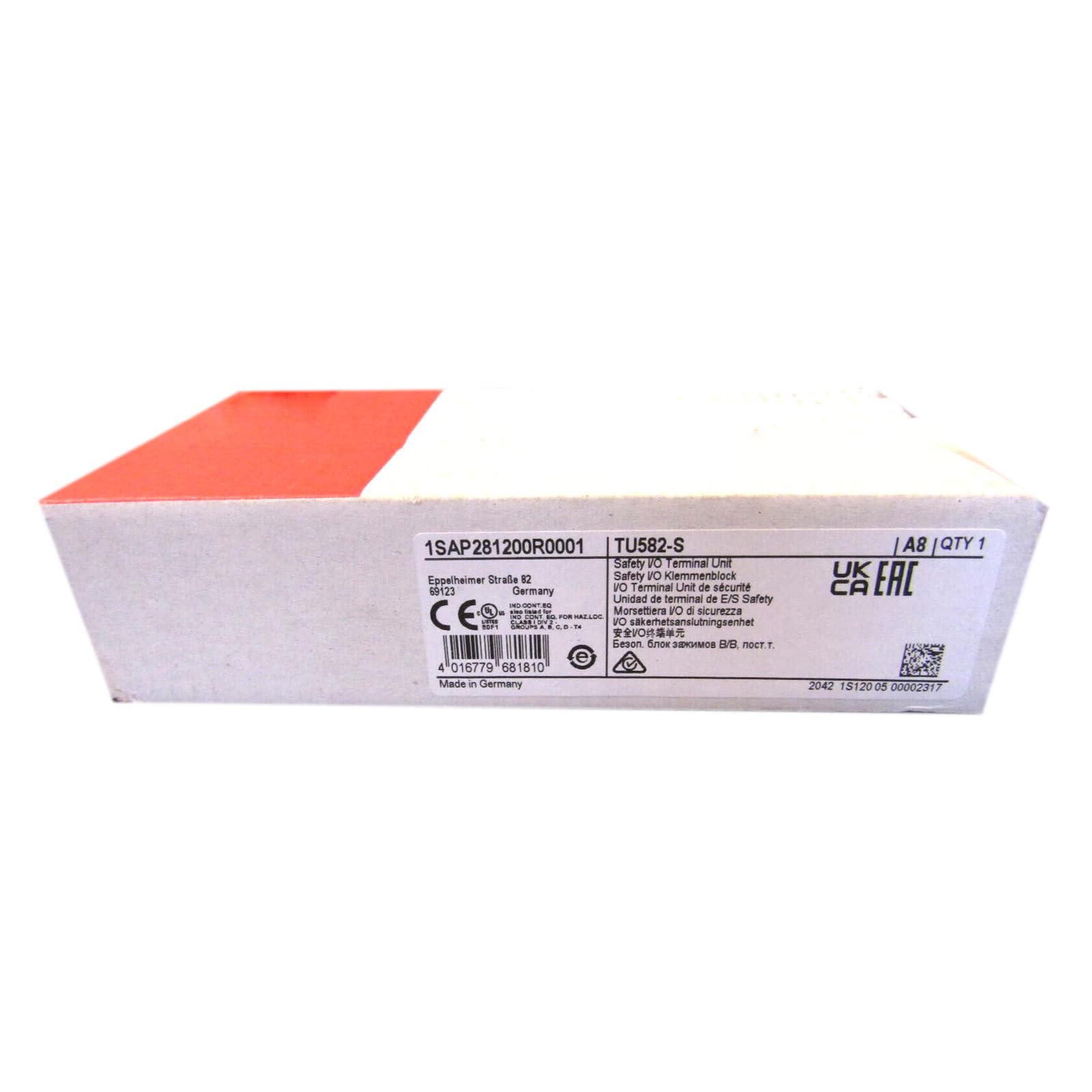
Figure 1: The LRILLMAING TU582-S 1SAP281200R0001 industrial automation product, shown in its sealed packaging.
Key Features:
- Product Number: TU582-S 1SAP281200R0001
- Type: Industrial Automation Product (PLC Hardware)
- Condition: New and Sealed in box
4. Installation and Setup
Follow these general steps for installing the TU582-S 1SAP281200R0001. Refer to specific system documentation for detailed wiring diagrams and configuration.
- Unpacking: Carefully remove the device from its packaging. Inspect for any signs of damage during transit.
- Mounting: Mount the device securely in a suitable industrial enclosure or control panel, ensuring adequate ventilation and clearance for wiring.
- Wiring Power: Connect the power supply according to the device's specifications and local electrical codes. Ensure proper grounding.
- Input/Output Wiring: Connect all necessary input and output devices to the appropriate terminals. Double-check all connections for correctness and security.
- Communication Connections: If applicable, connect communication cables to integrate the device into your control network.
- Initial Power-Up: After all connections are verified, apply power to the device. Observe status indicators for normal operation.
5. Operation
Once installed and powered, the TU582-S 1SAP281200R0001 operates as part of your industrial control system. Specific operational details depend on the programming and integration within your application.
- Status Indicators: Monitor the LED indicators on the device for operational status (e.g., Power, Run, Error). Refer to your system's documentation for indicator meanings.
- System Integration: The device functions in conjunction with other components of your automation system. Ensure proper communication and data exchange.
- Programming: Configuration and control logic are typically managed through specialized software. Consult the software documentation for programming instructions.
6. Maintenance
Regular maintenance helps ensure the longevity and reliable performance of the TU582-S 1SAP281200R0001.
- Cleaning: Keep the device and its enclosure clean and free from dust, dirt, and moisture. Use a soft, dry cloth for cleaning. Do not use harsh chemicals or abrasive materials.
- Inspection: Periodically inspect all wiring connections for tightness and signs of wear or corrosion.
- Environmental Check: Verify that the operating environment remains within the specified temperature and humidity ranges.
- Firmware Updates: If applicable, consult the manufacturer's website for any recommended firmware updates. Follow update procedures carefully.
7. Troubleshooting
This section provides general troubleshooting guidance. For complex issues, contact technical support.
| Problem | Possible Cause | Solution |
|---|---|---|
| Device does not power on | No power supply; incorrect wiring; faulty power supply | Check power connections; verify power supply voltage; inspect wiring for breaks or shorts. |
| Error indicator is active | Internal fault; communication error; incorrect configuration | Consult system documentation for specific error code meanings; check communication links; verify device configuration. |
| Intermittent operation | Loose connections; environmental interference; power fluctuations | Inspect all wiring connections; ensure proper grounding; check for sources of electromagnetic interference; verify stable power supply. |
8. Technical Specifications
The following specifications apply to the LRILLMAING TU582-S 1SAP281200R0001:
- Product Number: TU582-S 1SAP281200R0001
- Manufacturer: LRILLMAING
- ASIN: B0F2DDP2RQ
- Item Model Number: TU582-S 1SAP281200R0001
- Date First Available: March 25, 2025
9. Warranty and Support
For warranty information, technical support, or service inquiries regarding your LRILLMAING TU582-S 1SAP281200R0001, please contact your supplier or refer to the official LRILLMAING website. Ensure you have the product model number and purchase details available when seeking support.


