
1. Product Overview
The GDFStudio Farmhouse Console Table, Model 329451, is a versatile furniture piece designed to enhance your living space with both style and functionality. This 60-inch long table features a slim profile, making it suitable for entryways, hallways, and living rooms. It includes four drawers (two small, two large) and a fixed lower shelf for organized storage and display.
Constructed from solid wood and MDF with an ash veneer, and supported by robust pine wood legs with a distressed finish, this console table is built for durability. The vintage metal handles add a classic touch to its antique white finish.
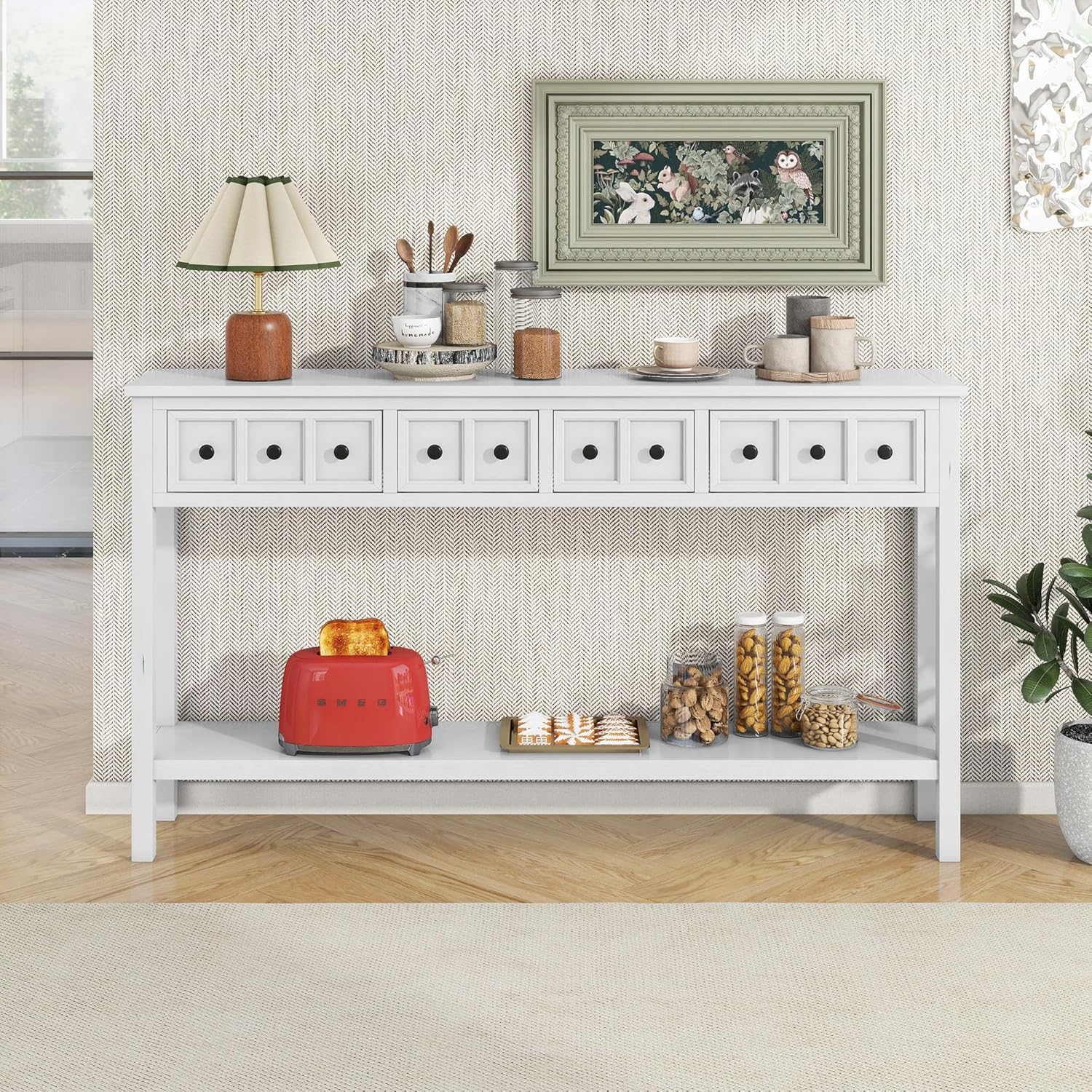
Image 1.1: The GDFStudio Farmhouse Console Table in Antique White, showcasing its design and storage capabilities in a home setting.
2. Safety Information
- Weight Capacity: The console table has a maximum weight capacity of 46 pounds (20.8 kg). Do not exceed this limit to ensure stability and prevent damage or injury.
- Placement: Place the table on a flat, stable surface. Avoid placing it in areas with high humidity or direct sunlight to prevent material degradation.
- Children Safety: Keep small parts and assembly hardware out of reach of children. Do not allow children to climb on or play with the table.
- Anti-Tip Kit (if applicable): If an anti-tip kit is included, it is highly recommended to install it to prevent accidental tipping, especially in households with children or pets.
3. Package Contents
Before beginning assembly, ensure all parts are present and undamaged. If any parts are missing or damaged, please contact GDFStudio customer support.
- Tabletop with pre-assembled drawers (1)
- Legs (4)
- Bottom Shelf (1)
- Hardware Pack (screws, Allen wrench, etc.)
- Instruction Manual (this document)
4. Assembly Instructions
Assembly is minimal and straightforward. It is recommended to have two people for easier assembly. Please follow these steps carefully.
Step 4.1: Unpack and Identify Components
Carefully remove all components from the packaging. Lay them out on a soft, clean surface (e.g., a blanket or carpet) to prevent scratches.

Image 4.1: The console table top with drawers, as it appears mostly pre-assembled out of the box.
Step 4.2: Attach the Legs
- Carefully turn the tabletop upside down on your protected surface.
- Align each leg with the pre-drilled holes at the corners of the tabletop.
- Secure each leg using the provided screws and Allen wrench. Ensure all connections are tight but do not overtighten.
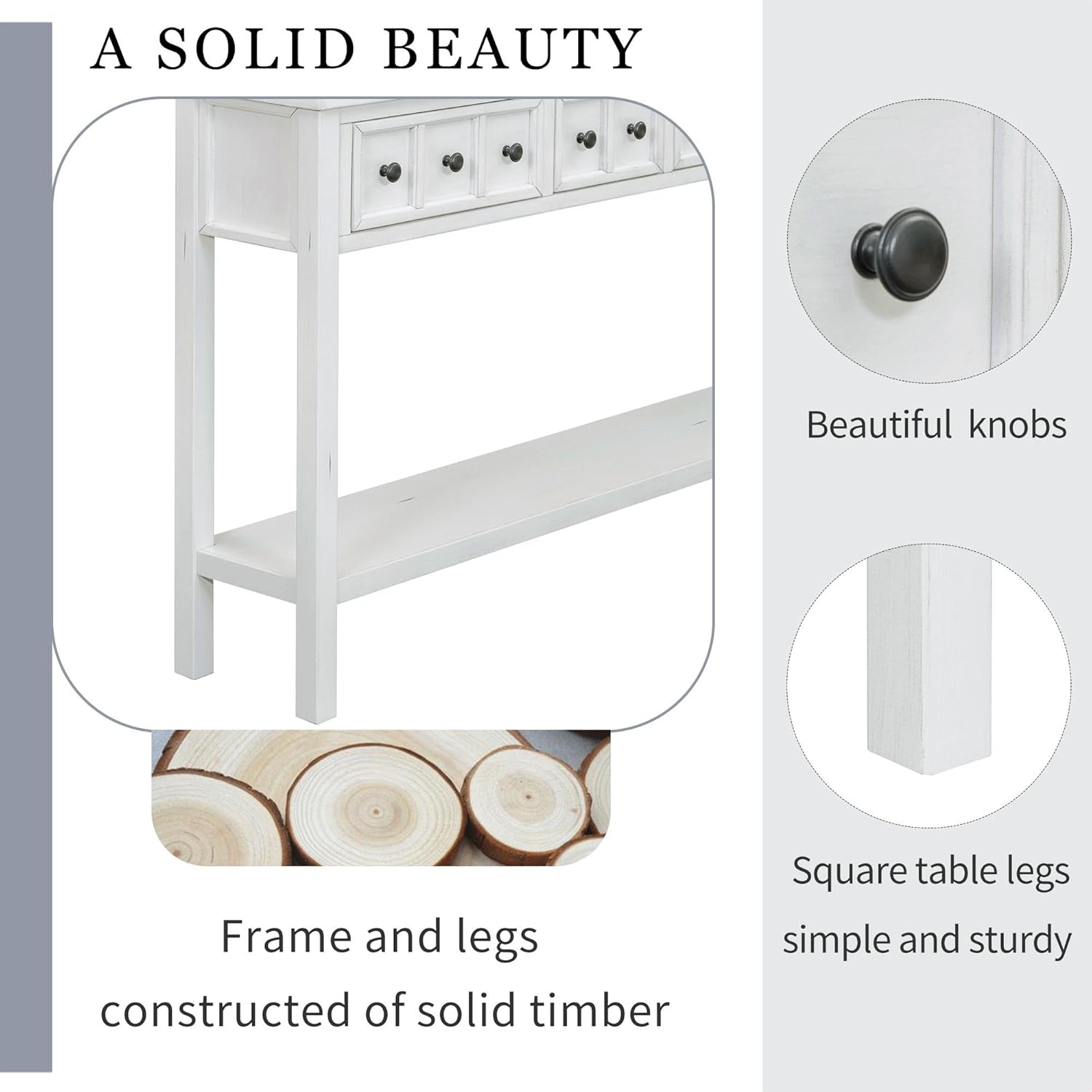
Image 4.2: Detail of the sturdy square table legs and vintage metal knobs.
Step 4.3: Install the Bottom Shelf
- Position the bottom shelf between the attached legs, aligning it with the pre-drilled holes on the inner side of the legs.
- Secure the shelf using the appropriate hardware.
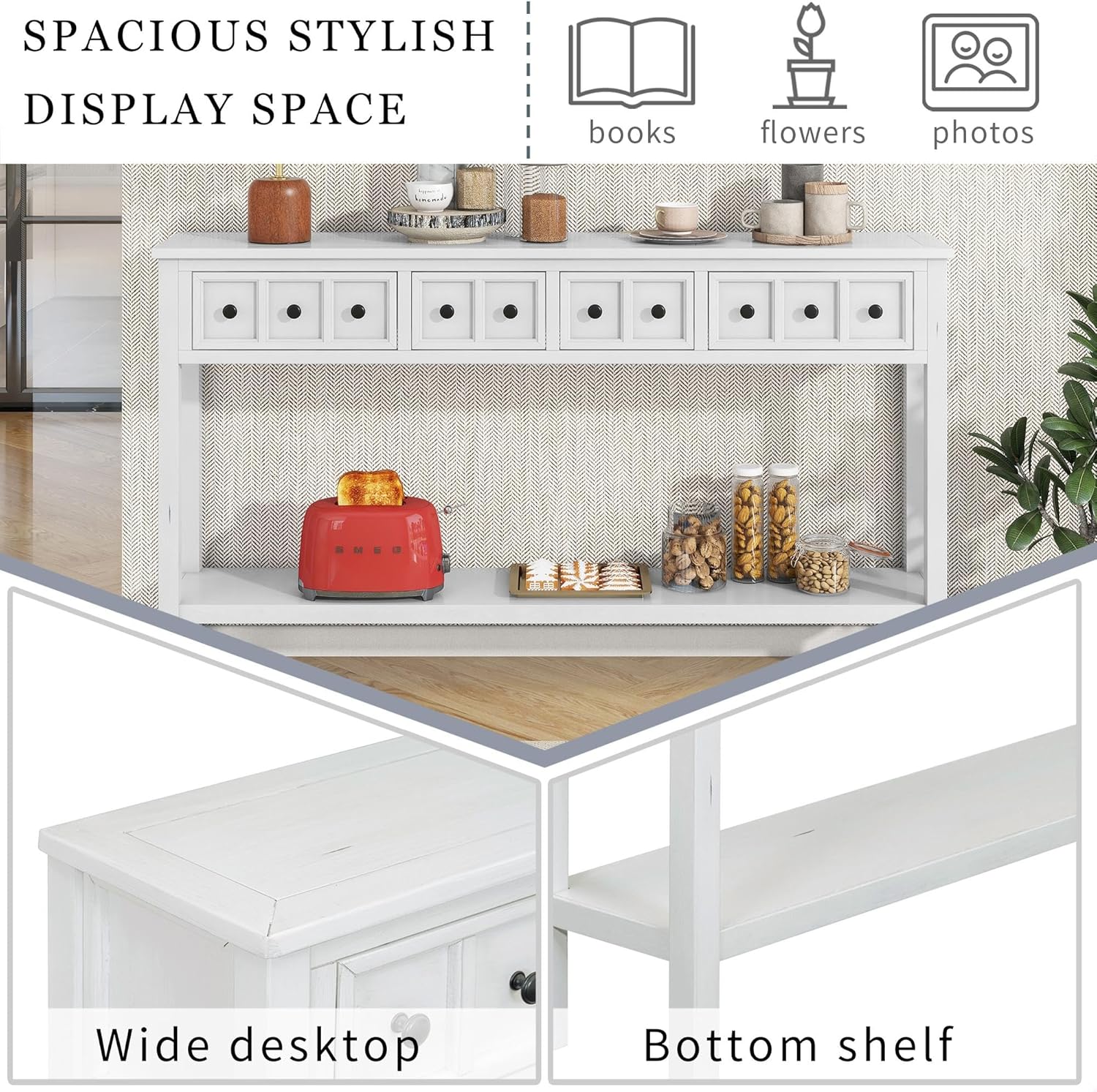
Image 4.3: The wide desktop and functional bottom shelf provide ample display and storage space.
Step 4.4: Reverse Drawer Knobs
The drawer knobs may be installed on the inside for shipping protection. Unscrew them from the inside of each drawer and re-attach them to the outside.
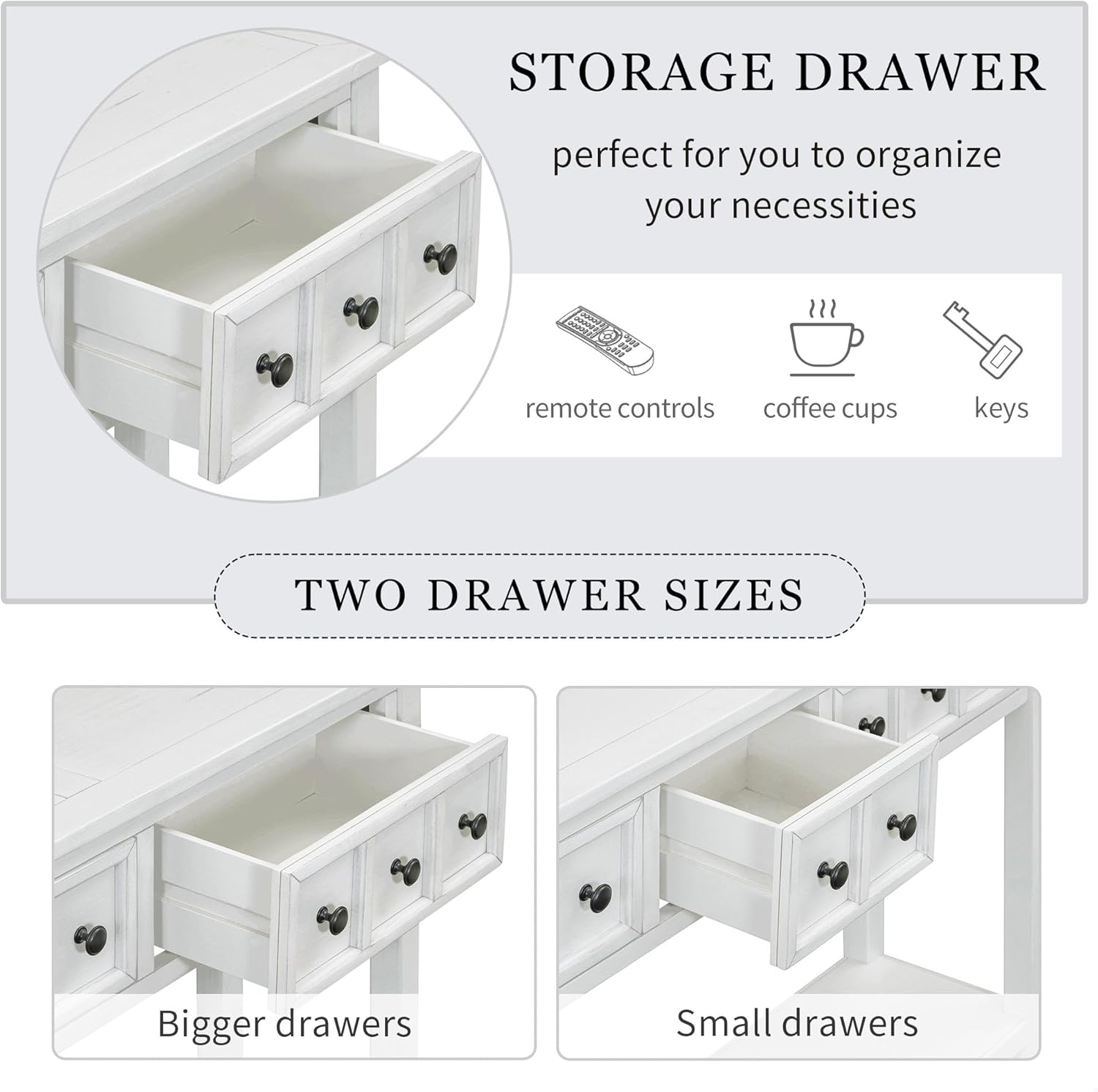
Image 4.4: The console table features two small and two large drawers for varied storage needs.

Image 4.5: A close-up view of one of the smaller drawers, highlighting the interior space.
Step 4.5: Final Check
Once all components are assembled, gently turn the table upright. Ensure all connections are secure and the table is stable before placing any items on it.
5. Operating Instructions
- Drawer Use: The four drawers are designed for storing small items such as keys, remote controls, or personal accessories. Pull gently on the knobs to open and push to close.
- Shelf Use: The fixed bottom shelf is ideal for displaying decorative items, books, or storing larger items in baskets.
- Top Surface: Use the top surface for decorative displays, lamps, or other light items. Avoid placing excessively heavy objects on the tabletop.
6. Maintenance
- Cleaning: Wipe the table surface with a soft, damp cloth. Avoid using harsh chemicals, abrasive cleaners, or polishes that may damage the finish.
- Spills: Immediately wipe up any spills to prevent staining or water damage.
- Protection: Use coasters under drinks and placemats under hot items to protect the surface.
- Regular Checks: Periodically check all screws and connections to ensure they remain tight. Retighten if necessary.
7. Troubleshooting
| Problem | Possible Cause | Solution |
|---|---|---|
| Table is wobbly. | Loose connections or uneven floor. | Check and tighten all screws. Ensure the table is on a level surface; use shims if needed. |
| Drawers are stiff or difficult to open/close. | New product stiffness or debris in tracks. | Drawers may loosen with use. Check for any obstructions in the drawer slides. |
| Knobs are loose. | Normal wear and tear. | Tighten the screws on the inside of the drawers that hold the knobs in place. |
8. Specifications
| Feature | Detail |
|---|---|
| Model Number | 329451 |
| Brand | GDFStudio |
| Color | Antique White |
| Material | Solid Wood, MDF with Ash Veneer, Pine Wood Legs |
| Product Dimensions (L x W x H) | 60" x 11" x 34" (152.4 cm x 27.9 cm x 86.4 cm) |
| Item Weight | 35.6 lbs (16.1 kg) |
| Weight Capacity | 46 lbs (20.8 kg) |
| Number of Drawers | 4 (2 small, 2 large) |
| Number of Shelves | 1 (bottom fixed shelf) |
| Assembly Required | Yes (minimal) |
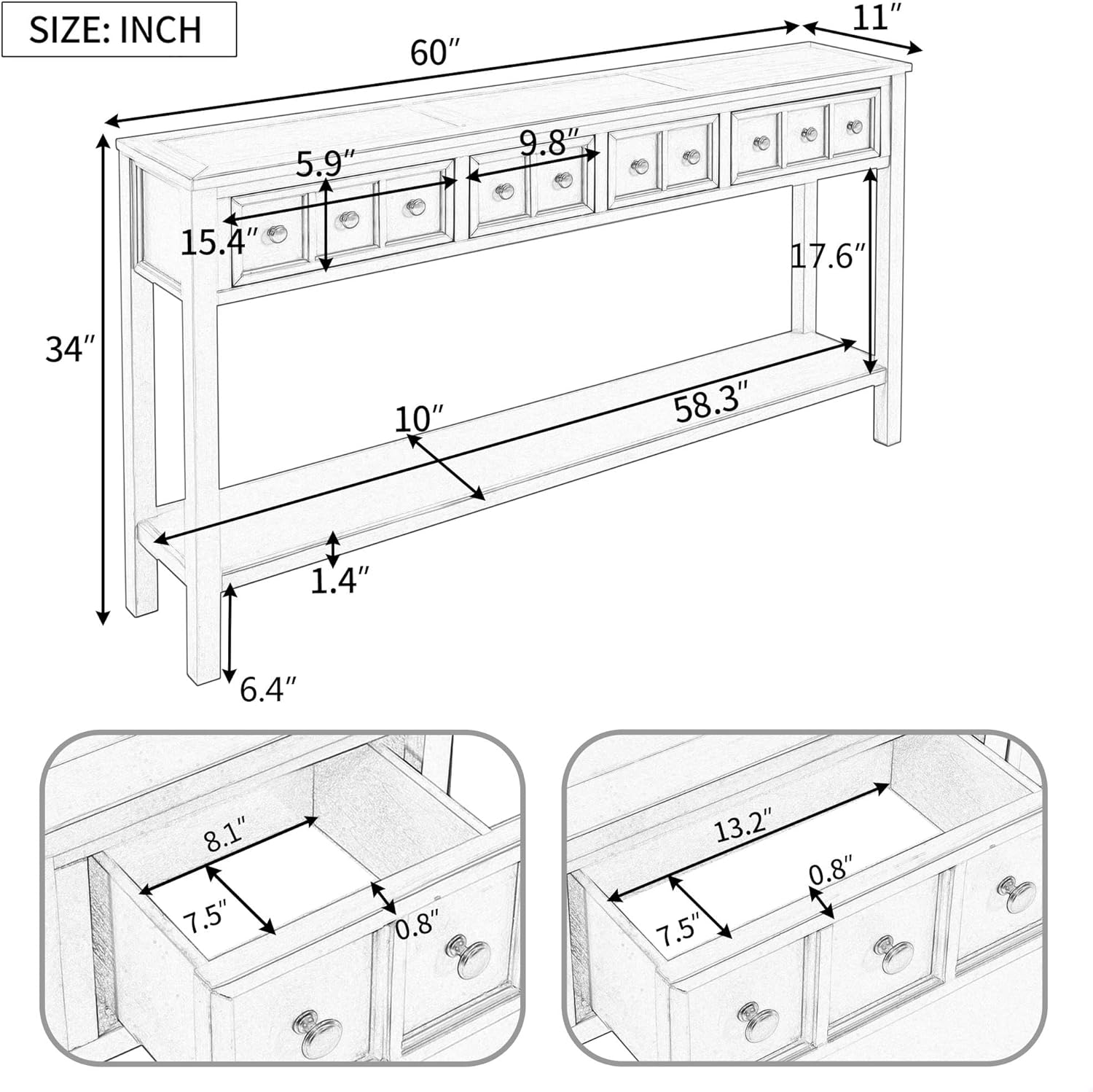
Image 8.1: Detailed dimensional drawing of the console table, including drawer sizes and overall measurements.
9. Warranty and Support
GDFStudio products are manufactured with quality and care. For specific warranty information, please refer to the documentation included with your purchase or visit the official GDFStudio website.
For customer support, missing parts, or assembly assistance, please contact GDFStudio directly through their official channels. Have your model number (329451) and purchase details ready for faster service.


