
Introduction
This manual provides essential information for using your Motorola Razr+ 2025 smartphone. It covers setup, operation, maintenance, and troubleshooting to ensure you get the most out of your device. The Motorola Razr+ 2025 features an iconic flip design, enhanced durability with IP48 water protection and a titanium-reinforced hinge, and an intelligent external display for convenient interaction. Powered by a Snapdragon processor, it offers robust performance and integrated moto ai features for an elevated user experience.
What's in the Box
- Motorola Razr+ 2025 Device
- USB Cable
- SIM Tray Ejector
- Guides
Product Overview
The Motorola Razr+ 2025 combines a classic foldable form factor with modern smartphone capabilities. Its design prioritizes both aesthetics and functionality.

Figure 1: Front view of the Motorola Razr+ 2025 when unfolded, showing the main display.

Figure 2: Side view of the Motorola Razr+ 2025 in its folded state, highlighting its compact form.

Figure 3: Back view of the Motorola Razr+ 2025 when folded, showing the external display and camera module.
Key Features:
- Foldable Design: Ultra-compact flip design for portability.
- External Display: Large, intelligent external display for quick interactions without opening the phone.
- Durability: IP48 water protection and a titanium-reinforced hinge.
- Camera System: 50MP camera with AI-powered features for enhanced photography.
- Performance: Snapdragon 8s Gen 3 processor for efficient operation.
- Battery: 4000mAh battery with 45W TurboPower charging support.
Setup
- Insert SIM Card:
Locate the SIM tray on the side of the device. Use the provided SIM tray ejector tool to open the tray. Insert your nano-SIM card(s) into the tray, ensuring proper orientation. Close the tray securely.
- Charge the Device:
Connect the USB cable to the phone's charging port and the other end to a compatible power adapter. Plug the adapter into a wall outlet. The phone will indicate charging status on its screen. For optimal charging speed, use a 45W TurboPower charger (sold separately).
- Power On:
Press and hold the Power button (usually on the side) until the Motorola logo appears. Follow the on-screen prompts to complete the initial setup, including language selection, Wi-Fi connection, and Google account setup.
Operating Instructions
Using the External Display
The external display allows for quick access to notifications, widgets, and camera functions without unfolding the phone.
- Accessing Widgets: Swipe left or right on the external display to navigate through various widgets like weather, calendar, and music controls.
- Notifications: Swipe down from the top to view notifications. Tap on a notification to expand it or open the corresponding app on the main screen (requires unfolding).
- Quick Settings: Swipe down further to access quick settings toggles like Wi-Fi, Bluetooth, and flashlight.
- Camera Access: Double-press the Power button or tap the camera icon on the external display to quickly launch the camera for selfies or quick shots.
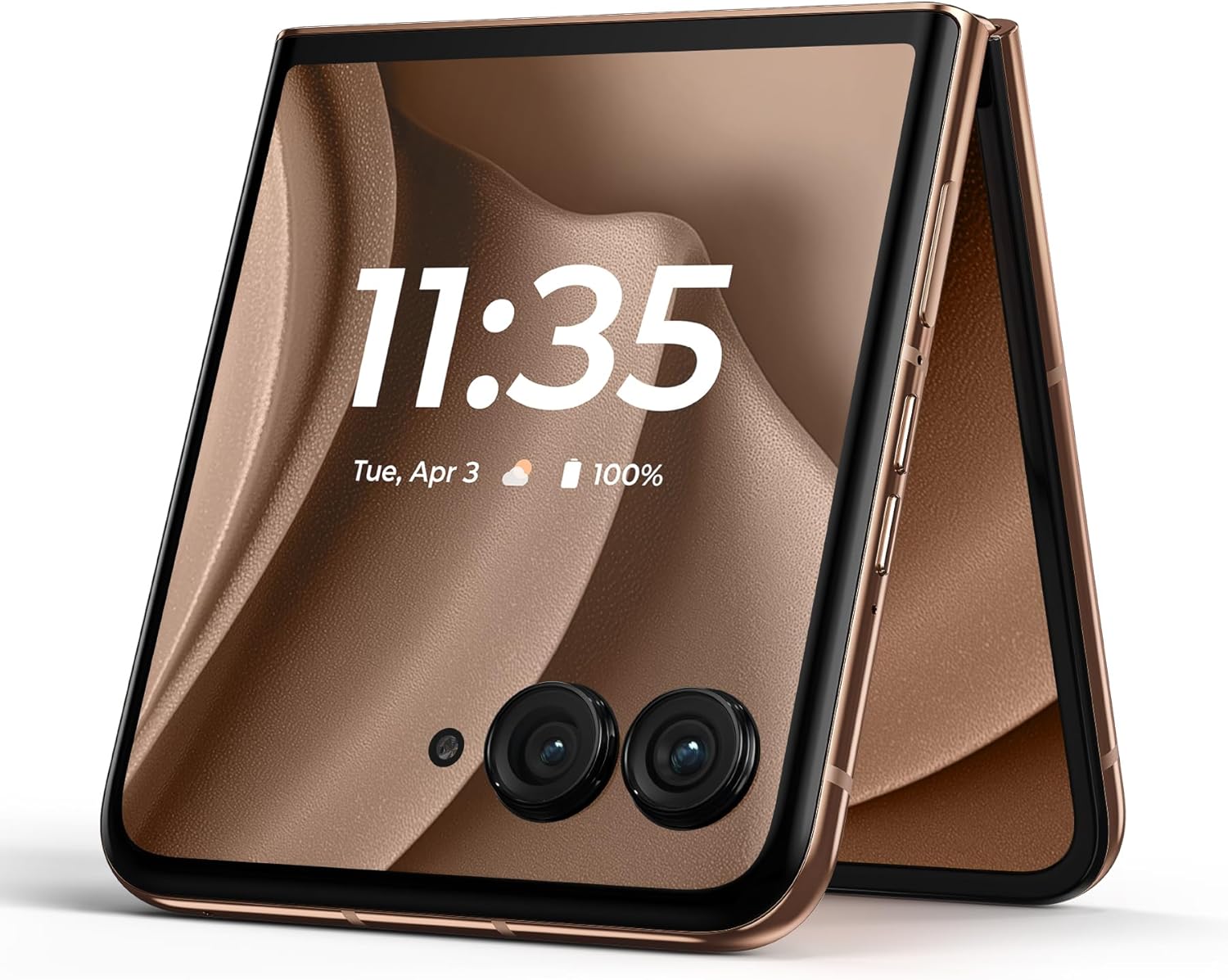
Figure 4: The external display of the Motorola Razr+ 2025 showing the time and date, ready for quick interactions.
Camera Features
The 50MP camera system, enhanced by moto ai, offers versatile photography options.
- Main Camera: Utilize the high-resolution main sensor for detailed photos in various lighting conditions.
- Telephoto Zoom: The camera supports telephoto zoom for capturing distant subjects with clarity.
- AI Enhancements: Moto ai assists with scene recognition, optimal settings, and advanced photo/video capabilities.
- Flex View: Partially fold the phone to use it as a tripod for stable shots or hands-free video calls.
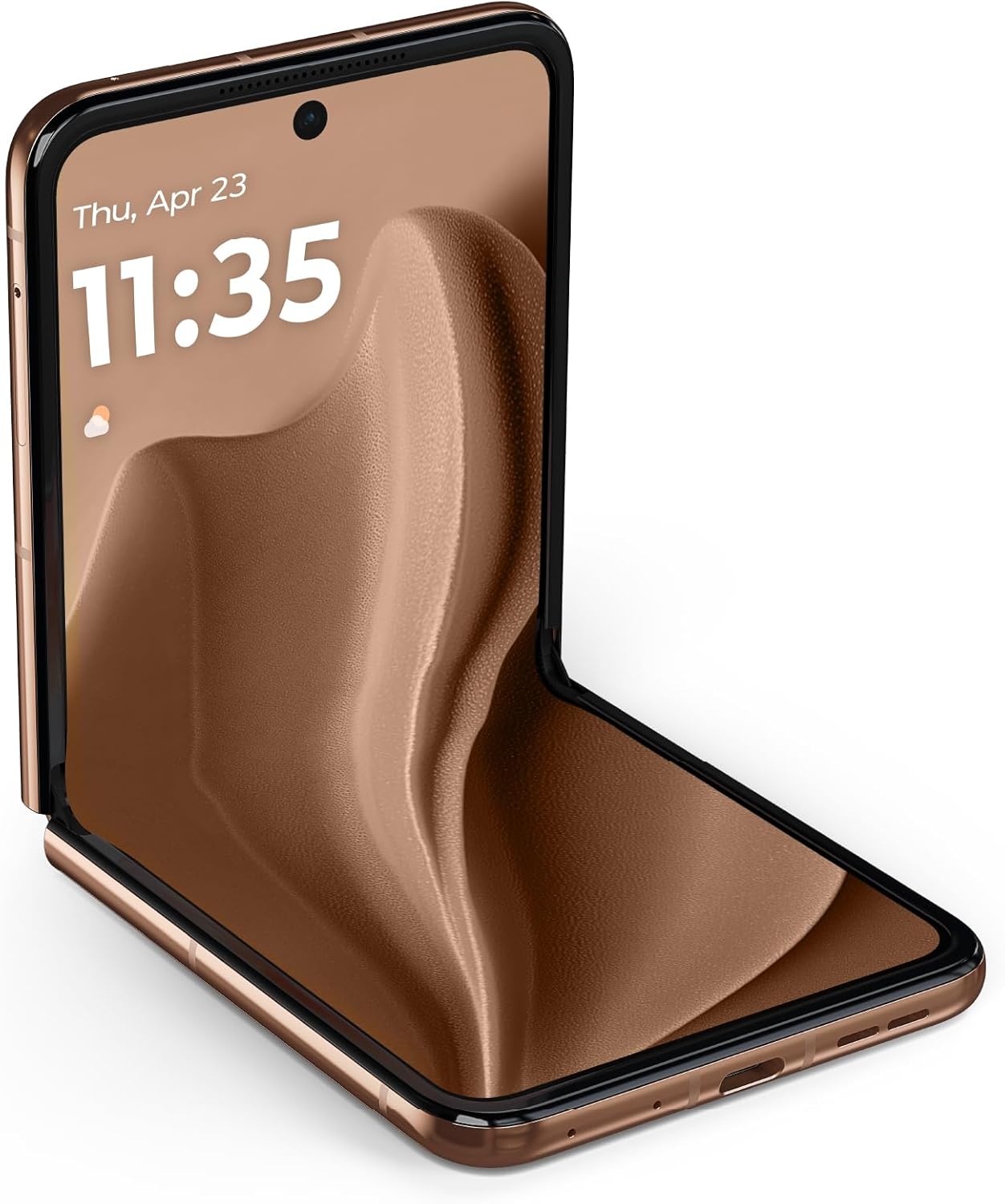
Figure 5: The Motorola Razr+ 2025 in a partially folded position, demonstrating its Flex View capability for photography.
moto ai Features
Moto ai integrates seamlessly to provide intelligent assistance and enhance productivity.
- Summarize Notifications: Moto ai can provide concise summaries of your notifications.
- Transcribe Meetings: Record and transcribe meetings for easy review.
- Research Topics: Instantly get information on various topics.
- Note: Motorola Account login and internet/cellular connection are required to access moto ai features.
Video 1: An official Motorola video showcasing the intelligent external display and AI features of the Razr+ 2025. This video highlights the phone's ability to display music controls, app shortcuts, and AI-powered interactions without needing to be fully opened. It also demonstrates the redesigned hinge and water protection.
Maintenance
- Cleaning: Use a soft, lint-free cloth to clean the screen and body. Avoid abrasive materials or harsh chemicals.
- Water Protection: The device has an IP48 water protection rating. While resistant to splashes and submersion up to 1.5m in fresh water for 30 minutes, it is not waterproof. Avoid exposure to pressurized water or liquids other than fresh water. Do not attempt to charge a wet phone.
- Hinge Care: The titanium-reinforced hinge is designed for durability. Avoid forcing the hinge or placing objects between the screens when folding.
- Screen Protection: The inner foldable screen is delicate. Avoid pressing hard objects onto it or exposing it to sharp items.
Troubleshooting
Common Issues and Solutions:
- Device Not Powering On: Ensure the battery is charged. Connect to a charger and wait a few minutes before attempting to power on again.
- Screen Unresponsive: Perform a forced restart by holding the Power button for approximately 10-15 seconds.
- Poor Battery Life: Adjust screen brightness, close unused apps, disable unnecessary background processes, and review battery usage in settings.
- Connectivity Issues (Wi-Fi/Bluetooth): Toggle Wi-Fi or Bluetooth off and on. Restart the device. Ensure you are within range of the network or paired device.
- moto ai Features Not Working: Verify you are logged into your Motorola Account and have a stable internet/cellular connection.
Specifications
| Feature | Detail |
|---|---|
| Model Name | Razr+ 2025 |
| Item Model Number | PB2J0019US |
| Operating System | Android 15 |
| CPU Model | Snapdragon 8s Gen 3 |
| CPU Speed | 3.01 GHz |
| RAM Memory Installed Size | 12 GB |
| Memory Storage Capacity | 256 GB |
| Main Display Size | 6.9 Inches |
| Main Display Resolution | FHD+ 2640 x 1080 |
| External Display Resolution | 1272 x 1080 |
| Refresh Rate | 165 Hz |
| Battery Capacity | 4000 Milliamp Hours |
| Product Dimensions | 0.28 x 2.91 x 6.75 inches |
| Item Weight | 11.6 ounces |
| Water Protection | IP48 (splash resistant, submersible up to 1.5m in fresh water for 30min) |
Warranty and Support
Your Motorola Razr+ 2025 comes with a standard manufacturer's warranty. For detailed warranty information, please refer to the warranty card included in your product packaging or visit the official Motorola support website. For technical support, troubleshooting assistance, or service inquiries, please visit motorola.com/support or contact Motorola customer service.
Protection plans are also available for extended coverage. Please check with your retailer or Motorola for available options.


