Introduction
The JOYROOM JR-JH2 Hybrid Active Noise Cancelling Headphones are designed to provide a superior audio experience with advanced features for comfort and convenience. These wireless over-ear headphones integrate Bluetooth 5.4 technology, active noise cancellation (ANC), and a long-lasting battery, making them suitable for various environments, from daily commutes to travel and relaxation.

Image: Front view of the JOYROOM JR-JH2 Hybrid Active Noise Cancelling Headphones. The headphones are black, with soft earcups and an adjustable headband, featuring the 'JOYROOM' logo on the side.
Setup
1. Charging the Headphones
- Connect the provided USB-C charging cable to the charging port on the headphones and to a compatible USB power source.
- The LED indicator will show the charging status. A full charge takes approximately 1.5 hours.
- The headphones feature an 800mAh battery, providing up to 100 hours of playback with ANC off, or 60 hours with ANC on.
2. Power On/Off
- To power on, press and hold the power button until the LED indicator lights up.
- To power off, press and hold the power button until the LED indicator turns off.
3. Bluetooth Pairing
- Ensure the headphones are powered on and in pairing mode (LED indicator flashing).
- On your device (smartphone, tablet, computer), enable Bluetooth and search for available devices.
- Select "JR-JH2" from the list of devices to connect.
- A voice prompt will confirm successful pairing. The headphones support Bluetooth 5.4 for a stable connection up to 10 meters and can connect to two devices simultaneously.
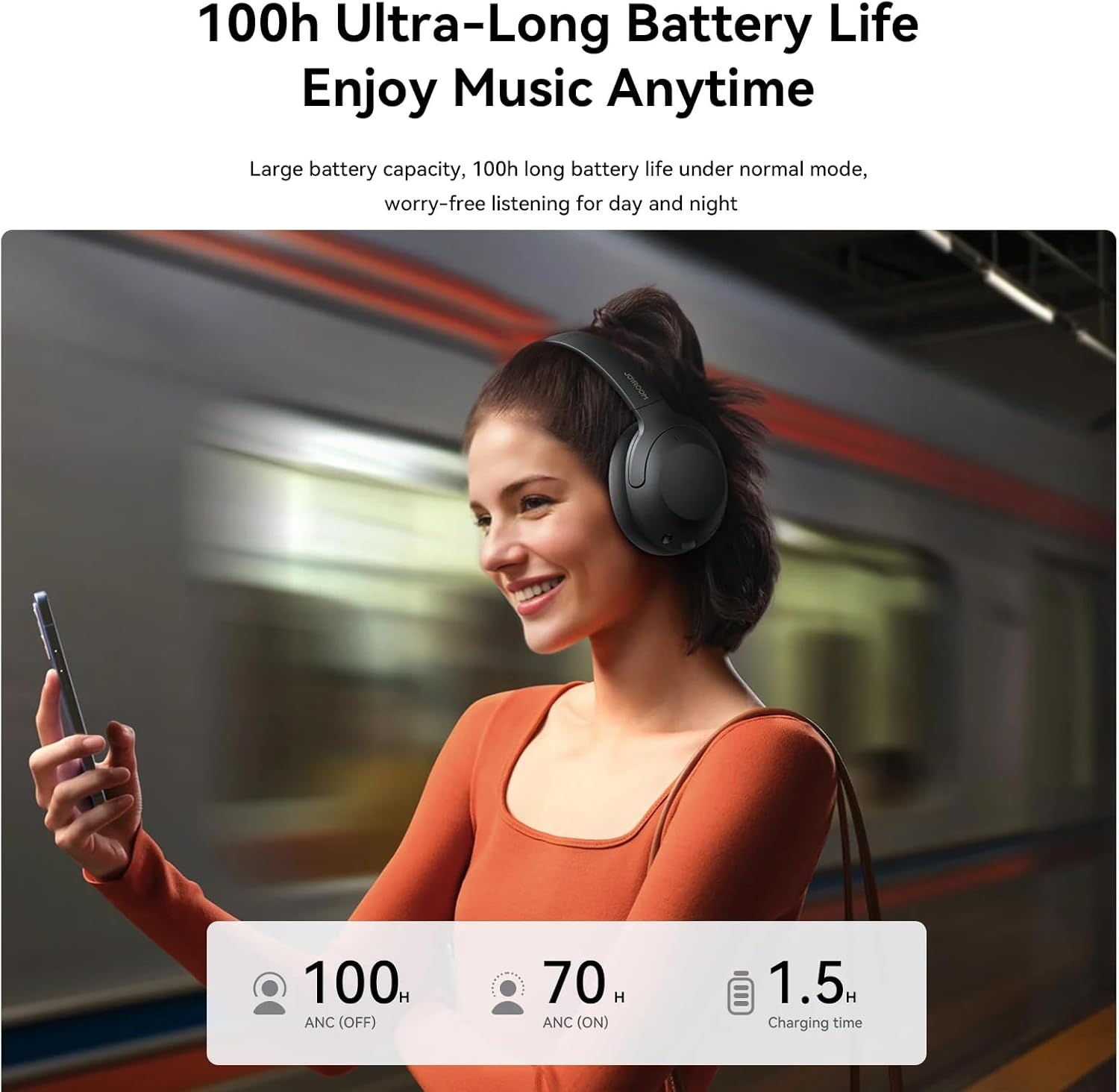
Image: Internal view highlighting the Bluetooth 5.4 chip. This illustrates the advanced Bluetooth 5.4 technology for faster and more stable connections, reducing audio loss and improving anti-interference capabilities.
4. Wired Connection
- For a wired connection, use the included 3.5mm audio adapter cable.
- Plug one end into the 3.5mm audio port on the headphones and the other end into your audio source.
- This allows for audio playback even when the headphone battery is depleted.

Image: The JOYROOM JR-JH2 headphones demonstrating both Type-C charging port and a 3.5mm AUX audio port, indicating flexibility for wired or wireless use.
Operating Instructions
1. Multifunctional Buttons
The headphones feature intuitive buttons for easy control of music, calls, and modes.

Image: Detailed diagram of the multifunctional buttons on the JOYROOM JR-JH2 headphones, illustrating controls for music, calls, voice assistant, and mode switching.
Music Function:
- Play/Pause: Click the power button.
- Volume Down: Click the "-" button.
- Previous Track: Press and hold the "+" button for 1 second.
- Volume Up: Click the "+" button.
- Next Track: Press and hold the "-" button for 1 second.
Call Function:
- Answer/End Call: Click the power button.
- Reject Call: When a call comes in, press and hold the power button for 1 second.
Voice Assistant:
- Activate/Turn Off: Triple-click the power button.
Mode Switch:
- Turn On/Off ANC: In music or standby status, click the ANC button.
- Turn On/Off Bass: In music status, triple-click the ANC button. (Note: When connecting for the first time, bass will be enabled by default. It is auto-memorized after the first shutdown.)
2. Active Noise Cancellation (ANC)
The JR-JH2 headphones feature hybrid active noise cancellation, combining active and passive noise reduction to minimize external noise by up to -38dB. This allows for an immersive listening experience by effectively blocking out environmental distractions.
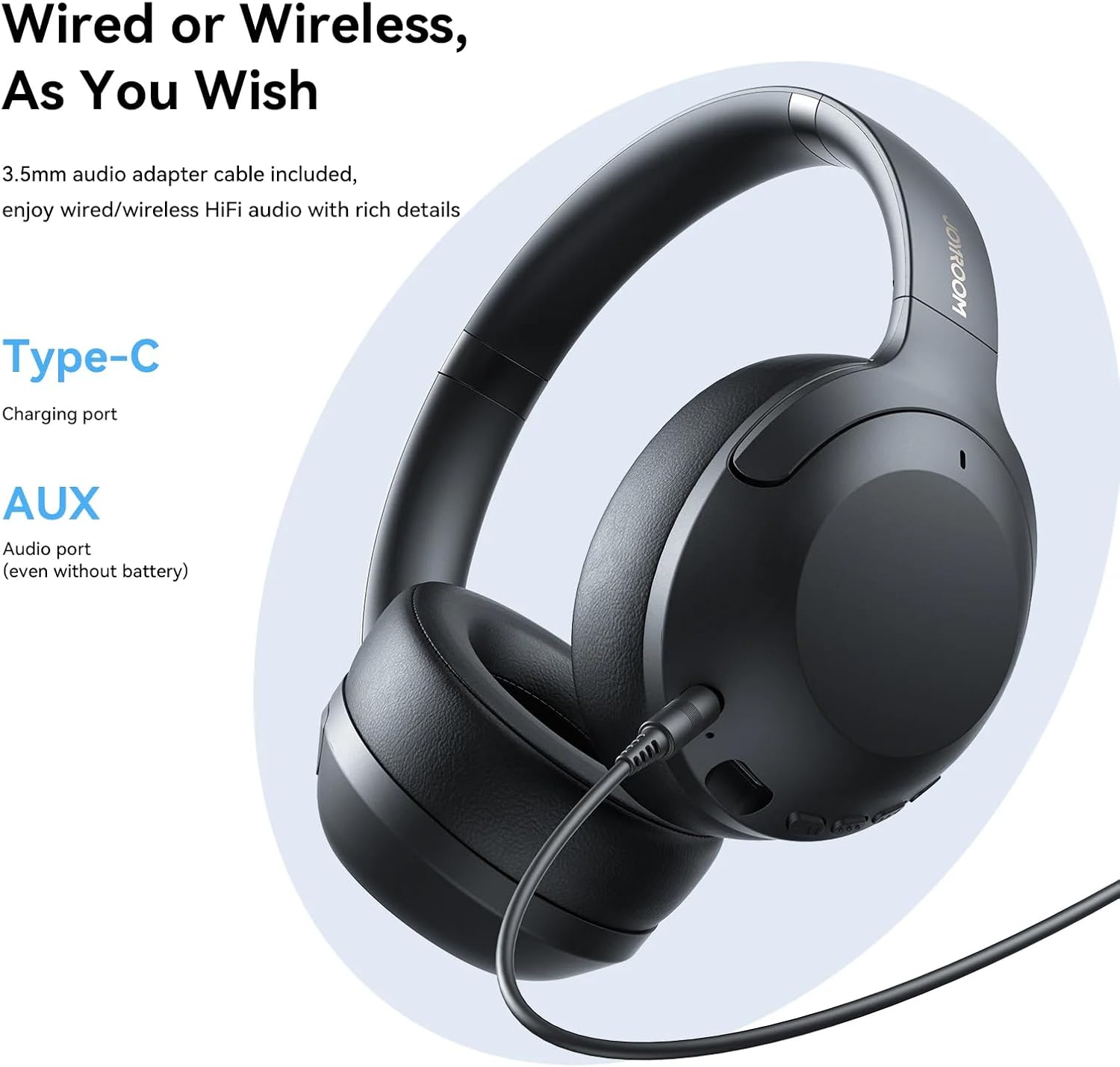
Image: Graphic illustrating the noise cancellation capability of the JOYROOM JR-JH2 headphones, showing a reduction in external noise. The image depicts a user wearing the headphones with a visual representation of sound waves being suppressed.
3. Transparency Mode
The headphones also offer a Transparency Mode, allowing you to hear your surroundings without removing the headphones. This mode is typically activated by cycling through the ANC modes using the ANC button.
4. EQ Modes and App Customization
The JR-JH2 headphones support two EQ modes for varied sound profiles. Additionally, customization options may be available via a dedicated app. Refer to the app's instructions for detailed customization features.
Maintenance
1. Cleaning
- Wipe the headphones with a soft, dry cloth.
- Do not use harsh chemicals or abrasive materials.
- Ensure charging ports and audio jacks are free from dust and debris.
2. Storage
- Store the headphones in a cool, dry place away from direct sunlight and extreme temperatures.
- The foldable design allows for compact storage and easy portability.

Image: The JOYROOM JR-JH2 headphones in a folded position, highlighting their lightweight build and foldable design for effortless portability and travel. An adjustable headband mechanism is also shown.
3. Wearing Comfort
The headphones are designed with full-size, soft PU ear cushions and an adjustable headband to ensure excellent fit and comfort during extended use.

Image: Close-up of the JOYROOM JR-JH2 earcups, emphasizing the ultra-soft PU ear cushions and multi-angle adjustment for pressure-free comfort and a snug fit.
Troubleshooting
Common Issues and Solutions:
- No Power: Ensure the headphones are fully charged.
- Cannot Pair: Ensure Bluetooth is enabled on your device and the headphones are in pairing mode. Try restarting both devices.
- No Sound: Check volume levels on both the headphones and your connected device. Ensure the correct audio output is selected on your device. If using a wired connection, ensure the cable is fully inserted.
- Poor Sound Quality: Move closer to your connected device to reduce interference. Ensure no physical obstructions are between the headphones and the device.
Factory Reset:
- To restore factory settings, with the headphones turned on, click the power button 5 times.
Specifications
| Feature | Detail |
|---|---|
| Brand | Joyroom |
| Model | JR-JH2 |
| Bluetooth Version | 5.4 |
| Bluetooth Codecs | SBC, AAC |
| Bluetooth Range | Up to 10 meters |
| Operating Time (ANC off) | Up to 100 hours |
| Operating Time (ANC on) | Up to 60 hours |
| Charging Time | 1.5 hours |
| Battery Capacity | 800 mAh |
| Charging Port | USB-C |
| Driver Size | 40mm |
| Frequency Response | 20Hz–20kHz |
| Weight | 236 g |
| Dimensions | 195 x 175 x 90 mm |
| Materials | ABS, PU, metal, silicone |
| Noise Control | Hybrid Noise Cancellation (up to -38dB) |
| Impedance | 32 Ohms |
| Sensitivity | 38 dB |
| Headphone Jack | 3.5 mm Jack |
Warranty and Support
For warranty information, please refer to the documentation provided with your purchase or contact the retailer where the product was acquired. Joyroom typically offers a manufacturer's warranty against defects in materials and workmanship.
For technical support, troubleshooting assistance beyond this manual, or inquiries regarding product service, please contact Joyroom customer support or your authorized retailer. Contact details can usually be found on the official Joyroom website or your purchase receipt.


