
1. Introduction
Thank you for choosing the Wantek 2025 Open-Ear Bone Conduction Headphones. These headphones are designed to provide a unique audio experience by transmitting sound through your cheekbones, leaving your ears open to ambient sounds. Featuring IP68 waterproofing, a built-in 32GB MP3 player, and Bluetooth 5.3 connectivity, they are ideal for various activities including swimming, running, and daily use.
This manual provides detailed instructions on how to set up, operate, and maintain your headphones to ensure optimal performance and longevity.
2. Safety Information
- Do not disassemble, repair, or modify the headphones. This may result in electric shock, fire, or product damage.
- Keep the headphones away from extreme temperatures, direct sunlight, and corrosive materials.
- Avoid listening at high volume levels for extended periods to prevent hearing damage.
- Ensure the magnetic charging port is dry before charging to prevent short circuits.
- When using in traffic or other potentially hazardous situations, maintain awareness of your surroundings.
- Dispose of the product and battery responsibly according to local regulations.
3. Package Contents
Please check that all items are present in your package:
- Wantek 2025 Bone Conduction Headphones
- Magnetic Charging Cable
- User Manual
- Silicone Strap (for tighter fit, if needed)
4. Product Overview
The Wantek 2025 headphones feature an ergonomic design for comfort and stability during various activities. Key components include bone conduction transducers, physical control buttons, a magnetic charging port, and an integrated microphone.

Image: Overview of Wantek 2025 headphones highlighting key features like Bluetooth 5.3, IP68 Waterproof, 8 hours battery life, 32GB MP3 memory, quick charge, Hi-Fi sound quality, lightweight design, and noise-canceling microphone.
4.1. Bone Conduction Technology
These headphones utilize bone conduction technology to deliver audio. Sound vibrations are sent through your cheekbones directly to your inner ear, bypassing the eardrum. This allows you to hear your audio while remaining aware of your surroundings.

Image: A diagram showing how bone conduction headphones transmit vibrations to the inner ear, contrasted with traditional headphones that send sound through the eardrum.
4.2. Control Buttons
The headphones feature intuitive physical buttons for easy control of playback, volume, calls, and mode switching.

Image: A close-up view of the headphone's side, showing three physical buttons for control.
5. Setup
5.1. Charging the Headphones
Before first use, fully charge your headphones. The headphones use a magnetic charging cable for waterproof integrity.
- Connect the magnetic charging cable to the charging port on the headphones. Ensure the magnetic connection is secure.
- Connect the USB end of the cable to a standard USB power adapter (not included) or a computer's USB port.
- The LED indicator on the headphones will show charging status. It typically takes about 1.5 hours for a full charge.
- A 5-minute quick charge provides approximately 30 minutes of playtime.

Image: A close-up of the magnetic charging port on the headphones connecting to its proprietary charging cable.
5.2. Powering On/Off
- Power On: Press and hold the Power button for 3 seconds until the LED indicator flashes.
- Power Off: Press and hold the Power button for 5 seconds until the LED indicator turns off.
5.3. Bluetooth Pairing
- Ensure the headphones are powered off.
- Press and hold the Power button for 5-7 seconds until the LED indicator flashes red and blue alternately, indicating pairing mode.
- On your device (smartphone, tablet, computer), enable Bluetooth and search for available devices.
- Select "Wantek 2025" from the list.
- Once connected, the LED indicator will flash blue slowly.
5.4. Transferring Music to MP3 Player (32GB Internal Storage)
The headphones have 32GB of internal storage for MP3 files, allowing you to listen to music without a connected device.
- Connect the headphones to your computer using the magnetic charging cable.
- The computer should recognize the headphones as a removable disk.
- Drag and drop your MP3 audio files into the recognized drive.
- Once files are transferred, safely eject the headphones from your computer before disconnecting the cable.
6. Operating Instructions
6.1. Switching Between Bluetooth and MP3 Modes
The headphones support dual modes. To switch:
- To switch modes: Double-tap the Multi-function button (usually the Power button). The headphones will announce the current mode.

Image: An illustration depicting the headphones' dual functionality with Bluetooth 5.3 and 32GB MP3 storage, capable of storing up to 8,000 songs.
6.2. Basic Controls
| Function | Action |
|---|---|
| Play/Pause | Single press the Multi-function button. |
| Volume Up | Single press the Volume + button. |
| Volume Down | Single press the Volume - button. |
| Next Track | Press and hold the Volume + button for 2 seconds. |
| Previous Track | Press and hold the Volume - button for 2 seconds. |
6.3. Call Functions
| Function | Action |
|---|---|
| Answer/End Call | Single press the Multi-function button. |
| Reject Call | Press and hold the Multi-function button for 2 seconds. |
| Activate Voice Assistant (Siri, Google Assistant) | Triple press the Multi-function button. |
6.4. Light Modes
The headphones feature an integrated light for enhanced visibility during night workouts or outdoor activities.
- Mode 1: Steady Light
- Mode 2: Flashing Light
- Mode 3: Off Light
To cycle through light modes, locate the dedicated light button (refer to product diagram if available) or consult the quick start guide for specific button presses.
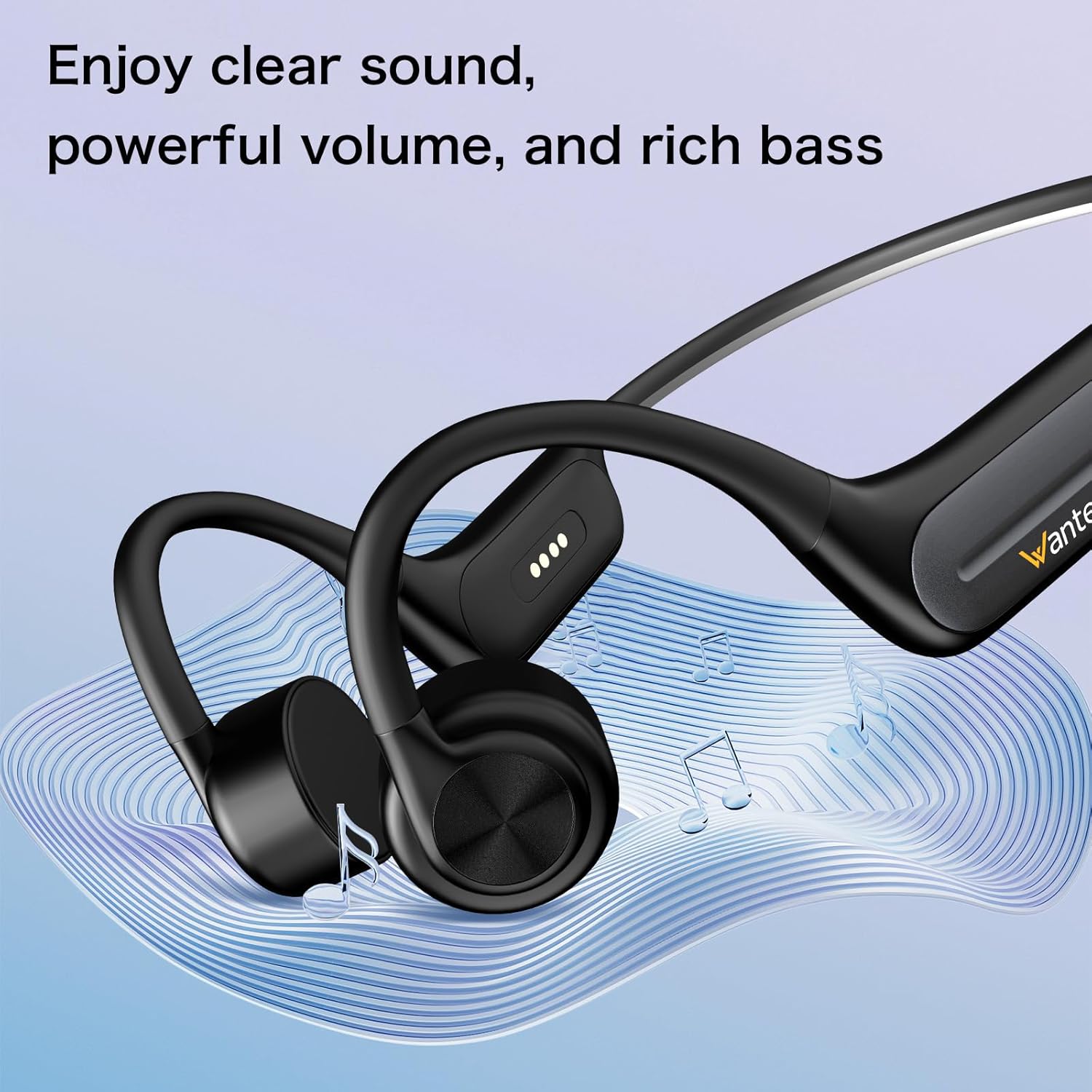
Image: A woman wearing the headphones during an outdoor activity, with a blue light visible on the back of the headband, enhancing visibility.
6.5. Dual Device Connection
The headphones support simultaneous connection to two Bluetooth devices, allowing seamless audio switching between them.
- Pair the headphones with the first device (e.g., smartphone) as described in Section 5.3.
- Turn off Bluetooth on the first device. The headphones will re-enter pairing mode.
- Pair the headphones with the second device (e.g., laptop).
- Turn on Bluetooth on the first device. The headphones should automatically connect to both devices.
- Audio will play from the device that is currently active or playing media.

Image: The Wantek headphones positioned between a smartphone and a laptop, illustrating their ability to connect to two devices simultaneously.
6.6. Waterproof Usage (IP68)
The IP68 rating means the headphones are fully waterproof and submersible up to 2 meters for 2 hours. They are suitable for swimming and other water sports.
- For underwater use, it is recommended to use the MP3 mode as Bluetooth signals do not transmit well through water.
- Ensure the magnetic charging port is clean and dry before and after water exposure.

Image: A person swimming in a pool while wearing the Wantek IP68 waterproof headphones, demonstrating their use in aquatic environments.
7. Maintenance
7.1. Cleaning
- Wipe the headphones with a soft, damp cloth after each use, especially after workouts or swimming.
- Do not use abrasive cleaners, solvents, or harsh chemicals.
- Ensure the charging port is free of debris and dry before charging.
7.2. Storage
- Store the headphones in a cool, dry place away from direct sunlight and extreme temperatures.
- Avoid placing heavy objects on the headphones.
8. Troubleshooting
| Problem | Possible Solution |
|---|---|
| Headphones won't power on. | Ensure the headphones are fully charged. Connect to the charger and wait for the LED indicator. |
| Cannot pair via Bluetooth. | Make sure headphones are in pairing mode (red/blue flashing LED). Turn off and on Bluetooth on your device. Forget previous connections and try pairing again. Ensure devices are within 10 meters. |
| No sound or low volume. | Adjust volume on both headphones and connected device. Ensure headphones are correctly positioned on your cheekbones. Check if the headphones are in the correct mode (Bluetooth/MP3). |
| MP3 files not playing or transferring. | Ensure files are in MP3 format. Reconnect to computer and verify the headphones are recognized as a storage device. Try a different USB port or computer. |
| Headphones not charging. | Check the magnetic connection of the charging cable. Ensure the charging port is clean and dry. Try a different USB power source. |
| Poor sound quality during swimming. | Bluetooth signal does not transmit well underwater. Switch to MP3 mode for optimal audio performance while swimming. |
9. Specifications
| Feature | Detail |
|---|---|
| Brand | Wantek |
| Model Number | 2025 |
| Ear Placement | Open Ear |
| Connectivity Technology | Wireless (Bluetooth 5.3) |
| Bluetooth Range | 10 Meters |
| Internal Storage | 32GB (MP3 Player) |
| Water Resistance | IP68 (Submersible up to 2 meters for 2 hours) |
| Battery Life | Up to 8 hours (Bluetooth), Up to 6 hours (MP3) |
| Charging Time | Approx. 1.5 hours |
| Quick Charge | 5 minutes for 30 minutes playtime |
| Audio Driver Type | Bone Conduction Driver |
| Frequency Range | 20 Hz - 20 KHz |
| Impedance | 8 Ohms |
| Sensitivity | 88 dB |
| Built-in Microphone | Yes (Noise-Canceling) |
| Control Type | Button Control |
| Material | ABS, Silicone, Titanium |
| Item Weight | 1.15 Ounces |
| Compatible Devices | iPhone, PC, Mac, Android, Laptops, Desktops, Tablets, Telephones, Cellphones |
10. Warranty & Support
10.1. Warranty Information
The Wantek 2025 Open-Ear Bone Conduction Headphones come with a 2-Year Warranty from the date of purchase. This warranty covers manufacturing defects and workmanship under normal use. It does not cover damage caused by misuse, accidents, unauthorized modifications, or normal wear and tear.
Please retain your proof of purchase for warranty claims.
10.2. Customer Support
For technical assistance, warranty claims, or any questions regarding your Wantek 2025 headphones, please contact our customer support team:
- Email: support@wantek.com (Example email, please refer to actual product packaging for contact details)
- Website: Visit the Wantek Store on Amazon
When contacting support, please provide your product model (Wantek 2025) and a detailed description of the issue.
11. Product Video Guide
Watch this official video for a visual guide on the Wantek Bone Conduction Open Ear Bluetooth Headphones:
Video: An official product video from Wantek demonstrating the features and usage of the Bone Conduction Open Ear Bluetooth Headphones. This video provides a comprehensive overview of the product in action.