Introduction
Thank you for choosing the SOBERNA M10 Bluetooth Speaker. This manual provides essential information for setting up, operating, and maintaining your device. Please read it carefully before use to ensure optimal performance and longevity of your speaker.
Package Contents
Please check the package for the following items:
- SOBERNA M10 Bluetooth Speaker
- Earbuds
- USB Charging Cable
- User Manual (this document)
Product Overview
The SOBERNA M10 is a portable wireless Bluetooth speaker designed for high-definition sound. It features IPX5 water resistance, extended playtime, and TWS pairing capability, making it suitable for various environments.
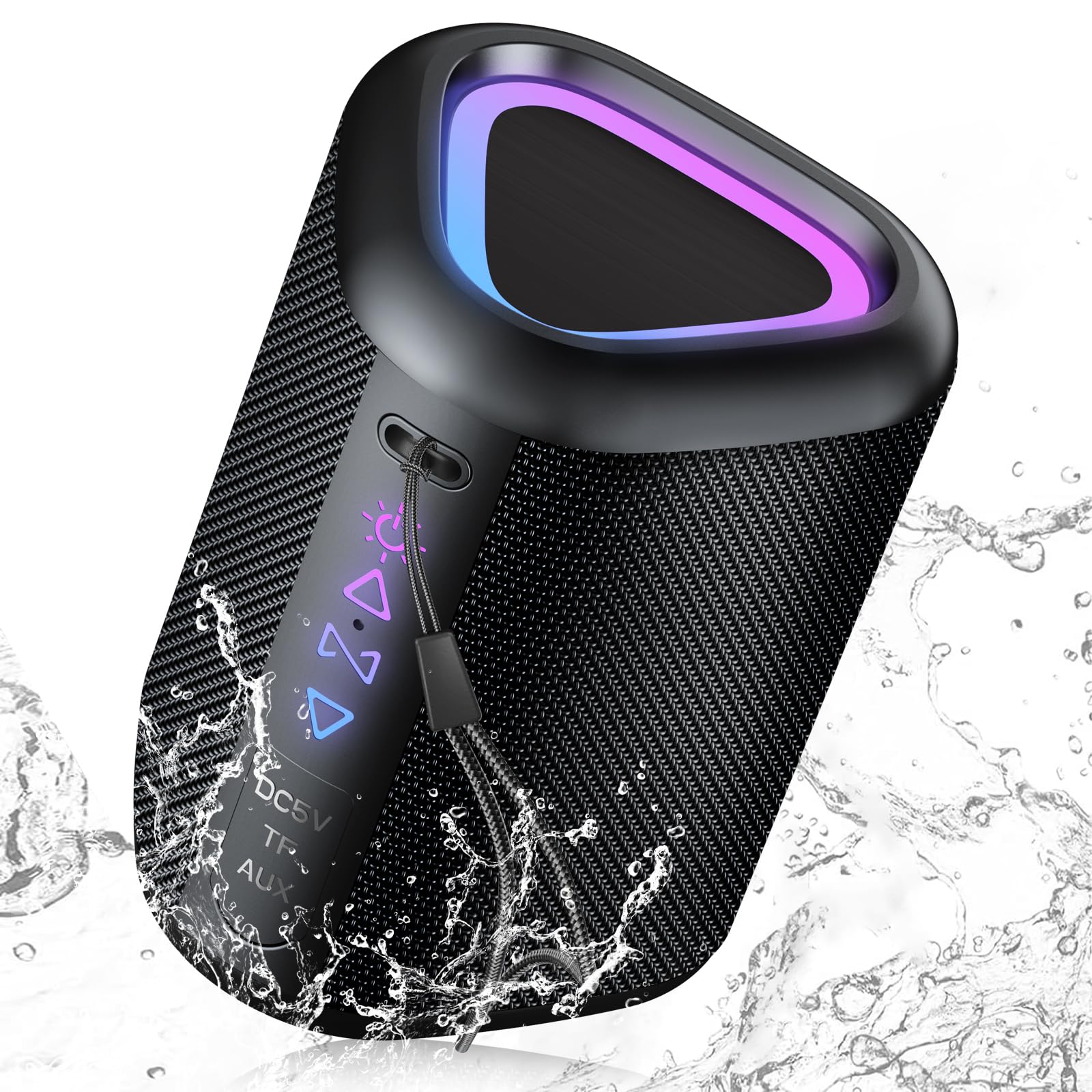
Image 1: Front view of the SOBERNA M10 Bluetooth Speaker. The speaker is black with a mesh-like texture on the sides. The top features an illuminated triangular panel displaying vibrant purple and blue LED lights. On the front, below the top panel, there are illuminated control icons and text indicating input ports like DC5V, TF, and AUX, suggesting charging, memory card, and auxiliary input options. Water splashes are depicted around the speaker, highlighting its IPX5 waterproof feature.
Setup Guide
1. Charging the Speaker
Before first use, fully charge the speaker. Connect the provided USB charging cable to the DC5V port on the speaker and the other end to a USB power adapter (not included) or a computer's USB port. The charging indicator light will show the charging status and turn off or change color once fully charged.
2. Powering On/Off
- Power On: Press and hold the Power button for approximately 3 seconds until you hear an audible prompt and the indicator light illuminates.
- Power Off: Press and hold the Power button for approximately 3 seconds until you hear an audible prompt and the indicator light turns off.
3. Bluetooth Pairing
- Ensure the speaker is powered on and in Bluetooth pairing mode (indicator light will flash).
- On your device (smartphone, tablet, etc.), enable Bluetooth and search for available devices.
- Select "SOBERNA M10" from the list of devices.
- Once paired, you will hear a confirmation sound, and the indicator light will remain solid.
4. True Wireless Stereo (TWS) Pairing
TWS allows you to connect two SOBERNA M10 speakers for a stereo sound experience.
- Ensure both SOBERNA M10 speakers are powered on and not connected to any other Bluetooth device.
- On one speaker, press and hold the TWS button (or a designated button, typically indicated by a chain link icon) for a few seconds. The speaker will enter TWS pairing mode.
- The two speakers will automatically connect to each other. You will hear a confirmation sound once TWS pairing is successful.
- Connect your device to one of the speakers via Bluetooth as described in step 3. The audio will now play in stereo through both speakers.
Operating Instructions
Basic Controls
| Button/Function | Action |
|---|---|
| Power Button | Press and hold for 3 seconds to Power On/Off. |
| Play/Pause | Press once to Play/Pause music. |
| Volume Up (+) | Press once to increase volume. Press and hold for next track. |
| Volume Down (-) | Press once to decrease volume. Press and hold for previous track. |
| Mode Button (M) | Press to switch between Bluetooth, TF Card, and AUX modes. |
| Light Mode Button | Press to cycle through different LED light modes or turn lights off. |
Using Different Modes
- Bluetooth Mode: After successful pairing, audio will stream wirelessly from your connected device.
- TF Card Mode: Insert a TF (MicroSD) card with audio files into the TF slot. The speaker will automatically switch to TF card mode and begin playback.
- AUX Mode: Connect an audio device using a 3.5mm AUX cable to the AUX port. The speaker will automatically switch to AUX mode.
IPX5 Water Resistance
The SOBERNA M10 speaker is rated IPX5 water-resistant, meaning it can withstand splashes and light rain. It is not designed to be submerged in water. Ensure all port covers are securely closed before exposing the speaker to water.
Care and Maintenance
- Cleaning: Use a soft, dry cloth to clean the speaker's surface. Do not use abrasive cleaners, alcohol, or chemical solvents.
- Storage: Store the speaker in a cool, dry place away from direct sunlight and extreme temperatures when not in use for extended periods.
- Battery Care: To prolong battery life, avoid fully discharging the battery frequently. Charge the speaker regularly, even if not in use, to maintain battery health.
- Water Resistance: Always ensure the rubber flap covering the charging and AUX ports is firmly sealed to maintain IPX5 water resistance.
Troubleshooting
| Problem | Solution |
|---|---|
| Speaker does not power on. | Ensure the speaker is charged. Connect it to a power source using the USB cable. |
| Cannot pair via Bluetooth. |
|
| No sound or low volume. |
|
| TWS pairing fails. |
|
Specifications
| Feature | Detail |
|---|---|
| Model Name | M10 |
| Brand | SOBERNA |
| Connectivity Technology | Bluetooth (BT5.3) |
| Speaker Type | 3D |
| Speaker Maximum Output Power | 180 Watts |
| Water Resistance Rating | IPX5 |
| Product Dimensions | 3"D x 3"W x 5"H |
| Battery | 1 12V battery required (internal, non-removable) |
| Playtime | Up to 30 hours (varies with volume and content) |
Warranty Information
SOBERNA products are designed and manufactured to the highest quality standards. This product is covered by a standard manufacturer's warranty against defects in materials and workmanship from the date of purchase. Please retain your proof of purchase for warranty claims. For specific warranty terms and conditions, please refer to the warranty card included with your product or contact customer support.
Customer Support
If you encounter any issues or have questions regarding your SOBERNA M10 Bluetooth Speaker, please do not hesitate to contact our customer support team. For the fastest service, please have your product model number and purchase details ready.
Contact Information:
- Email: support@soberna.com
- Website: www.soberna.com/support