
Introduction
This manual provides detailed instructions for the assembly, operation, and maintenance of your BROTTAR BD004WA Lighted Corner Display Cabinet. Designed to maximize space utilization, this cabinet features glass doors, adjustable LED lighting, and a smart human sensor, making it ideal for displaying collectibles and decorative items.
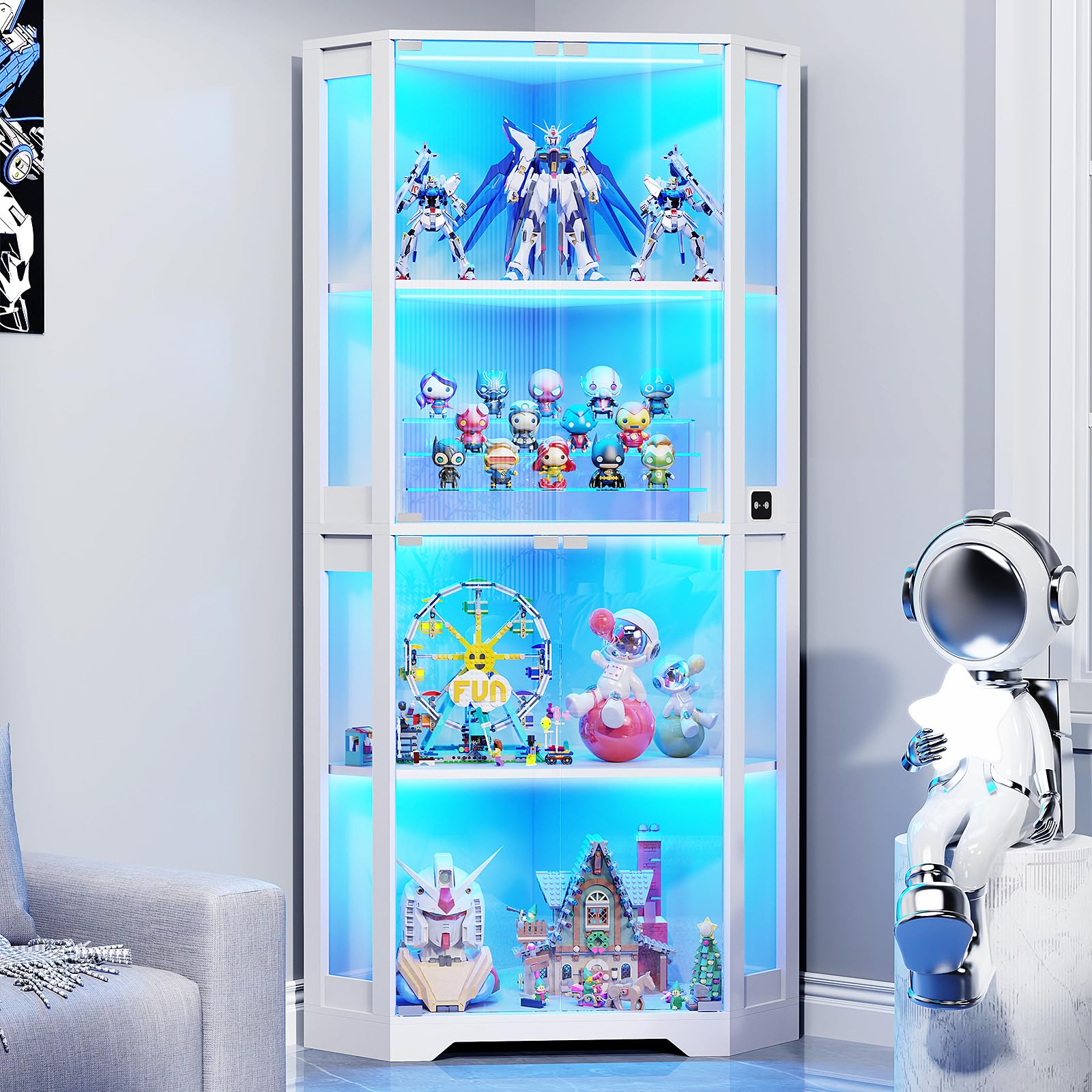
Image: The BROTTAR BD004WA Lighted Corner Display Cabinet in White.
Safety Information
- Weight Capacity: Do not exceed 40 lbs (18 kg) per shelf. Overloading shelves can compromise the cabinet's stability and integrity.
- Tipping Prevention: Ensure the cabinet is properly secured to the floor or wall to prevent tipping, especially in households with children or pets.
- Glass Handling: Exercise caution when handling glass components during assembly. Wear appropriate protective gear, such as gloves, to prevent injury.
- Electrical Safety: Ensure all electrical connections for the LED lighting are secure and follow local electrical codes. Do not expose electrical components to moisture.
Setup & Assembly
The BROTTAR BD004WA display cabinet is designed for straightforward assembly. All necessary instructions and tools are included in the package. For optimal results, follow the provided manual step-by-step.
Preparation:
- Unpack all components and verify against the parts list.
- Clear a spacious area for assembly.
- Consider using a cordless screwdriver for efficiency, but avoid overtightening screws to prevent damage.
- Have a second person assist, especially when handling the glass doors and stacking sections.
Assembly Tips:
- Acrylic Protectant: When peeling the protective film from acrylic panels, peel slowly from the opposite end to minimize residual film.
- Glass Doors: When installing glass doors, insert the top hinge first. Then, with the foam pad around the bottom of the glass door, slide the bottom into its carrier. Remove the foam pad once the door is seated. Do not overtighten screws on glass components.
- Cable Management: Pay attention to the back panels and their cable cut-outs to ensure proper routing of LED light wiring.

Image: Detailed dimensions and material breakdown of the display cabinet.
Video: Official product overview demonstrating the 65" Corner Display Cabinet with Glass Doors.
Operating Instructions
LED Lighting System:
The cabinet features built-in LED strips with three color options and adjustable brightness.
- Color Modes: Cycle through White Light, Warm Light, and Blue Light using the control panel.
- Brightness Adjustment: Adjust the light intensity from 0% to 100% to suit your display needs.
- Smart Human Sensor: The intelligent human body sensing system automatically turns the lights on when a person is detected within 2-3 meters and off when they leave. This feature can be toggled on or off via the control panel.
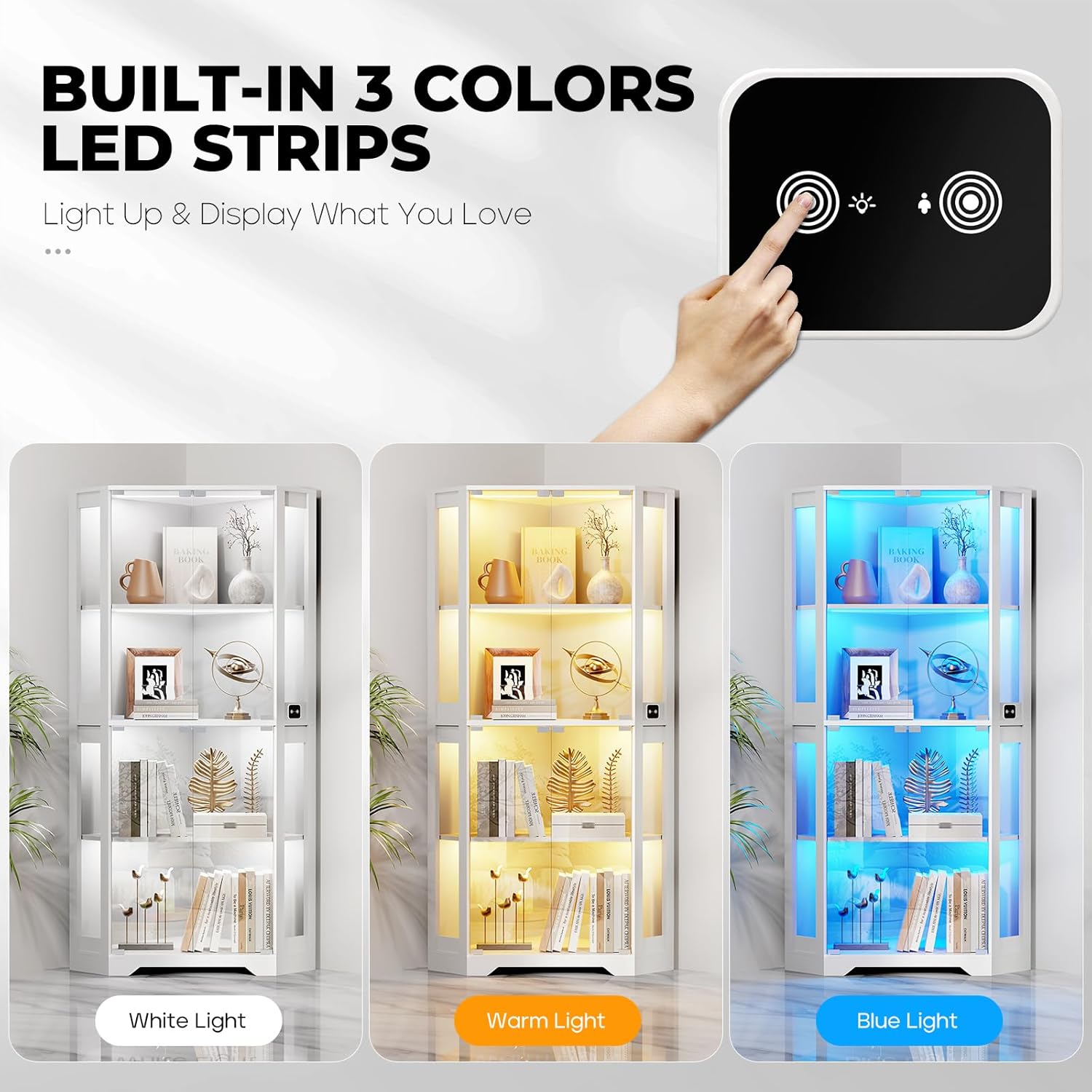
Image: The control panel for adjusting LED light color and brightness.

Image: The intelligent human sensor activating the cabinet lights as a person approaches.
Pop-Up Glass Doors:
The cabinet features magnetic glass doors with a handleless design for a clean aesthetic.
- Opening: Gently press the door to activate the pop-up mechanism and open.
- Closing: Push the door firmly until the magnetic catch engages, securing it closed.
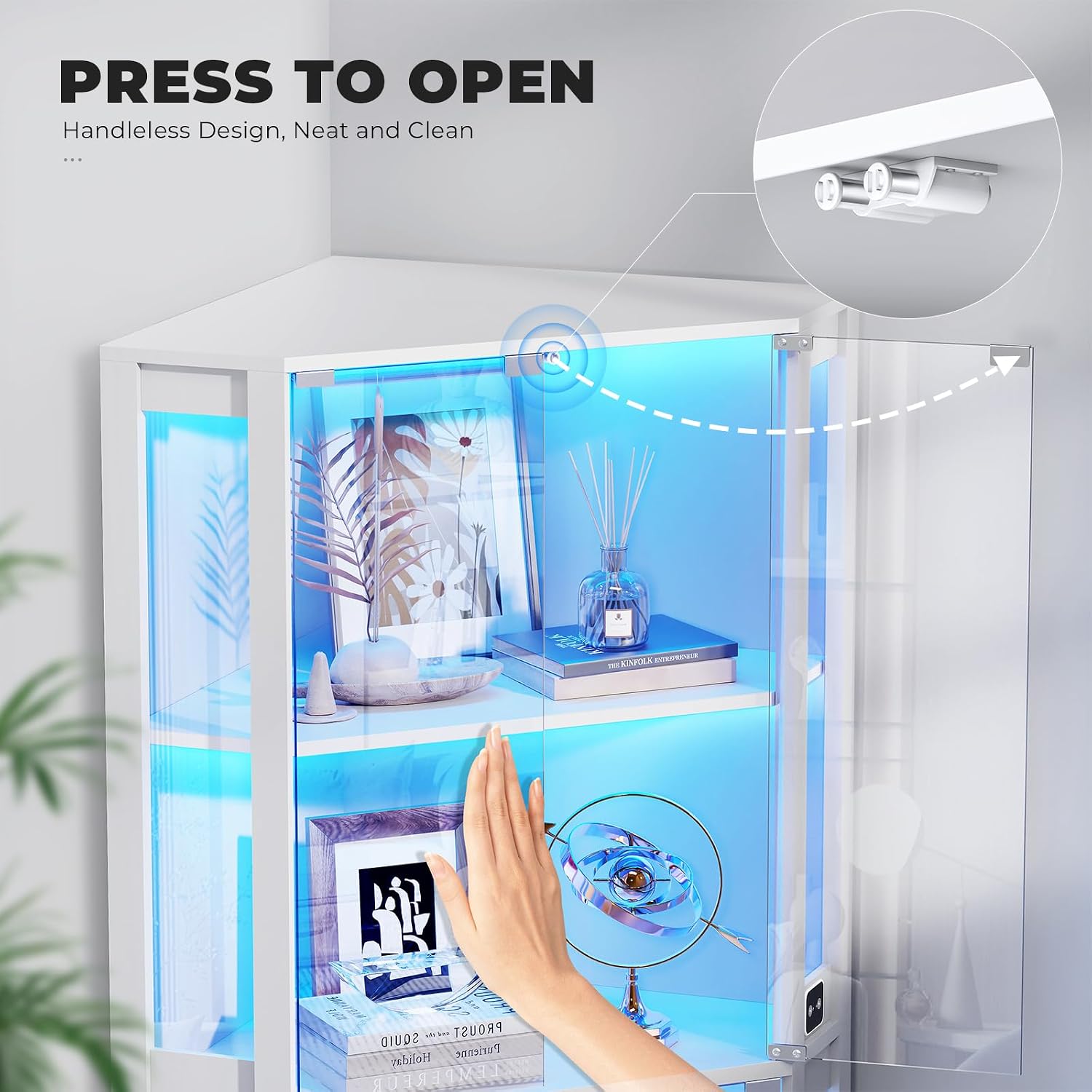
Image: Illustration of the 'Press to Open' mechanism for the glass doors.

Image: Details of the magnetic catch closures and stable hinges for the glass doors.
Maintenance
- Cleaning Glass: Use a soft, lint-free cloth and a non-abrasive glass cleaner to clean the glass doors and panels. Avoid harsh chemicals that may damage the finish.
- Cleaning Wood Surfaces: Wipe wood surfaces with a soft, damp cloth. Avoid excessive moisture. Do not use abrasive cleaners or polishes that could scratch the painted finish.
- Scratch Resistance: The cabinet's surfaces are not highly scratch-resistant. Handle items carefully when placing them inside to prevent scratches.
- Dusting: Regularly dust the interior and exterior with a dry, soft cloth to maintain clarity and appearance.
Troubleshooting
| Issue | Possible Cause | Solution |
|---|---|---|
| LED lights not turning on. | Power cable disconnected; sensor deactivated; faulty connection. | Check power connection. Ensure the smart sensor is activated via the control panel. Verify all internal wiring connections. |
| Smart sensor is too sensitive or not working. | Environmental factors; sensor obstruction; incorrect setting. | Ensure no objects are constantly in the sensor's range. Adjust sensitivity if possible via the control panel (refer to specific LED manual if provided). If the light stays on, try toggling the sensor setting off and on. |
| Glass doors are difficult to open/close or misaligned. | Improper hinge installation; magnetic catch misalignment. | Re-check hinge installation, ensuring they are not overtightened. Adjust magnetic catches if necessary. |
| Plastic on glass tears during removal, leaving residue. | Incorrect peeling technique. | Peel protective film slowly and from the opposite end. Use a soft cloth and mild adhesive remover for any stubborn residue. |
| Paint cracks or lifts when installing screws. | Overtightening screws; pilot holes not properly aligned. | Avoid overtightening screws. Ensure screws are aligned with pilot holes. This is often a cosmetic issue and does not affect structural integrity if not severe. |
Specifications
| Feature | Detail |
|---|---|
| Brand | BROTTAR |
| Model Number | BD004WA |
| Color | White |
| Material | Wood, Glass, Acrylic |
| Product Dimensions (D x W x H) | 14.2"D x 33.5"W x 65"H (36.07 cm D x 85.09 cm W x 165.1 cm H) |
| Item Weight | 81.6 pounds (37 kg) |
| Number of Shelves | 4 |
| Weight Capacity (per shelf) | Up to 40 lbs (18 kg) |
| Lighting Features | 3-Color LED Lights (White, Warm, Blue), Brightness Adjustable, Smart Human Sensor (2-3m induction) |
| Door Style | Pop-Up Glass Doors with Magnetic Catch Closures |
| Mounting Type | Floor Mount (Freestanding) |
| Assembly | Easy assembly with clear instructions and tools included. |
Warranty and Support
BROTTAR offers customer support for any questions or concerns regarding your display cabinet. Please refer to your purchase documentation for specific warranty details.
- Returns: This product typically includes a 30-day easy return policy. Please check with your retailer for specific return conditions.
- Customer Service: For assistance with assembly, parts, or product issues, please contact BROTTAR customer support through the retailer's platform or the contact information provided in your product packaging.