
Introduction
The SYNCO P2T is a wireless lavalier microphone system designed for use with Type-C Android devices. It offers stable transmission, advanced noise cancellation, and versatile voice effects, making it suitable for vlogging, live streaming, video recording, and online teaching.
What's in the Box
- Instruction manual x1
- Transmitter (TX) x2
- Receiver (RX) x1
- Wireless Charging Box x1
- Charging cable x1
Key Features
- Premium Finish: Precision spray-paint coating resists fingerprints and sweat.
- Advanced Noise Cancellation: Syncoder Transmission 3.0 and smart DSP chip for clear audio.
- Long-Lasting Battery: Up to 15 hours of continuous use with 1.5 hours charging; additional power from charging case.
- Seamless Connectivity: Plug-and-play functionality with 3-second pairing.
- Versatile Voice Effects: 9 unique voice effects including original, baby voice, male-to-female, female-to-male, robotic, studio, KTV, electronic, and rap.
- Reliable Long-Range Performance: Stable transmission up to 150 meters (line of sight).
Setup Guide
1. Charging the Devices
Before first use, ensure all components are fully charged. Place the transmitters (TX) and receiver (RX) into the wireless charging box. Connect the charging box to a power source using the provided charging cable.
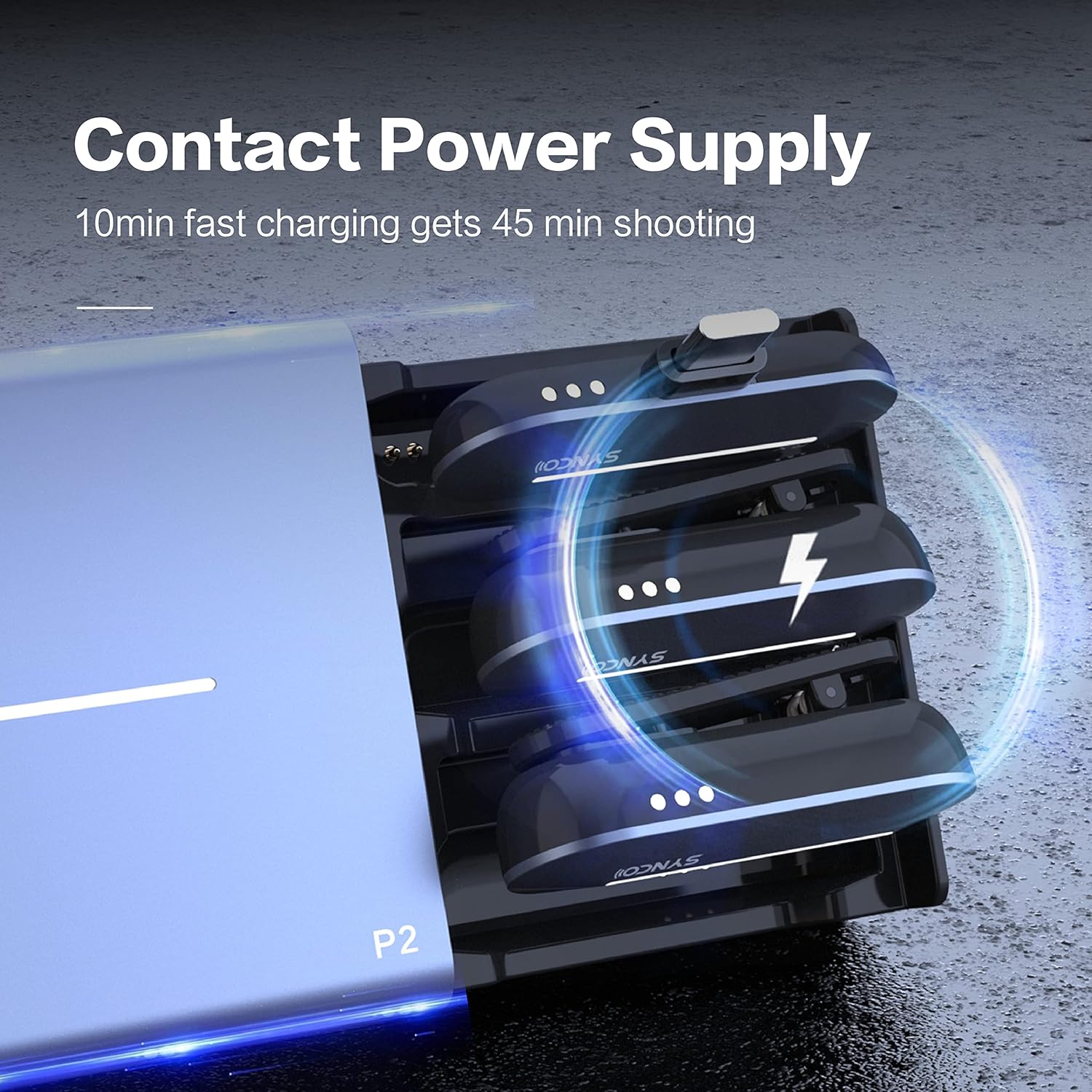
Image: The SYNCO P2T charging case with the transmitter and receiver units inserted, indicating the charging process with illuminated lights. The image highlights the contact power supply feature.
A 10-minute fast charge provides approximately 45 minutes of recording time. A full charge takes about 1.5 hours and provides up to 15 hours of continuous use.

Image: A drawer-style wireless charging case for the SYNCO P2T, illustrating how the transmitters are inserted and recharged. The case can refill the transmitters twice.
2. Connecting the Receiver (RX)
The SYNCO P2T receiver is designed for Type-C Android devices. Simply plug the receiver directly into the USB Type-C port of your smartphone or tablet. No additional drivers or software are required.

Image: The SYNCO P2T system, showing the charging case, a receiver connected to a smartphone, and two transmitters. This illustrates the plug-and-play functionality.
3. Pairing the Transmitters (TX)
The transmitters and receiver are designed for automatic pairing. Once the receiver is plugged into your device and the transmitters are removed from the charging case, they should pair automatically within 3 seconds. A solid indicator light on both units confirms a successful connection.
Operating Instructions
1. Wearing the Transmitter
Clip the transmitter onto your clothing, ensuring the microphone is positioned close to your mouth for optimal sound capture. The vertical in-out design enhances ergonomic comfort.

Image: The compact design of the SYNCO P2T transmitter and receiver, with measurements indicating their small form factor, suitable for mobile use.
2. Recording Audio
Once connected, open your preferred audio or video recording application on your smartphone. The SYNCO P2T will be recognized as the external microphone. Begin recording as usual.
3. Voice Effects
The P2T features 9 unique voice effects. Press the designated button on the transmitter to cycle through these effects: original, baby voice, male-to-female, female-to-male, robotic, studio, KTV, electronic, and rap. Real-time monitoring allows you to hear the effect as you speak.

Image: The SYNCO P2T system illustrating the "Real-time Magic Vocal Rendering" feature, with visual representations of various voice effects such as baby voice, male-to-female, and robotic transformations.
4. Noise Cancellation
The P2T is equipped with a smart DSP noise reduction chip. This feature automatically minimizes ambient noise, providing crystal-clear sound quality even in challenging audio environments.

Image: The SYNCO P2T receiver connected to a smartphone, demonstrating the encrypted transmission capability over obstacles. Graphics show a stable transmission range of 150 meters line-of-sight and 50 meters non-line-of-sight.
Maintenance
- Cleaning: Use a soft, dry cloth to clean the microphone and charging case. Avoid using liquids or abrasive cleaners.
- Storage: Store the devices in the charging case when not in use to protect them and keep them charged.
- Battery Care: To prolong battery life, avoid fully discharging the devices frequently. Charge them regularly.
Troubleshooting
| Problem | Possible Cause | Solution |
|---|---|---|
| No sound output |
|
|
| Poor audio quality / Noise |
|
|
| Transmitter not charging |
|
|
Specifications
| Feature | Detail |
|---|---|
| Brand | SYNCO |
| Model Name | P2T |
| Item Model Number | Synco P2T Microphone |
| Microphone Form Factor | Lavalier |
| Connectivity Technology | Bluetooth |
| Connector Type | USB Type-C |
| Number of Channels | 1 |
| Special Feature | Clip, Noise Reduction |
| Compatible Devices | Smartphone |
| Power Source | Battery Powered |
| Transmission Range | Up to 150 meters (line of sight) |
| Battery Life | Up to 15 hours (continuous use) |
| Charging Time | Approx. 1.5 hours |
| Item Weight | 8 ounces |
| Package Dimensions | 5 x 4 x 2 inches |
Official Product Videos
Video: An official product video demonstrating the features and usage of the SYNCO P2T microphone system. (Duration: 4:54)
Video: A detailed overview video showcasing the capabilities and benefits of the SYNCO P2T wireless microphone. (Duration: 6:06)
Warranty and Support
SYNCO products are manufactured to high-quality standards. For warranty information and customer support, please refer to the official SYNCO website or contact their customer service directly. Keep your purchase receipt as proof of purchase for warranty claims.
Manufacturer: Synco
Date First Available: March 24, 2025


