
Introduction
This manual provides detailed instructions for the proper use and maintenance of your summina Dual Footswitch Pedal. Please read this manual thoroughly before operating the device to ensure safe and optimal performance. Keep this manual for future reference.
Safety Information
Observe the following safety precautions to prevent damage to the device or injury to yourself:
- Do not expose the device to water or excessive moisture.
- Avoid extreme temperatures.
- Do not attempt to disassemble or modify the device. Refer all servicing to qualified personnel.
- Ensure the device is placed on a stable surface during use to prevent accidental falls.
Package Contents
Verify that all items are present in the package:
- 1 x summina Dual Footswitch Pedal
- 1 x Instruction Manual
Product Overview
The summina Dual Footswitch Pedal is designed to provide seamless control over speaker effects or other compatible devices. It features a durable construction, ergonomic design, and LED indicators for clear status visibility.

Image: Top view of the summina Dual Footswitch Pedal, showing the 'A' and 'B' footswitches, 'LATCH' label, 'TRS' input, and LED indicators.
Key Features:
- Dual Footswitch Design: Allows control of two separate functions (A and B).
- LED Indicators: Integrated LEDs provide clear visibility of the active state for each switch.
- Latch Function: Each switch maintains its state (on/off) until pressed again.
- Ergonomic "Mushroom Head" Design: Provides a large, comfortable activation area and prevents slipping.
- Low Height Profile: Designed for effortless activation, reducing foot strain.
- Plug-and-Play: No external power supply required for operation.
- Durable Construction: Features a metal base plate for enhanced stability and a non-slip mat.
- Compact and Portable: Small form factor for easy transport and integration into pedalboards.

Image: A hand holding the compact summina Dual Footswitch Pedal, highlighting its metal base, built-in lock functionality, and small body for portability.
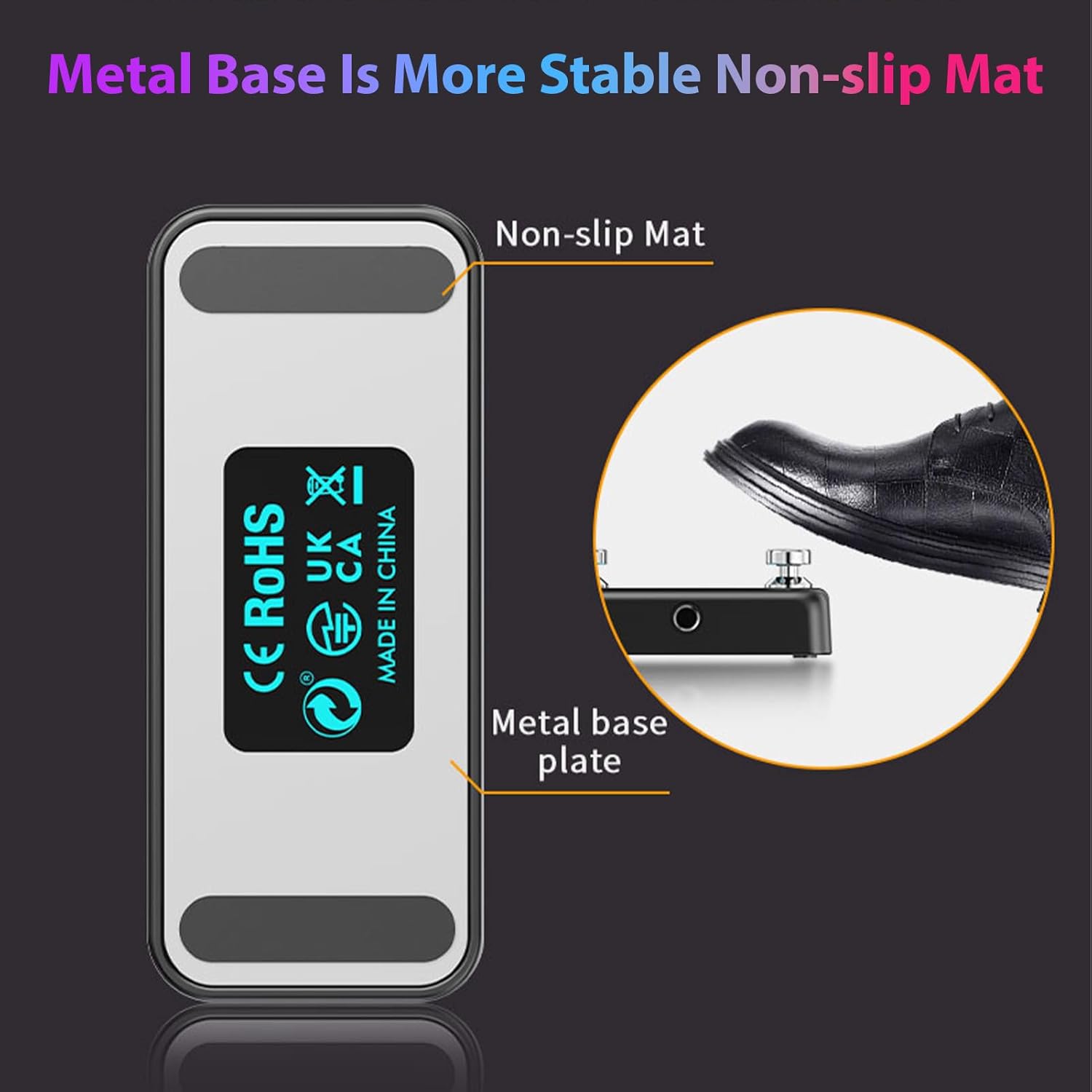
Image: Bottom view of the summina Dual Footswitch Pedal, illustrating the metal base plate and non-slip mat for stability during use.
Setup
Follow these steps to set up your summina Dual Footswitch Pedal:
- Connect the Cable: Obtain a standard 6.35mm (1/4 inch) TRS stereo cable (not included). Connect one end of the TRS cable to the "TRS" input jack on the summina Dual Footswitch Pedal.
- Connect to Device: Connect the other end of the TRS cable to the external footswitch input (e.g., EXP 2/FS jack) of your amplifier, effects processor, or other compatible audio device.
- Power On: Ensure your connected audio device is powered on. The footswitch pedal does not require external power.
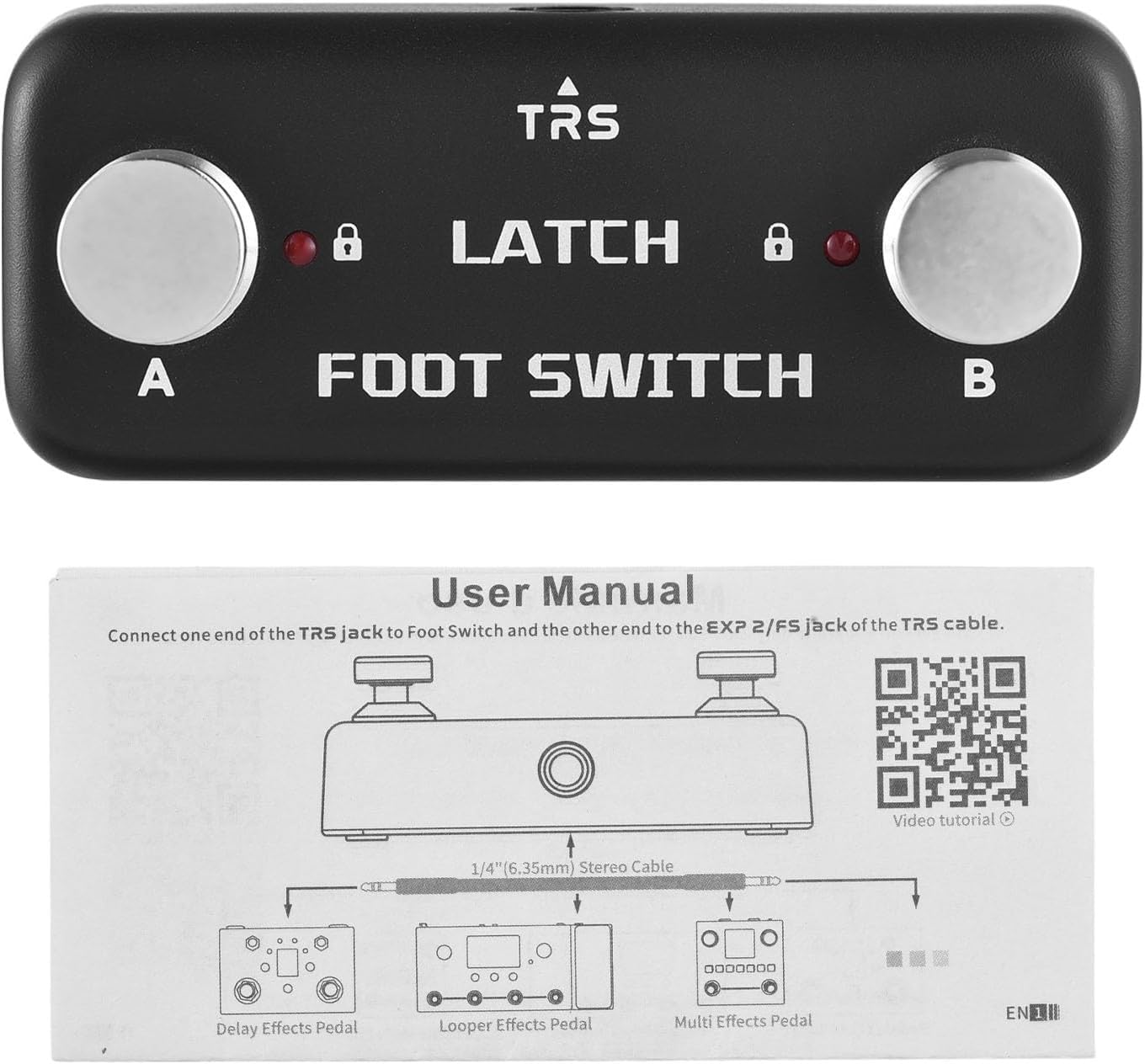
Image: A diagram illustrating how to connect the summina Dual Footswitch Pedal using a 1/4" (6.35mm) stereo cable to different types of effects pedals, such as Delay, Looper, and Multi-Effects pedals.
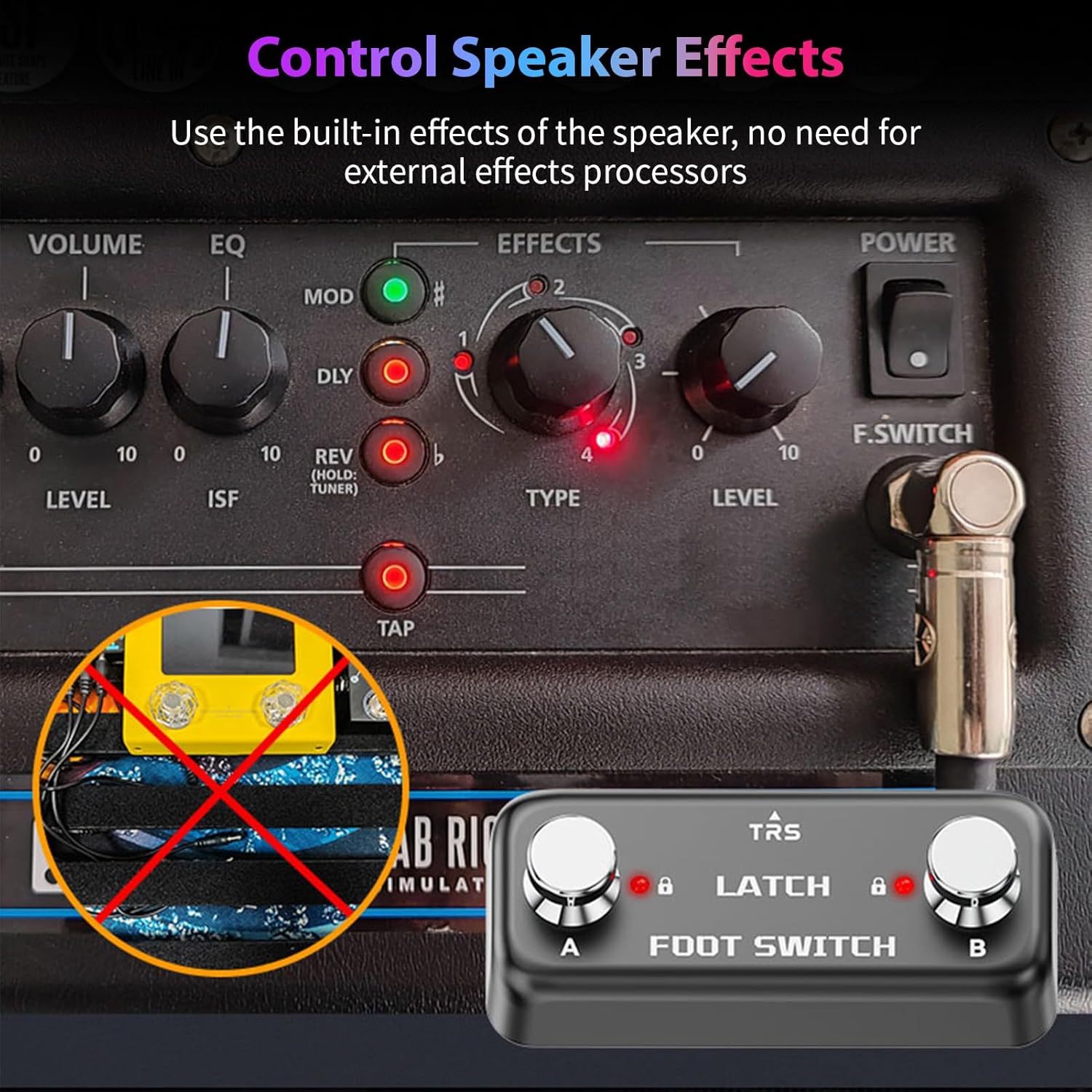
Image: The summina Dual Footswitch Pedal connected to the F.SWITCH input of a speaker amplifier, demonstrating its use for controlling speaker effects.
Operating Instructions
The summina Dual Footswitch Pedal provides simple, intuitive control:
- Activating Functions: Press either footswitch 'A' or 'B' to activate or deactivate the corresponding function on your connected audio device.
- LED Indicators: The red LED above each footswitch will illuminate when the corresponding function is active, providing visual feedback.
- Latch Functionality: Each press of a footswitch will toggle its state (on/off). The pedal will remain in the last selected state until pressed again.
- Preventing Accidental Activation: The pedal incorporates a lock function to prevent unintended changes. Ensure you understand how your connected device interprets the footswitch signals to utilize this feature effectively.
Maintenance
To ensure the longevity and proper functioning of your footswitch pedal:
- Cleaning: Wipe the pedal with a soft, dry cloth. Do not use abrasive cleaners or solvents.
- Storage: Store the pedal in a dry environment, away from direct sunlight and extreme temperatures.
- Inspection: Periodically check the cable connections and the footswitches for any signs of wear or damage.
Troubleshooting
| Problem | Possible Cause | Solution |
|---|---|---|
| Pedal does not respond. | Incorrect cable connection or faulty cable. | Ensure the 6.35mm TRS stereo cable is securely connected to both the footswitch and the audio device. Try a different TRS cable. |
| LEDs do not light up. | The connected device may not be supplying power or the pedal is not properly recognized. | Verify that your audio device is powered on and its footswitch input is active. Consult your audio device's manual for external footswitch compatibility and settings. |
| Footswitch functions are reversed or incorrect. | The connected audio device may interpret the footswitch signals differently. | Refer to your audio device's manual for settings related to external footswitches (e.g., normally open/closed, tip/ring assignment). Some devices allow customization of footswitch behavior. |
Specifications
| Feature | Detail |
|---|---|
| Brand | summina |
| Model Number | summinagvy5fgr0az |
| Material | Acrylonitrile Butadiene Styrene (ABS) |
| Connector Type | 6.35mm (1/4 inch) TRS Stereo Auxiliary |
| Dimensions (L x W x H) | 11 x 5 x 4 cm (4.3 x 2.0 x 1.6 inches) |
| Product Weight | 140 g (4.9 oz) |
| Color | Black |
| Country of Origin | China |

Image: A visual representation of the summina Dual Footswitch Pedal's dimensions, showing its length (9.5cm/3.7in), width (4cm/1.6in), and height (3.5cm/1.4in).
Warranty and Support
For warranty information or technical support, please contact your retailer or the manufacturer directly. Keep your purchase receipt as proof of purchase.
Manufacturer: summina
For further assistance, please visit the summina Brand Store.