
1. Setup
This replacement accessories kit is designed for full compatibility with your 3i P10 Ultra robot vacuum cleaner. Proper installation and timely replacement of these components are essential for maintaining optimal cleaning performance and extending the lifespan of your device.
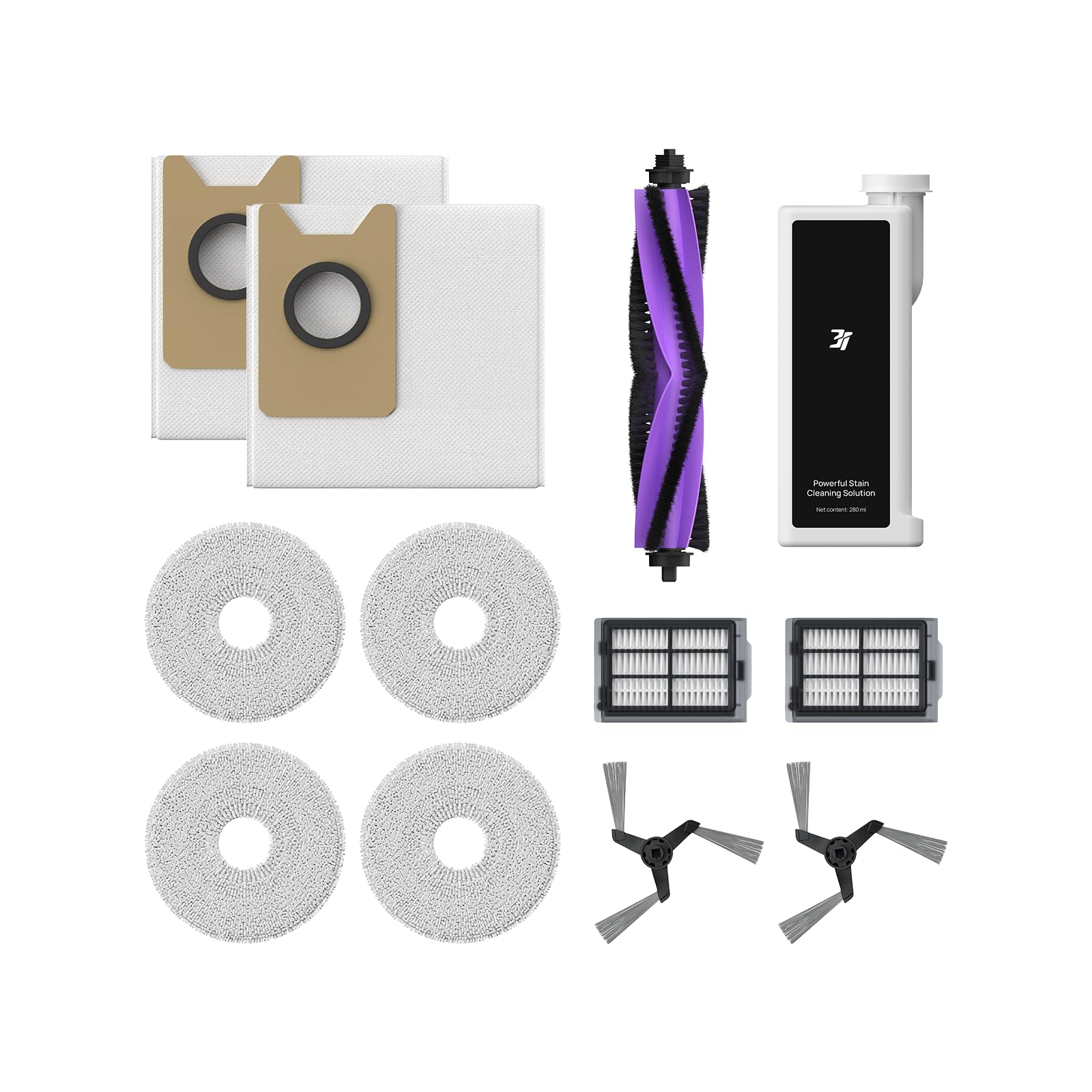
Kit Components Overview
The kit includes the following items:
- 1 Multi-Surface Cleaning Solution
- 1 Main Brush
- 2 Disposable Dust Bags
- 2 Side Brushes
- 4 Mop Pads
- 2 Washable Filters
Installation Guidance
Refer to your 3i P10 Ultra robot vacuum's main instruction manual for detailed, step-by-step installation instructions for each accessory. Ensure correct placement and secure fitting of all components before operating the device.
2. Operating
The replacement accessories are integral to the efficient operation of your 3i P10 Ultra robot vacuum. Each component plays a specific role in the cleaning process:
- Main Brush: Ensures thorough cleaning by agitating and sweeping debris from various surfaces.
- Side Brushes: Extend to sweep dirt and debris from corners and edges, directing them towards the main brush.
- Mop Pads: Effectively remove floor dirt and stains when wet, providing a comprehensive mopping action.
- Multi-Surface Cleaning Solution: Dispensed during mopping cycles to enhance cleaning efficacy on different floor types.
- Disposable Dust Bags: Collect vacuumed dirt and debris, ensuring hygienic disposal.
- Washable Filters: Prevent dust overflow and maintain air quality by trapping fine particles.
The robot is equipped with intelligent features such as dirt detection sensors, which can identify heavily soiled areas and initiate a second cleaning pass for improved results. It can also extend its side brush and mop pad to clean closer to walls and corners.
3. Maintenance
Regular maintenance of your 3i P10 Ultra replacement accessories is crucial for sustained performance and hygiene. Follow these guidelines for cleaning and replacement:
Replacement Schedule
- Disposable Dust Bags: Replace when full. Typically every 2-3 months depending on usage.
- Side Brushes: Replace after approximately 180 hours of use.
- Mop Pads: Replace after approximately 980 hours of use. Washable and reusable.
- Washable Filters: Clean bi-weekly and replace after approximately 180 hours of use.
- Main Brush: Replace after approximately 360 hours of use.
All accessories, except the disposable dust bag and cleaning solution, are washable and reusable. It is recommended to clean and replace robot vacuum cleaner accessories every two to three months, depending on usage frequency, to ensure proper machine functioning and effective cleaning.
4. Troubleshooting
The 3i P10 Ultra robot vacuum is designed with advanced features to minimize common cleaning issues. If you observe any performance concerns, consider the following:
- Smearing during mopping: The robot's dirt detection sensor can identify excessively dirty areas. If smearing occurs, the robot may initiate a 'second cleaning' pass to ensure thorough removal of residue. Ensure mop pads are clean before each cycle.
- Incomplete cleaning in specific areas: The robot's LIDAR navigation and AI Action camera system allow for precise mapping and obstacle avoidance. If an area is consistently missed, check the app's cleaning history map for 'uncleaned areas' or 'areas with grime' indicators. You can also set specific zones for targeted cleaning.
- Obstacle collisions: The AI Action camera and multiple sensors enable the robot to avoid obstacles, including low-lying items like cables and pet waste. If collisions occur, ensure the sensors are clean (refer to Maintenance section) and that the area is well-lit if the robot does not have an LED light for navigation in the dark.
- Reduced suction or filter issues: Regularly clean the washable filters bi-weekly and replace them as per the recommended schedule to prevent dust overflow and maintain optimal suction.
5. Specifications
| Feature | Detail |
|---|---|
| Brand | 3i |
| Model Name | P10 Ultra Accessories Kit |
| Color | White |
| Included Components | Multi-Surface Cleaning Solution, Main Brush, 2 Disposable Dust Bags, 2 Side Brushes, 4 Mop Pads, 2 Washable Filters |
| Filter Type | Foam |
| Surface Recommendation | Multi-Surface |
| Item Weight | 1.7 pounds |
| Package Dimensions | 14.57 x 10.43 x 2.24 inches |
6. Warranty and Support
For detailed warranty information and customer support, please refer to the documentation included with your 3i P10 Ultra Robot Vacuum or visit the official 3i website. Keep your purchase receipt for warranty claims.