Introduction
This manual provides detailed instructions for the installation, configuration, and operation of your TODAAIR Outdoor WiFi Extender AC1200. This device is designed to extend your existing Wi-Fi network coverage outdoors, providing stable and high-speed internet access in various environments. Please read this manual thoroughly before use to ensure proper setup and optimal performance.
Package Contents
Verify that all items listed below are included in your package:
- Outdoor WiFi Extender *1
- Quick Installation Guide *1
- Power Adapter 12V/1A *1
- Plastic Cable Tie *1
- Stainless Steel Tie *1
Product Features
The TODAAIR Outdoor WiFi Extender AC1200 offers a range of features designed for robust outdoor wireless connectivity:
- Dual-Band Connectivity: Supports both 2.4GHz (up to 300Mbps) and 5GHz (up to 867Mbps) frequencies for flexible and high-speed network access.
- Enhanced Security: Compatible with WPA-PSK/WPA2-PSK and WPA/WPA2 wireless security protocols to protect your network.
- Extensive Coverage: Extends Wi-Fi range up to 2000 sq ft and can connect up to 30 devices, including laptops, smartphones, and IoT devices.
- Multiple Operating Modes: Functions as both a Repeater and an Access Point (AP) to suit various network requirements.
- IP65 Weatherproof Design: Features a durable housing with lightning protection, resistance to water, dust, freezing temperatures, high temperatures, and corrosion, ensuring stable operation in harsh outdoor conditions.
- Ethernet Port: Includes one Ethernet port for wired connections to devices such as computers or IP cameras.

The extender provides up to 1200Mbps dual-band speed and extends coverage up to 300 feet.

The IP65 weatherproof design ensures continuous network connectivity in various weather conditions.
Product Overview
Familiarize yourself with the physical components and ports of the TODAAIR Outdoor WiFi Extender.

This image displays the bottom of the extender, highlighting the Reset (RES), LAN (Ethernet), and DC Power ports. The LAN port allows for wired connections to devices like computers or cameras.
- RES (Reset) Button: Used to restore the device to factory default settings. Press and hold for approximately 10 seconds.
- LAN (Ethernet) Port: Connects to wired devices such as computers, smart TVs, or IP cameras.
- DC Power Port: Connects to the provided 12V/1A power adapter.
Setup Instructions
Physical Installation
The TODAAIR Outdoor WiFi Extender is designed for outdoor mounting. Choose a location that provides optimal signal coverage between your main router and the desired extended area. It can be mounted on a pole using the provided ties or on a wall.
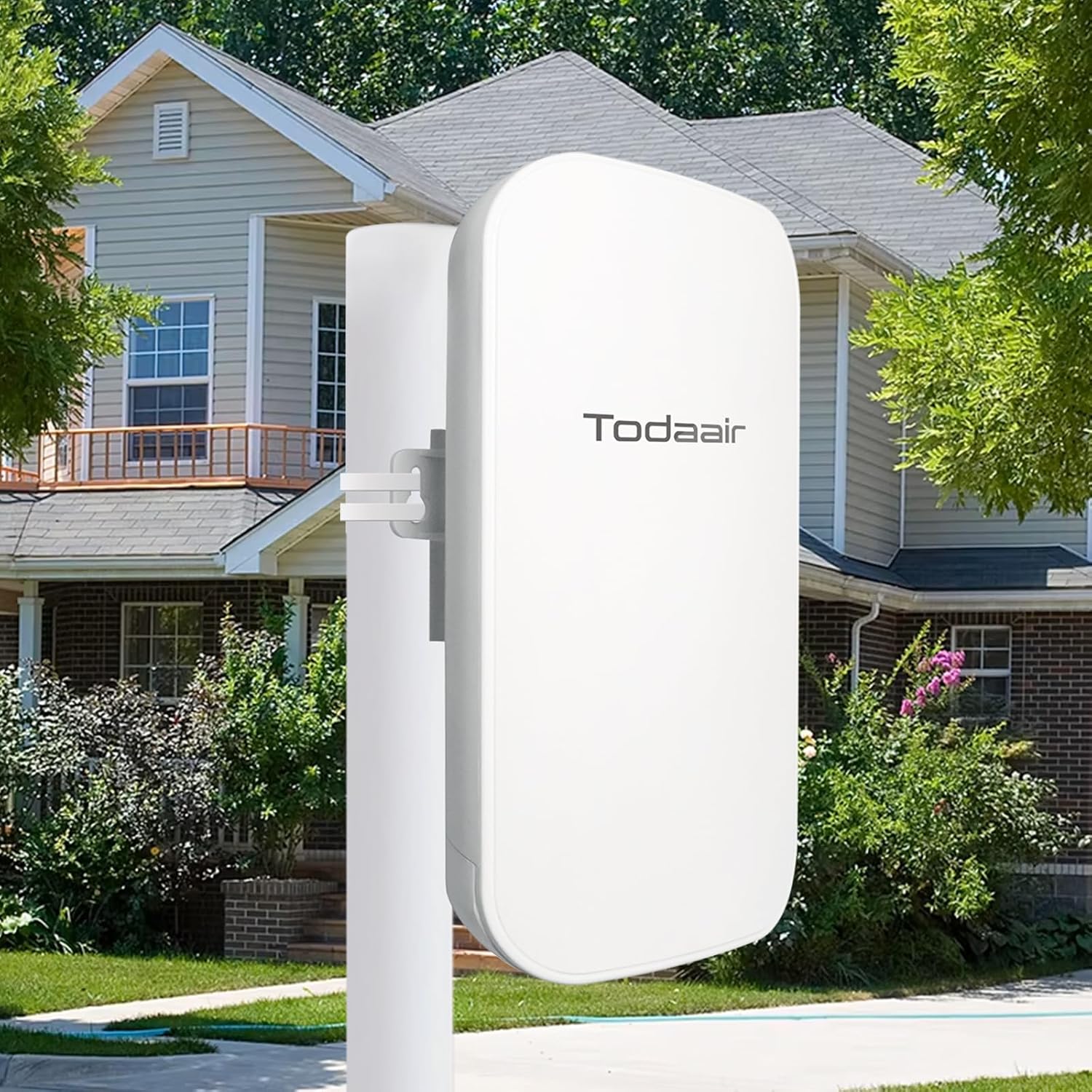
The extender is shown mounted outdoors, illustrating its intended use for extending Wi-Fi coverage around a property.
Configuration Steps
Follow these steps to configure your WiFi Extender using a mobile device or computer:

This image illustrates the four-step process for connecting and configuring the extender using a mobile device's web interface.
- Step 1: Power on the extender. On your mobile device or computer, connect to the extender's default Wi-Fi network, typically named "TDairNetwork". Open a web browser and enter the default IP address (e.g., 192.168.10.1) to access the login interface.
- Step 2: Once logged in, select the desired network type (Repeater or AP mode) and click the "Survey" button to scan for available Wi-Fi networks. Select the network you wish to extend or connect to.
- Step 3: If the selected network requires a password, enter it in the provided field. If it is an open network, proceed to the next step.
- Step 4: On the next page, set up a new SSID (network name) and password for your extended Wi-Fi network. Click "Confirm" to save your settings. Your extender will then restart, and you can connect to the new extended Wi-Fi network.

This diagram illustrates how the extender connects to your existing 2.4GHz or 5GHz wireless router and creates an extended Wi-Fi network.
Operating Modes
The TODAAIR Outdoor WiFi Extender AC1200 supports two primary operating modes:
1. Repeater Mode
In Repeater Mode, the device extends the range of an existing wireless network. It receives the Wi-Fi signal from your main router and re-broadcasts it under a new or existing network name, effectively expanding coverage to areas with weak or no signal.
2. AP (Access Point) Mode
In AP Mode, the device converts a wired internet connection into a wireless access point. This is useful for creating a new Wi-Fi network in an area where only a wired connection is available, such as an Ethernet port in a remote building.

This diagram visually explains both Repeater mode (extending a wireless signal) and AP mode (converting a wired connection to wireless).
Ethernet Port Functionality
The integrated Ethernet port allows for stable wired connections. In Repeater mode, it can provide network access to a wired device. In AP mode, it receives the internet connection from your main network.
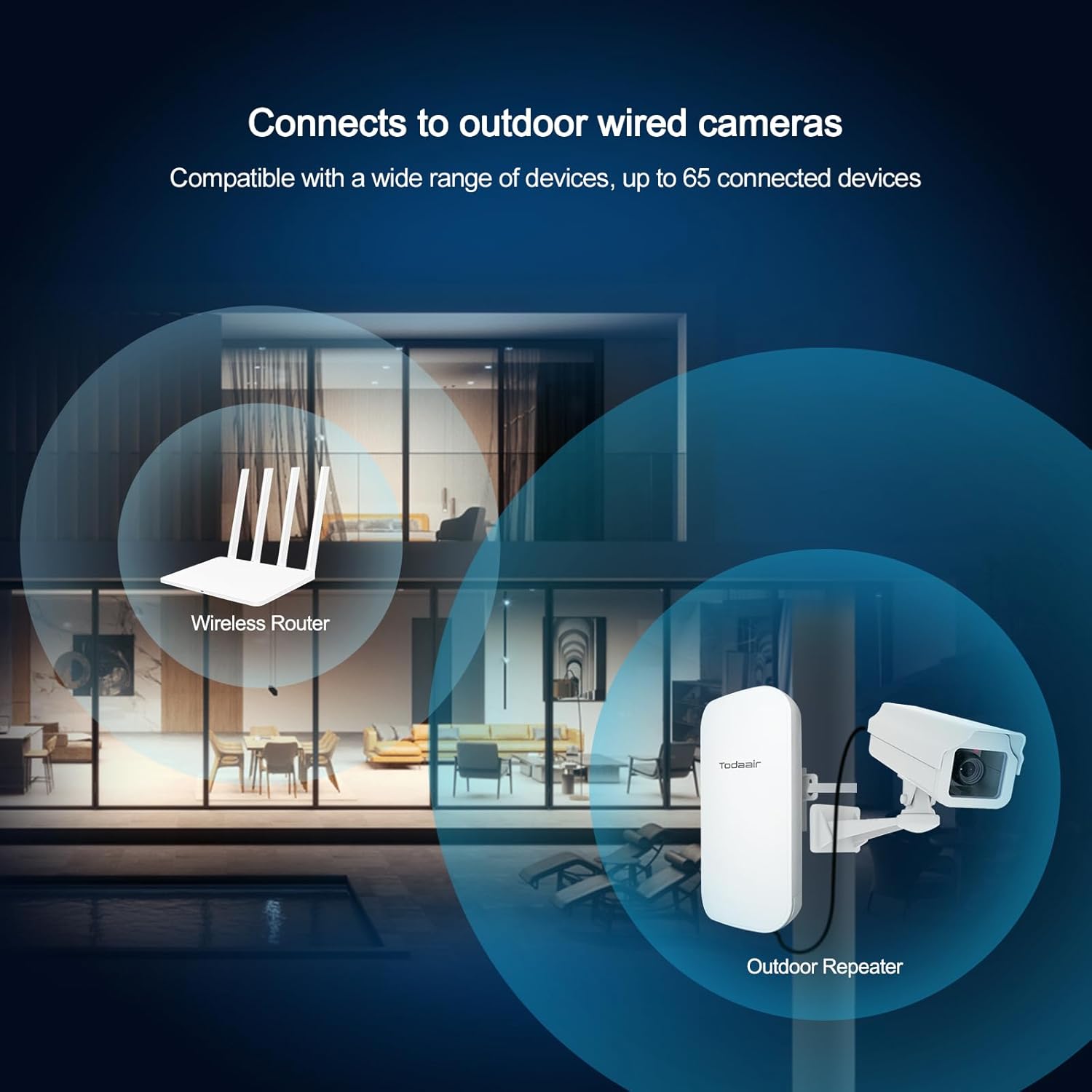
The extender can connect to outdoor wired devices, such as security cameras, providing them with network access.
Maintenance
To ensure the longevity and optimal performance of your TODAAIR Outdoor WiFi Extender, consider the following maintenance tips:
- Cleaning: Periodically clean the exterior of the device with a soft, dry cloth. Avoid using liquid cleaners or solvents.
- Ventilation: Ensure that the device's ventilation areas are not obstructed to prevent overheating.
- Firmware Updates: Regularly check the official TODAAIR website for any available firmware updates. Keeping the firmware updated can improve performance and security.
- Cable Connections: Periodically inspect all cable connections (power, Ethernet) to ensure they are secure and free from damage.
Troubleshooting
If you encounter issues with your TODAAIR Outdoor WiFi Extender, refer to the following common problems and solutions:
- No Power
- Ensure the power adapter is securely connected to the device and a working power outlet. Verify the power outlet is functional by plugging in another device.
- No Internet Connection
- Verify that your main router has an active internet connection. Check the extender's configuration to ensure it is properly connected to your main Wi-Fi network. Try restarting both the router and the extender.
- Weak Signal or Slow Speed
- Adjust the extender's physical position to be within optimal range of your main router and the desired coverage area. Ensure there are no major physical obstructions (e.g., thick walls, metal objects) between the extender and your devices or the main router. Consider interference from other electronic devices.
- Cannot Access Setup Page
- Ensure your device (computer/phone) is connected to the extender's default Wi-Fi network (e.g., "TDairNetwork"). Double-check the IP address entered in the browser. If issues persist, try resetting the extender to factory defaults by pressing the reset button for 10 seconds.
- Device Not Detected
- Confirm the extender is powered on and its indicator lights are active. If the device is still not detected, try a different power outlet or contact technical support.
Technical Specifications
Detailed specifications for the TODAAIR Outdoor WiFi Extender AC1200:
| Feature | Detail |
|---|---|
| Product Dimensions | 9 x 3 x 4 inches |
| Item Weight | 15.5 ounces |
| Wireless Communication Standard | 802.11a/b/g/n/ac |
| Data Transfer Rate | 1200 Megabytes Per Second |
| Frequency Band Class | Dual-Band (2.4GHz & 5GHz) |
| Special Feature | IP65 Waterproof, Repeater & AP Mode |
| Model Number | AC1200 |
| Manufacturer | TODAAIR |
Warranty and Support
The TODAAIR Outdoor WiFi Extender AC1200 comes with a standard manufacturer's warranty. For detailed warranty information, please refer to the product packaging or the official TODAAIR website.
For technical assistance, troubleshooting, or customer support, please visit the TODAAIR support page or contact their customer service department. You can find more information and contact details by visiting the official TODAAIR store: