Introduction
Thank you for choosing the DeerTalk Wired Floodlight Camera. This manual provides essential information for the proper installation, operation, and maintenance of your new security device. Please read this manual thoroughly before use and retain it for future reference. This camera is designed to provide enhanced outdoor security with advanced features such as 2K HD video, powerful illumination, and intelligent motion detection.
What's in the Box
Verify that all components are present in the packaging:
- DeerTalk Wired Floodlight Camera
- Instruction Manual
- Mounting Screws
- Power Adapter
- Stand
Safety Information
Always observe the following safety precautions to prevent injury or damage to the device:
- Ensure the power supply is disconnected before installation or maintenance.
- Installation should be performed by a qualified electrician if you are unsure about wiring.
- Do not expose the camera to extreme temperatures outside its operating range.
- Use only the provided power adapter and accessories.
- Keep the device away from flammable materials.
Setup
1. Pre-installation Checks
Before mounting, ensure you have a stable Wi-Fi connection at the installation location and a suitable power source. The camera is designed for outdoor use and wall mounting.
2. Mounting the Camera
Select a suitable outdoor location for wall mounting, ensuring a clear view of the area you wish to monitor. Use the provided mounting screws to securely attach the camera's base to the wall. Ensure the camera is positioned to cover the desired area effectively.
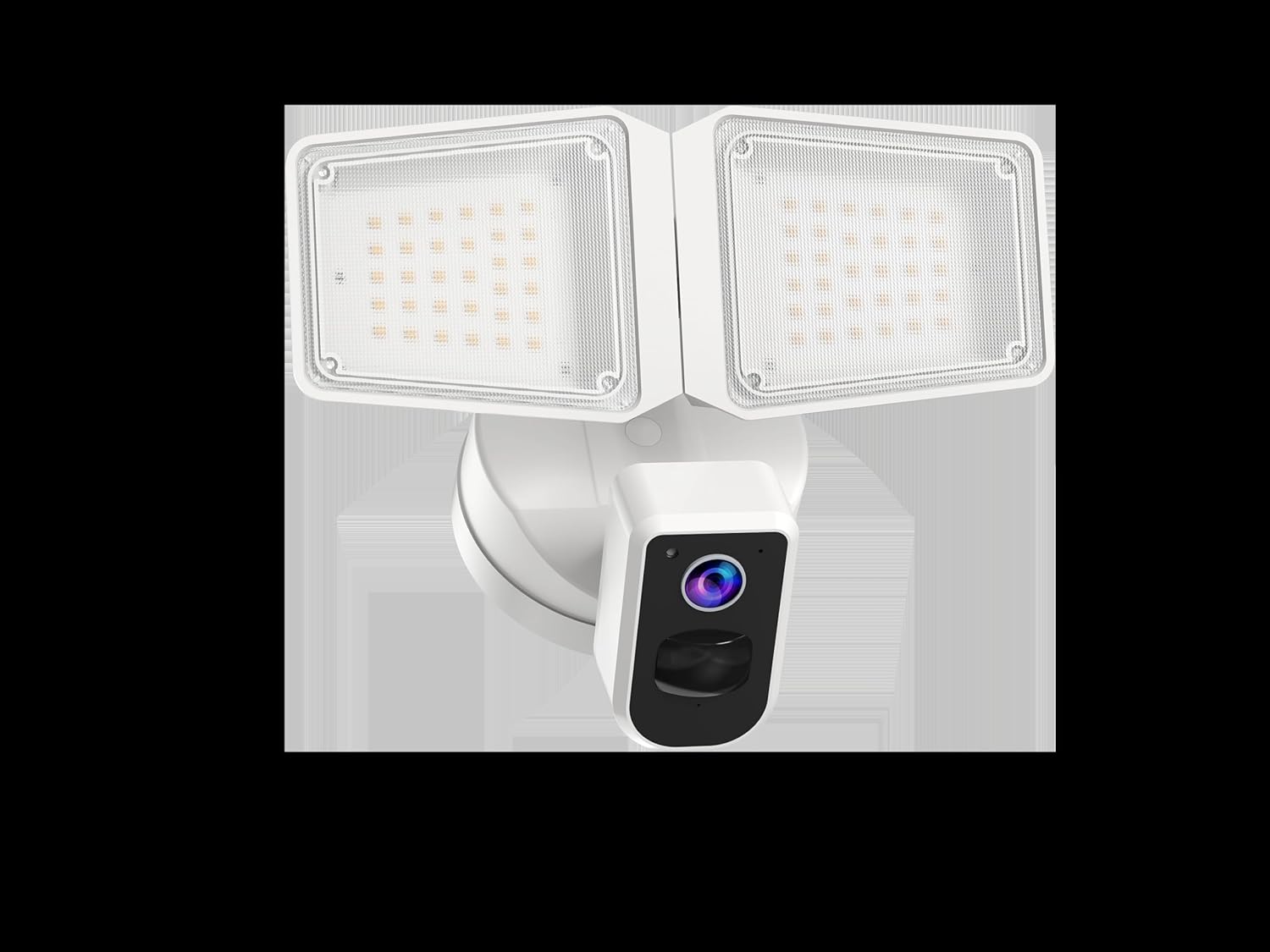
Figure 1: Front view of the DeerTalk Wired Floodlight Camera, showing the central camera unit and two adjustable LED floodlights.
3. Power Connection
Connect the power adapter to the camera and plug it into a suitable outdoor power outlet. Ensure the connection is secure and protected from weather elements.
4. App Installation and Pairing
- Download the DeerTalk app from your smartphone's app store (compatible with Android devices).
- Create an account or log in.
- Follow the in-app instructions to add your new camera. This typically involves scanning a QR code on the camera or connecting via Bluetooth/Wi-Fi.
- Ensure your smartphone is connected to the same Wi-Fi network (2.4GHz recommended) as the camera during the pairing process.
Operating
Once set up, you can access and control your DeerTalk Floodlight Camera via the mobile application.
Live View and Recording
Access crystal clear 2K HD live video streaming from your smartphone. You can initiate manual recordings or capture screenshots directly from the live view interface. The camera supports continuous local recording to a microSD card (up to 30 days of footage).
Motion Detection and Alerts
The camera features a 160° wide-angle view and 270° PIR motion detection to cover a broad area. When motion is detected, you will receive instant alerts on your smartphone. Customize motion zones and sensitivity settings within the app to reduce false alarms.

Figure 2: The DeerTalk Floodlight Camera installed on the exterior of a house at night, with its powerful LED lights illuminating the surrounding area, demonstrating its effective security coverage.
Floodlight Operation
The camera is equipped with powerful 4000 Lumen motion-activated LED lights. These lights can be set to turn on automatically when motion is detected, or you can manually control them via the app. The brightness is dimmable to suit your preferences.
Two-Way Talk and Siren
Utilize the built-in microphone and speaker for two-way communication with visitors or to deter unwanted guests. In case of an emergency, activate the loud 105dB siren directly from the app to scare off intruders.
Color Night Vision
Even in low-light conditions, the camera provides vivid color night vision, offering clearer and more detailed footage than traditional black-and-white night vision.
Alexa Compatibility
The DeerTalk Floodlight Camera is compatible with Alexa. Link your camera to your Alexa account to enable voice commands for live view and other functions.
Maintenance
Regular maintenance ensures optimal performance and longevity of your floodlight camera.
Cleaning
Periodically clean the camera lens and floodlight surfaces with a soft, damp cloth to remove dust, dirt, or smudges. Do not use harsh chemicals or abrasive cleaners.
Weather Resistance
The camera is IP65 weather-resistant, designed to withstand various outdoor conditions. However, avoid directing high-pressure water jets directly at the device.
Firmware Updates
Check the DeerTalk app regularly for firmware updates. Keeping your camera's firmware updated ensures you have the latest features and security enhancements.
Troubleshooting
If you encounter issues with your DeerTalk Floodlight Camera, refer to the following common problems and solutions:
| Problem | Possible Cause | Solution |
|---|---|---|
| No power to camera | Power adapter unplugged; circuit breaker tripped; faulty outlet. | Check power connections; reset circuit breaker; test outlet with another device. |
| Cannot connect to Wi-Fi | Incorrect Wi-Fi password; weak signal; camera too far from router; 5GHz network. | Verify password; move camera closer to router; ensure 2.4GHz Wi-Fi is used; restart router and camera. |
| Motion detection not working | Incorrect sensitivity settings; motion zones not configured; obstructions. | Adjust sensitivity in app; configure motion zones; clear any obstructions in the camera's view. |
| Poor video quality | Dirty lens; weak Wi-Fi signal; insufficient lighting. | Clean the camera lens; improve Wi-Fi signal strength; ensure adequate lighting or enable night vision. |
Specifications
| Model Number | SEC102P |
| Dimensions (L x W x H) | 7.04 x 5.11 x 9.8 inches |
| Item Weight | 1.43 pounds |
| Color | White |
| Video Capture Resolution | 2K HD (1440p) |
| Viewing Angle | 130 Degrees (Camera), 160 Degrees (Wide-Angle View) |
| PIR Motion Detection Angle | 270 Degrees |
| Floodlight Brightness | 4000 Lumens |
| Siren Volume | 105dB |
| Power Source | Corded Electric |
| Connectivity Technology | Wired, Wi-Fi, Bluetooth |
| Indoor/Outdoor Usage | Outdoor |
| Weather Resistance | IP65 |
| Local Storage | MicroSD Card (up to 30 days footage) |
| Compatible Devices | Smartphone (Android), Alexa |
Warranty Information
DeerTalk products come with a limited warranty. For detailed information regarding warranty coverage, terms, and conditions, please refer to the warranty card included with your product or visit the official DeerTalk website. Please retain your proof of purchase for warranty claims.
Customer Support
For technical assistance, troubleshooting, or any inquiries regarding your DeerTalk Wired Floodlight Camera, please visit the official DeerTalk support website or contact our customer service team. Contact details and support resources can typically be found on the manufacturer's website or within the product packaging.

