1. Introduction
This manual provides detailed instructions for the installation, operation, and maintenance of your Blütezeit 220V Sliding Gate Opener, model ME-BG-2800-220V. This heavy-duty gate opener is designed for gates up to 6300 lbs and 40 ft in length, featuring WiFi control, a 2.05HP motor, and a rack-driven system. Please read this manual thoroughly before installation and use to ensure safe and efficient operation.
2. Safety Information
WARNING: Improper installation or use can lead to serious injury or property damage. Always follow all safety instructions.
- Ensure the gate is in good working condition and moves freely before installing the opener.
- Disconnect power before performing any maintenance or adjustments.
- Keep children and pets away from the gate area during operation.
- Do not allow children to operate the gate opener or play with controls.
- Install safety devices such as infrared sensors to prevent the gate from closing on obstacles.
- Use the manual release keys only during power outages or emergencies.
- Ensure all wiring is performed by a qualified electrician and complies with local electrical codes.
3. Package Contents
Verify that all components are present and undamaged before proceeding with installation.
- 1x Main Motor Unit (with WiFi module pre-installed)
- 8x Steel Gear Racks (1.64 ft/piece, 13.12 ft total)
- 1x Installation Accessories Kit
- 2x Manual Release Keys
- 1x Infrared Beam Sensor Set
- 2x Remote Controls (batteries included)
- 1x User Manual (this document)
4. Specifications
| Feature | Specification |
|---|---|
| Model Number | ME-BG-2800-220V |
| Voltage | AC 220~240V (50Hz/60Hz) |
| Motor Power | 370W (2.05HP) Copper Motor |
| Max. Gate Weight | 6300 lbs |
| Max. Gate Length | 40 ft |
| Noise Level | ≤45 dB |
| Operating Temperature | -13°F to 131°F (-25°C to 55°C) |
| Control Method | WiFi (eWeLink App) & 433MHz Remote Control |
| Remote Range | Up to 100 ft |
| Safety Features | Infrared Sensors, Auto-Close Timer, Manual Release |
5. Setup
Before beginning installation, ensure you have all necessary tools and that the gate operates smoothly manually. Plan the placement of the motor unit, gear racks, and infrared sensors. The motor unit should be installed on a stable, level concrete pad adjacent to the gate.

Image: Blütezeit sliding gate opener motor unit and gear rack system.
6. Installation
6.1. Base Plate Installation
Secure the reinforced mounting base to a concrete pad using the provided expansion screws. Ensure the base is level and positioned correctly relative to the gate's path.
6.2. Motor Mounting
Mount the main motor unit onto the installed base plate. Ensure it is securely fastened and the drive gear aligns with the intended path of the gate's gear rack.

Image: The Blütezeit sliding gate opener motor unit, showing its robust construction.
6.3. Rack Installation
Attach the steel gear racks to the bottom rail of your sliding gate. Use the provided bolts and spacers to ensure proper alignment and clearance with the motor's drive gear. The rack should be level and allow for smooth engagement with the motor gear throughout the gate's travel.
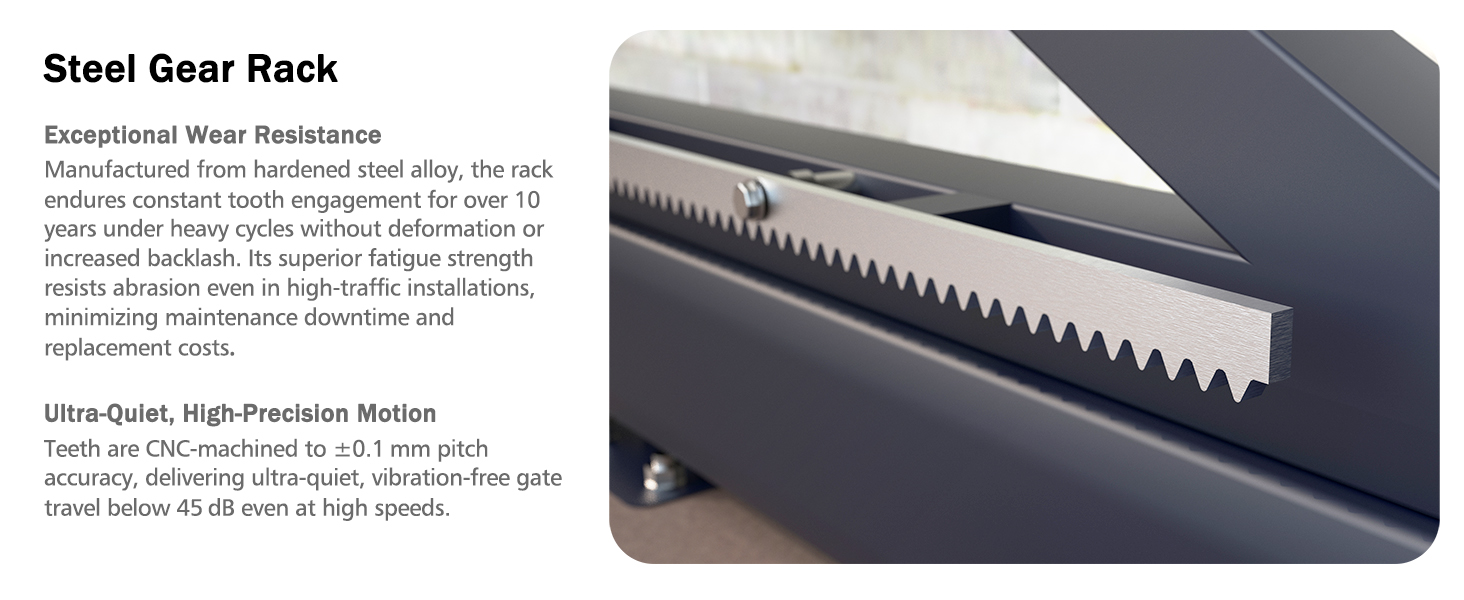
Image: Close-up of the sturdy rack drive system with steel gear racks, highlighting the precision teeth.
6.4. Limit Switch Adjustment
Install the two magnetic limit switches at the desired open and closed positions on the gear rack. These switches signal the motor to stop, defining the gate's travel limits.
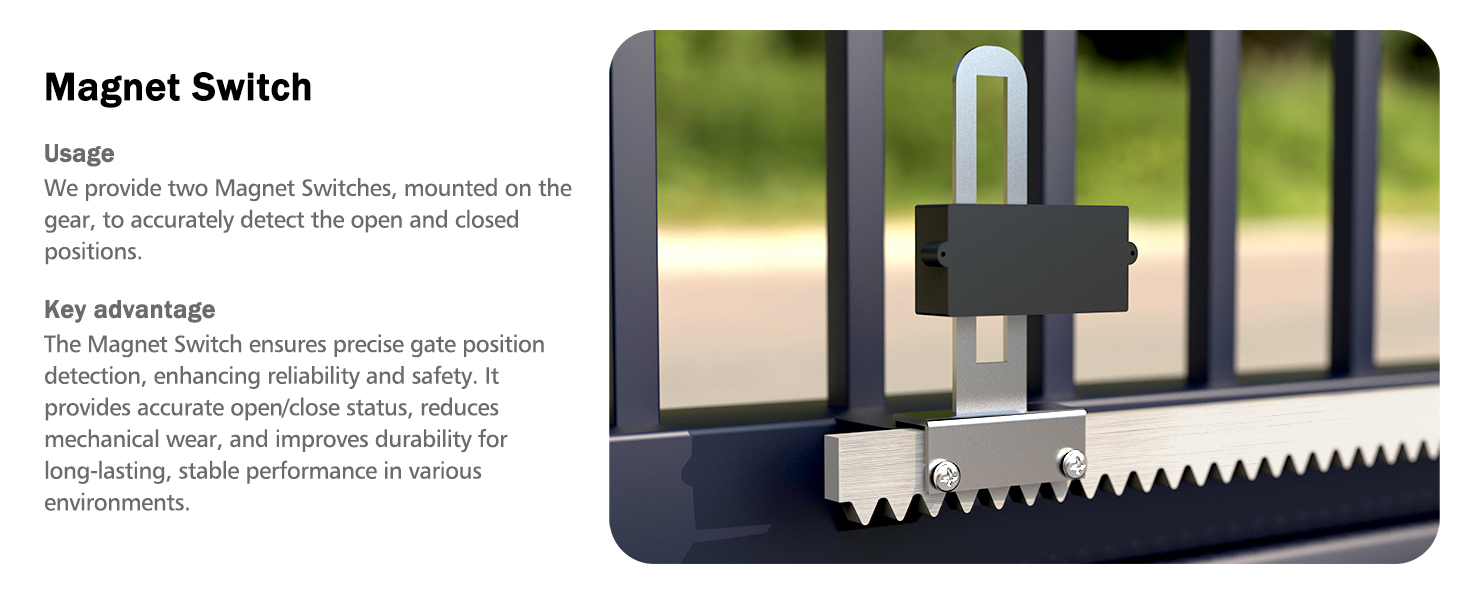
Image: Magnet limit switch installed on a sliding gate rack, ensuring precise open/close positions.
6.5. Infrared Sensor Installation
Mount the infrared beam sensors on opposite sides of the gate opening, ensuring they are aligned and the beam is unobstructed. These sensors detect obstacles in the gate's path, stopping or reversing the gate for safety.
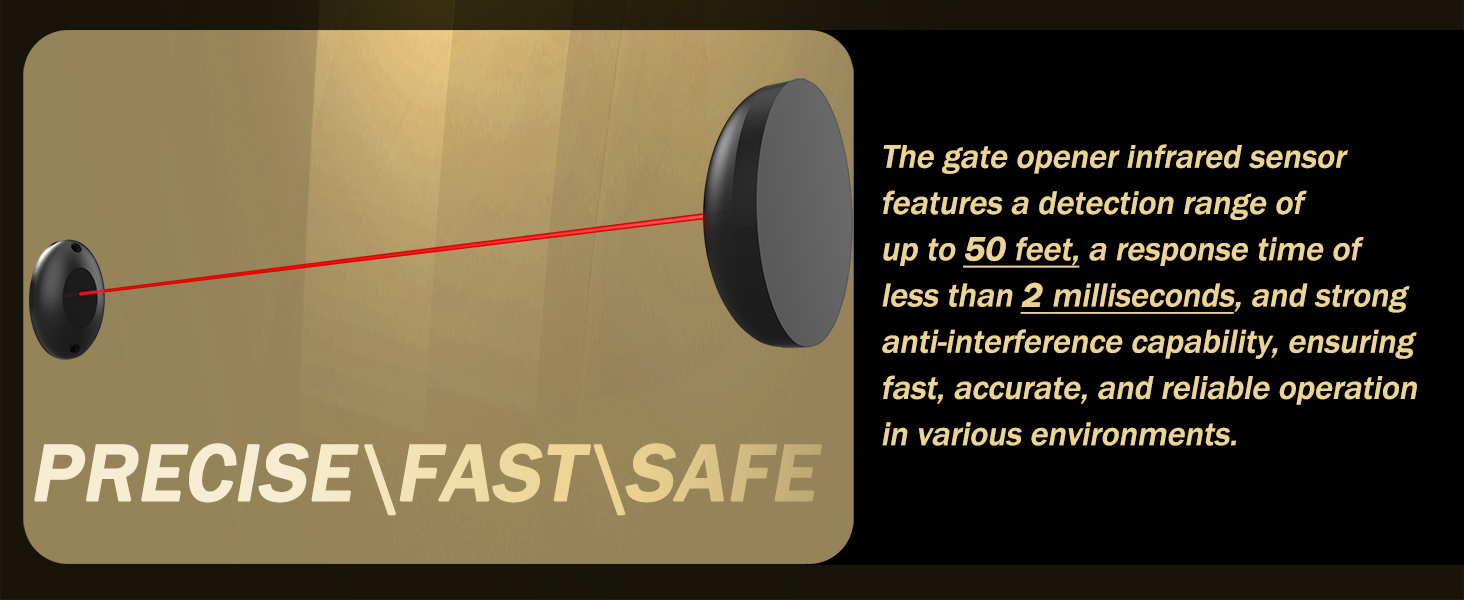
Image: Infrared sensor detecting an obstruction, illustrating the safety feature of the gate opener.
6.6. Wiring
Connect the power supply, motor, and accessories (sensors, remotes) according to the wiring diagram provided in the full user manual. Ensure all connections are secure and insulated. Test all functions before final enclosure.
6.7. Installation Video Guide
For a visual guide on the installation process, please refer to the official Blütezeit installation video below. This video demonstrates key steps for a smooth DIY setup.
Video: Official Blütezeit installation guide for the 220V Sliding Gate Opener, demonstrating easy DIY setup.
7. Operating Instructions
7.1. Remote Control Operation
Press the designated button on the remote control to open or close the gate. The remote has a range of up to 100 feet. Ensure the gate area is clear before activating.
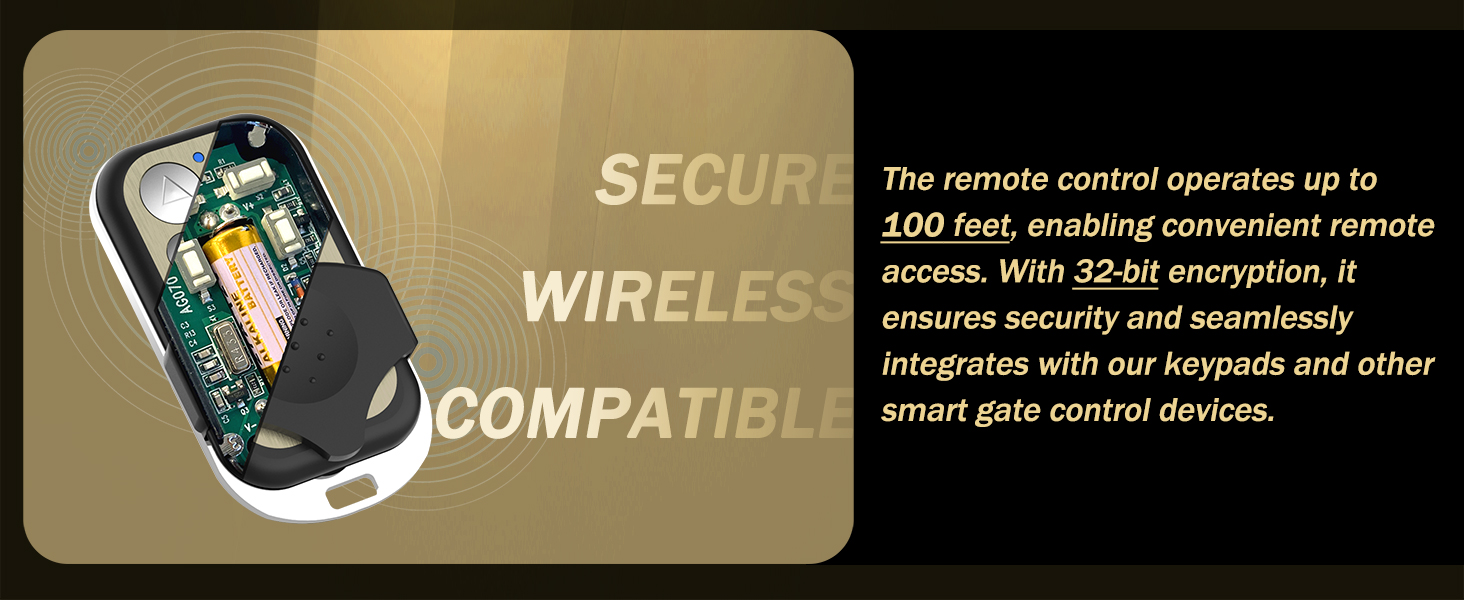
Image: Blütezeit remote control with batteries, used for convenient gate operation.
7.2. WiFi App Control (eWeLink)
Download the "eWeLink" app on your smartphone. Follow the in-app instructions to connect your gate opener to your home WiFi network. Once connected, you can open, close, and monitor the gate status remotely from anywhere.
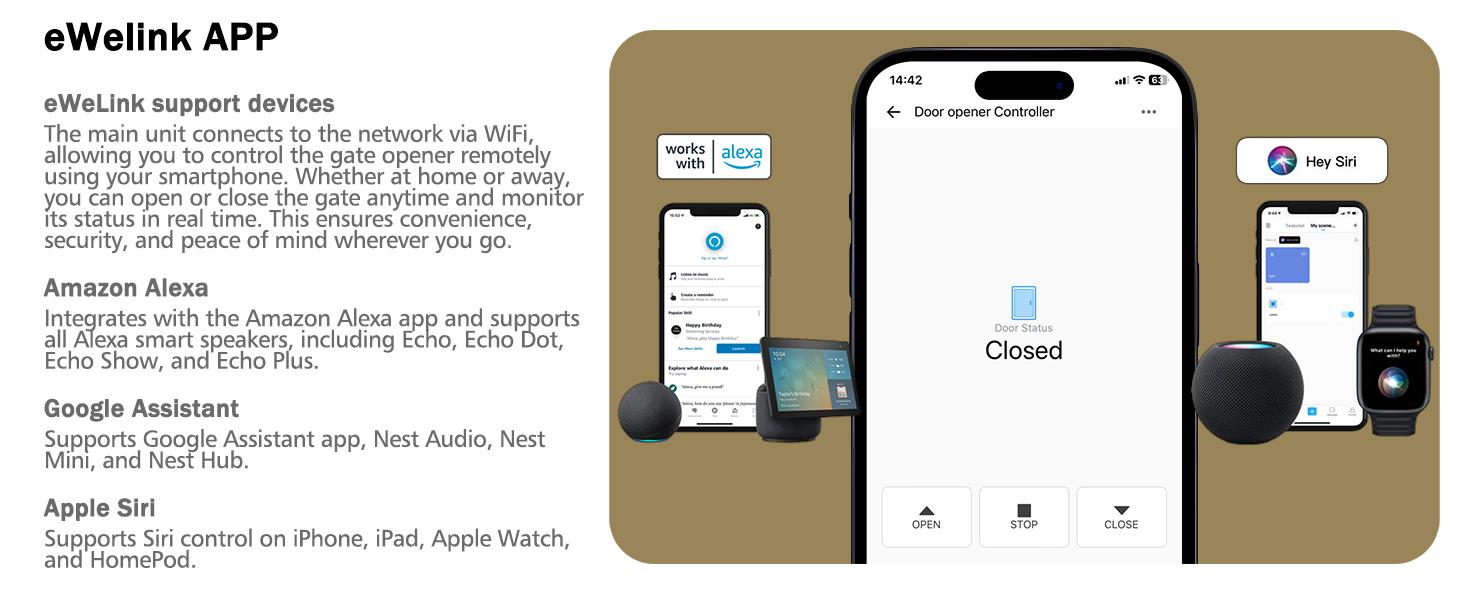
Image: Smartphone screen showing the eWeLink app interface for smart control of the sliding gate opener.
7.3. Auto-Close Function
The gate opener features a customizable auto-close timer (5s/10s/15s). Refer to the main control board settings in the full manual to adjust this feature. This function automatically closes the gate after a set period once it has opened.
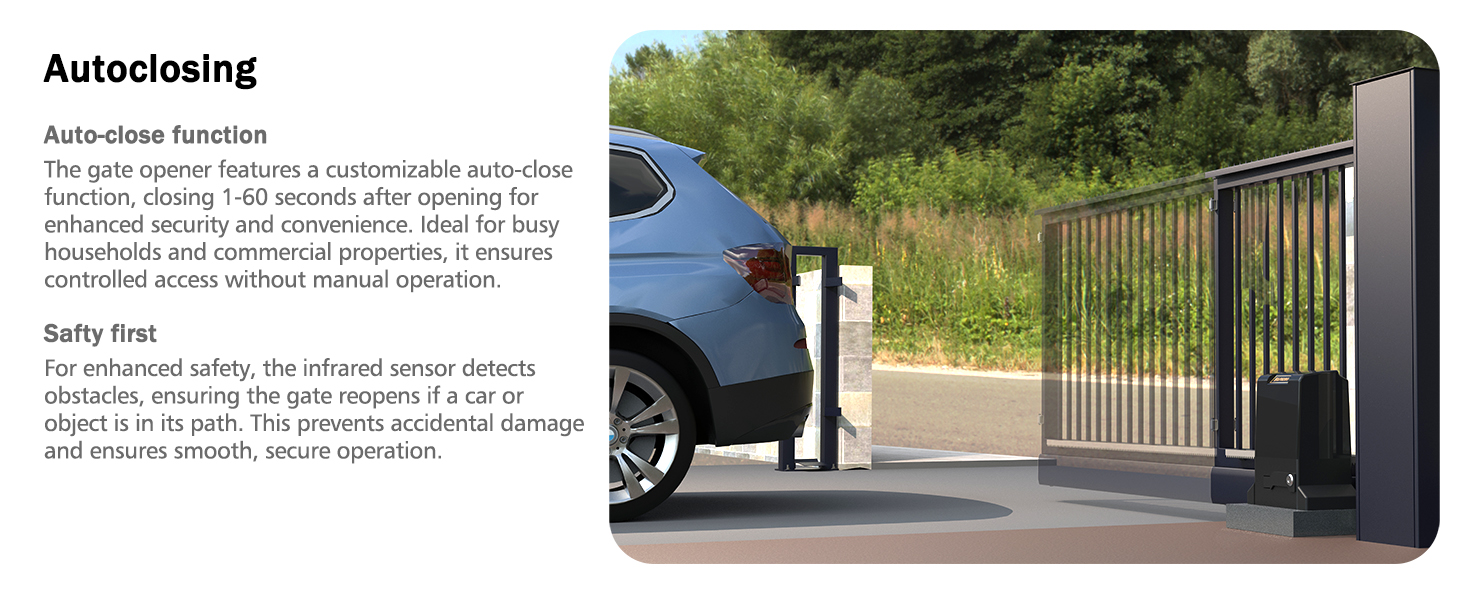
Image: A sliding gate closing automatically, demonstrating the auto-close safety feature.
7.4. Manual Release
In case of a power outage or malfunction, insert the manual release key into the lock on the motor unit and turn it to disengage the clutch. This allows you to open or close the gate manually.
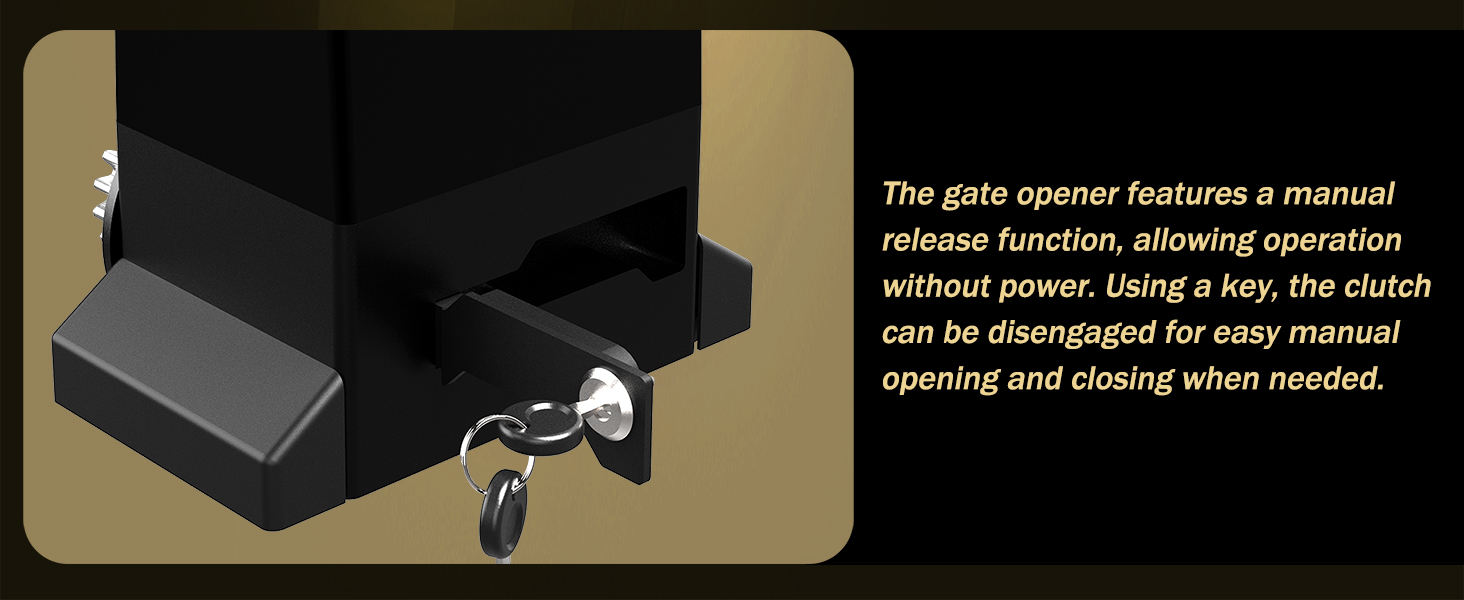
Image: Manual release key being used to disengage the gate opener's clutch for manual operation.
8. Maintenance
Regular maintenance ensures the longevity and reliable operation of your gate opener.
- Monthly: Inspect the gate and opener for any loose fasteners, signs of wear, or obstructions. Clean the gear rack and motor gear to remove debris.
- Quarterly: Check the alignment of the gate and ensure it moves freely. Test the infrared sensors and other safety features. Lubricate moving parts as recommended in the full manual.
- Annually: Have a qualified technician inspect the entire system, including electrical connections and motor performance.
9. Troubleshooting
| Problem | Possible Cause | Solution |
|---|---|---|
| Gate does not respond to remote/app | No power, remote battery dead, remote not paired, WiFi issue. | Check power supply, replace remote batteries, re-pair remote, check WiFi connection. |
| Gate stops or reverses unexpectedly | Infrared sensor obstructed, limit switch misaligned, excessive friction. | Clear sensor path, adjust limit switches, check gate for obstructions or alignment issues. |
| Motor runs but gate does not move | Clutch disengaged, motor gear not engaging rack, broken rack. | Engage clutch with manual release key, check gear/rack alignment, inspect rack for damage. |
| Gate opens/closes partially | Limit switches incorrectly set. | Adjust the magnetic limit switches to the desired open and closed positions. |
10. Warranty and Support
Blütezeit provides lifetime technical support for your gate opener. If you encounter any issues during installation, operation, or maintenance, please contact our support team for assistance. Detailed installation guidance and expert solutions are available to ensure your product operates smoothly.
For technical assistance, please refer to the contact information provided with your product packaging or visit the official Blütezeit website.

Image: Illustration of available technical support, including online service, engineer solutions, and phone support.


