
1. Product Overview
The Blütezeit 1800lb WiFi Sliding Gate Opener is a robust and intelligent solution designed for automating sliding gates up to 1800 pounds and 40 feet in length. This system features a powerful 1/2HP copper motor for efficient and reliable operation, a durable rack-driven system, and advanced safety features. Integrated WiFi connectivity allows for smart control via a smartphone app, enhancing convenience and security for your property.
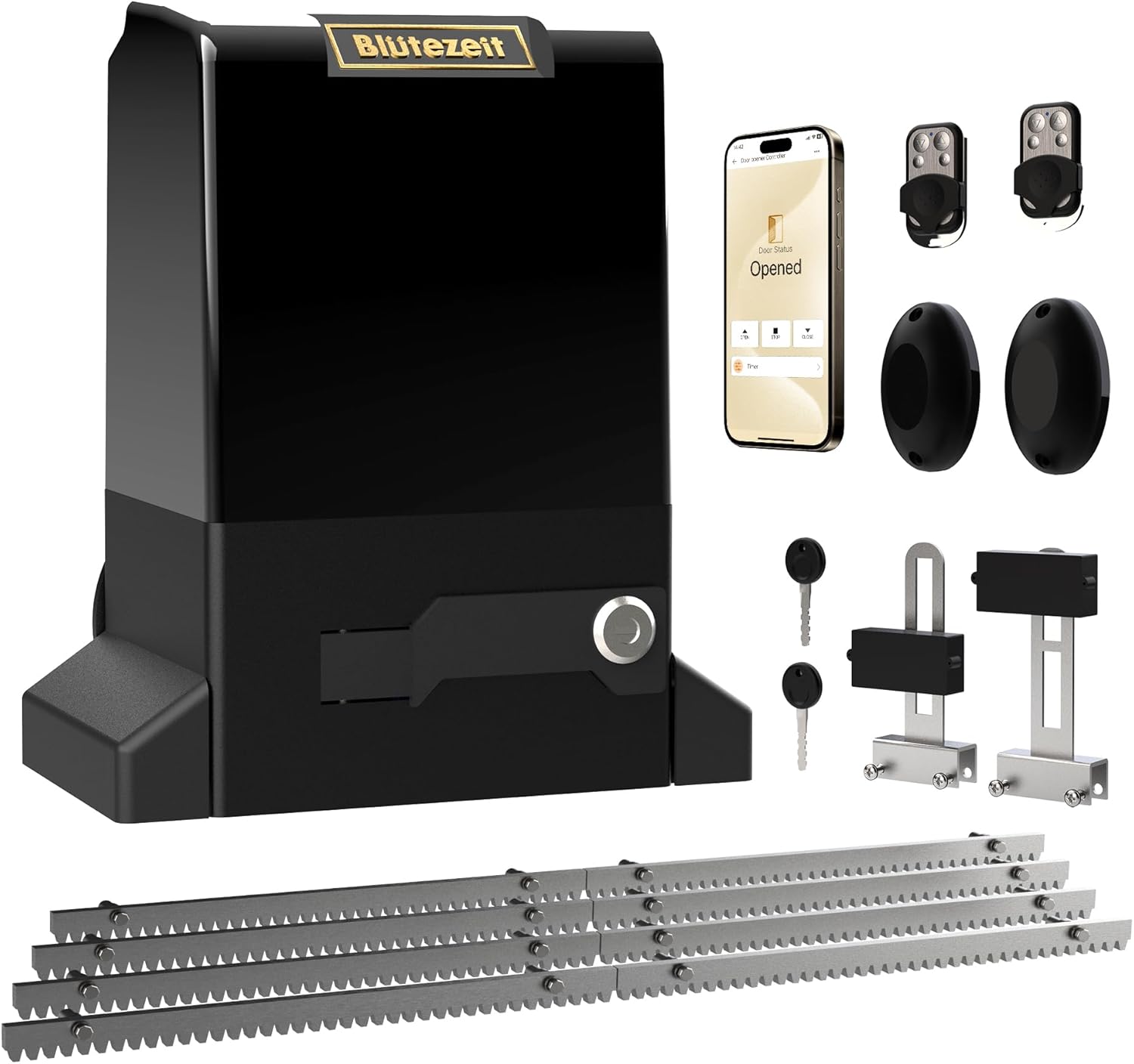
Figure 1.1: Complete Blütezeit 1800lb WiFi Sliding Gate Opener Kit. This image displays the main motor unit, two remote controls, two infrared safety sensors, two manual release keys, and eight sections of steel gear rack, providing a comprehensive view of the included components.
2. Safety Information
Your safety and the safety of others are extremely important. This manual contains important safety messages. Please read them carefully before installing, operating, or maintaining the gate opener.
2.1 General Safety Precautions
- Always disconnect power before performing any service or maintenance.
- Keep hands, feet, and clothing away from the gate and moving parts.
- Do not allow children to play with or operate the gate opener.
- Ensure the gate path is clear of obstructions before operating.
- In case of power outage, use the manual release keys to operate the gate.
2.2 Infrared Safety Sensors
The included infrared sensors are a critical safety feature. They are designed to detect obstructions in the gate's path and automatically stop or reverse the gate's movement, preventing injury or damage.

Figure 2.1: Infrared Safety Sensors. These sensors are designed to be mounted on either side of the gate opening to create an invisible beam. If the beam is broken while the gate is closing, the gate will stop or reverse to prevent impact.
3. Package Contents
Verify that all components listed below are present in your package. If any items are missing or damaged, please contact customer support.
- 1 × Motor Unit (with integrated WiFi module): The main power unit for operating the gate.

Figure 3.1: Motor Unit. The central component of the gate opener system, housing the powerful 1/2HP copper motor and the WiFi module.
- 8 × Steel Gear Rack (13.12 ft total): Sections of durable steel rack that attach to the gate for the motor to drive.

Figure 3.2: Steel Gear Racks. Eight individual sections of steel gear rack, each 1.64 feet long, combine to provide a total length of 13.12 feet for gate movement.
- 2 × Remote Controls (with 12V 27A batteries): Handheld devices for wireless gate operation.

Figure 3.3: Remote Controls. Two compact remote controls are included, pre-installed with batteries, allowing for convenient operation from a distance.
- 2 × Manual Release Keys: Keys to disengage the motor for manual gate operation during power outages.

Figure 3.4: Manual Release Keys. These keys are essential for manually unlocking the gate opener's clutch, enabling manual gate movement when power is unavailable.
- 2 × Infrared Sensors: Safety devices to detect obstructions in the gate's path. (Refer to Figure 2.1)
- 1 × Installation Kit: Contains various hardware components for mounting and securing the gate opener.
- 1 × User Manual: This instruction manual.
4. Installation
Proper installation is crucial for the safe and efficient operation of your Blütezeit gate opener. Please follow the detailed instructions provided in the included installation guide. Ensure you have all necessary tools and that the installation area is clear and safe.
4.1 Site Preparation
- Ensure the gate slides smoothly and is properly aligned.
- Clear any debris or obstacles from the gate's path.
- Prepare a stable, level concrete pad for mounting the motor unit.
4.2 Mounting the Motor Unit
Use the provided installation kit, including the mounting base and expansion screws, to securely fasten the motor unit to the prepared concrete pad.
Figure 4.1: Motor Unit Placement. The motor unit should be positioned correctly relative to the gate for optimal gear rack engagement.
4.3 Attaching the Gear Racks
Attach the steel gear racks to the bottom rail of your sliding gate. Ensure the racks are level and properly aligned with the motor's gear. The racks can be bolted or welded into place.
Figure 4.2: Gear Rack Attachment. The steel gear racks are shown ready for attachment to the gate, forming the track for the motor's drive gear.
4.4 Wiring and Sensor Installation
Connect the power supply and install the infrared safety sensors according to the wiring diagram in the detailed installation manual. Proper wiring is essential for functionality and safety.
Video 4.1: Step-by-Step Guide: Installing WiFi-Enabled Gate Opener. This official video from Blütezeit US provides a comprehensive visual guide to the installation process, including wiring and sensor setup. (Duration: 2:11)
5. Operation
The Blütezeit gate opener offers multiple convenient ways to operate your gate.
5.1 Remote Control Operation
Use the provided remote controls to open and close your gate from a distance of up to 100 feet. Each remote has dedicated buttons for opening, closing, and stopping the gate.
Figure 5.1: Remote Controls in Use. The image shows the two remote controls, which provide convenient wireless access to operate the gate opener.
5.2 Smart WiFi & App Control
The integrated WiFi module allows you to control your gate using the "eWeLink" app on your smartphone. This feature provides remote operation from anywhere with a 2.4GHz WiFi network, allowing you to open/close the gate and monitor its status in real-time.
Figure 5.2: Smart App Integration. The main product image illustrates the gate opener unit alongside a smartphone, demonstrating the integration with the eWeLink app for remote control and status monitoring.
5.3 Auto-Close Function
The gate opener can be programmed to automatically close after a set delay (5s/10s/15s). This feature enhances security and convenience, ensuring the gate closes even if you forget.
5.4 Manual Release
In the event of a power outage or system malfunction, use the provided manual release keys to disengage the motor's clutch. This allows you to manually open or close the gate.
Figure 5.3: Manual Release Mechanism. The image shows the manual release keys, which are used to unlock the gate opener for manual operation.
6. Maintenance
Regular maintenance ensures the longevity and optimal performance of your gate opener. The Blütezeit gate opener is designed for minimal maintenance.
- Cleanliness: Periodically clean the motor unit and gear racks to remove dirt, debris, and leaves that could impede operation.
- Lubrication: Check and lubricate the gear rack and gate rollers as needed, following the recommendations in the detailed installation manual.
- Sensor Check: Regularly test the infrared safety sensors to ensure they are functioning correctly.
- Gate Movement: Ensure the gate moves freely and smoothly when operated manually. Address any stiffness or resistance.
7. Troubleshooting
If you encounter issues with your gate opener, refer to the following common troubleshooting steps. For more complex problems, please contact technical support.
| Problem | Possible Cause | Solution |
|---|---|---|
| Gate does not move. | No power; Manual release engaged; Obstruction in path; Remote battery low. | Check power supply; Disengage manual release; Clear obstruction; Replace remote battery. |
| Gate stops unexpectedly. | Infrared sensor triggered; Overload protection activated. | Check sensor path for obstructions; Reduce gate friction; Allow motor to cool. |
| Remote control not working. | Low battery; Out of range; Remote not programmed. | Replace battery; Move closer to gate; Refer to manual for programming instructions. |
| WiFi app not connecting. | Incorrect WiFi network (not 2.4GHz); Poor signal; App not configured. | Ensure 2.4GHz WiFi; Improve signal strength; Reconfigure app settings. |
8. Specifications
Key technical specifications for the Blütezeit 1800lb WiFi Sliding Gate Opener (Model: ME-BG-800).
| Feature | Specification |
|---|---|
| Manufacturer | Blütezeit |
| Item Model Number | ME-BG-800 |
| Item Weight | 43.6 pounds |
| Product Dimensions | 12 x 9.84 x 16.5 inches |
| Size (Capacity) | 1800lb (for gates up to 1800 lbs) |
| Motor Power | 1/2HP (370W AC motor) |
| Rack Length Included | 13.12 ft (8 x 1.64 ft steel gear racks) |
| Remote Control Range | Up to 100 ft |
| WiFi Compatibility | 2.4GHz networks, eWeLink app |
| Operating Temperature | -13°F to 131°F (-25°C to 55°C) |
| Noise Level | ≤45 dB |
9. Warranty and Support
Blütezeit is committed to providing high-quality products and excellent customer service.
9.1 Technical Support
Enjoy lifetime technical support with your Blütezeit gate opener. Our expert team is available to assist with installation, troubleshooting, and optimizing your gate opener's performance. For assistance, please refer to the contact information provided in your product packaging or visit the official Blütezeit store.
9.2 Return Policy
This product is eligible for a 30-day refund or replacement policy from the date of purchase, subject to the terms and conditions of the retailer.
For more information and additional accessories, please visit the official Blütezeit store: Blütezeit Store on Amazon