1. Introduction
Thank you for purchasing the knoworld Black Dresser with LED Lights and Charging Station. This manual provides essential information for the safe assembly, operation, and maintenance of your new dresser. Please read these instructions thoroughly before beginning assembly or use, and retain them for future reference.
2. Safety Information
- Assembly: Always assemble the dresser on a soft, clean surface to prevent scratches. Ensure all hardware is securely tightened before use.
- Stability: For safety, it is highly recommended to anchor the dresser to a wall using the provided anti-tip kit to prevent tipping, especially in households with children or pets.
- Weight Capacity: Do not overload drawers or the top surface. Distribute weight evenly.
- Electrical Safety: The built-in charging station contains electrical components. Do not expose it to water or excessive moisture. Ensure the power cord is not pinched or damaged. Unplug the dresser from the power outlet before cleaning or if any electrical issue is suspected.
- LED Lights: Do not attempt to modify or repair the LED light strips. Contact customer support if they malfunction.
3. Package Contents
Before assembly, verify that all components are present and undamaged. If any parts are missing or damaged, do not proceed with assembly and contact customer support.
- 1 x knoworld 4-Drawer Dresser (disassembled components)
- Assembly Hardware Kit (screws, dowels, cam locks, etc.)
- LED Light Strip with Controller
- Power Outlet Unit with USB Ports
- Anti-Tip Kit
- Instruction Manual
4. Setup and Assembly
Assembly is required for this dresser. It is recommended to have two people for assembly. Please follow the detailed instructions provided in the separate assembly guide included in your package. Each hardware component is individually packaged and labeled for ease of identification. Lay out all boards by their corresponding numbers before beginning.
Important Note: Some users have reported that pilot holes for screws may be shallow or missing. If you encounter this, carefully use a drill to create or deepen pilot holes to ensure screws can be inserted properly without damaging the wood. Use appropriate drill bit size to avoid splitting the material.

Image: Overall product dimensions and a single drawer's dimensions are shown. The dresser measures approximately 39.96 inches in height, 27.56 inches in width, and 15.75 inches in depth. A single drawer measures 24.61 inches in length, 11.22 inches in width, and 4.02 inches in height.
5. Operating Instructions
5.1 LED Lights Operation
The dresser is equipped with multi-color RGB LED light strips. These lights can be adjusted for color and brightness using the included button controller or a dedicated mobile application.
- Button Control: Use the inline button controller to cycle through various colors, adjust brightness, and select different lighting modes.
- App Control: Download the specified mobile application (refer to the LED light instruction sheet for app details) to access advanced features such as custom color selection, music sync mode, timing mode, and microphone mode.

Image: This image illustrates the adjustable RGB light strips. It shows a key control button and an app control interface, highlighting features like RGB colors, light mode, mic mode, music mode, and timing mode. Various dresser setups with different LED light colors are displayed.
5.2 Charging Station Usage
The dresser features a built-in power outlet with 2 AC outlets and 2 USB ports, providing convenient charging for your electronic devices.
- Power Connection: Plug the dresser's main power cord into a standard wall outlet.
- AC Outlets: Use the 2 AC outlets (125V/12A) to power small appliances, lamps, or laptop chargers.
- USB Ports: Use the 2 USB ports (5V/2A) to charge mobile phones, tablets, smartwatches, and other USB-powered devices.
- Overload Protection: Avoid plugging in high-power devices that exceed the charging station's capacity to prevent overload.

Image: A close-up view of the built-in charging station on the dresser's top surface. It features two standard AC power outlets and two USB ports, with a power cord extending from the unit. A smartphone and smartwatch are shown wirelessly charging on the surface, indicating the convenience of the station.
5.3 Drawer Operation
The dresser includes four spacious drawers designed for smooth operation.
- Opening/Closing: Gently pull or push the gold metal handles to open and close the drawers. The drawers are equipped with ball-bearing slides for smooth movement.
- Storage: Utilize the drawers for organizing clothing, blankets, accessories, or other personal items. The top surface can be used to display decorative items.

Image: The dresser is shown with its top three drawers partially open, revealing neatly folded clothes and other items inside. This highlights the ample storage capacity of the large drawers.
6. Maintenance
Proper maintenance will ensure the longevity and appearance of your dresser.
- Cleaning: Wipe the dresser surfaces with a soft, damp cloth. Avoid using harsh chemicals or abrasive cleaners, which can damage the painted MDF finish. The surface is designed to be scratch-resistant and easy to clean.
- Dusting: Regularly dust the surfaces with a dry, soft cloth.
- Hardware: Periodically check all screws and fasteners to ensure they remain tight. Retighten if necessary.
- Electrical Components: Keep the charging station free of dust and debris. Do not attempt to clean the electrical ports with liquids.
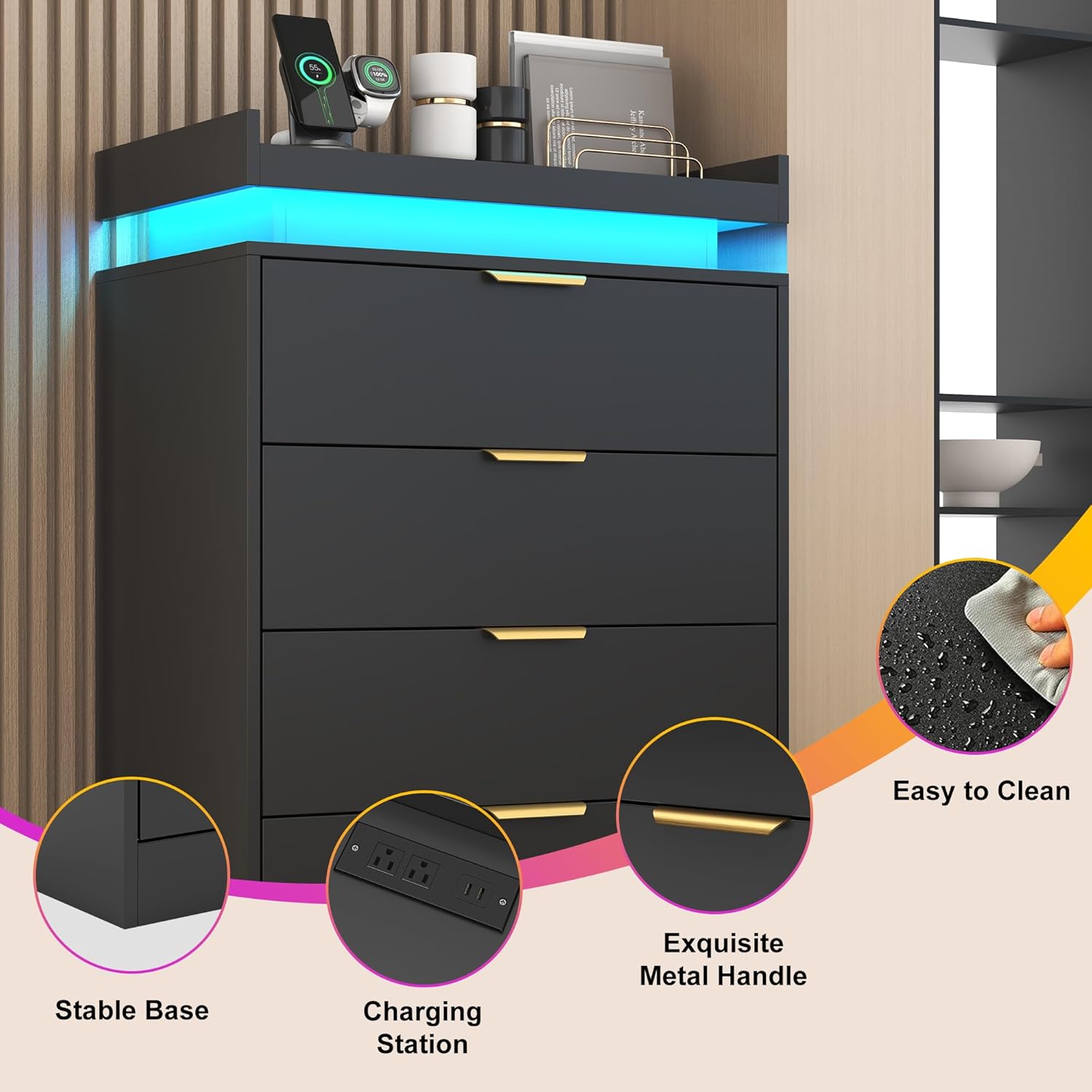
Image: This image highlights key features of the dresser: a stable base, the integrated charging station, exquisite metal handles, and an easy-to-clean surface, depicted by a hand wiping the surface with a cloth.
7. Troubleshooting
If you encounter issues with your dresser, refer to the following common problems and solutions:
| Problem | Possible Cause | Solution |
|---|---|---|
| LED lights not turning on or malfunctioning. | Loose connection, power issue, controller malfunction. | Ensure the LED strip is securely connected to the power source. Check if the dresser's main power cord is plugged in. Try using the button controller if the app is not working, or vice versa. |
| Charging station not providing power. | Dresser not plugged in, power surge, device incompatibility. | Verify the dresser's main power cord is securely plugged into a working wall outlet. Test with a different device. Avoid overloading the outlets. |
| Drawers are difficult to open or close. | Improper assembly, obstruction, loose hardware. | Check the drawer slides for proper alignment and ensure no items are obstructing the drawer's path. Verify all assembly hardware for the drawers and slides is tightened. |
| Pilot holes for screws are too shallow during assembly. | Manufacturing variation. | Carefully use a drill with an appropriate bit size to deepen the pilot holes. Do not over-drill. |
8. Specifications
| Feature | Detail |
|---|---|
| Model Name | I870100425A1 |
| Brand | knoworld |
| Material | Wood (MDF) |
| Finish Type | Painted |
| Colour | Black |
| Product Dimensions (Overall) | 40D x 70W x 101.5H Centimetres (15.75"D x 27.56"W x 39.96"H) |
| Number of Drawers | 4 |
| Item Weight | 27.65 kg (60.96 Pounds) |
| Assembly Required | Yes |
| Batteries Required | No |
| Charging Station | 2 AC Outlets (125V/12A), 2 USB Ports (5V/2A) |
| LED Lights | Multi-color RGB, App & Button Control |
9. Warranty and Support
For warranty information, please refer to the documentation provided at the time of purchase or contact your retailer directly. Specific warranty terms may vary.
If you require technical assistance, have questions about assembly, or need to report missing/damaged parts, please contact knoworld customer support through the retailer's platform or the contact information provided in your purchase documentation.