Introduction
This manual provides detailed instructions for the proper use, setup, and maintenance of your Nautica Men's NCT Blue Ocean Chronograph Watch, model NAPBOS502. Please read this manual thoroughly to ensure optimal performance and longevity of your timepiece.

Image: Front view of the Nautica Men's NCT Blue Ocean Chronograph Watch, showcasing the black dial, silver-tone case, and black silicone strap.
Setup
Unboxing and Initial Inspection
Upon receiving your watch, carefully remove it from its packaging. Inspect the watch for any visible damage. Ensure all protective films are removed from the crystal and case back.
Setting the Time
- Pull the crown (located on the right side of the watch case) out to position 2.
- Rotate the crown clockwise or counter-clockwise to set the hour and minute hands to the correct time.
- Once the time is set, push the crown back into position 0 (normal operating position).
Setting the Date
- Pull the crown out to position 1.
- Rotate the crown to adjust the date displayed in the date window (located at 4 o'clock).
- Avoid setting the date between 9:00 PM and 3:00 AM, as this may interfere with the automatic date change mechanism.
- Once the date is set, push the crown back into position 0.
Chronograph Initial Setup
The chronograph features three subdials: a 24-hour indicator, a 60-minute counter, and a 60-second counter. If the chronograph hands are not aligned to the '0' position, refer to the troubleshooting section for adjustment instructions.
Operating Your Watch
Basic Timekeeping
The watch displays hours, minutes, and seconds through its main hands. The date is shown in the window at the 4 o'clock position. The small subdial at 3 o'clock indicates the time in a 24-hour format, which is useful for distinguishing AM/PM when setting the date.
Chronograph Functions
The chronograph function allows for precise measurement of elapsed time.
- Start/Stop: Press the upper pusher (A) to start the chronograph. Press it again to stop.
- Reset: While the chronograph is stopped, press the lower pusher (B) to reset all chronograph hands to their '0' positions.
- Reading the Chronograph: The central second hand measures elapsed seconds. The subdial at 9 o'clock measures elapsed minutes (up to 60 minutes). The subdial at 6 o'clock measures elapsed seconds for the chronograph.
Water Resistance
This watch is water-resistant to 100 meters (330 feet). This rating means the watch is suitable for swimming, snorkeling, and showering. It is not suitable for scuba diving. Ensure the crown is fully pushed in before exposing the watch to water. Do not operate the crown or pushers while the watch is wet or submerged.

Image: The Nautica Men's NCT Blue Ocean Chronograph Watch worn on a male wrist, demonstrating its appearance during wear.
Care and Maintenance
Cleaning
To clean your watch, wipe the case and strap with a soft, damp cloth. For silicone straps, a mild soap solution can be used, followed by rinsing with clean water and thorough drying. Avoid using harsh chemicals or abrasive materials.
Battery Replacement
The watch is powered by a quartz movement and requires a battery. When the battery is depleted, the watch will stop running. Battery replacement should be performed by a qualified watch technician to ensure proper sealing and water resistance integrity.
Storage
When not in use, store your watch in a cool, dry place away from direct sunlight, extreme temperatures, and strong magnetic fields. Keeping it in its original box or a watch case can help protect it from dust and scratches.
Troubleshooting
| Problem | Possible Cause | Solution |
|---|---|---|
| Watch not running | Depleted battery; Crown not pushed in | Replace battery (professional service recommended); Push crown fully into position 0 |
| Date changes at noon | Time set incorrectly (AM/PM) | Advance the hour hand by 12 hours |
| Chronograph hands not resetting to '0' | Misalignment | Consult a professional watch technician for adjustment. |
| Water inside watch | Crown/pushers operated underwater; Seal compromised | Immediately seek professional service to prevent further damage. |
Specifications
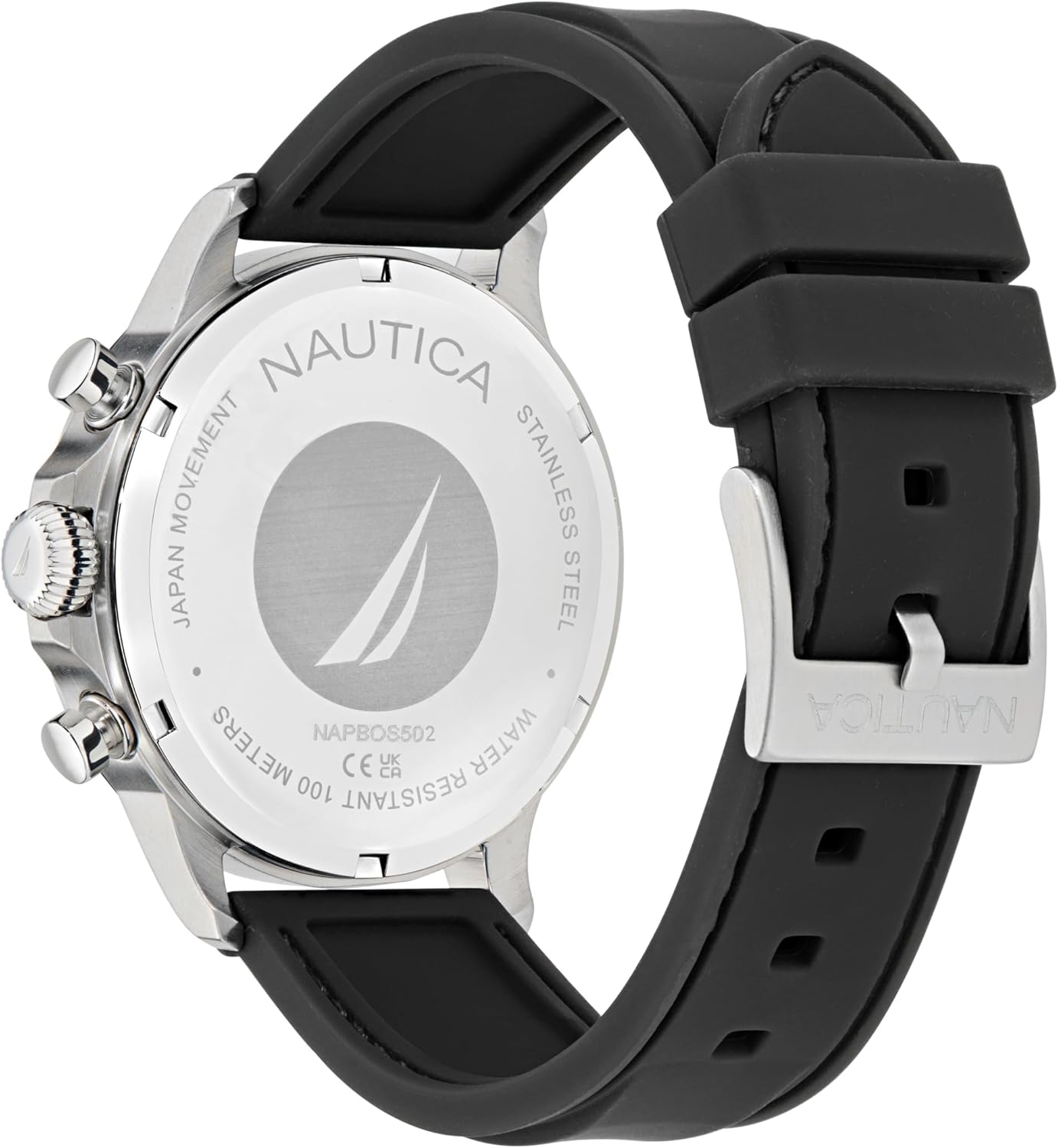
Image: Back view of the Nautica Men's NCT Blue Ocean Chronograph Watch, showing the screw-down case back with model number and water resistance markings.
| Feature | Detail |
|---|---|
| Model Number | NAPBOS502 |
| Case Material | Silver-tone 45mm recycled (90%) stainless steel |
| Crystal | Mineral glass |
| Dial | Black dial with luminous hands and date display at 4 o'clock |
| Movement | Chronograph quartz movement |
| Strap Material | Black 22x20mm silicone strap |
| Wrist Circumference | Fits up to 8-inch wrist |
| Water Resistance | 100m (330ft) |
| Case Back | Screw-down |
| Crown | Screw-down |
| Manufacturer | Timex |
Warranty and Support
Your Nautica watch is covered by a manufacturer's warranty against defects in materials and workmanship. For specific warranty terms, conditions, and duration, please refer to the warranty card included with your purchase or visit the official Nautica website.
For further assistance, technical support, or service inquiries, please contact Nautica customer service through their official website: www.nautica.com.


