
Megachef MCSC-OV350
MegaChef 3.7 Quart Digital Slow Cooker (Model MCSC-OV350)
Instruction Manual
1. Introduction
Thank you for purchasing the MegaChef 3.7 Quart Oval Electric Digital Slow Cooker. This appliance is designed to simplify your cooking process, allowing you to prepare delicious meals with minimal effort. Please read this manual thoroughly before operating the appliance to ensure safe and efficient use. Keep this manual for future reference.
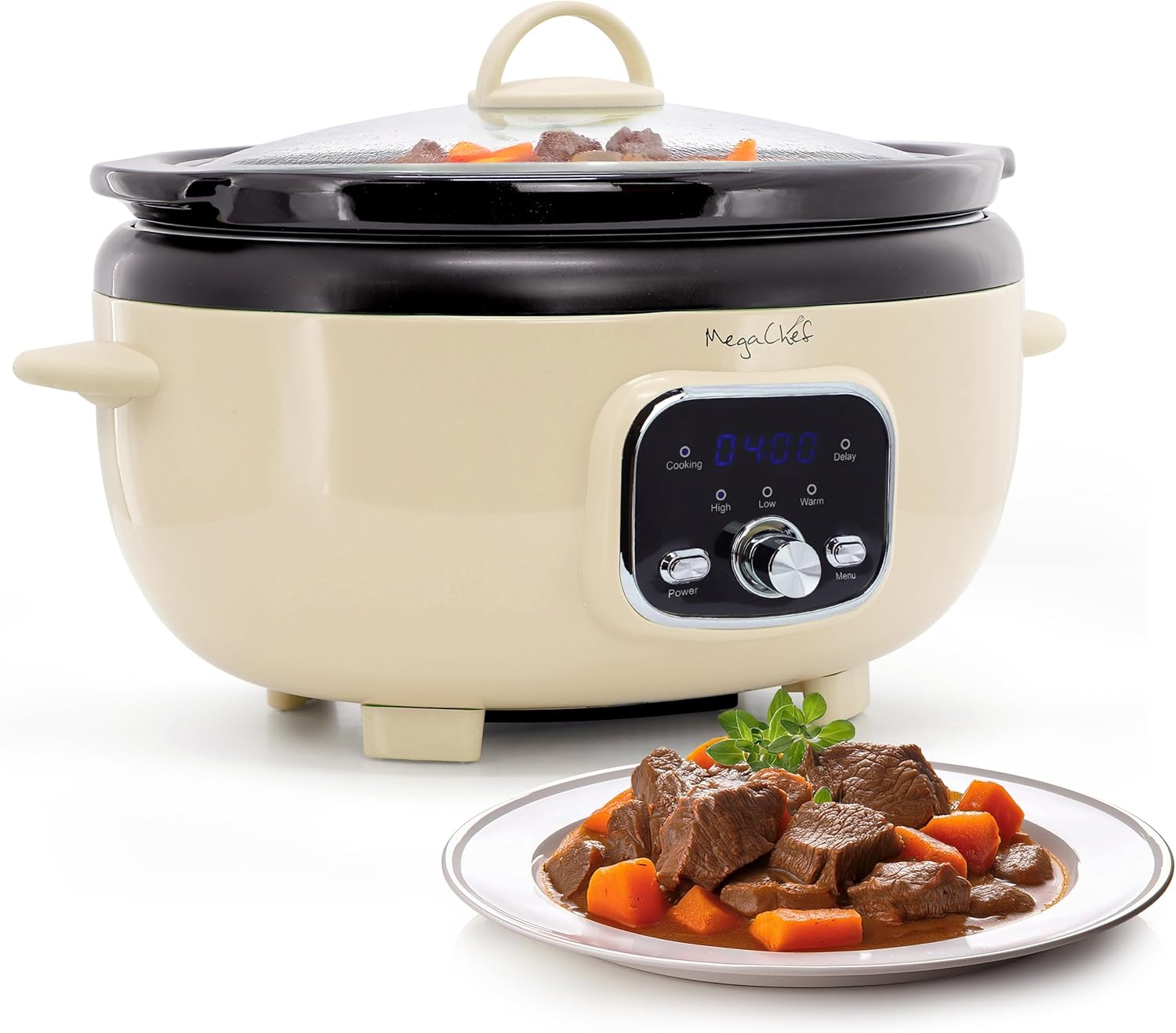
Image 1: MegaChef 3.7 Quart Digital Slow Cooker with a prepared meal.
2. Important Safety Instructions
When using electrical appliances, basic safety precautions should always be followed, including the following:
- READ ALL INSTRUCTIONS.
- Do not touch hot surfaces. Use handles or knobs.
- To protect against electrical shock, do not immerse the base unit, cord, or plug in water or other liquid.
- Close supervision is necessary when any appliance is used by or near children.
- Unplug from outlet when not in use and before cleaning. Allow to cool before putting on or taking off parts.
- Do not operate any appliance with a damaged cord or plug, or after the appliance malfunctions or has been damaged in any manner.
- The use of accessory attachments not recommended by the appliance manufacturer may cause injuries.
- Do not use outdoors.
- Do not let cord hang over edge of table or counter, or touch hot surfaces.
- Do not place on or near a hot gas or electric burner, or in a heated oven.
- Extreme caution must be used when moving an appliance containing hot oil or other hot liquids.
- Always attach plug to appliance first, then plug cord into the wall outlet. To disconnect, turn any control to “OFF”, then remove plug from wall outlet.
- Do not use appliance for other than intended use.
- Avoid sudden temperature changes, such as adding refrigerated foods into a heated ceramic pot.
- The ceramic pot is designed for use only in this appliance. It must never be used on a stovetop or in an oven.
3. Parts and Features
Familiarize yourself with the components of your MegaChef Slow Cooker:
- Tempered Glass Lid: Allows monitoring of cooking progress without releasing heat.
- Ceramic Inner Pot: Removable, dishwasher-safe, and provides even heat distribution.
- Base Unit: Houses the heating element and control panel.
- Cool-Touch Handles: For safe handling and transport.
- Digital Control Panel: Features a digital display, Power button, Menu button, and a rotary knob for settings.
- Indicator Lights: For Cooking, High, Low, Warm, and Delay settings.
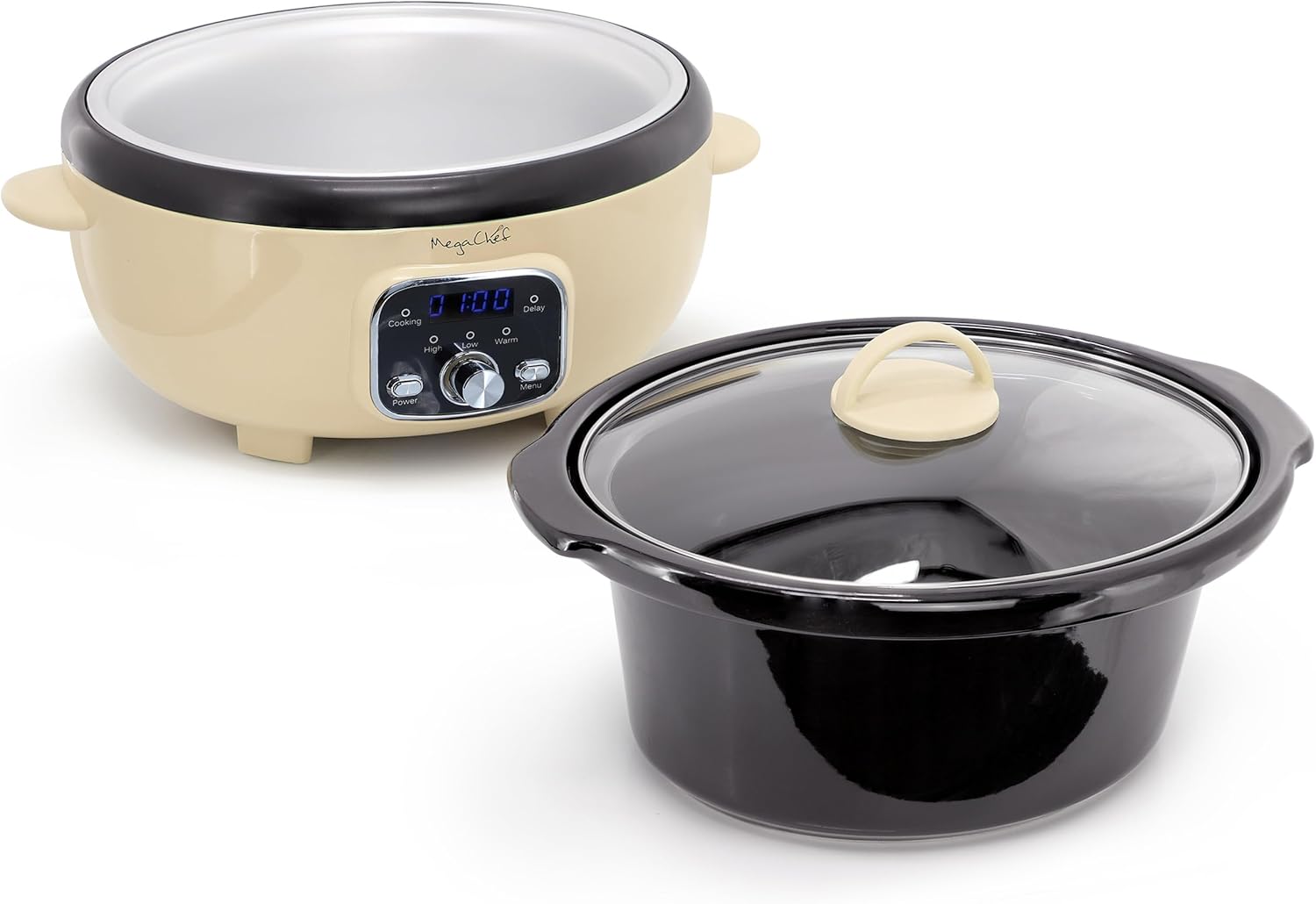
Image 2: Components of the MegaChef Slow Cooker.

Image 3: Digital Control Panel with Power, Menu, and rotary knob.
4. Setup and First Use
- Unpack: Carefully remove all packaging materials and promotional labels from the slow cooker.
- Clean: Wash the ceramic inner pot and glass lid in warm, soapy water. Rinse thoroughly and dry. The ceramic pot and lid are dishwasher safe. Wipe the exterior of the base unit with a soft, damp cloth. Do not immerse the base unit in water.
- Placement: Place the base unit on a dry, level, heat-resistant surface away from walls or other appliances to ensure proper ventilation.
- Assemble: Place the clean ceramic inner pot into the base unit.
5. Operating Instructions
This slow cooker offers versatile cooking options with adjustable temperature and timer settings.
5.1 Basic Operation
- Add Ingredients: Place your desired ingredients into the ceramic inner pot.
- Secure Lid: Place the tempered glass lid onto the ceramic pot.
- Plug In: Plug the power cord into a standard electrical outlet. The digital display will illuminate.
- Power On: Press the Power button to turn on the appliance.
- Select Mode: Use the Menu button to cycle through cooking modes: Cooking (default), Delay.
- Adjust Settings: Use the rotary knob to adjust the cooking time or delay time.
5.2 Temperature Settings
The slow cooker features three temperature settings:
- HIGH: For faster cooking.
- LOW: For slower cooking, ideal for tenderizing meats.
- WARM: Automatically activates after cooking is complete to keep food at serving temperature.
To select a temperature, rotate the central knob to the desired setting (High, Low, or Warm). The corresponding indicator light will illuminate.
5.3 Timer Function
The digital timer allows you to set precise cooking durations:
- After selecting your desired temperature (High or Low), the display will show a default time.
- Rotate the central knob to adjust the cooking time in increments (e.g., 30 minutes or 1 hour, refer to specific model for exact increments).
- The timer will begin counting down once set.
5.4 Delay Start Function
The delay start feature allows you to program the slow cooker to begin cooking at a later time:
- Press the Menu button until the Delay indicator light is on.
- Rotate the central knob to set the desired delay time (e.g., 1-12 hours).
- Once the delay time counts down to zero, the slow cooker will automatically switch to the selected cooking mode (High or Low) and begin cooking.
5.5 Automatic Keep Warm
Upon completion of the set cooking time, the slow cooker will automatically switch to the Warm setting. This feature maintains the food at a safe serving temperature without overcooking. The Warm setting typically lasts for a few hours before automatically shutting off.
6. Care and Maintenance
Proper care ensures the longevity and performance of your slow cooker.
- Always unplug the slow cooker and allow it to cool completely before cleaning.
- Ceramic Pot and Lid: The removable ceramic inner pot and tempered glass lid are dishwasher safe. Alternatively, they can be washed by hand with warm, soapy water and a non-abrasive sponge. Avoid using harsh abrasive cleaners or scouring pads.
- Base Unit: Wipe the exterior of the base unit with a soft, damp cloth. Do not use abrasive cleaners. Never immerse the base unit in water or any other liquid.
- Storage: Ensure all parts are clean and dry before storing. Store the slow cooker in a dry place.
7. Troubleshooting
| Problem | Possible Cause | Solution |
|---|---|---|
| Appliance does not turn on. | Not plugged in; power outage; faulty outlet. | Ensure plug is securely in outlet; check circuit breaker; try a different outlet. |
| Food is not cooking properly. | Incorrect temperature setting; lid not sealed properly; insufficient cooking time. | Verify temperature setting (High/Low); ensure lid is seated firmly; extend cooking time as needed. Avoid lifting the lid frequently. |
| Food is burning or overcooked. | Too high temperature setting; excessive cooking time. | Adjust to a lower temperature setting; reduce cooking time. |
| Digital display not working. | Power issue; internal malfunction. | Check power connection. If problem persists, contact customer support. |
8. Specifications
- Brand: Megachef
- Model Number: MCSC-OV350
- Capacity: 3.7 Quarts
- Material: Stoneware (pot), Tempered Glass (lid), Stainless Steel (exterior)
- Product Dimensions: 10.8"D x 15.15"W x 9.45"H
- Item Weight: 8 Pounds
- Wattage: 200 watts
- Voltage: 120 Volts
- Control Method: Touch (digital panel) and Rotary Knob
- Number of Settings: 4 (High, Low, Warm, Delay)
- Dishwasher Safe: Yes (Ceramic Pot and Lid)
9. Warranty and Support
For warranty information and customer support, please refer to the documentation included with your product or visit the official Megachef website. Keep your purchase receipt as proof of purchase for any warranty claims.
For additional protection, consider purchasing an extended protection plan. Details on available plans can be found at the point of purchase or through authorized retailers.
Related documentsMCSC-OV350


Ask a question about this manual
Ask about setup, troubleshooting, compatibility, parts, safety, or missing instructions. Manuals+ will review the question and use this page’s manual context to help answer it.