Introduction
This manual provides essential instructions for the installation, operation, and maintenance of your Womaqu 10401-35 RC550 Motor. Designed as a spare part for RC vehicles, this motor ensures optimal performance for compatible models such as the HS10422. Please read this manual thoroughly before installation and use to ensure proper function and longevity of your product.
What's in the Box
Verify that all components are present upon unboxing:
- 1 x Womaqu 10401-35 RC550 Motor
Compatibility
The Womaqu 10401-35 RC550 Motor is specifically designed as a replacement or upgrade for RC vehicles. It is compatible with models such as the HS10422.

Image: Compatible RC vehicle models, including HS10422.
Specifications
| Feature | Detail |
|---|---|
| Model Number | 10401-35 |
| Motor Type | RC550 Electric Motor |
| Speed | 30000 RPM |
| Voltage | 7.4 Volts |
| Horsepower | 0.3 Horsepower |
| Material | Metal |
| Product Dimensions | 1.1"W x 2.53"H |
| Item Weight | 4.3 ounces |
Installation (Setup)
Follow these steps to properly install the RC550 motor into your compatible RC vehicle:
- Preparation: Ensure your RC vehicle is powered off and the battery is disconnected. Gather necessary tools suchs as screwdrivers and pliers.
- Access the Motor Compartment: Carefully remove the body shell of your RC vehicle. Locate the existing motor and its mounting screws.
- Disconnect Wiring: Disconnect the motor's power wires from the Electronic Speed Controller (ESC). Note the polarity (positive and negative) for correct re-connection.
- Remove Old Motor: Unscrew the mounting screws holding the old motor in place. Carefully remove the motor, ensuring not to damage any surrounding components.
- Install New Motor: Position the Womaqu 10401-35 RC550 Motor in the motor mount. Secure it with the mounting screws. Ensure the motor is firmly seated but do not overtighten.
- Connect Wiring: Reconnect the motor's power wires to the ESC, matching the correct polarity. Incorrect polarity can damage the ESC or motor.
- Gear Mesh Adjustment: If applicable, adjust the gear mesh between the motor pinion gear and the spur gear. A small amount of play is necessary to prevent binding and premature wear.
- Final Check: Before reattaching the body shell, perform a quick test by connecting the battery and briefly powering on the vehicle to ensure the motor spins freely and correctly.
- Reassemble: Reattach the body shell and any other components removed during installation.
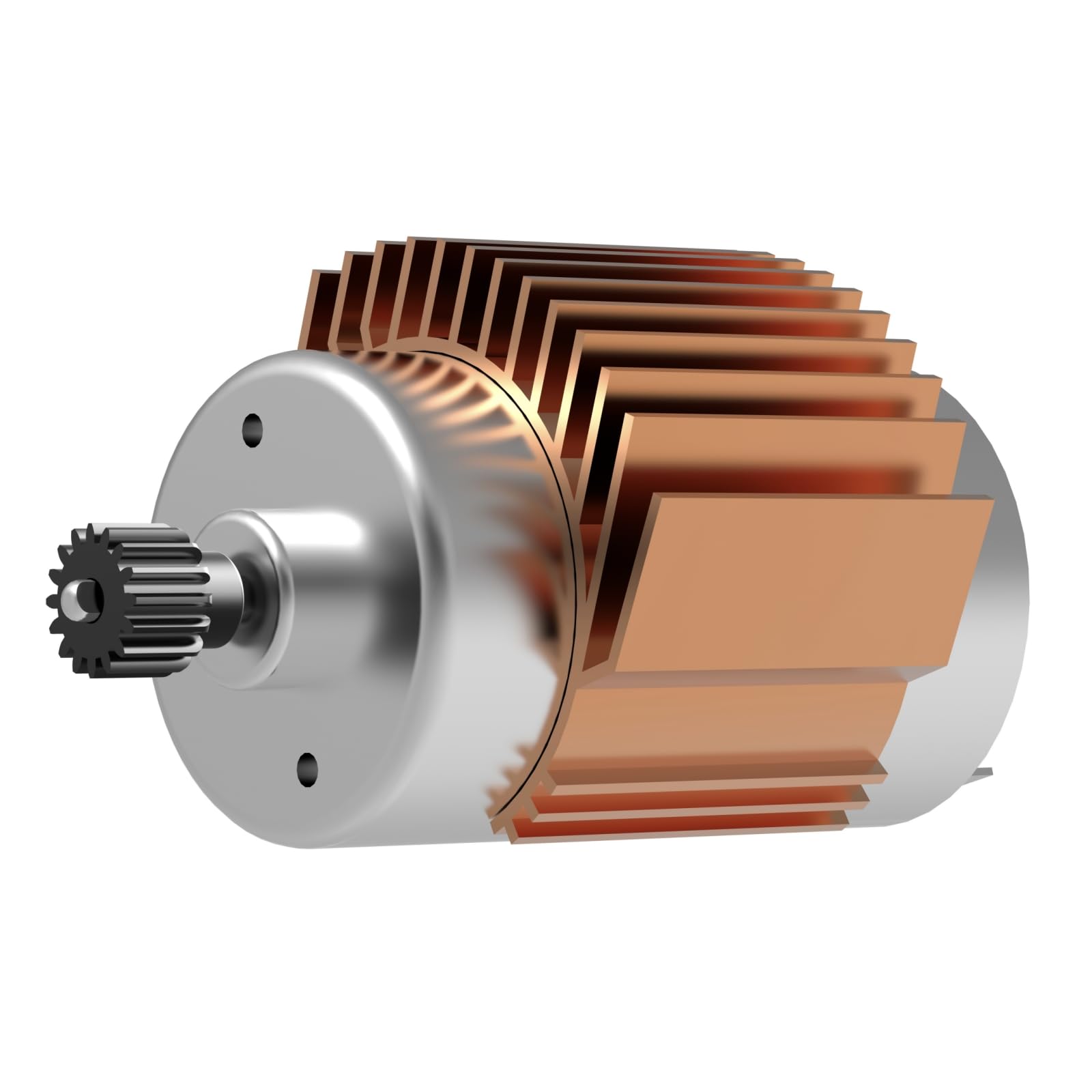
Image: RC car chassis highlighting the motor's placement and an isolated view of the RC550 motor.
Operating Guidelines
Once installed, the RC550 motor operates as part of your RC vehicle's drivetrain. Ensure your Electronic Speed Controller (ESC) is properly calibrated for the motor and battery type (7.4 Volts recommended). Avoid continuous operation at maximum load to prevent overheating. Monitor motor temperature during initial runs.
Maintenance
Regular maintenance helps extend the life of your RC550 motor:
- Cleaning: Periodically clean the motor to remove dirt, dust, and debris that can accumulate and affect performance. Use compressed air or a soft brush.
- Inspection: Regularly inspect the motor for any signs of wear, such as damaged wires, loose connections, or unusual noises during operation.
- Bearing Check: Check the motor bearings for smooth rotation. If they feel gritty or rough, they may need cleaning or replacement.
- Gear Mesh: Re-check the gear mesh periodically to ensure it remains optimal.
Troubleshooting
If you encounter issues with your RC550 motor, consider the following:
- Motor Not Spinning:
- Check all wiring connections to ensure they are secure and correctly polarized.
- Verify the battery is charged and properly connected.
- Ensure the ESC is powered on and correctly calibrated.
- Inspect for any physical obstructions preventing the motor or gears from turning.
- Motor Overheating:
- Check gear mesh for tightness; too tight can cause excessive friction.
- Ensure the motor is not continuously run under heavy load.
- Verify the vehicle's weight and tire size are appropriate for the motor.
- Consider adding a motor heatsink if overheating persists.
- Reduced Performance:
- Check battery charge level.
- Inspect for dirt or debris inside the motor.
- Ensure all connections are clean and tight.
Warranty Information
Womaqu products are manufactured to high-quality standards. For specific warranty details, please refer to the purchase documentation or contact Womaqu customer support. This warranty typically covers manufacturing defects but does not cover damage resulting from misuse, improper installation, or normal wear and tear.
Customer Support
For further assistance, technical support, or inquiries regarding your Womaqu 10401-35 RC550 Motor, please visit the official Womaqu store on Amazon or contact their customer service department through the provided channels on your purchase receipt or the product packaging.
You can visit the Womaqu store here: Womaqu Store


