
1. Introduction
This user manual provides detailed instructions for the installation, operation, and maintenance of your Bextgoo 2K Video Intercom System Doorbell Camera, Model 7024B. Please read this manual thoroughly before using the product to ensure proper function and safety. Keep this manual for future reference.

Image 1.1: Overview of the Bextgoo 2K Video Intercom System components.
2. Safety Information
- Ensure all power connections are secure and correctly wired to prevent electrical hazards.
- Do not expose the indoor monitor to moisture or extreme temperatures.
- The outdoor doorbell camera is IP66 rated for weather resistance; however, avoid submerging it in water.
- Use only the provided power adapter and wiring kit.
- Keep the device away from strong magnetic fields.
- For professional installation, consult a qualified electrician.
3. Package Contents
Verify that all items listed below are included in your package:
- Video Intercom Doorbell Camera
- Indoor Monitor (7-inch touch screen)
- RFID Cards (multiple)
- Wiring Kit
- Power Cord
- Screw Kit for mounting
- User Manual (this document)
- 64GB Micro SD Card (pre-installed or included separately)
4. Product Overview
The Bextgoo Video Intercom System consists of an outdoor doorbell camera and an indoor 7-inch touch monitor, designed to provide secure and convenient communication with visitors.
4.1 Doorbell Camera
The outdoor doorbell camera features a 2K resolution lens with a 170° wide-angle view, infrared night vision, and motion detection capabilities. It is rated IP66 for weather resistance, ensuring reliable operation in various outdoor conditions.
4.2 Indoor Monitor
The 7-inch color touch monitor serves as the central control unit. It displays real-time video from the doorbell, allows two-way communication, and enables remote unlocking. The monitor supports 2.4GHz WiFi for app connectivity and includes a slot for the 64GB SD card for local storage.
5. Setup
5.1 Installation
The system utilizes a 4-wire connection between the outdoor doorbell camera and the indoor monitor for stable data transmission and power. This wired connection supports distances up to 100 meters.
- Mounting the Doorbell Camera: Choose a suitable location near your entrance, ensuring a clear view and protection from direct impact. Use the provided screw kit to securely wall-mount the doorbell camera.
- Wiring Connection: Connect the 4-wire cable from the doorbell camera to the indoor monitor. Ensure all connections are firm and follow the wiring diagram provided in the separate installation guide.
- Mounting the Indoor Monitor: Select an accessible indoor location for the monitor. Secure it to the wall using the screw kit.
- Power Connection: Connect the power cord to the indoor monitor and plug it into a standard electrical outlet.

Image 5.1: Doorbell camera mounted on an exterior wall.
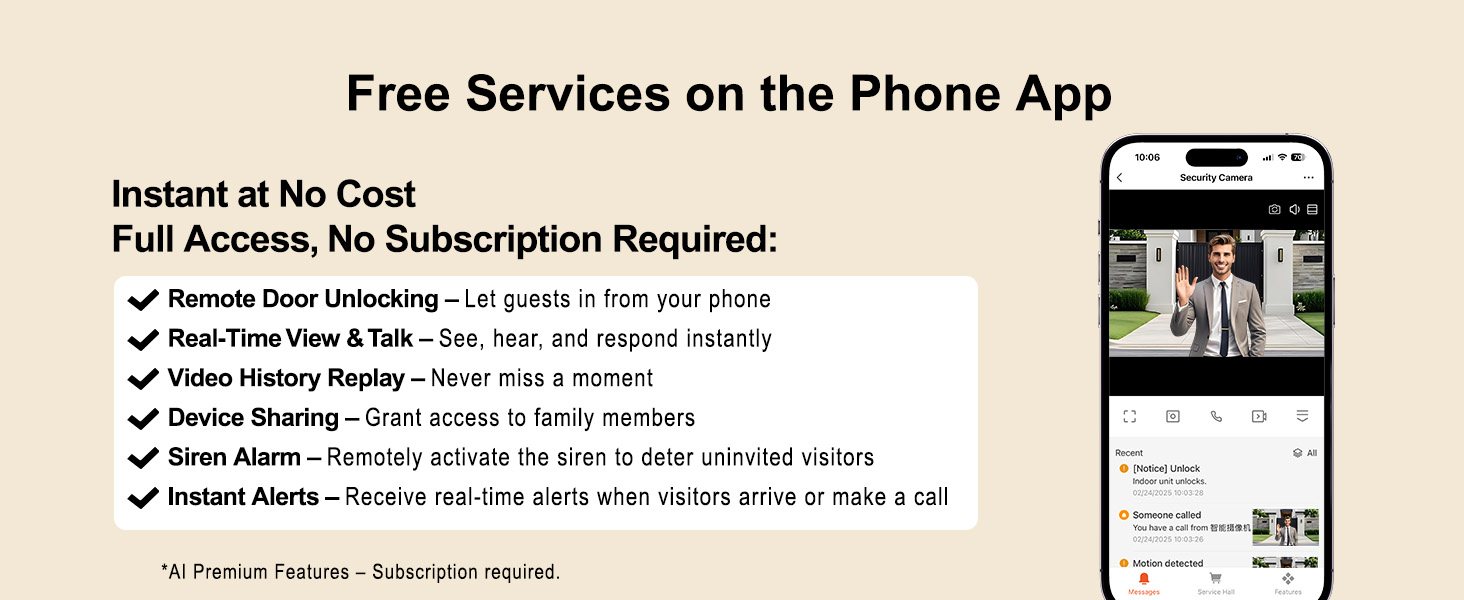
Image 5.2: Diagram of the 4-wire installation for stable connection.
5.2 Initial Power-up
Once all connections are made and power is supplied, the indoor monitor will power on automatically. Follow the on-screen prompts for initial setup.
5.3 App Pairing (2.4GHz WiFi)
To enable remote access via your smartphone, connect the indoor monitor to your home's 2.4GHz WiFi network. The monitor does not support 5GHz WiFi. Download the official Bextgoo app from your device's app store and follow the in-app instructions to pair your system.
6. Operating Instructions
6.1 Using the Indoor Monitor
When a visitor presses the doorbell, the indoor monitor will display real-time video. You can interact with the visitor and unlock the door directly from the monitor's touch screen.

Image 6.1: Interacting with visitors via the indoor monitor.
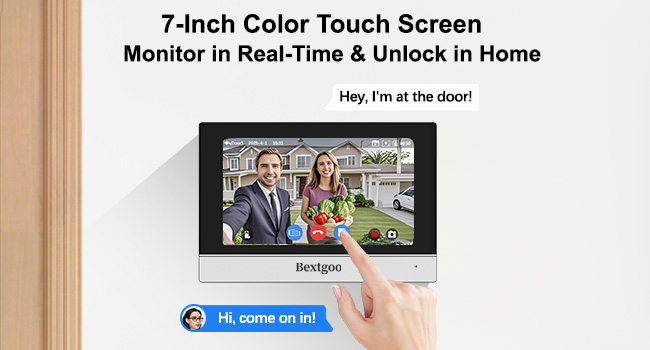
Image 6.2: Indoor monitor showing a visitor and unlock options.
6.2 Using the Mobile App
The Bextgoo mobile app allows you to monitor your doorstep and interact with visitors remotely from anywhere with an internet connection.
- Real-time View: Access live video feed from the doorbell camera.
- Remote Unlocking: Unlock your door or gate directly from the app.
- Two-Way Audio: Communicate with visitors using the app's microphone and speaker.
- Instant Alerts: Receive notifications on your phone when motion is detected or the doorbell is pressed.

Image 6.3: Remote interaction via the smartphone app.

Image 6.4: Smartphone app interface for monitoring and unlocking.
6.3 RFID Card Usage
The system includes RFID cards for convenient unlocking. Simply tap an authorized RFID card on the designated area of the doorbell camera to unlock the door.

Image 6.5: Unlocking the door with an RFID card.
6.4 Motion Detection Settings
The doorbell camera features advanced motion detection. You can customize the detection sensitivity and alert time periods via the indoor monitor or the mobile app to minimize false alarms.

Image 6.6: Smart motion detection and instant alerts.
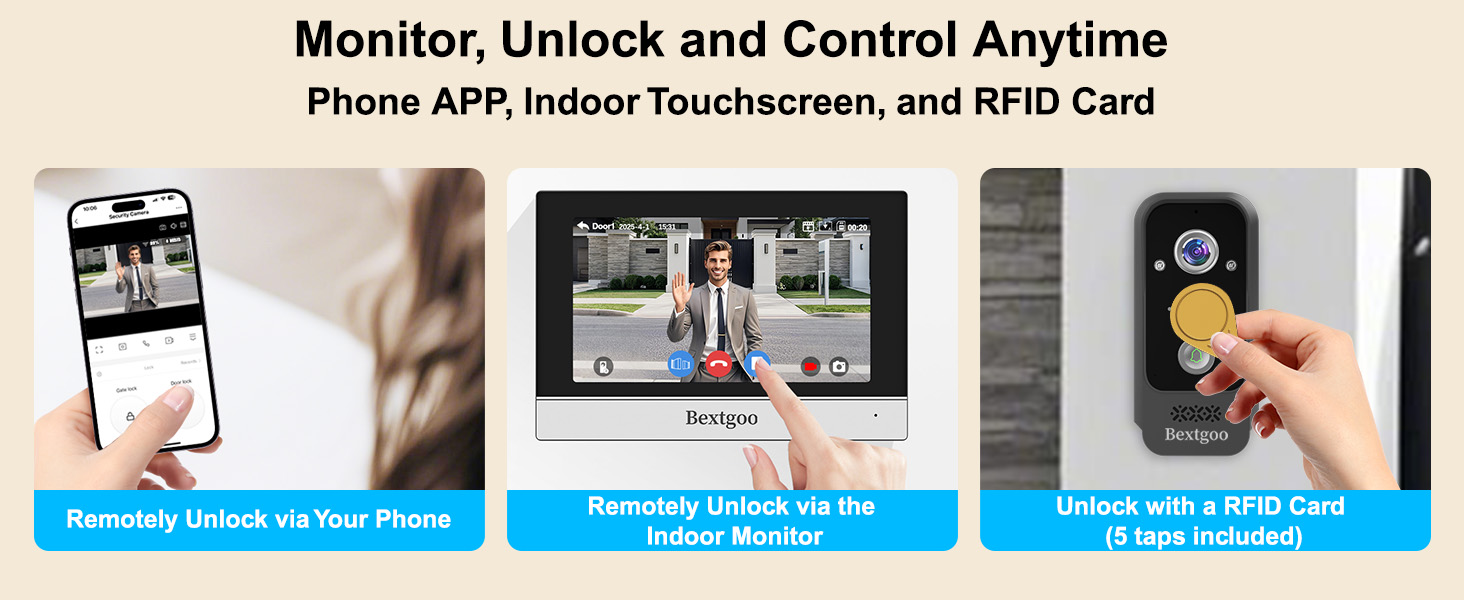
Image 6.7: Visual representation of smart motion alerts.
6.5 Video Recording and Playback
The system records events to the included 64GB SD card. You can review recorded footage directly on the indoor monitor or through the mobile app. The 2K resolution ensures clear details, even in low light conditions with IR night vision.

Image 6.8: Video playback on monitor and app.
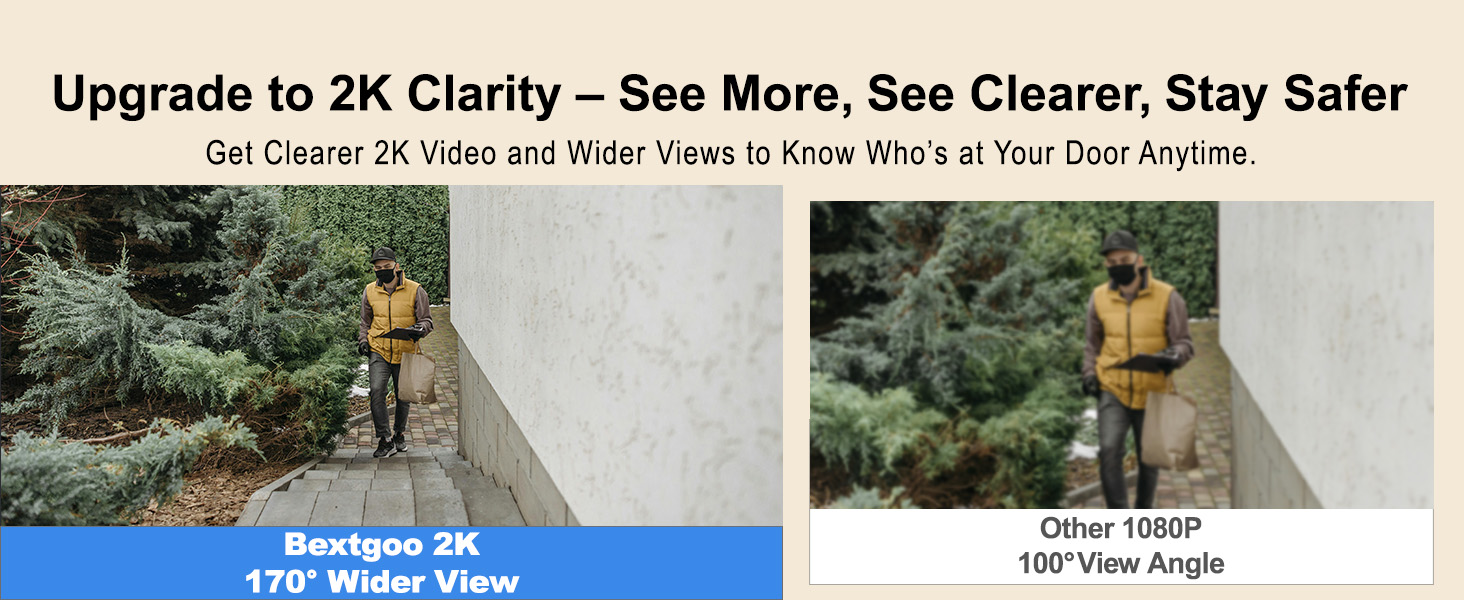
Image 6.9: 2K video clarity comparison (day).
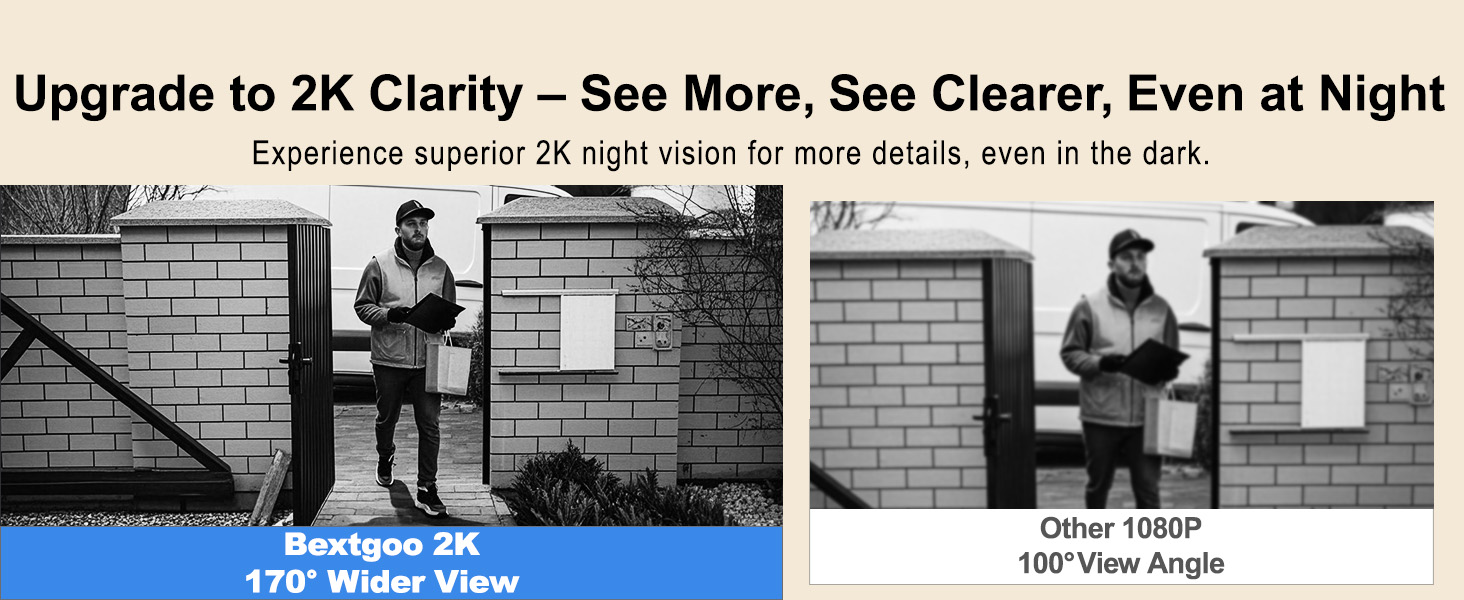
Image 6.10: 2K video clarity comparison (night).
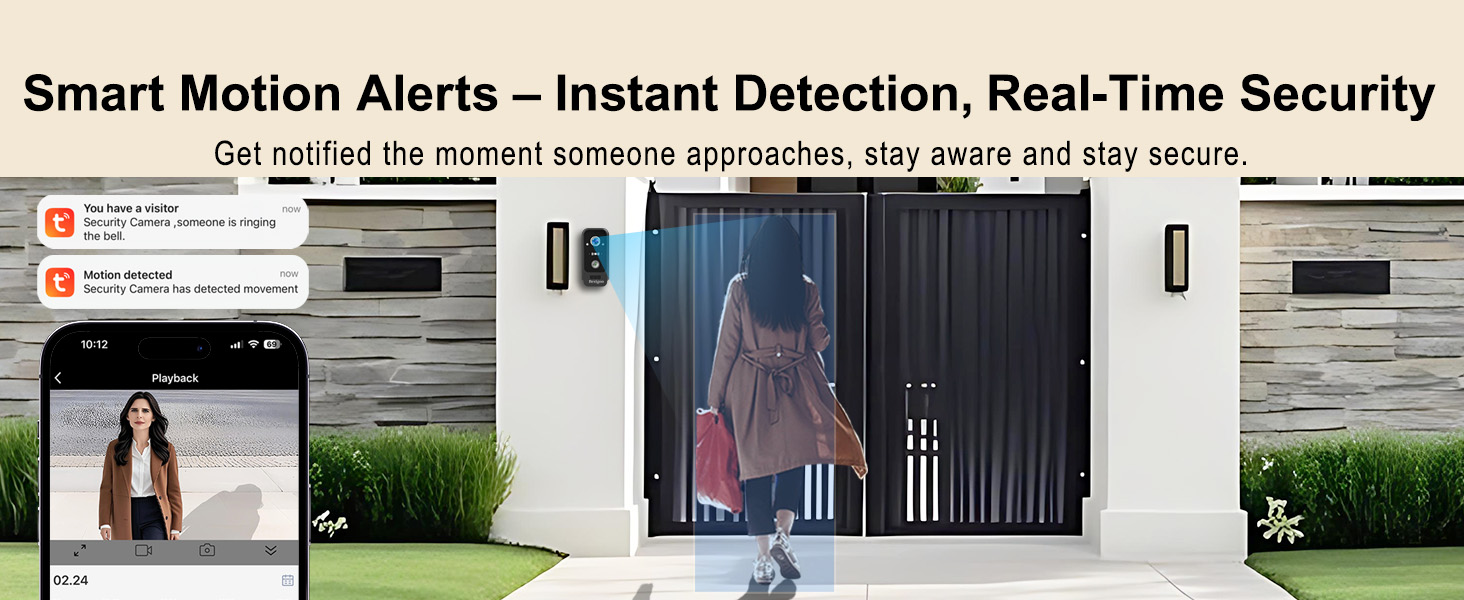
Image 6.11: Instant event playback feature.
6.6 Sharing Device Access
You can share access to your Bextgoo intercom system with family members through the mobile app, allowing multiple users to view and control the system simultaneously.

Image 6.12: Family sharing for convenient remote viewing.
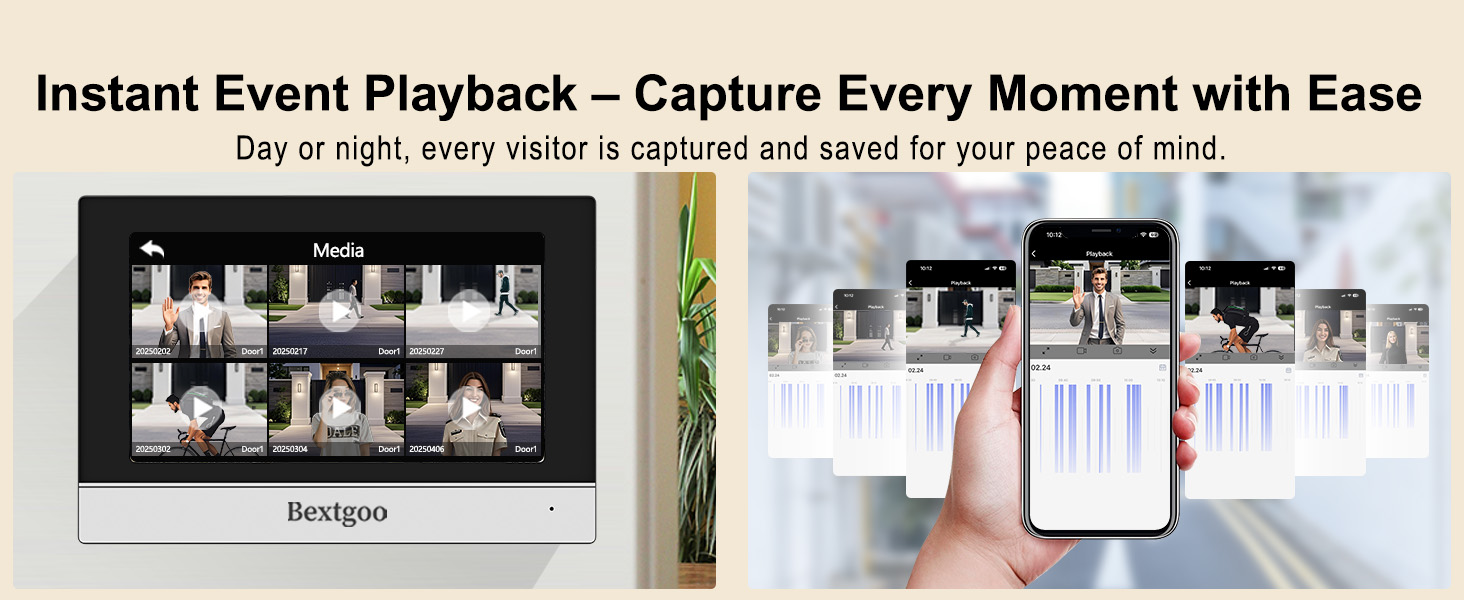
Image 6.13: Features for sharing device access.
7. Maintenance
7.1 Cleaning
Regularly clean the camera lens and monitor screen with a soft, dry cloth. Avoid using abrasive cleaners or solvents that could damage the surfaces.
7.2 SD Card Management
The system uses a 64GB Micro SD card for local storage. Periodically review and manage recorded footage. The system may automatically overwrite older files when the card is full. You can upgrade to a 128GB TF card for extended storage.
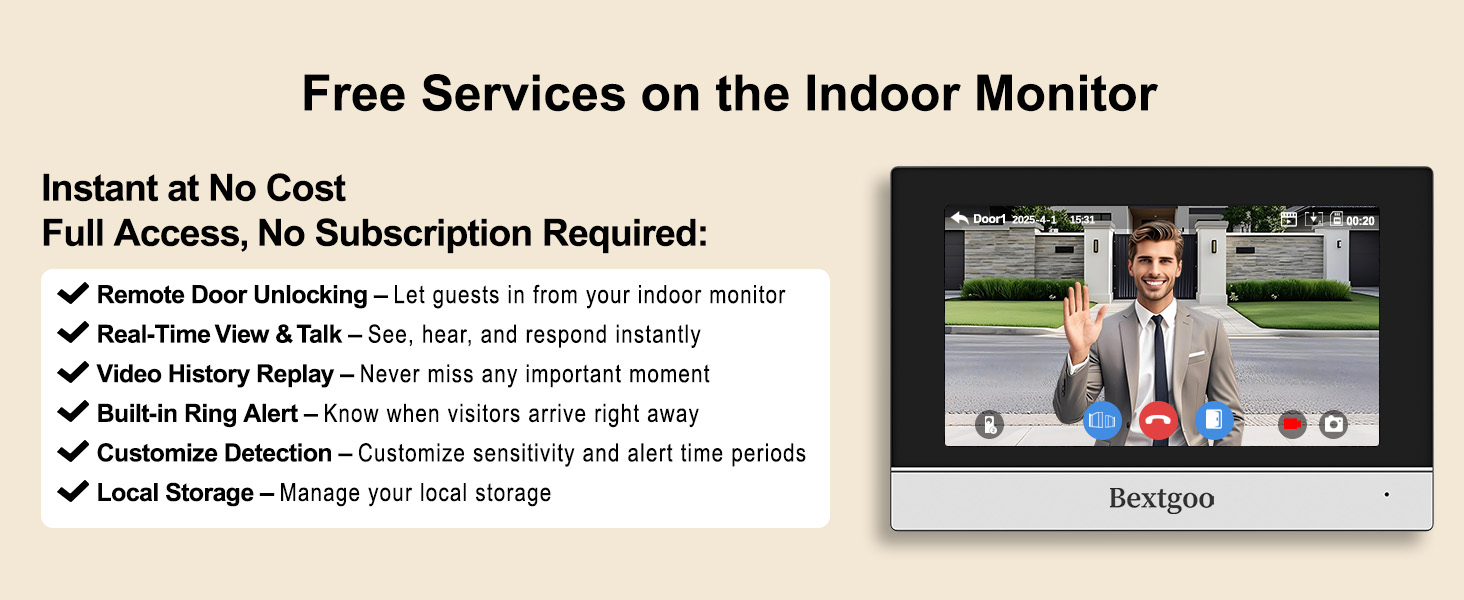
Image 7.1: 64GB TF card for local and mobile access.
8. Troubleshooting
- No Power: Check all power connections and ensure the power adapter is securely plugged into a working outlet.
- No Video Feed: Verify the 4-wire connection between the doorbell and monitor. Ensure the camera lens is clean and unobstructed.
- App Connectivity Issues: Confirm the indoor monitor is connected to a 2.4GHz WiFi network. Restart your router, monitor, and smartphone app.
- Poor Video Quality: Ensure the camera lens is clean. Check network stability if streaming remotely.
- Motion Detection Not Working: Check motion detection settings in the monitor or app. Adjust sensitivity as needed.
- RFID Card Not Unlocking: Ensure the RFID card is properly registered with the system. Tap the card firmly on the designated area.
9. Specifications
| Feature | Specification |
|---|---|
| Model Name | 7024B |
| Video Capture Resolution | 2K |
| Viewing Angle | 170 Degrees |
| Night Vision Range | 33 Feet (10 meters) |
| Connectivity Technology | Wired (4-wire connection), Wi-Fi (2.4GHz for monitor) |
| International Protection Rating | IP66 (Doorbell Camera) |
| Indoor/Outdoor Usage | Indoor (Monitor), Outdoor (Doorbell) |
| Storage | 64GB Micro SD (included), supports up to 128GB |
| Power Source | Corded Electric |
| Control Method | App, Touch Monitor |
| Material | Plastic |
| Product Dimensions | 7.68 x 5.2 x 0.71 inches |
| Item Weight | 2.42 pounds |
10. Warranty and Support
Bextgoo products are designed for reliability and performance. For warranty information, technical support, or service inquiries, please refer to the contact details provided on the Bextgoo official website or your purchase documentation. Please have your model number (7024B) and purchase date available when contacting support.

