1. Introduction
Thank you for choosing the Homeiju Office File Cabinet KJG6009. This manual provides essential information for the safe assembly, operation, and maintenance of your new file cabinet. Please read these instructions thoroughly before use and retain them for future reference.
2. Safety Information
Important Safety Instructions:
- Always follow the assembly instructions carefully.
- Use appropriate safety gear when handling heavy items.
- Keep fingers away from drawers and doors to prevent pinching.
- Do not overload the cabinet beyond its weight capacity of 300 lbs.
- Keep the lock key in a safe place and out of reach of children.
- Ensure the cabinet is placed on a level surface to prevent tipping.
- Do not climb on or stand on the cabinet.
- Only use the integrated power outlets for devices within the specified voltage and current limits (2 AC outlets - 120V/12A, 2 USB ports - 5V/2A).
3. Package Contents
Before assembly, verify that all components are present and undamaged. Refer to the included assembly instructions for a detailed list of parts.
- File Cabinet components (wood panels, metal frame)
- Hardware Kit (screws, bolts, tools if provided)
- Assembly Instructions Manual
- Lock and Keys
- Power Outlet Strip (pre-installed or separate)
- 4 Rolling Casters (wheels)
4. Assembly Instructions
Assembly is required for this product. Please follow the step-by-step instructions provided in the separate "Assembly Instructions" manual included in your package. It is recommended to assemble the cabinet on a soft, clean surface to prevent scratches.
General Assembly Steps:
- Unpack all components and verify against the parts list.
- Attach the metal frame sections using the provided hardware.
- Secure the wooden panels to the frame.
- Install the drawer slides and assemble the drawers.
- Insert the drawers into the cabinet.
- Attach the rolling casters to the base.
- Ensure all screws are tightened securely before use.

Image 1: Product dimensions and drawer details. Ensure these measurements align with your intended space.
5. Setup
5.1 Placement
Place the file cabinet on a flat, stable surface. Avoid placing it in direct sunlight or near heat sources to prevent material damage. Ensure adequate space around the cabinet for drawer operation and air circulation.
5.2 Rolling Casters
The cabinet is equipped with four rolling casters for easy mobility. To secure the cabinet in place, engage the locking mechanism on the casters. Push down the lever on each caster until it clicks into the locked position. To move the cabinet, disengage the locks by lifting the levers.
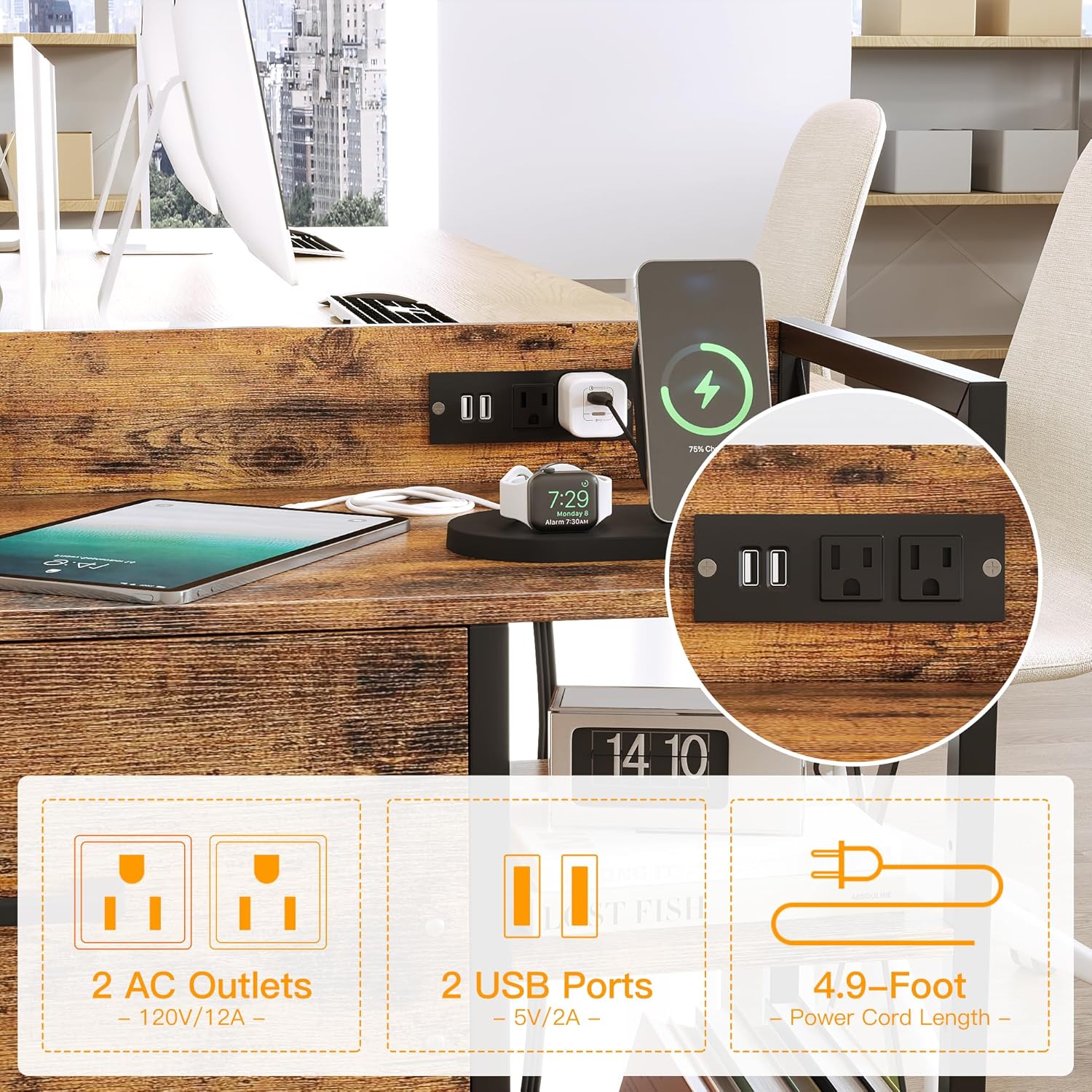
Image 2: Detail of the locking casters and the X-shape support frame, highlighting stability features.
6. Operating Instructions
6.1 Drawers and Locking Mechanism
The cabinet features two deep drawers for file storage. To open, gently pull the handle. To close, push firmly until the drawer is fully seated. The top drawer includes a locking mechanism. Insert the key into the lock and turn to secure or unlock the drawer. Ensure the key is removed after locking to prevent loss.

Image 3: The file cabinet with both drawers open, illustrating file storage capacity.
6.2 Power Outlets
The integrated power strip provides two AC outlets (120V/12A) and two USB ports (5V/2A) for charging and powering devices. Connect the cabinet's power cord (4.9-foot length) to a standard wall outlet. Plug your devices into the available outlets. Do not exceed the maximum power rating of the strip.
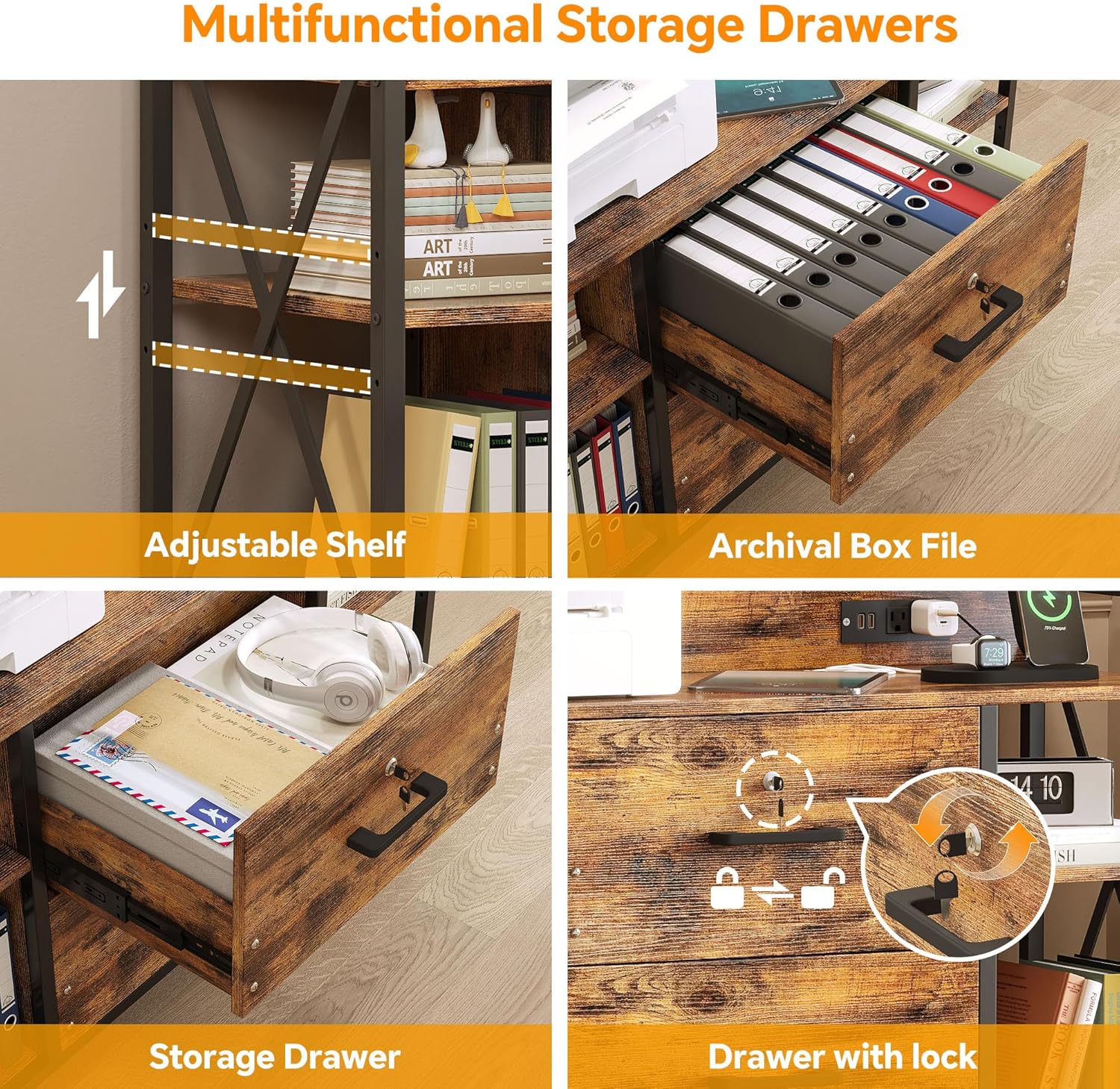
Image 4: Detailed view of the integrated power outlets and USB ports, showing their location and functionality.
6.3 Adjustable Shelves
The cabinet features adjustable shelves on the sides. To adjust a shelf, remove any items, lift the shelf, and reposition the support pegs into the desired holes. Ensure the shelf is level and securely seated before placing items on it.
7. Maintenance
7.1 Cleaning
Wipe the cabinet surfaces with a soft, damp cloth. Avoid using harsh chemicals, abrasive cleaners, or polishes that may damage the finish. For the metal frame, a mild soap solution can be used, followed by drying thoroughly.
7.2 General Care
Periodically check all screws and connections to ensure they remain tight. If any components become loose, tighten them immediately. Avoid dragging the cabinet over rough surfaces when moving, even with casters, to prevent damage to the wheels or floor.
8. Troubleshooting
| Problem | Possible Cause | Solution |
|---|---|---|
| Drawers do not close smoothly or fit properly. | Incorrect drawer slide installation; misaligned frame; obstruction. | Review assembly instructions for drawer slides. Ensure slides are correctly oriented and fully engaged. Check for any obstructions in the drawer path. Verify the cabinet frame is square and level. |
| Casters do not lock or cabinet moves when locked. | Locking mechanism not fully engaged; uneven floor surface. | Ensure the caster levers are pushed down completely. If on an uneven surface, reposition the cabinet or use shims to level the floor. |
| Power outlets are not working. | Cabinet power cord not plugged in; wall outlet issue; overloaded circuit. | Verify the cabinet's power cord is securely plugged into a functional wall outlet. Test the wall outlet with another device. Ensure the total power draw does not exceed the strip's rating. |
| File folders do not fit in drawers. | Incorrect file folder size or type. | This cabinet is designed to accommodate standard letter or legal-sized hanging files. Ensure you are using the correct type and size of hanging file folders. Some folders may require specific hanging rails or adjustments not included with the cabinet. |
9. Specifications
- Brand: Homeiju
- Model: KJG6009
- Color: Rustic Black and Brown
- Material: MDF, Alloy Steel (Metal)
- Product Dimensions: 40.5"W x 15"D x 29.4"H (102.8cm W x 38cm D x 74.8cm H)
- Item Weight: 30 Pounds
- Weight Limit: 300 Pounds
- Number of Drawers: 2 (Lockable)
- Number of Shelves: 5 (2 adjustable)
- Power Outlets: 2 AC (120V/12A), 2 USB (5V/2A)
- Power Cord Length: 4.9 feet
- Special Features: Durable, Lockable, Metal Construction, Rolling Casters, Power Outlets
- Assembly Required: Yes
10. Warranty and Support
Homeiju is committed to providing quality products and customer service. For any issues encountered with your file cabinet, please contact Homeiju customer support. While specific warranty details are not provided in this manual, Homeiju aims to resolve any product-related concerns within 24 hours.
Please refer to your purchase documentation or the Homeiju official website for the most current warranty information and contact details.


