
UGREEN 55546
Contents
UGREEN Bluetooth 6.0 Receiver User Manual
Model: 55546
1. Introduction
The UGREEN Bluetooth 6.0 Receiver is designed to transform your traditional audio systems, such as car stereos, wired headphones, or home speakers, into Bluetooth-enabled devices. Featuring advanced LDAC codec support and AI noise cancellation, it delivers high-fidelity audio and crystal-clear hands-free calls. Enjoy seamless wireless music and communication with extended battery life and dual device pairing capability.

Image: The UGREEN Bluetooth 6.0 Receiver, a compact black device with a 3.5mm audio jack, featuring a central multi-function button and volume controls on the side.
2. Key Features
- Hi-Res Sound with LDAC Codec: Certified for high-fidelity audio, supporting 24bit/96kHz sampling rate for detailed sound.
- Upgraded Bluetooth 6.0 Technology: Ensures faster pairing, stronger connections, and lower latency for uninterrupted audio and calls.
- Hands-Free Calls with AI Noise Cancellation: Built-in microphone and one-button control for safe, clear calls by blocking background noise.
- Dual Pairing Support: Connects to two phones simultaneously, allowing seamless switching between devices for music playback.
- 17-Hour Long Battery Life: Provides extended usage on a single charge, with USB-C charging and the ability to be used while charging.
- Compact and Portable Design: Small and lightweight, ideal for use in cars, home stereos, or with wired headphones.

Image: A stylized diagram illustrating the "Latest Bluetooth 6.0 Chip" with circuit board elements, emphasizing faster and more stable connections.

Image: A graphic comparing LDAC (990kbps) to SBC (328kbps) bit rates, showing LDAC's superior data transfer for richer, more detailed sound, alongside the UGREEN receiver.
3. Package Contents
Please check the box for the following items:
- UGREEN Bluetooth 6.0 Receiver (Model: 55546)
- USB-A to USB-C Charging Cable
- 3.5mm Audio Cable (AUX)
- 3.5mm Male-to-Male Audio Adapter (Direct Plug)
- User Manual
4. Setup Guide
4.1 Charging the Receiver
Before first use, fully charge the receiver. Connect the provided USB-A to USB-C charging cable to the receiver's USB-C port and a 5V USB power adapter (not included). The LED indicator will show charging status and turn off when fully charged. The device can be used while charging.

Image: An illustration of the UGREEN Bluetooth receiver with a clock icon indicating "17 hrs" battery life, highlighting its long duration.
4.2 Connecting to an Audio System
The receiver offers two ways to connect to your audio system:
- Using the 3.5mm Male-to-Male Audio Adapter:
Plug one end of the direct plug adapter into the 3.5mm AUX port of the UGREEN receiver. Then, plug the other end directly into the 3.5mm AUX input of your car stereo or home speaker system.
- Using the 3.5mm Audio Cable:
Connect one end of the 3.5mm audio cable to the 3.5mm AUX port of the UGREEN receiver. Connect the other end of the cable to the 3.5mm AUX input of your car stereo or home speaker system.

Image: A visual guide showing two connection methods: direct plug into a car's AUX jack and using a 3.5mm audio cable for connection to an audio system.
4.3 Pairing with a Bluetooth Device
- Power On: Press and hold the multi-function button on the receiver for 3 seconds until the LED indicator flashes blue and red, indicating it's in pairing mode.
- Enable Bluetooth: On your smartphone, tablet, or other Bluetooth device, go to Bluetooth settings and turn on Bluetooth.
- Select Device: Search for "UGREEN-BT509" (or similar model name) in the list of available devices and select it to connect.
- Confirmation: Once successfully paired, the LED indicator will turn solid blue, and you may hear a voice prompt.

Image: A four-step visual guide demonstrating how to connect the receiver: press and hold button, insert adapter, turn on phone's Bluetooth and search, then play music.
4.4 Dual Device Pairing
The UGREEN Bluetooth Receiver supports connecting two devices simultaneously:
- First, pair the receiver with your first device as described in Section 4.3.
- Once connected, turn off Bluetooth on the first device. The receiver will re-enter pairing mode.
- Pair the receiver with your second device.
- Turn on Bluetooth on the first device again. It will automatically reconnect to the receiver.
Note: Only one device can output audio at a time. To switch playback, pause music on the active device and start playing on the other.

Image: A three-step visual guide demonstrating how to connect a second device for dual pairing, showing the process of connecting the first device, then the second, and finally reconnecting the first.
5. Operating Instructions
5.1 Basic Controls
| Button/Action | Function |
|---|---|
| Multi-function Button (Center) |
|
| "+" Button |
|
| "-" Button |
|
5.2 Hands-Free Calling
When connected to your phone, the receiver allows for hands-free calls:
- Answering/Ending Calls: Press the multi-function button once.
- Rejecting Calls: Press and hold the multi-function button for 2 seconds.
- Redialing: Double-press the multi-function button when not on a call.
- AI Noise Cancellation: The built-in microphone with AI noise cancellation helps ensure clear communication by reducing background noise during calls.

Image: A person relaxing on a couch, enjoying music from a speaker connected wirelessly, illustrating the "Enjoy Hi-Fi Wireless Music" feature.
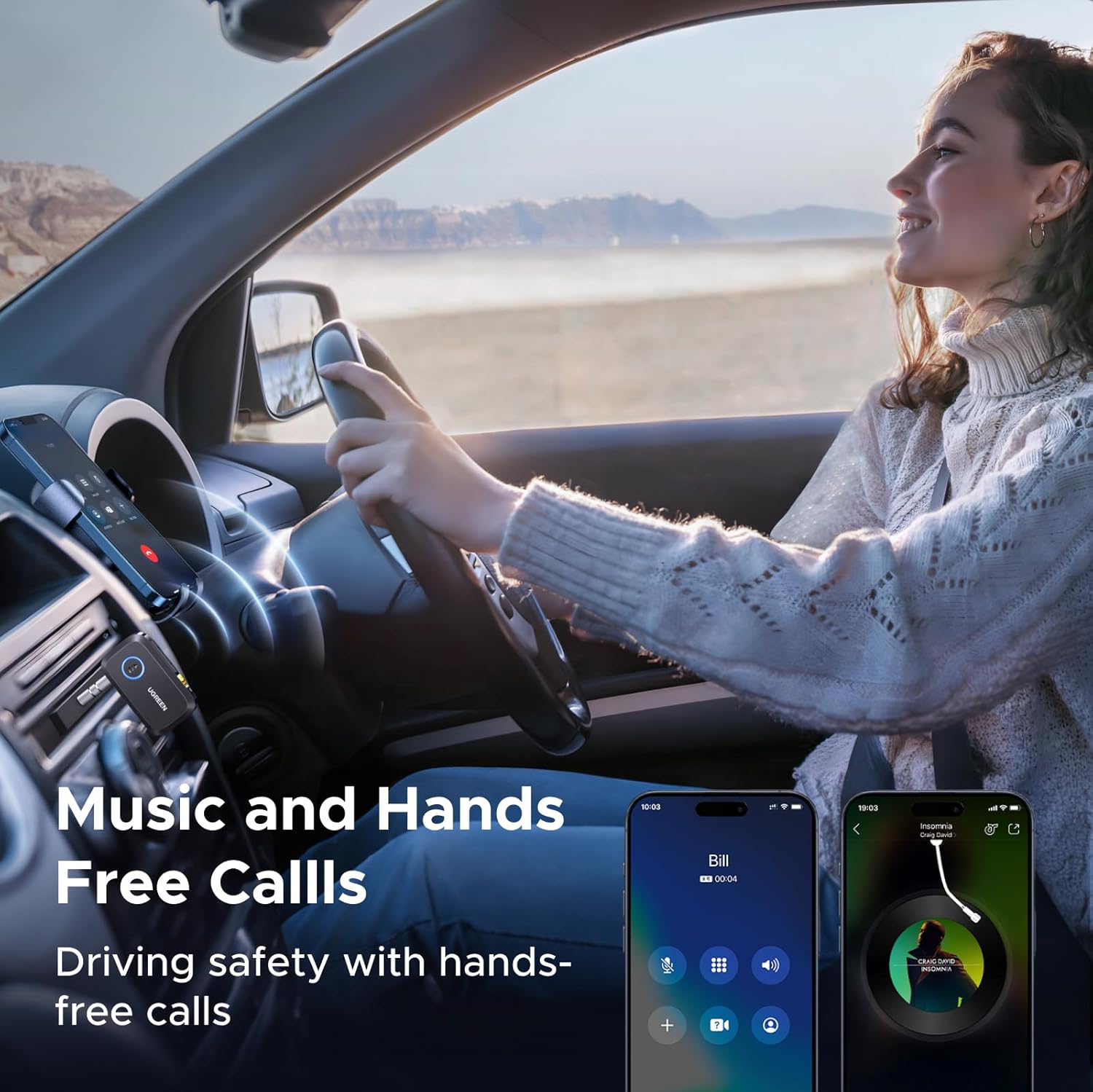
Image: A woman driving, with a smartphone mounted on the dashboard displaying a call screen, demonstrating the "Music and Hands-Free Calls" feature for safer driving.
6. Maintenance
- Cleaning: Use a soft, dry cloth to clean the device. Do not use liquid cleaners or aerosols.
- Storage: Store the receiver in a cool, dry place away from direct sunlight and extreme temperatures.
- Battery Care: To prolong battery life, avoid fully discharging the battery frequently. Charge the device regularly, even if not in use for extended periods.
7. Troubleshooting
| Problem | Possible Cause / Solution |
|---|---|
| Cannot power on | Battery may be depleted. Charge the device using the provided USB-C cable. |
| Cannot pair with device |
|
| No sound or poor sound quality |
|
| Calls are unclear / Noise during calls |
|
| Dual pairing not working as expected |
|
8. Specifications
- Model: 55546
- Bluetooth Version: 6.0
- Audio Codecs: LDAC, SBC, AAC
- Hi-Res Audio: Yes (24bit/96kHz sampling rate with LDAC)
- Connectivity: 3.5mm AUX Output
- Battery Life: Up to 17 hours
- Charging Port: USB-C
- Dimensions: Approximately 1.2 x 0.05 x 2.4 inches (3.0 x 0.13 x 6.1 cm)
- Weight: Approximately 3.17 ounces (90 grams)
- Material: Plastic
- Special Features: AI Noise Cancelling Microphone, Dual Pairing
9. Safety Information
Please read and follow these safety guidelines for safe operation and to prevent damage to the device:
- Do not expose the device to extreme temperatures (hot or cold), direct sunlight, or high humidity.
- Avoid dropping or subjecting the device to strong impacts.
- Do not disassemble, repair, or modify the device yourself. Contact qualified service personnel for assistance.
- Keep the device away from water and other liquids.
- Dispose of the device and its battery responsibly according to local regulations. Do not dispose of with household waste.
- Use only the provided or certified charging cables.
10. Warranty and Support
UGREEN products come with a standard warranty. For detailed warranty information, product support, or technical assistance, please visit the official UGREEN website or contact UGREEN customer service directly. Please have your product model number (55546) and purchase details ready when contacting support.
Official UGREEN Store: UGREEN Store on Amazon
Documents and downloads
Ask a question about this manual
Ask about setup, troubleshooting, compatibility, parts, safety, or missing instructions. Manuals+ will review the question and use this page’s manual context to help answer it.