
Introduction
This manual provides detailed instructions for the setup, operation, and maintenance of your Inkbird IBS-P03R+IM-03-W Pool Thermometer Set. This set includes a solar-powered floating pool thermometer and a multi-functional indoor monitor with a WiFi gateway. It allows you to monitor water temperature, indoor temperature, humidity, and other environmental data, with remote access via a smartphone application. Please read this manual thoroughly before using the product to ensure proper function and longevity.
Important Note: Upon receiving the product, place the pool thermometer in direct sunlight for 5 to 7 hours to charge it before initial use.
Product Overview
Key Features
- Solar-Powered Design: The wireless pool thermometer operates continuously with sunlight, eliminating the need for frequent battery replacements.
- IP68 Waterproof: The pool thermometer features a seamless, one-piece injection molding design and a soft silicone gasket for superior IP68 waterproofing and impact protection.
- WiFi Connectivity: Monitor water temperature remotely from your smartphone via 2.4GHz WiFi connection using the indoor display's gateway function.
- Extended Transmission Range: The wireless transmission distance between the indoor display and the pool thermometer is up to 300 meters (980 feet) in open areas.
- Multi-functional Indoor Display: View current water temperature, indoor temperature and relative humidity, outdoor UV index, daily weather forecasts, water temperature comfort level, and MAX/MIN temperature readings.
- Customizable Comfort Level: Set a personalized water temperature comfort range via the app.
- Multiple Alerts: Configure high/low temperature and humidity alerts, as well as low battery warnings, through the smart application. Receive real-time notifications.
- Data Storage & Export: Track historical temperature and humidity data for up to one year in the cloud, with options to export data for detailed analysis.
- Wide Applications: Suitable for swimming pools, spas, hot tubs, baby baths, and small ponds.
Package Contents
- 1 × Inkbird Pool Thermometer (IBS-P03R)
- 1 × Inkbird Indoor Display with Gateway (IM-03-W)
- 1 × USB Type-C Power Cable
- 1 × Power Plug
- 1 × User Manual (This document)
Product Components

Image Description: An overview of the Inkbird IBS-P03R+IM-03-W Pool Thermometer Set, showing the floating pool thermometer and the indoor display unit. Key features like Indoor/Outdoor Monitoring, WiFi Connection, Solar Powered, IP68 Waterproof, Outdoor UV Index, Local Weather & Forecast, Water Temp Comfort Level, Real-time Alarms, Data Storage & Export, and Time Display are highlighted around the products.
Setup Instructions
- Charge the Pool Thermometer: Before first use, place the IBS-P03R pool thermometer in direct sunlight for 5 to 7 hours to ensure it is fully charged. The solar panel is located on top of the floating unit.

Image Description: An illustration showing the Inkbird pool thermometer floating in water with sunlight hitting its solar panel, indicating its solar-powered design.
- Power the Indoor Display: Connect the IM-03-W indoor display to a power outlet using the provided USB Type-C power cable and power plug.
- Download the App: Search for the "Inkbird Smart" app on your smartphone's app store (iOS or Android) and download it.
- Pair Devices:
- Open the Inkbird Smart app and create an account or log in.
- Follow the in-app instructions to add a new device. Select the IBS-P03R+IM-03-W model.
- Ensure your smartphone is connected to a 2.4GHz WiFi network. The indoor display acts as a gateway to connect the pool thermometer to your WiFi network.
- The app will guide you through the pairing process for both the indoor display and the pool thermometer.
- Placement:
- Place the IBS-P03R pool thermometer directly into the water of your swimming pool, spa, or pond. Ensure it floats freely.

Image Description: A close-up view of the Inkbird pool thermometer partially submerged in water, highlighting its IP68 waterproof rating and seamless structure with an anti-collision soft silicone gasket.
- Position the IM-03-W indoor display in a central location within 300 meters (980 feet) of the pool thermometer for optimal wireless signal reception.
- Place the IBS-P03R pool thermometer directly into the water of your swimming pool, spa, or pond. Ensure it floats freely.
Operating Instructions
Indoor Display (IM-03-W) Functions
The indoor display provides a comprehensive overview of environmental data.

Image Description: The Inkbird indoor monitor plugged into a wall outlet, displaying various readings. Numbered labels point to: 1. Pool water temp, 2. Indoor temp & humidity, 3. Outdoor UV index, 4. Local weather & forecast, 5. Water temp comfort level, 6. Current time, 7. MAX/MIN temp.
- Current Water Temperature: Displays the real-time temperature from the floating pool thermometer.
- Indoor Temperature & Humidity: Shows the ambient temperature and relative humidity where the indoor display is located.
- Outdoor UV Index: Provides the current UV index for outdoor conditions.
- Local Weather & Forecast: Offers daily weather information and forecasts.
- Water Temperature Comfort Level: Indicates if the water temperature is within the set comfort range.
- Current Time: Displays the current time.
- MAX/MIN Temperature: Shows the maximum and minimum recorded temperatures.
- Unit Switching: Use the "°C/°F" button on the indoor display to switch between Celsius and Fahrenheit units.
- Max/Min Button: Press the "Max/Min" button to cycle through maximum and minimum recorded values for temperature and humidity.
Smartphone Application (Inkbird Smart)
- Remote Monitoring: View all data (water temp, indoor temp/humidity, UV index, weather) from anywhere via the app.

Image Description: An aerial view of a house and pool, illustrating the 300m/980ft wireless transmission range between the pool thermometer and the indoor monitor, and the infinite WiFi control distance via the smartphone app. The app interface is shown on a phone screen.
- Alert Settings:
- Set custom high and low temperature alerts for the pool water.
- Set custom high and low humidity alerts for the indoor environment.
- Receive notifications for low battery status of the pool thermometer.
- All alerts are sent in real-time to your smartphone.
- Comfort Level Customization: Adjust the water temperature comfort range (default 78-86°F / 25.5-30°C) to suit your preferences.

Image Description: The Inkbird indoor monitor displaying a "COMFORT" indicator. An overlay shows a customizable comfort range (78-86°F / 25.5-30°C) that can be adjusted via the app.
- Historical Data: Access and review up to one year of historical temperature and humidity data. Data can be exported for further analysis.
Maintenance
- Cleaning:
- Wipe the indoor display with a soft, dry cloth. Do not use abrasive cleaners or immerse it in water.
- The pool thermometer can be cleaned with a soft cloth and mild soap if necessary. Rinse thoroughly with fresh water.
- Solar Panel: Ensure the solar panel on the pool thermometer is kept clean and free of debris to maximize charging efficiency.
- Storage: If storing the device for an extended period, ensure the pool thermometer is fully charged. Store both units in a cool, dry place away from direct sunlight.
- Battery: The pool thermometer uses a built-in rechargeable battery. The indoor display is powered by the included USB cable.
Troubleshooting
| Problem | Possible Cause | Solution |
|---|---|---|
| No reading on indoor display for pool thermometer. |
|
|
| Indoor display not powering on. |
|
|
| App not connecting to the indoor display. |
|
|
| Inaccurate temperature readings. |
|
|
Specifications
Indoor Display (IM-03-W)
- Dimensions: 113 × 87 × 23 mm
- Temperature Measurement Range: -10°C to 60°C (30°F to 140°F)
- Temperature Accuracy: ±0.3°C (±0.5°F)
- Temperature Display Resolution: 0.1°C (0.1°F)
- Humidity Measurement Range: 0% to 99% RH
- Humidity Accuracy: ±3% RH
- Humidity Display Resolution: 1% RH
- Max Supported Thermometers: 9 units simultaneously
- Transmission Distance: 300 meters / 980 feet (in open area)
- Connectivity: 2.4GHz WiFi
- Power Source: USB Type-C (via power plug)
Pool Thermometer (IBS-P03R)
- Dimensions: φ98 × 168 mm
- Temperature Measurement Range: -40°C to 70°C (-40°F to 154°F)
- Temperature Accuracy: ±1°C (±1°F)
- Temperature Display Resolution: 0.1°C (0.1°F)
- Sampling Interval: 5 seconds
- Waterproof Rating: IP68
- Power Source: Solar-powered with built-in rechargeable battery
- Material: Silicone (gasket)
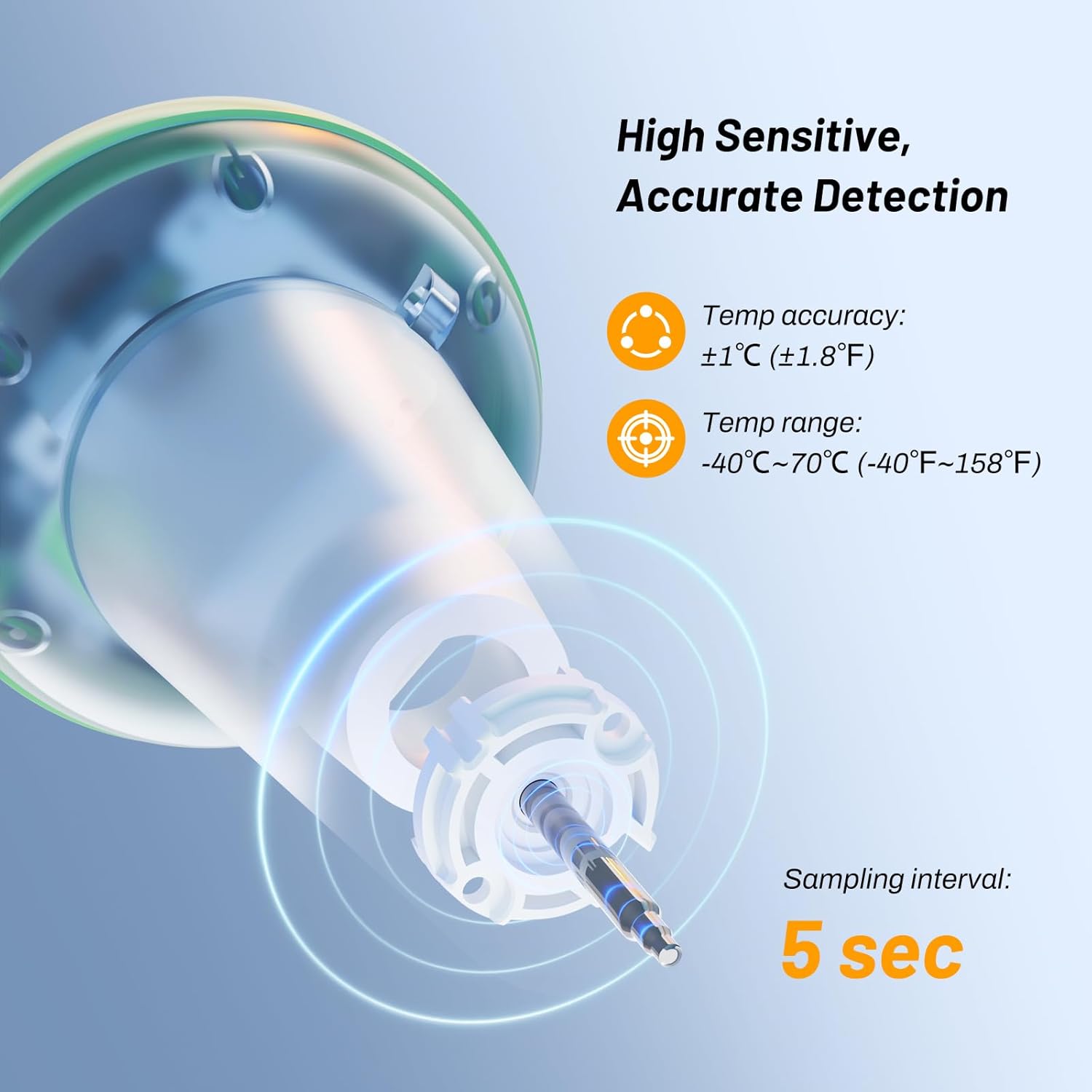
Image Description: A diagram illustrating the high sensitivity and accurate detection of the pool thermometer sensor, showing temperature accuracy of ±1°C (±1.8°F) and a temperature range of -40°C~70°C (-40°F~158°F), with a sampling interval of 5 seconds.
Warranty and Support
Warranty Information
This Inkbird product comes with a one (1) year warranty from the date of purchase, covering defects in materials and workmanship. This warranty does not cover damage caused by misuse, accident, unauthorized modification, or neglect. Please retain your proof of purchase for warranty claims.
Customer Support
For technical support, warranty claims, or any questions regarding your Inkbird IBS-P03R+IM-03-W Pool Thermometer Set, please contact Inkbird customer service.
- Website: Visit the official Inkbird website for FAQs and support resources.
- Email: Refer to the contact information provided on the Inkbird website or in the product packaging.
- Online Store: You can also visit the Inkbird Store on Amazon for product information and support.
Product Applications
The Inkbird IBS-P03R+IM-03-W Pool Thermometer Set is versatile and can be used in various water environments to ensure optimal temperature.

Image Description: A collage of images showing the Inkbird pool thermometer being used in different settings: a swimming pool, a hot spring, a hot tub, a baby bath, and a small pond, demonstrating its wide range of applications.