
1. Introduction
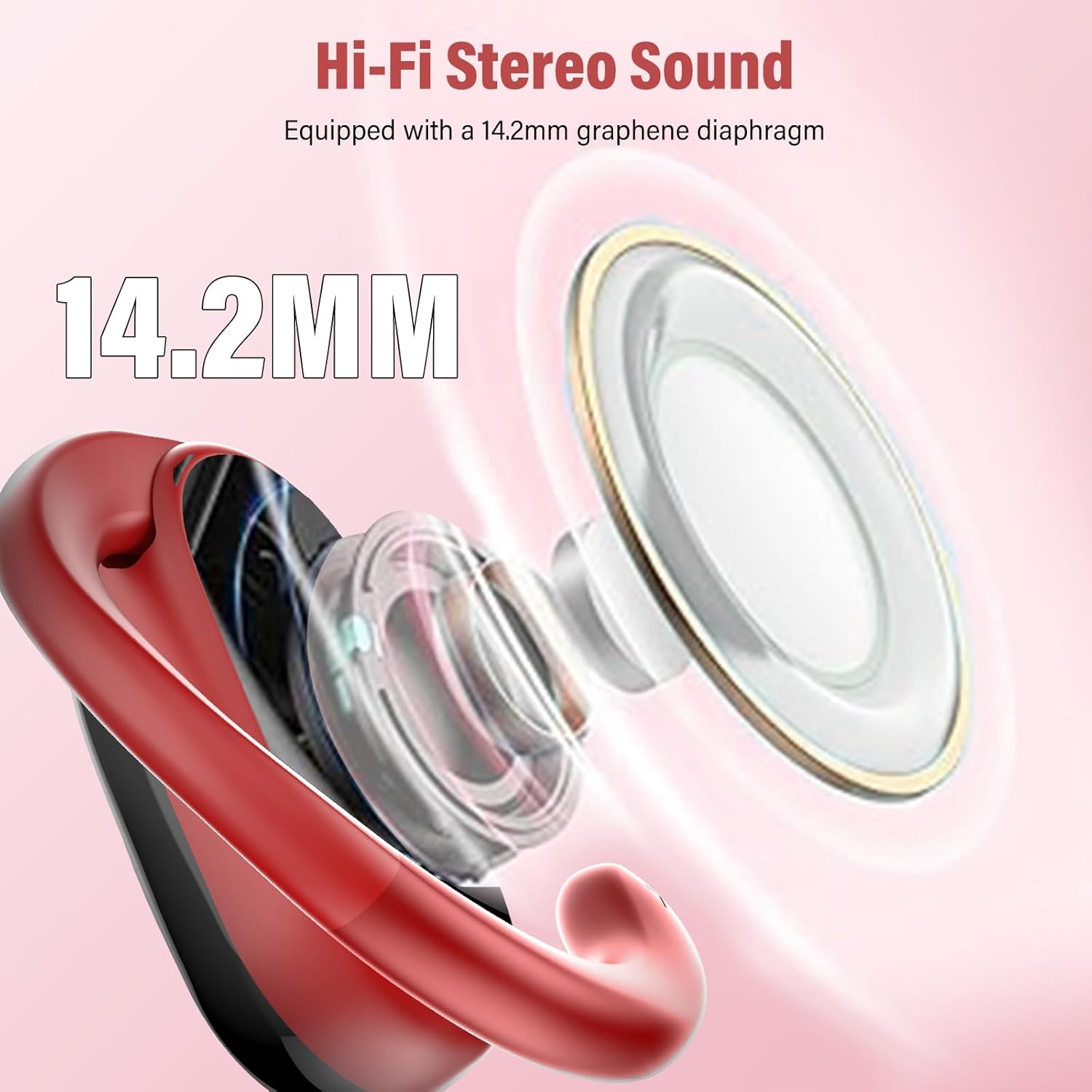
Thank you for choosing the Conyat X7 Open Ear Headphones. These wireless Bluetooth 5.4 earbuds are designed to provide exceptional comfort and high-quality audio while keeping you aware of your surroundings. Featuring secure ear hooks, 14.2mm dynamic drivers, and IP7 waterproof protection, they are ideal for various activities including workouts, travel, and daily use. This manual will guide you through the setup, operation, and maintenance of your new headphones.
2. What's in the Box
- 2 x Wireless earbuds sport
- 1 x Fast Charging Case
- 1 x USB-C Charging Cable
- 1 x Instruction Manual
3. Product Overview



Official Product Video
This video provides a visual overview of the Conyat X7 Open Ear Headphones, showcasing their design, features, and key benefits such as long battery life, sound quality, and comfortable fit.
4. Setup
4.1 Charging the Headphones and Case
- Place both earbuds into the charging case. Ensure they are properly seated in their respective slots.
- Connect the USB-C charging cable to the charging port on the case and the other end to a USB power source (e.g., wall adapter, computer USB port).
- The digital display on the case will show the remaining battery levels. A full charge for the case takes approximately 2 hours.
- The earbuds will charge automatically when placed in the powered case. They provide up to 8 hours of listening on a single charge.
4.2 Pairing with Your Device
- Ensure the charging case has sufficient power and the earbuds are inside.
- Open the charging case. The earbuds will automatically enter pairing mode, indicated by a flashing light on the earbuds.
- On your smartphone, tablet, or computer, go to the Bluetooth settings.
- Search for available devices and select "X7" from the list.
- Once connected, the earbud indicator lights will stop flashing, and you will hear a confirmation tone.
- The earbuds will automatically reconnect to the last paired device when removed from the case, provided Bluetooth is enabled on your device.
5. Operating Instructions
5.1 Touch Controls
The Conyat X7 headphones feature intuitive touch controls on each earbud. The specific functions may vary slightly depending on your device and application.
| Action | Function |
|---|---|
| Single Tap | Play/Pause music, Answer/End call |
| Double Tap (Left Earbud) | Previous Track |
| Double Tap (Right Earbud) | Next Track |
| Triple Tap | Activate Voice Assistant (Siri, Google Assistant, etc.) |
| Long Press (2 seconds) | Reject Incoming Call |
| Long Press (5 seconds) | Power On/Off (when not in case) |
5.2 Wearing the Headphones
The ear hooks are designed to be rotatable for a secure and comfortable fit for various ear shapes. Gently adjust the ear hook to sit comfortably and securely over your ear, ensuring the earbud speaker is positioned correctly for optimal sound.
6. Maintenance
6.1 Cleaning
- Regularly clean the earbuds and charging case with a soft, dry, lint-free cloth.
- Do not use abrasive cleaners, alcohol, or chemical solvents.
- Gently clean the charging contacts on both the earbuds and the case to ensure proper charging.
6.2 Storage
- When not in use, store the headphones in their charging case to protect them from dust and damage.
- Store in a cool, dry place away from extreme temperatures and direct sunlight.
6.3 Waterproof Care (IP7)
- The headphones are IP7 waterproof, meaning they can withstand sweat and splashes. However, they are not designed for swimming or prolonged submersion.
- After exposure to sweat or water, wipe the earbuds dry before placing them back in the charging case to prevent corrosion of the charging contacts.
7. Troubleshooting
| Problem | Possible Cause | Solution |
|---|---|---|
| Headphones not turning on | Low battery | Place earbuds in the charging case and charge fully. |
| Cannot pair with device | Bluetooth is off, earbuds not in pairing mode, or too far from device. | Ensure Bluetooth is on, open case to enter pairing mode, keep device within 15 meters. |
| No sound from one earbud | Earbud not connected, low battery, or out of sync. | Place both earbuds back in the case, close, then reopen. Re-pair if necessary. |
| Poor sound quality | Weak Bluetooth connection, earbud dirty, or incorrect fit. | Move closer to device, clean earbuds, adjust fit. |
| Charging case not charging | Cable issue, power source issue, or dirty port. | Try a different USB-C cable and power source. Clean the charging port. |
8. Specifications
| Feature | Detail |
|---|---|
| Model Name | X7 |
| Connectivity Technology | Wireless (Bluetooth) |
| Wireless Communication Technology | Bluetooth 5.4 |
| Bluetooth Range | 15 Meters |
| Audio Driver Type | Dynamic Driver (14.2mm) |
| Earpiece Shape | Open Ear Design |
| Ear Placement | Open Ear |
| Form Factor | Over Ear |
| Control Type | Touch Control |
| Water Resistance Level | IP7 Waterproof |
| Charging Time | 2 Hours (for case) |
| Playtime (Single Charge) | 8 Hours |
| Total Playtime (with Case) | 58 Hours |
| Item Weight | 1.2 Ounces |
| Material | Plastic |
| Color | Red |
9. Warranty and Support
Conyat is committed to providing high-quality audio solutions. Your Conyat X7 Open Ear Headphones come with the following:
- 30-Day Worry-Free Trial: Enjoy your product with confidence.
- 12-Month Quality Guarantee: We stand by the quality of our products.
For any questions, technical assistance, or warranty claims, please contact our customer service team. We offer 24-hour customer service to assist you.
You can find more information and support by visiting the official Conyat store on Amazon or contacting the seller directly through your Amazon order details.

