
1. Introduction
The LAUNCH SmartLink C HD Elite is a high-performance diagnostic module designed to expand the capabilities of your existing 8-inch LAUNCH X-431 PROS V+, V PRO, or PRO Dyno series diagnostic tablet. This module enables comprehensive full-system OBDII diagnostics for heavy-duty trucks and commercial vehicles, supporting advanced protocols such as CANFD and DOIP. It offers compatibility with over 1,200 global vehicle systems, including major brands like Cummins and Bosch, transforming your tablet into a versatile diagnostic tool for commercial fleets and repair shops.
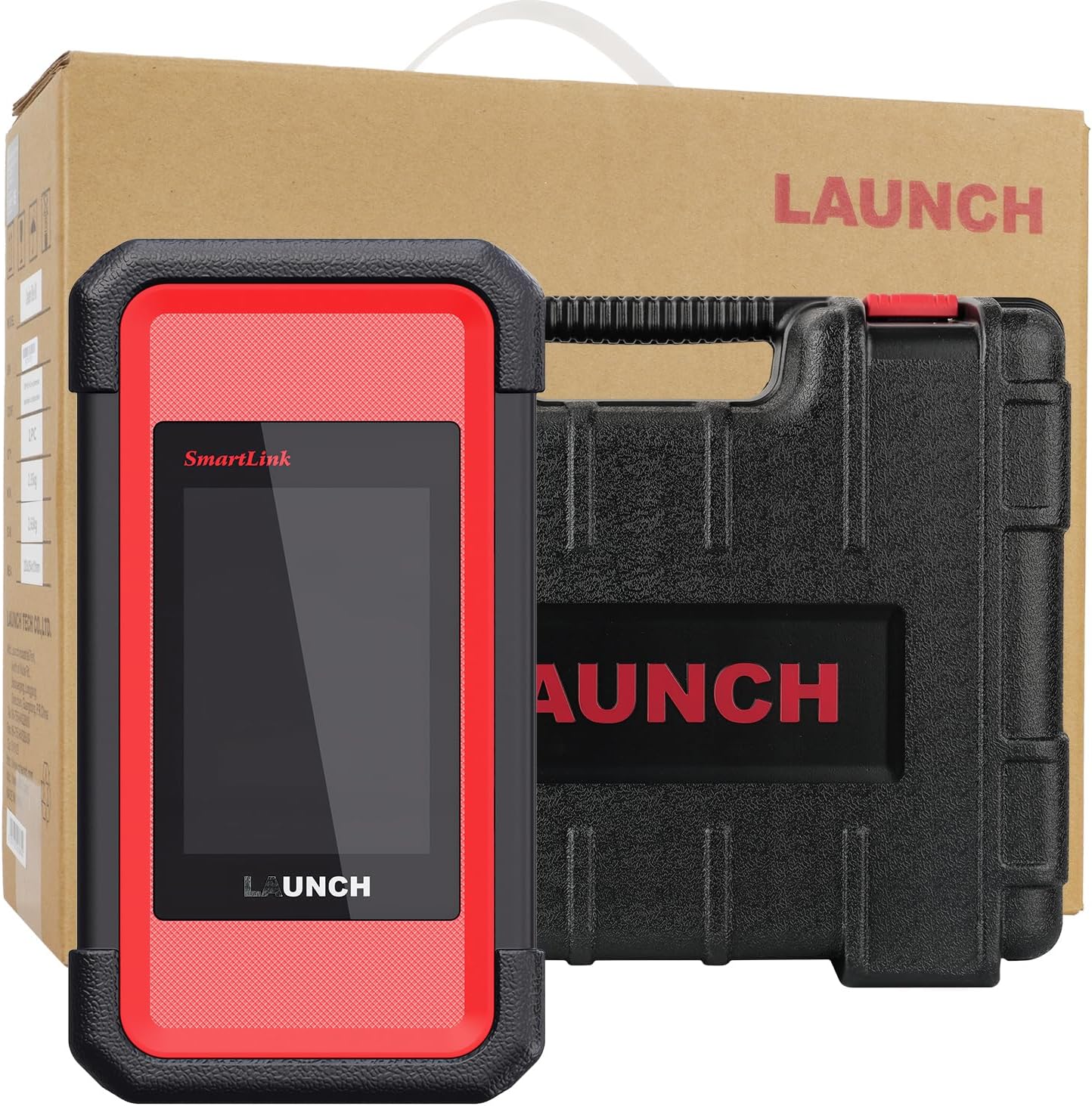
Image 1.1: The LAUNCH SmartLink C HD Elite Scanner module and its protective carrying case.
2. What's in the Box
Upon unboxing, please verify that all components are present:
- SmartLink C HD Elite Main Unit
- Protective Carrying Case
- Diagnostic Cables (various OBD16/6/9-pin adapters)
- USB-C Cable
3. Setup and Compatibility
The SmartLink C HD Elite module is specifically designed for integration with the LAUNCH X-431 8-inch wireless diagnostic tablets. Ensure your tablet model is one of the following for compatibility:
- X-431 PROS V+
- X-431 V PRO
- X-431 PRO Dyno series
If you are uncertain about your device's compatibility, please contact LAUNCH support for confirmation before proceeding.
3.1 Initial Connection
- Power On: Ensure your LAUNCH X-431 tablet is powered on and fully charged.
- Connect SmartLink C HD Elite: Connect the SmartLink C HD Elite module to your vehicle's diagnostic port using the appropriate OBD16, 6-pin, or 9-pin adapter cable.
- Pairing: Establish a connection between the SmartLink C HD Elite module and your X-431 tablet via Bluetooth or Wi-Fi. Refer to your X-431 tablet's manual for specific pairing instructions. A USB-C connection can also be used for direct linking.
- Software Recognition: Once connected, the X-431 tablet's diagnostic software should recognize the SmartLink C HD Elite module, enabling heavy-duty diagnostic functions.

Image 3.1: The SmartLink C HD Elite module connected to an X-431 tablet, illustrating the expansion of diagnostic capabilities.
4. Operating Instructions
The SmartLink C HD Elite module, in conjunction with your LAUNCH X-431 tablet, provides extensive diagnostic and maintenance functionalities for commercial vehicles.
4.1 General Diagnostic Functions
Access the following standard OBDII/EOBD functions through your X-431 tablet's interface:
- Read Codes: Retrieve Diagnostic Trouble Codes (DTCs) from the vehicle's ECU.
- Erase Codes: Clear DTCs after repairs are completed.
- Vehicle Info: Display vehicle identification number (VIN), calibration ID (CALID), and calibration verification number (CVN).
- Data Stream: View live sensor data in text or graph format.
- DTC Lookup: Provides definitions for retrieved trouble codes.
- View Freeze Frame: Capture a snapshot of vehicle operating conditions at the time a fault code was set.
- EVAP System Test: Initiate a test of the Evaporative Emission System.
- I/M Readiness: Check the status of emission-related monitors.
- On-board Monitor Test: Access results of on-board diagnostic monitoring tests for specific components/systems.
- O2 Sensor Test: Retrieve O2 sensor monitoring test results.

Image 4.1: Overview of universal HD OBD/OBDII/EOBD diagnostic functions available through the SmartLink C HD Elite.
4.2 Advanced Diagnostic Functions
The SmartLink C HD Elite supports advanced functions for in-depth vehicle analysis:
- ECU Coding: Modify vehicle parameters, activate hidden features, or match new components.
- Active Test / Bi-Directional Control: Perform specific component tests (e.g., injector cutoff, ABS bleeding) to verify system integrity.
- J2534 Pass-thru: Utilize the module as a pass-thru device for OEM software diagnostics.
- CANFD & DOIP Support: Compatible with modern vehicle communication protocols for faster data transfer and broader vehicle coverage.
- Remote Diagnostics: Allows technicians to remotely connect to a vehicle for diagnostic purposes.

Image 4.2: Illustration of the SmartLink C HD Elite's comprehensive system diagnostic capabilities for heavy-duty trucks.
4.3 Specialized Maintenance Functions
The module provides access to over 40 critical maintenance and reset functions:
- DPF Regeneration Cycles
- Injector Calibration
- SCR System Cleaning
- Brake Pad Reset
- Turbocharger Adaptation
- DEF Urea System Diagnostics
- Speed Limiter Adjustment
- Steering Angle Reset
- Transmission Matching Functions
- Oil Reset
- PRV Valve Test
- Broken Cylinder Test
- Clear Spec DTC

Image 4.3: Examples of multi-system OE reset and calibration functions supported by the SmartLink C HD Elite.
5. Maintenance
5.1 Software Updates
The SmartLink C HD Elite includes 1-year of free software updates. After the initial year, perpetual access to the DTC database is maintained. Regular software updates ensure compatibility with new vehicle models and improved diagnostic capabilities. Connect your X-431 tablet to the internet and follow the on-screen prompts within the LAUNCH diagnostic application to download and install updates.
5.2 Cleaning and Storage
To ensure the longevity of your device:
- Clean the exterior of the module with a soft, damp cloth. Avoid abrasive cleaners or solvents.
- Keep the diagnostic ports free from dust and debris.
- Store the module in its protective carrying case when not in use, in a cool, dry environment away from direct sunlight and extreme temperatures.
6. Troubleshooting
If you encounter issues with the SmartLink C HD Elite module, consider the following:
- Connection Issues: Ensure all cables are securely connected and that the Bluetooth/Wi-Fi pairing between the module and your X-431 tablet is active.
- Compatibility: Double-check that your X-431 tablet is one of the compatible 8-inch wireless models (X-431 PROS V+, V PRO, PRO Dyno series).
- Software Recognition: If the tablet does not recognize the module, try restarting both devices and re-establishing the connection. Ensure your diagnostic software is up to date.
- Registration/Activation: For issues related to product registration or activation, please contact LAUNCH technical support directly. You may be asked to provide the product's serial number.
7. Specifications
| Feature | Specification |
|---|---|
| Brand | LAUNCH |
| Model | M-SmartLinkCElite |
| Operating System | Linux |
| Language | English |
| Automotive Fit Type | Vehicle Specific Fit (Heavy-Duty Trucks, Commercial Vehicles) |
| UPC | 199284237957 |
| Item Weight | 9.55 pounds |
| Product Dimensions | 4.72 x 3.15 x 5.91 inches |
| Connectivity | Bluetooth, Wi-Fi, USB-C, OBD16/6/9-pin adapters |
| Supported Protocols | OBDII, CANFD, DOIP |
| Internal Storage | 8GB |
| Display Interface | 320x480 HD (via connected X-431 tablet) |

Image 7.1: Detailed view of the SmartLink VCI Module's physical features and connectivity options.
8. Warranty and Support
The LAUNCH SmartLink C HD Elite module includes 1-year of free software updates and perpetual access to the DTC database. For technical support, compatibility inquiries, or assistance with registration and activation, please contact LAUNCH directly via Amazon Messaging. When contacting support for registration or activation issues, please provide the product's serial number for prompt assistance.
